
ALPONO ALPONO-A11
ALPONO Electric Spin Scrubber User Manual
Brand: ALPONO | Model: ALPONO-A11
1. Įvadas ir pabaigaview
The ALPONO Electric Spin Scrubber is engineered to provide an effortless and efficient cleaning experience for various surfaces in your home. Its cordless design and powerful motor make tackling tough grime and dirt simpler than ever, reducing the need for strenuous bending or scrubbing. This manual provides comprehensive instructions for setup, operation, maintenance, and troubleshooting to ensure optimal performance and longevity of your device.
Pagrindinės funkcijos:
- Universalus našumas: Equipped with 7 interchangeable brush heads for cleaning tubs, tiles, floors, windows, and more.
- Long Handle Design: Extendable up to 54 inches, allowing easy access to hard-to-reach areas without bending or stretching.
- Efficient and Effective: Features 2 adjustable speeds for powerful rotating heads, saving time and effort on stubborn stains.
- Belaidis patogumas: Provides freedom of movement without tangled wires or the need for a nearby power outlet.
- Ilgai veikianti baterija: Ensures uninterrupted cleaning sessions with extended battery life.
2. Gaminio komponentai
Your ALPONO Electric Spin Scrubber package includes the following components:
| Komponentas | Aprašymas |
|---|---|
| Elektrinis gręžimo įrenginys | Main handheld unit with motor and digital display. |
| 7 šepečių galvutės | Assorted brushes for various cleaning tasks (e.g., Big Flat, Corner, Small Flat, Sponge, Fiber, Cloth, Imitation Wool). |
| Telescope Handle | Extendable handle for reaching high or low areas. |
| C tipo kabelis | Charging cable for the scrubber unit. |
| Vartotojo vadovas | Šis naudojimo vadovas. |

The complete ALPONO Electric Spin Scrubber set, including the main unit, extendable handle, and all 7 interchangeable brush heads.

Close-up of the digital display on the scrubber unit, indicating battery status and current spinning speed (High/Low).
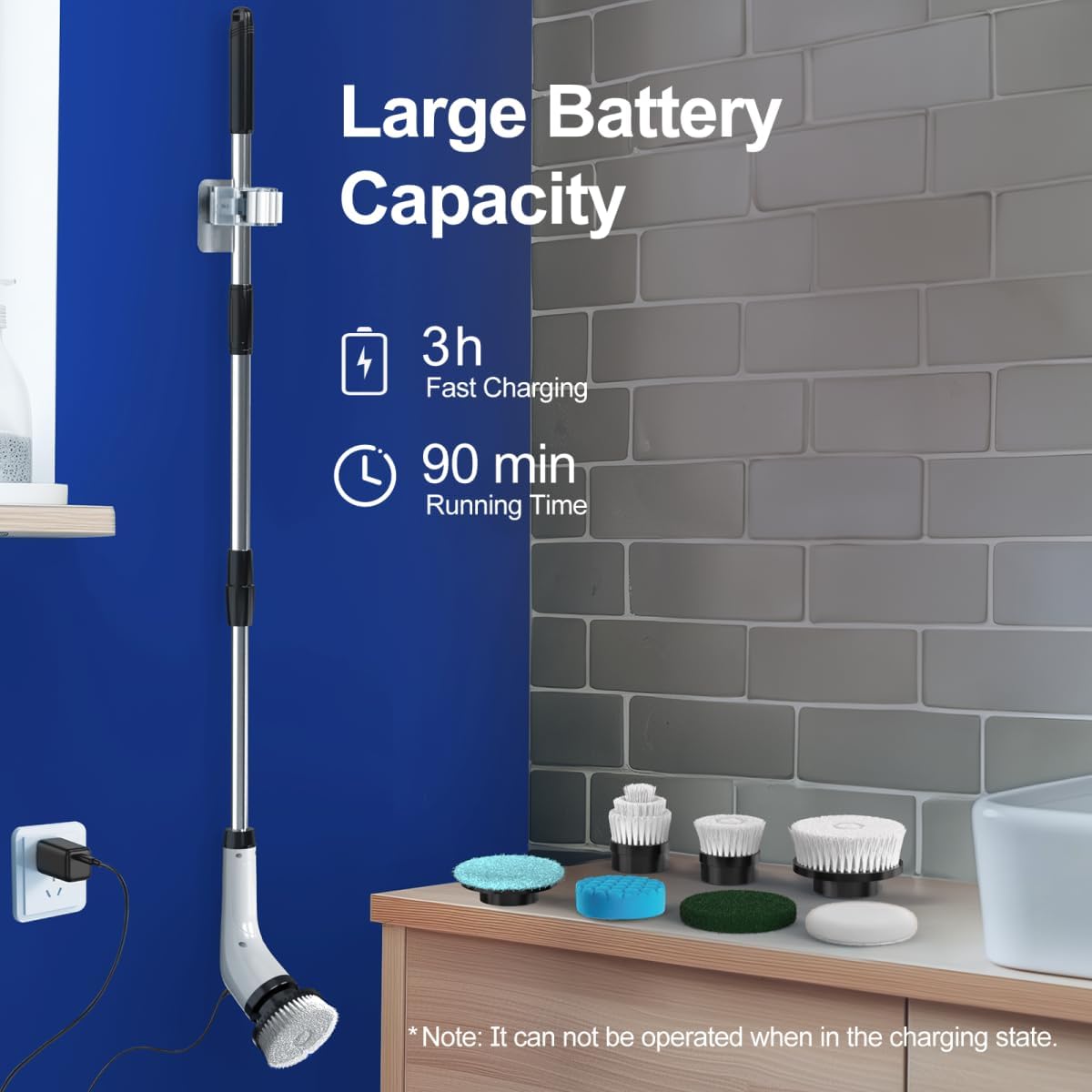
A selection of the 7 interchangeable brush heads, including flat brushes, a corner brush, and various pads for different cleaning needs.
3. Sąranka
3.1 Rankenos surinkimas
- Unpack the main scrubber unit and the telescope handle from the box.
- Align the connection point on the main scrubber unit with the top end of the telescope handle.
- Twist clockwise until the handle is securely locked into place. Ensure it clicks or feels firm to prevent detachment during use.
- To extend the handle, twist the locking collars on the handle counter-clockwise to loosen, pull the sections to your desired length, and then twist clockwise to lock them securely.
3.2 Attaching Brush Heads
- Pasirinkite valymo užduočiai tinkamą šepetėlio galvutę.
- Align the brush head with the rotating base of the scrubber unit (or the end of the handle if attached).
- Push the brush head firmly onto the base until it clicks into place. Ensure it is securely fastened.
- To remove a brush head, simply pull it off the base.
Official ALPONO video demonstrating the assembly of the electric spin scrubber and attachment of various brush heads for different cleaning tasks.
4. Naudojimo instrukcijos
4.1 Įjungimas / išjungimas
- Press and hold the power button on the scrubber unit for 2-3 seconds to turn it ON. The digital display will light up.
- To turn it OFF, press and hold the power button again for 2-3 seconds.
4.2 Greičio reguliavimas
- Once powered ON, the scrubber will default to a low-speed setting (280 RPM).
- Press the power button briefly to switch to the high-speed setting (360 RPM).
- Press the button again to toggle back to the low-speed setting. The digital display will indicate the current speed.
4.3 Valymo patarimai
- For best results, apply your preferred cleaning solution directly to the surface or the brush head before activating the scrubber.
- Start with the low-speed setting for general cleaning and switch to high speed for stubborn stains or tougher grime.
- Use the long handle for floors, high walls, or deep tubs to avoid bending and stretching.
- For detailed cleaning around faucets or in tight corners, detach the handle and use the scrubber as a handheld unit with a smaller brush head.
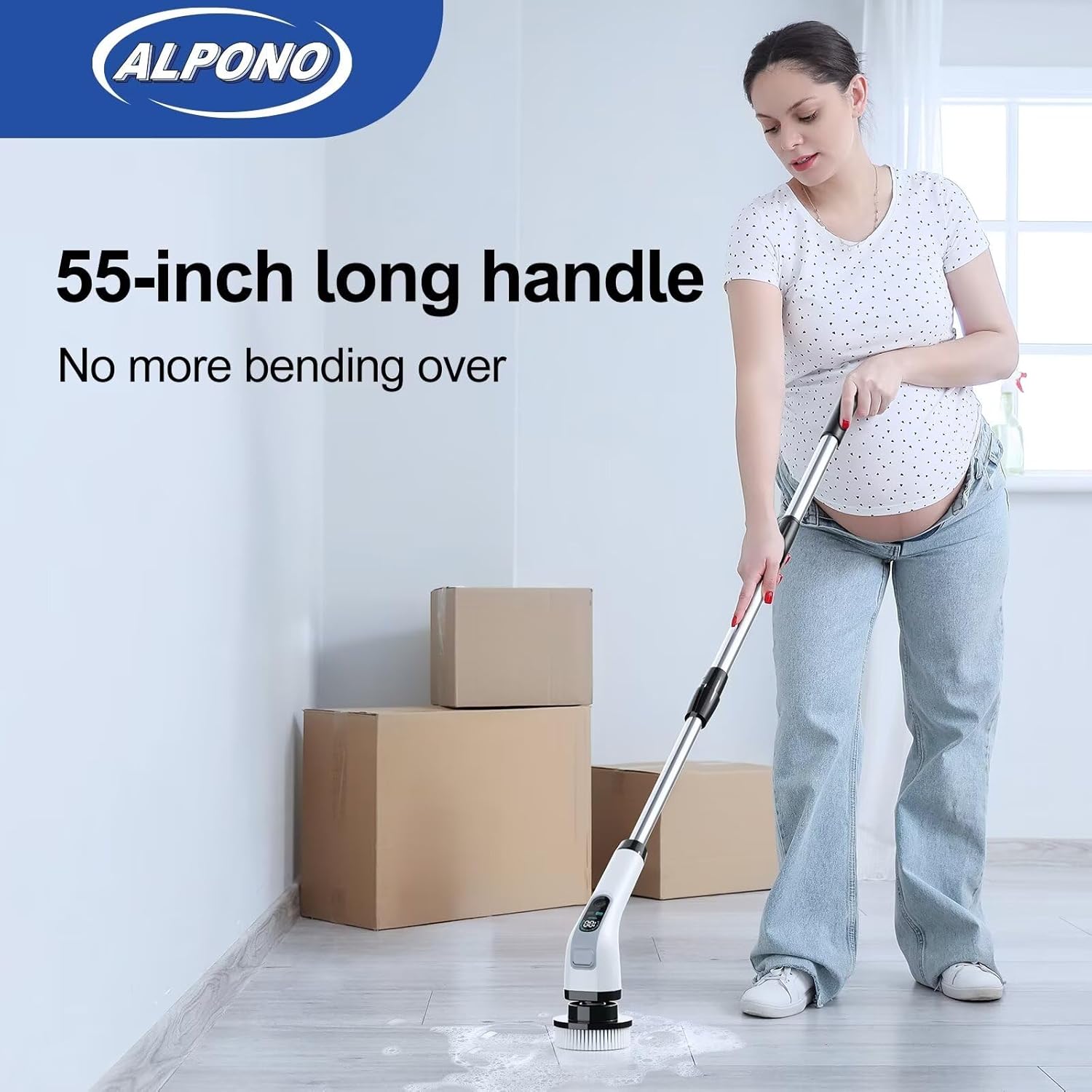
A user demonstrating the extended 55-inch handle for comfortable floor cleaning, eliminating the need for bending over.

Visual comparison highlighting how the ALPONO scrubber saves back and knee strain compared to traditional manual cleaning methods.

Diagram illustrating the extendable long handle, adjustable to different heights for various cleaning demands, from handheld to full extension.
5. Priežiūra
5.1 Šepetėlių galvučių valymas
- After each use, remove the brush head from the scrubber unit.
- Rinse the brush head thoroughly under running water to remove any dirt, soap residue, or debris.
- For stubborn grime on the brush bristles, use a mild soap and a small brush to clean them.
- Allow the brush heads to air dry completely before storing them to prevent mildew or odor.
5.2 Charging the Scrubber
- The scrubber unit is powered by 1 Lithium Ion battery (included).
- When the digital display shows low battery (flashing 10%), connect the Type-C charging cable to the charging port on the scrubber unit.
- Kitą laido galą prijunkite prie suderinamo USB maitinimo adapterio (nepridedamas).
- A full charge takes approximately 3 hours. The digital display will indicate charging progress.
- The scrubber provides up to 90 minutes of running time on a full charge.
- Note: The scrubber cannot be operated while it is in the charging state.
5.3 Saugykla
- Store the scrubber unit and brush heads in a dry, cool place away from direct sunlight.
- Ensure all components are clean and dry before storage.
- The extendable handle can be collapsed for compact storage.

The scrubber unit charging via its Type-C cable, indicating its large battery capacity and fast charging capability.
6. Problemų sprendimas
If you encounter any issues with your ALPONO Electric Spin Scrubber, please refer to the following common problems and solutions:
| Problema | Galima priežastis | Sprendimas |
|---|---|---|
| Šveitiklis neįsijungia. | Low battery or unit not charged. | Charge the scrubber unit fully (approx. 3 hours). |
| Šepetėlio galvutė nustoja suktis arba sukasi lėtai. | Low battery, excessive pressure applied, or debris caught in bristles. | Recharge the unit. Reduce pressure during cleaning. Clean brush head thoroughly. |
| Šepetėlio galvutė naudojimo metu atsiskiria. | Šepetėlio galvutė nėra tvirtai pritvirtinta. | Ensure brush head clicks firmly into place when attaching. |
| Skaitmeninis ekranas neveikia. | Įrenginys išjungtas arba akumuliatorius visiškai išsikrovęs. | Press power button to turn on. Charge the unit. |
Jei problema išlieka ir išbandžius šiuos sprendimus, kreipkitės į klientų aptarnavimo tarnybą.
7. Specifikacijos
| Specifikacija | Vertė |
|---|---|
| Prekės ženklas | ALPONO |
| Modelio numeris | ALPONO-A11 |
| Spalva | Juoda |
| Rankenos medžiaga | Nerūdijantis plienas |
| Gaminio matmenys | 2.16 colio ilgio x 2.16 colių pločio x 9.8 colio aukščio |
| Prekės svoris | 2.5 svaro |
| Medžiaga | Nerūdijantis plienas, plastikas |
| Ypatinga funkcija | Long Handle, Portable, Extendable, Cordless |
| Įtraukti komponentai | 1*Electric Spin Scrubber, 7*Brushes, 1*Telescope Handle, 1*Type-C Cable, 1*Manual |
| Baterijos tipas | 1 ličio jonų baterija (pridedama) |
| Baterijos veikimo laikas | Up to 90 minutes running time |
| Įkrovimo laikas | apytiksliai 3 valandas |
| Greičio nustatymai | 2 adjustable speeds (280 RPM Low, 360 RPM High) |
| Atsparumo vandeniui įvertinimas | IPX6 (from video, not explicitly in specs but implied by use) |
| UPC | 794414690734, 794414690826 |
8. Garantija ir palaikymas
For warranty information, product registration, or technical support, please refer to the warranty card included in your product packaging or visit the official ALPONO website. You may also contact ALPONO customer service directly via the contact information provided in the product documentation.
Ask a question about this manual
Ask about setup, troubleshooting, compatibility, parts, safety, or missing instructions. Manuals+ will review the question and use this page’s manual context to help answer it.