
1. Įvadas
Thank you for choosing the XIAOVV 4G LTE Solar Outdoor Security Camera. This manual provides essential information for the proper installation, operation, and maintenance of your device. Please read it carefully before use and retain it for future reference. This camera is designed for outdoor surveillance, offering reliable monitoring with 4G LTE connectivity and solar power.
2. Produktas baigtasview
The XIAOVV P5plus is a robust outdoor security camera featuring a solar panel for continuous power and 4G LTE connectivity for remote access without relying on Wi-Fi. It offers high-definition imaging, advanced night vision, and intelligent security functions.
Pagrindinės funkcijos:
- 4G LTE ryšys: Supports 4G bands B1/B3/B5/B38/B39/B40/B41 for remote access in areas without Wi-Fi.
- Varomas saulės energija: Integrated solar panel provides continuous power, ensuring 365 days of uninterrupted monitoring.
- 5MP HD Imaging & 1080p Video: Captures clear 5-megapixel still images and records 1080p high-definition video.
- Spalvotas naktinis matymas: Advanced Starlight color night vision ensures clear, detailed footage net esant prastam apšvietimui.
- 360° stebėjimas: Dual-lens design allows for comprehensive 360-degree coverage without blind spots, with PTZ (Pan-Tilt-Zoom) capabilities.
- Smart Security Functions: AI-based person detection, dual PIR and radar alarms, automatic motion detection, and two-way audio communication.
- Vietinė ir debesies saugykla: Supports up to 128GB Micro SDHC card for local storage and optional cloud storage.
- H.265 suspaudimas: Efficient video compression for longer storage times and stable recordings.
- Atsparus oro sąlygoms dizainas: IP66 rated for outdoor use, protecting against dust and powerful water jets.
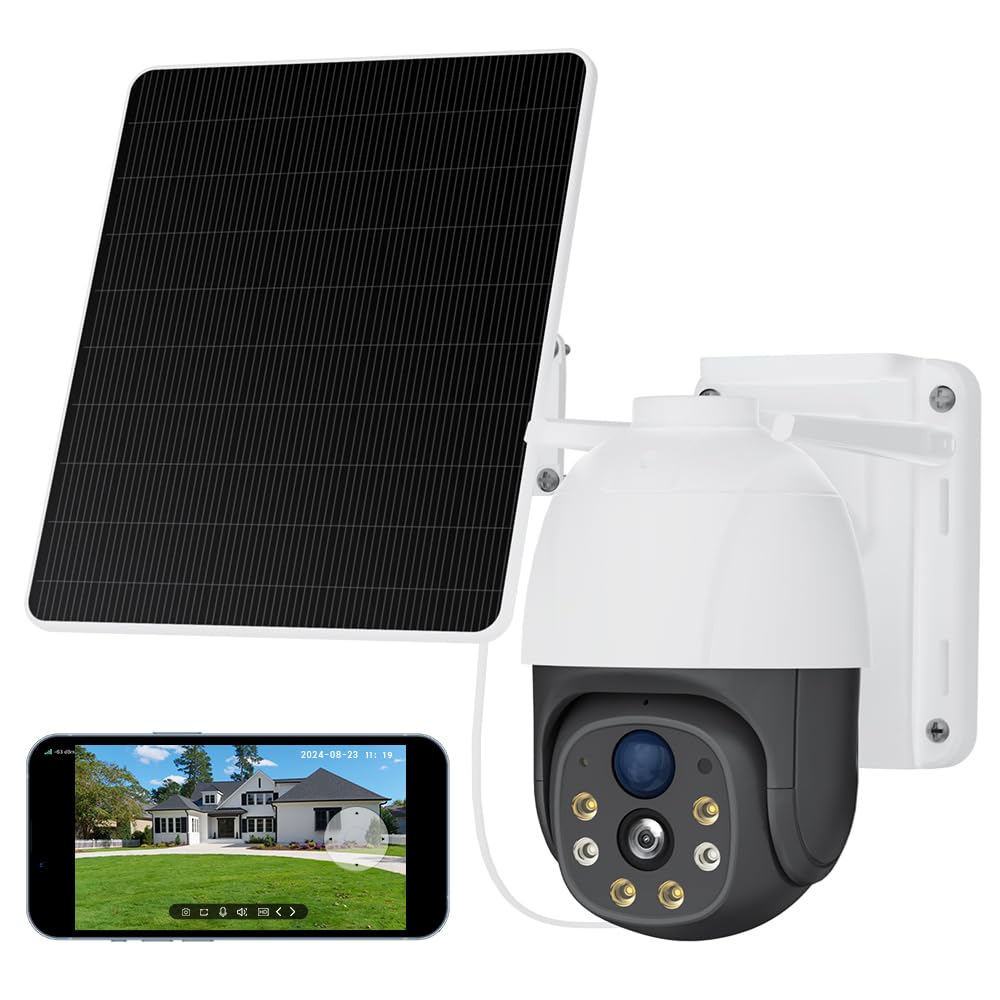
Image 2.1: The XIAOVV 4G LTE Solar Outdoor Security Camera, showcasing its solar panel and various features like 4G LTE signal, full color night vision, AI intelligence, IP65 waterproof rating, device sharing, 2-way audio, HD 1080P, siren, PIR motion detection, and 8000mAh battery capacity.

Image 2.2: A visual representation of the camera's 2K Starlight Color Night Vision, showing a building at night with clear, illuminated details, contrasting with a standard black and white night vision view.
3. Sąranka
3.1 Pakuotės turinys
- XIAOVV Solar Camera (1)
- Montavimo laikiklis ir varžtai
- Vartotojo vadovas
3.2 Inserting SIM Card and Micro SD Card
- Locate the SIM card and Micro SD card slot on the camera, usually protected by a rubber cover.
- Atsargiai atidarykite dangtelį.
- Insert a valid 4G LTE SIM card (not included) into the SIM card slot with the correct orientation. Ensure it clicks into place.
- Insert a Micro SDHC card (up to 128GB, not included) into the Micro SD card slot with the correct orientation.
- Close the rubber cover firmly to ensure IP66 weatherproofing.
3.3 Kameros tvirtinimas
- Choose a suitable outdoor location with good 4G signal reception and direct sunlight exposure for the solar panel.
- Norėdami tvirtai pritvirtinti kamerą prie sienos ar stulpo, naudokite pateiktą tvirtinimo laikiklį ir varžtus.
- Sureguliuokite saulės baterijos kampą, kad maksimaliai padidintumėte saulės šviesos kiekį visą dieną.
- Įsitikinkite, kad kamera turi aiškų matymo lauką į sritį, kurią norite stebėti.

Image 3.1: The XIAOVV camera with its solar panel, shown installed in diverse outdoor settings such as a pasture, fish pond, orchard, construction site, and backyard, illustrating its versatility for different surveillance needs.
3.4 Programėlės atsisiuntimas ir susiejimas
- Download the XIAOVV app from your smartphone's app store (iOS or Android).
- Registruokitės naujai paskyrai arba prisijunkite, jei jau turite.
- Follow the in-app instructions to add your new camera. This typically involves scanning a QR code on the camera or manually entering its device ID.
- Ensure the camera is powered on and the 4G SIM card is active during the pairing process.
4. Naudojimo instrukcijos
4.1 Tiesiogiai View
Open the XIAOVV app and select your camera from the device list to access the live video feed. You can view realaus laiko footage from your monitored area.
4.2 PTZ valdymas
Utilize the on-screen controls in the live view to pan (rotate horizontally), tilt (rotate vertically), and digitally zoom the camera to adjust your viewkampas ir fokusavimas į konkrečias sritis.
4.3 Dvipusis garsas
Tap the microphone icon in the app to speak through the camera's speaker, and listen to audio from the camera's microphone. This allows for real-time communication with visitors or to deter intruders.
4.4 Įrašymas ir atkūrimas
- Rankinis įrašymas: Tiesioginio transliavimo metu palieskite įrašymo mygtuką view to start or stop manual video recording.
- Renginio įrašas: The camera automatically records when motion is detected, based on your settings.
- Atkūrimas: Prieiga įrašyta footage via the 'Playback' or 'History' section in the app. You can filter by date and event.
4.5 Judesio aptikimas ir įspėjimai
Configure motion detection sensitivity, detection zones, and alert preferences (e.g., push notifications, siren activation) within the app settings. The camera uses AI-based person detection, PIR, and radar for accurate alerts.

Image 4.1: A visual representation of the AI Automatic Tracking feature, showing a father and child playing in a park with a tracking box following their movement, indicating the camera's ability to automatically follow targets.
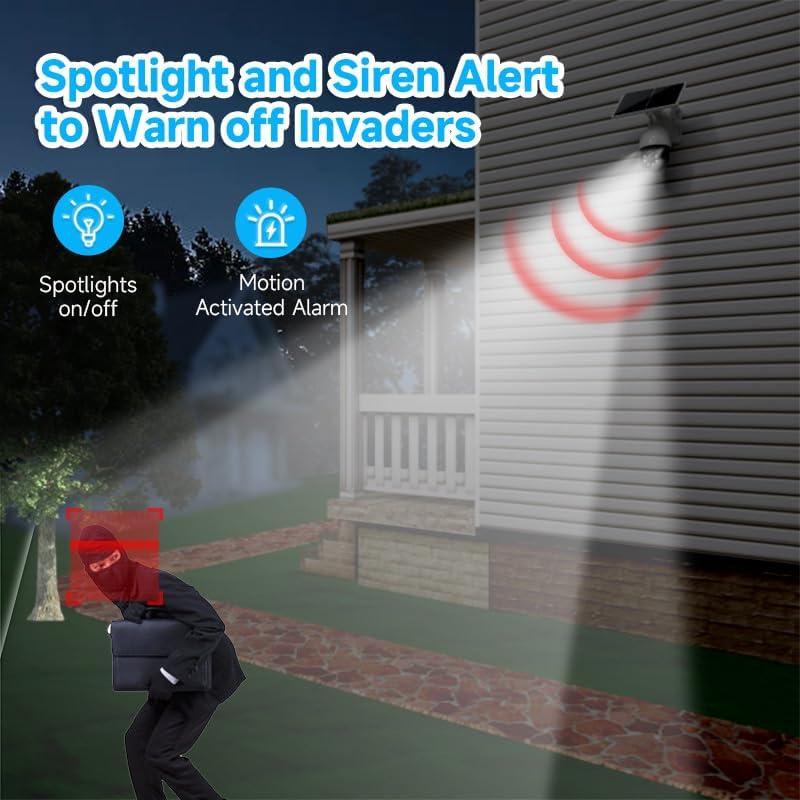
Image 4.2: The camera's spotlight and siren alert system activated at night, illuminating a detected intruder and emitting a warning sound, demonstrating its active deterrence capabilities.
5. Priežiūra
5.1 Valymas
- Reguliariai valykite kameros objektyvą ir saulės bateriją minkšta,amp šluoste, kad užtikrintumėte optimalų veikimą. Venkite abrazyvinių valiklių.
- Ensure the solar panel is free from dirt, dust, leaves, or snow to maintain efficient charging.
5.2 Firmware atnaujinimai
Check the XIAOVV app periodically for available firmware updates. Keeping your camera's firmware up-to-date ensures optimal performance, security, and access to new features.
5.3 Saugojimo valdymas
If using a Micro SD card, regularly review ir sukurkite svarbių maisto produktų atsargines kopijastage. You can configure the camera to overwrite older footage automatically when the card is full. For cloud storage, manage your subscription and stored data through the app.

Image 5.1: A graph illustrating the benefits of H.265 Video Coding Technology compared to H.264, showing significant savings in storage space and broadband usage, leading to faster loading and smoother playback of videos.
6. Problemų sprendimas
6.1 Camera Not Connecting to 4G
- Įsitikinkite, kad SIM kortelė tinkamai įdėta ir aktyvi su duomenų planu.
- Check 4G signal strength at the camera's location using your smartphone.
- Restart the camera by pressing the reset button or power cycling it.
- Verify that the camera's 4G bands are compatible with your network provider.
6.2 Prasta vaizdo kokybė
- Nuvalykite fotoaparato objektyvą, kad pašalintumėte nešvarumus ar dėmes.
- Įsitikinkite, kad priešais objektyvą nėra jokių kliūčių.
- Check your 4G signal strength; a weak signal can affect streaming quality.
6.3 Baterija neįkraunama
- Ensure the solar panel is clean and receives direct sunlight for several hours daily.
- Patikrinkite saulės baterijos ir kameros jungtį.
- Verify that the camera is placed in an area with sufficient sunlight.
6.4 Judesio aptikimas neveikia
- Check motion detection settings in the app; ensure it's enabled and sensitivity is adjusted.
- Verify that the detection zones are correctly configured.
- Įsitikinkite, kad nėra jokių fizinių kliūčių, blokuojančių kameros view or PIR sensor.
7. Specifikacijos
| Funkcija | Specifikacija |
|---|---|
| Modelio pavadinimas | XIAOVV-P5PLUS-EU4G |
| Ryšys | 4G LTE (B1/B3/B5/B38/B39/B40/B41) |
| Maitinimo šaltinis | Solar Powered (Integrated Solar Panel) |
| Vaizdo raiška | 5 MP (Stills) |
| Vaizdo raiška | 1080p (AVI formatas) |
| Naktinis matymas | Starlight Color Night Vision, 15 Meters Range |
| Viewing kampas | 360 laipsnių (PTZ) |
| Ypatingos savybės | Two-way audio, Local recording, AI Person Detection, PIR/Radar Alarms, HD Resolution, PTZ Technology |
| Sandėliavimas | Micro SDHC (up to 128 GB), Optional Cloud Storage |
| Suspaudimas | H.265 |
| Atsparumo oro sąlygoms įvertinimas | IP66 |
| Kontrolės metodas | Smartphone App (XIAOVV App) |
| Matmenys | 20 x 20 x 22 cm |
8. Garantija ir palaikymas
This XIAOVV product comes with a standard manufacturer's warranty. Please refer to the warranty card included in your package or visit the official XIAOVV websvetainėje, kurioje pateikiamos išsamios garantijos sąlygos.
For technical support, troubleshooting assistance, or any product-related inquiries, please contact XIAOVV customer service through the contact information provided on their official websvetainėje arba XIAOVV programėlėje.