
STRONG SRT32HG6733C
STRONG SRT32HG6733C 32-inch HD Android Smart TV User Manual
Model: SRT32HG6733C
Įvadas
This manual provides essential information for the setup, operation, and maintenance of your STRONG SRT32HG6733C 32-inch HD Android Smart TV. Please read these instructions carefully before using the product to ensure proper functionality and safety.
Kas yra dėžutėje
Išpakuodami patikrinkite, ar yra visi toliau išvardyti daiktai ir ar jie yra geros būklės:
- STRONG SRT32HG6733C TV Unit
- Remote control with voice recognition
- 2 x AAA baterijos
- Vartotojo vadovas (šis dokumentas)

Image: The STRONG SRT32HG6733C TV unit with its central stand, remote control, and included accessories.
Sąranka
1. Stovo pritvirtinimas
Carefully place the TV screen-down on a soft, clean surface to prevent scratches. Align the central stand with the mounting holes on the bottom of the TV. Secure the stand using the provided screws. Ensure the stand is firmly attached before proceeding.

Vaizdas: Galinis view of the TV showing the central stand attachment points and various input ports.
2. Maitinimo prijungimas
Prijunkite maitinimo laidą prie televizoriaus maitinimo įvesties, tada – prie sieninio lizdo. Televizorius persijungs į budėjimo režimą.
3. Pradinė sąranka ir tinklo prijungimas
Upon first power-on, the TV will guide you through the initial setup process. This includes language selection, country, and network connection. For optimal Smart TV functionality, connect to your Wi-Fi network. You can also connect via an Ethernet cable for a stable wired connection.

Image: The TV screen displaying connectivity options, highlighting Wi-Fi and Bluetooth symbols.
Naudojimo instrukcijos
Pagrindinės funkcijos
- Maitinimo įjungimas/išjungimas: Paspauskite maitinimo mygtuką ant nuotolinio valdymo pulto arba televizoriaus.
- Kanalo pasirinkimas: Use the CH+/- buttons or the number pad on the remote.
- Garsumo valdymas: Naudokite mygtukus VOL+/-.
- Įvesties šaltinis: Press the SOURCE button to select between HDMI, AV, DVB-T/T2, DVB-C, DVB-S/S2 inputs.
Išmaniojo televizoriaus funkcijos („Google TV“)
Your TV runs on Google TV, providing access to a wide range of applications and services.
- Pagrindinis ekranas: Access your favorite apps, movies, and shows directly from the customizable home screen.
- Srautinio perdavimo programos: Pre-installed apps include Netflix, Prime Video, YouTube, and Disney+. Additional apps can be downloaded from the Google Play Store.
- „Google“ padėjėjas: Use the voice recognition remote to control your TV, search for content, and get information by pressing the Google Assistant button and speaking your command.
- Google Cast: Stream content from your compatible smartphone or tablet directly to the TV.

Image: The TV screen showing the Google TV interface with icons for Netflix, YouTube, Prime Video, Disney+, and other streaming services.

Image: A user holding the voice-controlled remote, with a visual representation of Google Assistant responding to a voice command on the TV screen.
Ryšys
Televizorius turi įvairius prievadus išoriniams įrenginiams prijungti:
- HDMI prievadai (x2): Prijunkite „Blu-ray“ grotuvus, žaidimų konsoles ar kitus įrenginius su HDMI jungtimi.
- USB prievadas (x1): Leisti mediją file(nuotraukas, vaizdo įrašus, muziką) iš USB atmintinės.
- Eterneto (RJ45) prievadas: Laidiniam interneto ryšiui.
- Antenna (ANT in) / Satellite (SAT in) Inputs: Connect your terrestrial or satellite antenna for live TV.
- PI lizdas: Sąlyginės prieigos moduliams (CAM) iššifruoti užšifruotus kanalus.
- SPDIF išvestis: Skaitmeniniam garso išėjimui į garso juostą arba namų kino sistemą.
- AV įvestis: Skirta senesniems įrenginiams prijungti naudojant kompozicinį vaizdo ir stereo garsą.
- Ausinių išvestis: Ausinėms prijungti.

Paveikslėlis: Detalus galinis view of the TV highlighting all available input and output ports, including AV in, HDMI, USB, Ethernet, S/PDIF, ANT in, SAT in, CI slot, and Headphone output.
Vaizdo įrašas: trumpas įžanginis vaizdo įrašasview demonstrating the TV's use in a mobile setting, such as a camper van, showing its compact size and clear display for entertainment on the go.
Priežiūra
Televizoriaus valymas
Norėdami išvalyti ekraną, švelniai nuvalykite jį minkštu, nepūkuotu skudurėliu. Jei dėmės sunkiai pašalinamos, šiek tiek nuvalykiteampen the cloth with water or a screen-cleaning solution. Avoid using harsh chemicals or abrasive materials. Clean the TV casing sausu, minkštu skudurėliu.
Programinės įrangos atnaujinimai
Your Android TV may receive software updates periodically. Ensure your TV is connected to the internet to receive these updates. Updates can improve performance, add new features, and enhance security. You can check for updates manually in the TV's settings menu.
Trikčių šalinimas
| Problema | Galimas sprendimas |
|---|---|
| Nėra galios | Patikrinkite, ar maitinimo laidas tvirtai prijungtas prie televizoriaus ir sieninio lizdo. Įsitikinkite, kad lizdas veikia. |
| Nėra vaizdo, bet yra garsas | Patikrinkite, ar pasirinktas teisingas įvesties šaltinis. Patikrinkite kabelių jungtis su išoriniais įrenginiais. |
| Nėra garso, bet vaizdas yra | Check the volume level and mute status. Ensure audio cables are correctly connected if using external speakers. |
| Nuotolinio valdymo pultas neveikia | Pakeiskite baterijas. Įsitikinkite, kad tarp nuotolinio valdymo pulto ir televizoriaus IR jutiklio nėra jokių kliūčių. |
| Nepavyksta prisijungti prie „Wi-Fi“. | Įsitikinkite, kad jūsų maršrutizatorius įjungtas ir veikia. Iš naujo įveskite „Wi-Fi“ slaptažodį. Pabandykite iš naujo paleisti televizorių ir maršrutizatorių. |
| Išmaniojo televizoriaus programėlės veikia lėtai arba nereaguoja | Patikrinkite interneto ryšio greitį. Uždarykite nenaudojamas programas. Paleiskite televizorių iš naujo. |
Specifikacijos
| Funkcija | Detalė |
|---|---|
| Modelio numeris | SRT32HG6733C |
| Ekrano dydis | 32 colio (81 cm) |
| Ekrano technologija | LED |
| Rezoliucija | HD Ready (1366 x 768p) |
| Operacinė sistema | Google TV |
| Ryšys | Wi-Fi, Bluetooth, 2x HDMI, 1x USB, Ethernet (RJ45), AV In, SPDIF, ANT in, SAT in, CI Slot |
| Derintuvai | DVB-T/T2, DVB-C, DVB-S/S2 (HEVC 265 codec) |
| Ypatingos savybės | Google Assistant, Google Cast, Dolby Audio |
| Matmenys (P x G x A) | 71.8 x 22.3 x 45.2 cm (su stovu) |
| Įtraukti komponentai | TV, Voice Remote, 2x AAA Batteries, Manual |
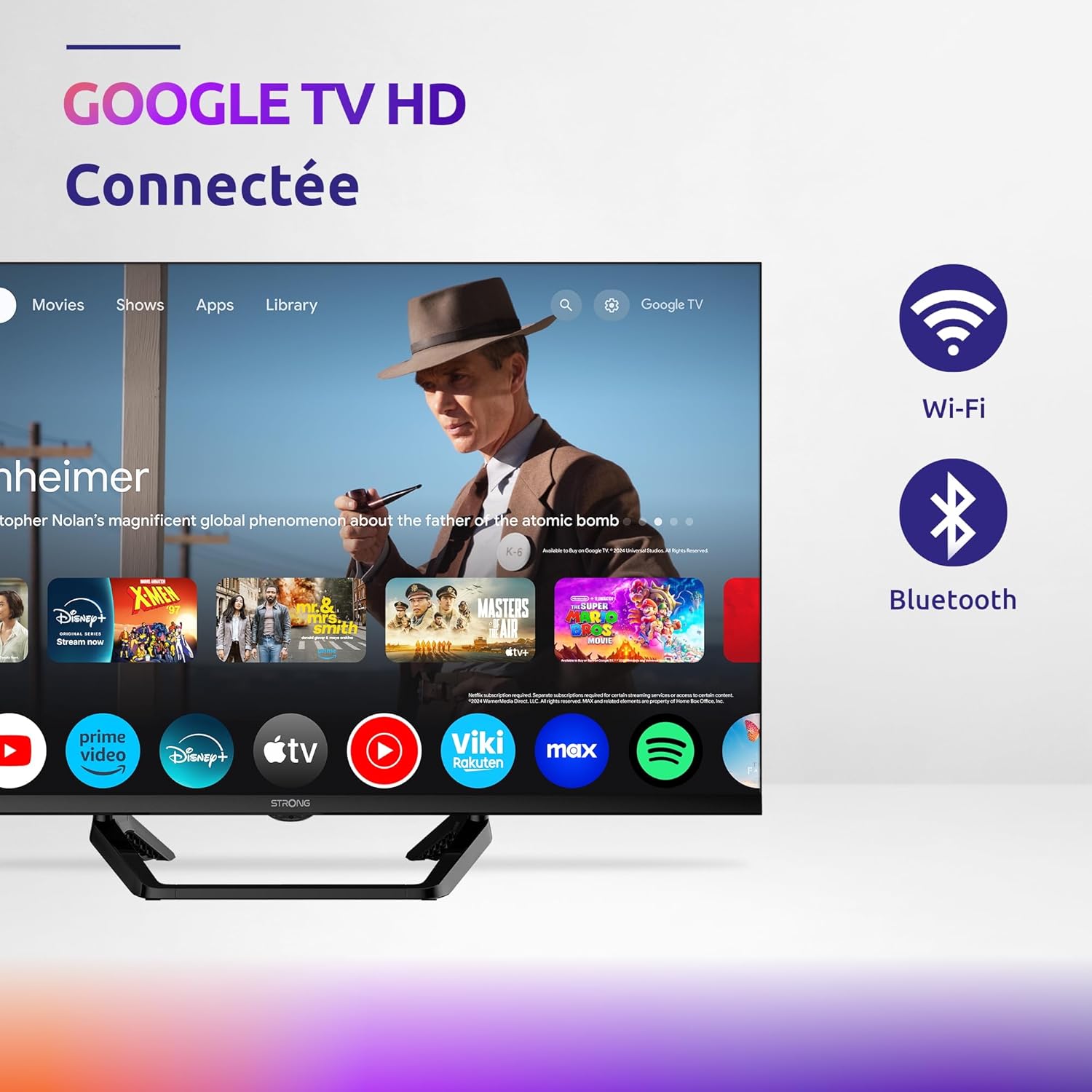
Image: Diagram showing the dimensions of the STRONG SRT32HG6733C TV, including width, height, and depth with the central stand.
Garantija ir palaikymas
This product comes with a manufacturer's warranty of 24 months. For warranty claims or technical support, please refer to the contact information provided on the official STRONG websvetainėje arba pirkimo dokumentuose.
For frequently asked questions and additional resources, visit the STRONG Brand Store.


Images: Icons representing warranty information and frequently asked questions.
Ask a question about this manual
Ask about setup, troubleshooting, compatibility, parts, safety, or missing instructions. Manuals+ will review the question and use this page’s manual context to help answer it.