
kinstone 102MF-6+128GB-GY-NEW
Kinstone Android Tablet 10 Inch User Manual
Prekinis ženklas: kinstone | Modelis: 102MF-6+128GB-GY-NEW
Įvadas
This manual provides comprehensive instructions for the operation, maintenance, and troubleshooting of your new kinstone 102MF-6+128GB-GY-NEW Android Tablet. Please read this manual carefully before using the device to ensure proper functionality and to maximize your user experience.

Figure 1: Kinstone Android Tablet 10 Inch, front and back view.
Kas yra dėžutėje
Patikrinkite, ar pakuotėje yra visi daiktai:
- 1 x Android 12G Tablet
- 1 x USB Type-C laidas
- 1x maitinimo adapteris
- 1 x Naudotojo vadovas (šis dokumentas)

Figure 2: Included accessories: tablet, USB-C cable, power adapter, and user manual.
Sąranka
1. Pradinis įkrovimas
Before first use, fully charge the tablet. Connect the provided USB Type-C cable to the tablet's Type-C port and the power adapter, then plug the adapter into a wall outlet.

Figure 3: The tablet features a 6000mAh battery and charges via a Type-C port.
2. Įjungimas/išjungimas
- To power on: Press and hold the Power button located on the side of the tablet until the screen lights up.
- Norėdami išjungti: paspauskite ir palaikykite maitinimo mygtuką, tada iš ekrane rodomų parinkčių pasirinkite „Išjungti“.
3. Pradinė konfigūracija
Upon first startup, follow the on-screen prompts to set up your language, Wi-Fi connection, Google account, and other basic settings.
4. „MicroSD“ kortelės įdėjimas (pasirinktinai)
The tablet supports up to 1TB TF card expansion. Locate the MicroSD card slot on the side of the tablet and gently insert the card until it clicks into place.

Figure 4: The tablet offers 6GB RAM and 128GB ROM, with support for 1TB MicroSD card expansion.
Naudojimo instrukcijos
1. Pagrindinė navigacija
- Jutiklinio ekrano gestai: Palieskite, kad pasirinktumėte, braukite, kad slinktumėte, suspauskite, kad priartintumėte.
- Fiziniai mygtukai:
- Power Button: Powers on/off, locks/unlocks screen.
- Volume Buttons: Adjusts audio volume.
- Reset Button: Small pinhole for force restart if needed.
5 pav. Baigtaview of tablet ports and buttons, including power, volume, reset, and Type-C.
2. Ryšys
- „Wi-Fi“: The tablet supports 2.4G and 5G dual-band Wi-Fi. Go to Nustatymai > Tinklas ir internetas > „Wi-Fi“ to connect to a network.
- Bluetooth: The tablet features Bluetooth 5.0 for stable and fast connections. Go to Nustatymai > Prijungti įrenginiai > „Bluetooth“ to pair with devices.

Figure 6: The tablet supports both 2.4G and 5G Wi-Fi bands and Bluetooth 5.0 for reliable connectivity.
3. Kameros naudojimas
The tablet is equipped with a 5MP rear camera and a 2MP front camera. Open the "Camera" application to capture photos and videos.

Figure 7: The tablet features a 5MP rear camera and a 2MP front camera for capturing moments.
4. Garso įrašas
The tablet features dual speakers for stereo surround sound. An earphone jack is also available for private listening.

Figure 8: The tablet is equipped with dual speakers for enhanced audio experience.
5. Sandėliavimo valdymas
With 128GB of internal storage and support for up to 1TB external TF card, you can manage your files, applications, and media through the "Files" app or by connecting the tablet to a computer.
6. Programų valdymas
Download and install applications from the Google Play Store. Manage installed apps via Nustatymai > Programos.
Priežiūra
1. Valymas
Planšetinio kompiuterio ekraną ir korpusą valykite minkštu, nepūkuotu audiniu. Venkite naudoti stiprias chemines medžiagas ar abrazyvines medžiagas.
2. Programinės įrangos atnaujinimai
Reguliariai tikrinkite, ar yra sistemos atnaujinimų, kad užtikrintumėte optimalų našumą ir saugumą. Eikite į Nustatymai > Sistema > Sistemos naujinimas.
3. Akumuliatoriaus priežiūra
To prolong battery life, avoid extreme temperatures and fully discharging the battery frequently. The 6000mAh battery provides 6-8 hours of usage.
Trikčių šalinimas
| Problema | Galima priežastis | Sprendimas |
|---|---|---|
| Planšetinis kompiuteris neįsijungia. | Žema akumuliatoriaus įkrova; sistemos gedimas. | Charge the tablet for at least 30 minutes. If still unresponsive, press the reset button with a pin. |
| „Wi-Fi“ ryšio problemos. | Neteisingas slaptažodis; maršrutizatoriaus problema; už diapazono ribų. | Patikrinkite „Wi-Fi“ slaptažodį. Paleiskite maršrutizatorių iš naujo. Priartėkite prie „Wi-Fi“ šaltinio. |
| Applications crashing or freezing. | Insufficient RAM; app bug; outdated software. | Uždaryti fonines programas. Išvalyti programos talpyklą. Atnaujinti programos arba sistemos programinę įrangą. |
| Lėtas veikimas. | Per daug veikiančių programų; mažai vietos saugykloje; pasenusi programinė įranga. | Close unused apps. Free up storage space. Perform a system update. |
Specifikacijos
| Funkcija | Detalė |
|---|---|
| Modelio pavadinimas | 102MF-6+128GB-GY-NEW |
| Operacinė sistema | Android |
| Ekrano dydis | 10.1 colių |
| Ekrano raiška | 1280 x 800 pikselių (IPS HD) |
| Procesorius | 2 GHz Octa-Core (MediaTek 8183) |
| RAM | 6 GB |
| Vidinė saugykla | 128 GB |
| Išplečiama saugykla | Iki 1 TB (TF kortelė) |
| Galinė kamera | 5 MP |
| Priekinė kamera | 2 MP |
| Belaidis ryšys | 802.11ac (2.4G+5G Dual Wi-Fi) |
| Bluetooth | Bluetooth 5.0 |
| Baterijos talpa | 6000 mAh |
| Vidutinis baterijos veikimo laikas | 6-8 hours (usage), 10 hours (listed) |
| Įkrovimo prievadas | C tipas |
| Matmenys (IxPxH) | 12.9 x 7.5 x 1.4 colio |
| Prekės svoris | 2 svaro |
| Spalva | Pilka |
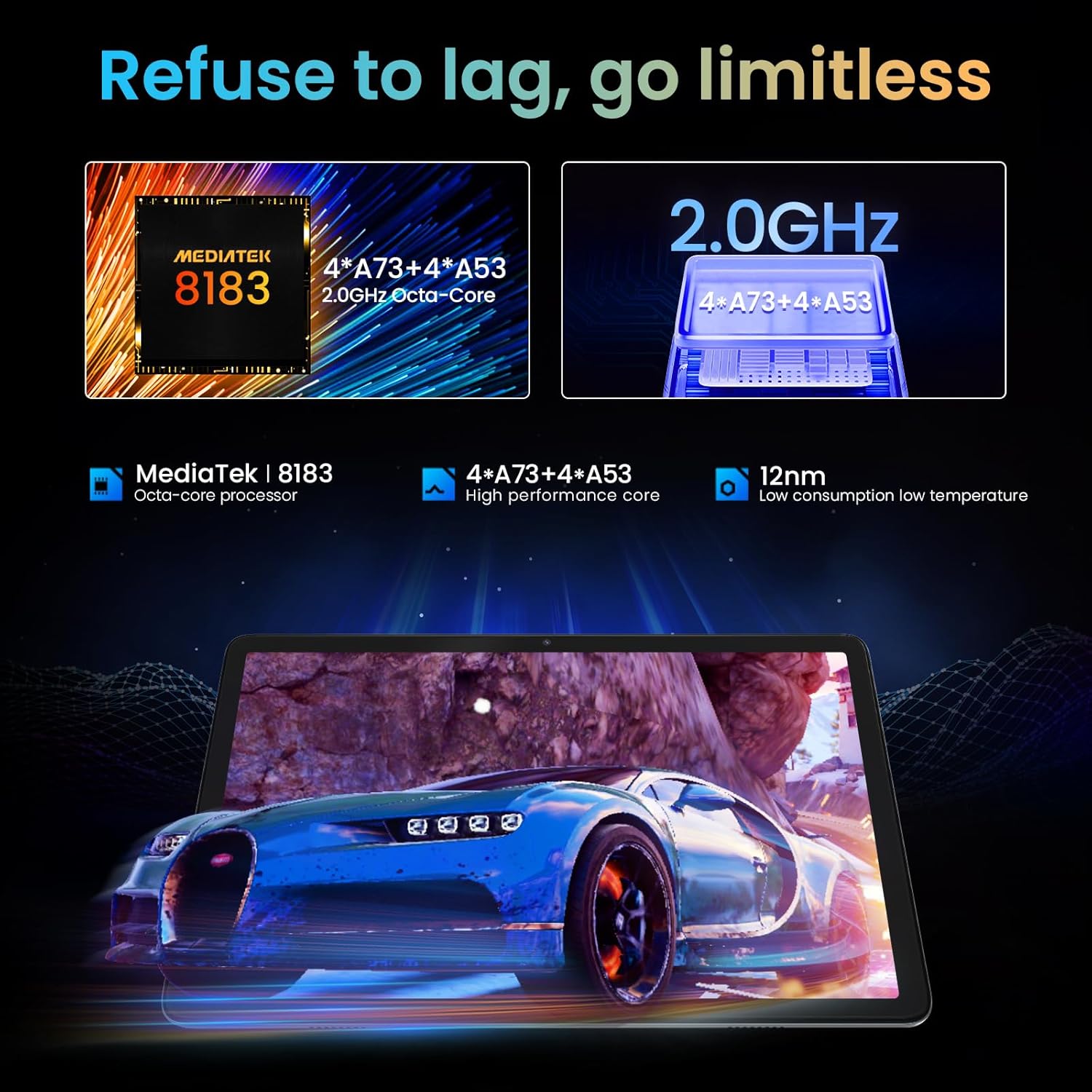
Figure 9: The tablet is powered by a MediaTek 8183 Octa-core processor for high performance.

Figure 10: The tablet features a 10.1-inch In-cell HD IPS screen with 1280x800 resolution and 178° viewing kampas.
Garantija ir palaikymas
The Kinstone Android Tablet comes with a 2 metų garantija from the date of purchase. This warranty covers manufacturing defects and ensures a satisfactory shopping experience.
For technical support, warranty claims, or any inquiries, please contact Kinstone customer service. We are committed to responding within 12 hours to assist you.
Norėdami gauti daugiau informacijos, apsilankykite oficialioje svetainėje Kinstone Store on Amazon.
Ask a question about this manual
Ask about setup, troubleshooting, compatibility, parts, safety, or missing instructions. Manuals+ will review the question and use this page’s manual context to help answer it.