
Įvadas
This manual provides comprehensive instructions for the installation, operation, and maintenance of your PNI House WIFI800 Wireless NVR. Please read this manual thoroughly before using the product to ensure proper functionality and to prevent damage. Keep this manual for future reference.
Produkto savybės
- 4K UHD Wireless NVR: Supports up to 8 IP cameras with 5MP resolution or up to 4 8MP 4K (3840 x 2160px) cameras. Compatible with PNI IP590 and PNI IP840 cameras.
- Easy Installation and Remote Access: Simple to install, configure, and control locally or remotely. View real-time images or play back recordings via phone, PC, or browser. Motion detection triggers SMS notifications via the mobile application.
- HDD and MicroSD Compatibility: Supports connecting a 2.5-inch hard drive up to 14 TB or a microSD card up to 128 GB. For optimal performance, use special CCTV hard drives designed for 24/7 reliability and durability.
- H.265AI/H.265+ Video Compression: Increases bandwidth and storage efficiency, supports higher resolution, and allows for longer recording times. Compatible with H.265/H.264.

Image: PNI House WIFI800 NVR with its packaging, highlighting its key features.

Image: Illustrates the NVR's advanced detection capabilities, including motion, human, and face detection, enhancing security monitoring.

Image: A mobile phone displaying the iCSee and XMEye applications, used for remote access and control of the NVR system.

Vaizdas: Galinis view of the NVR highlighting Wi-Fi, H.265AI/H.265+ compression, and ONVIF compatibility.
Pakuotės turinys
Į paketą įeina šie elementai:
- PNI House WIFI800 Wireless NVR
- Vartotojo vadovas
- Pelė
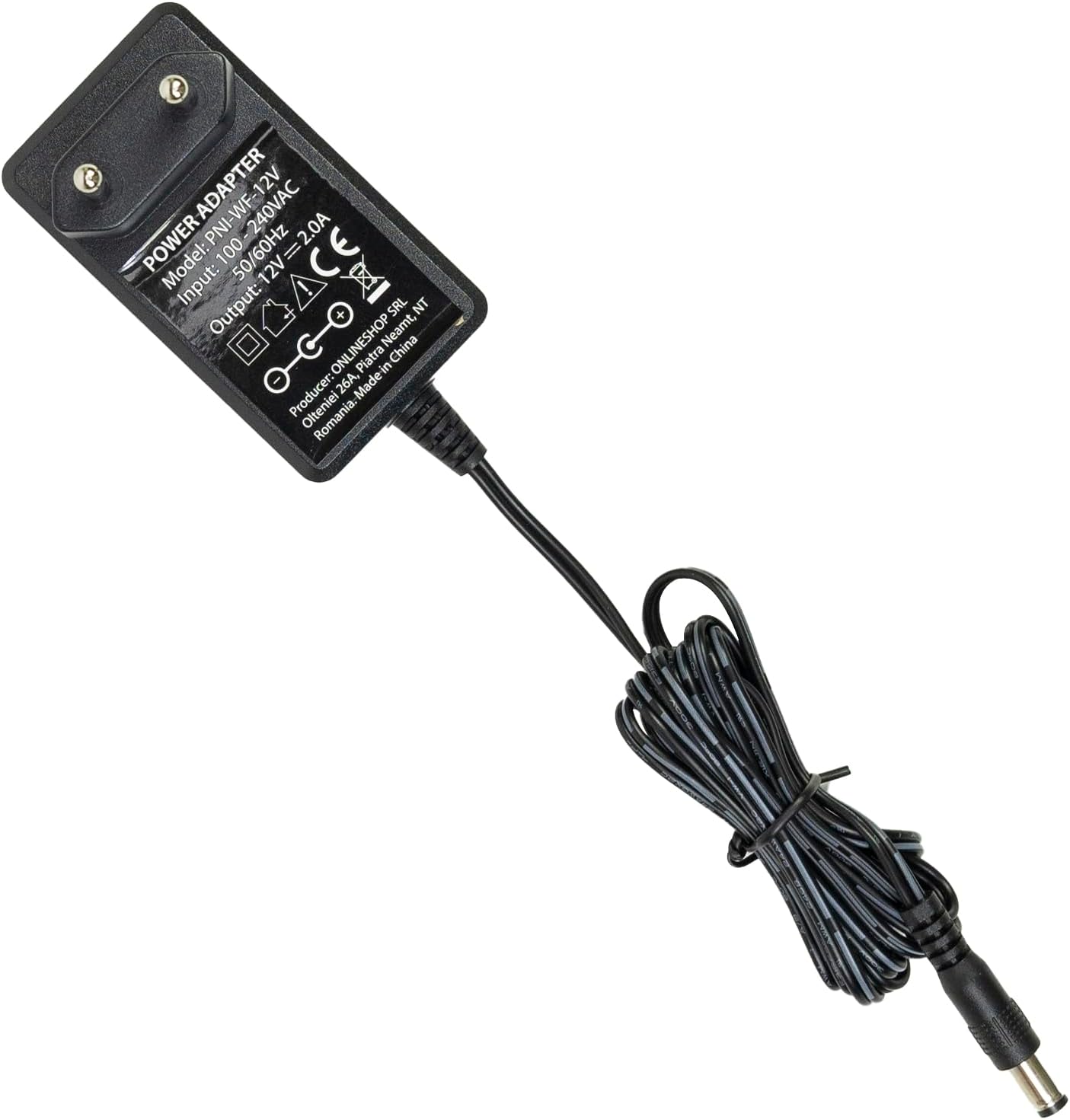
- Maitinimo adapteris

Image: The PNI House WIFI800 NVR shown with its included accessories: a mouse and a power adapter.
Sąrankos instrukcijos
- Prijunkite maitinimą: Connect the provided power adapter to the NVR's power input port and then plug it into a power outlet.
- Prisijunkite prie tinklo: For initial setup or wired connection, connect an Ethernet cable from the NVR's LAN port to your router. The NVR also supports wireless connectivity.
- Prijungti ekraną: Connect a monitor to the NVR's HDMI port using an HDMI cable (not included) to view sąsaja.
- Prijungti pelę: Plug the included USB mouse into the NVR's USB port for navigation.
- Install Storage (Optional):
The NVR supports a 2.5-inch HDD up to 14 TB or a microSD card up to 128 GB for recording. To install an HDD:
- Atsargiai atidarykite NVR casing (refer to the diagram below).
- Connect the HDD to the internal SATA power and data connectors.
- Secure the HDD within the NVR and close the casing.
- Alternatively, insert a microSD card into the dedicated slot.
- Fotoaparato poravimas: Follow the on-screen instructions on the connected display to pair your compatible PNI IP cameras (e.g., PNI IP590, PNI IP840) or other ONVIF-compatible cameras.

Vaizdas: Galinis view of the PNI House WIFI800 NVR, illustrating the power input, microSD card slot, HDMI output, Ethernet (LAN) port, USB port, and audio output.
Vaizdas: Apačia view of the PNI House WIFI800 NVR with the cover removed, indicating the internal slot for a 2.5-inch HDD.
Naudojimo instrukcijos
Vietinis valdymas
Once the NVR is connected to a display and mouse, you can navigate the on-screen interface to manage your cameras, view live feeds, and access recordings.
- Tiesiogiai View: Select the desired camera channels to view real-time video feeds.
- Įrašas: The NVR supports manual, alarm-triggered (motion detection), and scheduled recording. Configure these options in the system settings.
- Atkūrimas: Prieiga įrašyta footage from the storage device (HDD or microSD) through the playback menu.
- Sistemos nustatymai: Adjust network settings, video resolution, recording schedules, and other system parameters.
Remote Operation via Mobile App
The PNI House WIFI800 NVR can be accessed remotely using a mobile application (e.g., iCSee, XMEye) on your smartphone or tablet.
- Atsisiųsti programą: Download and install the recommended mobile application (e.g., iCSee or XMEye) from your device's app store.
- Registruotis / Prisijungti: Sukurkite paskyrą arba prisijunkite prie programėlės.
- Pridėti įrenginį: Follow the app's instructions to add your NVR. This typically involves scanning a QR code on the NVR or manually entering its device ID.
- Nuotolinis Viewing: Prisijungę galite view live camera feeds, play back recordings, and receive motion detection alerts directly on your mobile device.
Priežiūra
- Reguliarus valymas: Keep the NVR unit clean and free from dust. Use a soft, dry cloth for cleaning. Do not use liquid cleaners.
- Firmware atnaujinimai: Periodically check for firmware updates on the PNI official websvetainę, kad būtų užtikrintas optimalus veikimas ir saugumas.
- Duomenų atsarginė kopija: Regularly back up important recordings to an external storage device to prevent data loss.
- Kietojo disko sveikata: If using an HDD, monitor its health through the NVR's system settings to anticipate potential failures.
Trikčių šalinimas
| Problema | Galima priežastis | Sprendimas |
|---|---|---|
| Nėra vaizdo išvesties monitoriuje | Loose HDMI cable, incorrect input selected on monitor, NVR not powered on. | Check HDMI cable connection. Ensure monitor is on correct input. Verify NVR power. |
| Kameros neprisijungia | Incorrect network settings, cameras out of range, camera not powered, pairing issue. | Check NVR and camera network settings. Ensure cameras are within Wi-Fi range. Verify camera power. Re-attempt camera pairing. |
| Nėra nuotolinės prieigos | NVR neprijungtas prie interneto, neteisingi programėlės nustatymai, užkardos problemos. | Verify NVR internet connection. Check app login and device ID. Ensure router firewall allows NVR access. |
| Nėra įrašymo | No storage device, storage device full, recording schedule not set, storage device fault. | Install HDD/microSD. Check storage capacity. Configure recording schedule. Format or replace faulty storage. |
Specifikacijos
| Prekės ženklas | PNI |
| Modelio numeris | PNI-WIFI800 |
| Gamintojas | ONLINESHOP SRL |
| Ryšio technologija | Laidinis, belaidis |
| Suderinami įrenginiai | PNI IP125, PNI IP575, PNI KIMSD128, PNI IP590, PNI IP840 |
| Gaminio matmenys (I x P x A) | 17L x 12W x 3.5H centimetrai |
| Prekės svoris | 247 gramų |
| Memory Storage Capacity (HDD) | Up to 14 TB (2.5 inch) |
| Memory Storage Capacity (MicroSD) | Iki 128 GB |
| Galia | 24 vatų |
| Kanalų skaičius | 4 (supports up to 8x5MP or 4x8MP cameras) |
| Digital Video Media Format | H.265AI / H.265+ |
| Garso įvestis | Mikrofonas |
| Iš viso USB prievadų | 1 |
| Supported Video Input Type | RJ45 |
| Kilmės šalis | Kinija |
| Baterija | 1 Lithium-ion - included |
Garantija ir palaikymas
The PNI House WIFI800 Wireless NVR comes with a 2 metų garantija. For technical support, troubleshooting assistance, or warranty claims, please contact PNI customer service or visit their official websvetainę.
Informacija apie atsarginių dalių prieinamumą ir garantinius programinės įrangos atnaujinimus šiuo metu neprieinama.
Produktas baigtasview Vaizdo įrašas
Vaizdo įrašas: Oficialus produktas baigtasview and demonstration of the PNI House WIFI800 Wireless NVR features, including connectivity, remote access, and recording capabilities.


