
Įvadas
The 1Mii B03Pro is a versatile 3-in-1 Bluetooth audio adapter designed to enhance your home audio experience. It functions as a Bluetooth transmitter, a Bluetooth receiver, and offers a bypass mode. This device allows you to stream audio wirelessly to or from your existing audio systems, including home stereos, TVs, and speakers. Its broad compatibility and advanced audio codecs provide high-quality sound transmission.

Vaizdas: Viršview of the 1Mii B03Pro's three operational modes: Receiver, Transmitter, and Bypass.
Pagrindinės savybės
- 3 viename funkcionalumas: Operates as a Bluetooth transmitter, receiver, and in bypass mode for flexible audio connectivity.
- Audiofilinis DAC: Equipped with an ESS SABRE9018K2M decoding chip, supporting up to 384 kHz/32-bit sampling for high-fidelity audio with a 121 dB Signal-to-Noise Ratio (SNR).
- Išplėstinė Bluetooth 5.3 versija: Features aptX Adaptive, aptX LL (Low Latency), and aptX HD codecs for high-quality, low-latency audio transmission and reception. aptX HD supports up to 48 kHz/24-bit audio.
- Išplėstas belaidžio ryšio diapazonas: Provides a maximum operating distance of 80 meters (265 feet) outdoors and 35 meters (115 feet) indoors, allowing freedom of movement without losing audio connection.
- Dviejų nuorodų palaikymas: Can connect to two Bluetooth headphones or speakers simultaneously in transmitter mode.
- Platus suderinamumas: Supports AUX, RCA, and optical digital inputs/outputs, making it compatible with a variety of devices including amplifiers, speakers, TVs, computers, and mobile phones.

Image: Detail of the 1Mii B03Pro's top panel, showing codec indicators and the ESS SABRE DAC chip.

Image: Microchip labeled 'ESS ES9018K2M' on a circuit board, representing the integrated audiophile DAC.
Pakuotės turinys
- 1Mii B03Pro Bluetooth Transmitter Receiver Unit
- USB maitinimo laidas
- 3.5 mm garso laidas
- RCA Audio Cable (3.5mm Female to RCA Male)
- Optinis skaitmeninis kabelis

Image: The 1Mii B03Pro unit and its included cables for various audio connections.
Įrenginio išdėstymas
The 1Mii B03Pro features a user-friendly layout with clearly labeled ports and controls. Familiarize yourself with the device's front and rear panels for optimal setup and operation.
Priekinio skydelio valdikliai ir indikatoriai:
- Mode Switch (TX/RX/Bypass): Selects the operational mode.
- „Bluetooth“ poravimo mygtukas: Initiates pairing mode.
- Garsumo mygtukai (+/-): Reguliuoja garso išvesties lygį.
- Maitinimo mygtukas: Įjungia/išjungia įrenginį.
- LED indikatoriai: Display current mode (TX/RX), active codec (SBC, aptX, LL, HD, AD), and connection status.
Galinio skydelio prievadai:
- DC in: USB power input.
- 3.5mm Out / Optical Out: Audio outputs for connecting to speakers or receivers.
- Optical In / 3.5mm In: Audio inputs for connecting to source devices like TVs or PCs.

Vaizdas: Viršus view of the 1Mii B03Pro, highlighting controls and indicators.

Vaizdas: Galinis view of the 1Mii B03Pro, showing all connection ports.
Sąranka ir veikimas
1. Įrenginio įjungimas
- Connect the provided USB power cable to the DC IN port on the B03Pro.
- Plug the other end of the USB cable into a 5V USB power adapter (not included) or a powered USB port.
- Paspauskite Maitinimo mygtukas to turn on the device. The LED indicators will light up.
2. Selecting Operating Mode (TX/RX/Bypass)
Use the mode switch on the front panel to select your desired operation mode:
- TX (siųstuvo) režimas: Norėdami siųsti garsą iš įrenginio be „Bluetooth“ (pvz., televizoriaus, kompiuterio) į „Bluetooth“ ausines arba garsiakalbius.
- RX (imtuvo) režimas: To receive audio from a Bluetooth device (e.g., smartphone, tablet) and play it through a non-Bluetooth stereo system or speakers.
- Apėjimo režimas: To allow audio to pass through the device without Bluetooth processing, useful when you want to use your wired speakers directly.
3. Receiver Mode (RX) Setup
In RX mode, the B03Pro receives Bluetooth audio and outputs it to your wired audio system.
- Režimo jungiklį nustatykite į padėtį RX.
- Connect the B03Pro's 3.5mm Out or Optinis išėjimas port to your stereo receiver, amplifier, or powered speakers using the appropriate audio cable.
- On your smartphone or tablet, enable Bluetooth and search for "1Mii B03Pro". Select it to pair.
- Once paired, the RX LED indicator will be solid, and you can stream audio from your device to your stereo system.
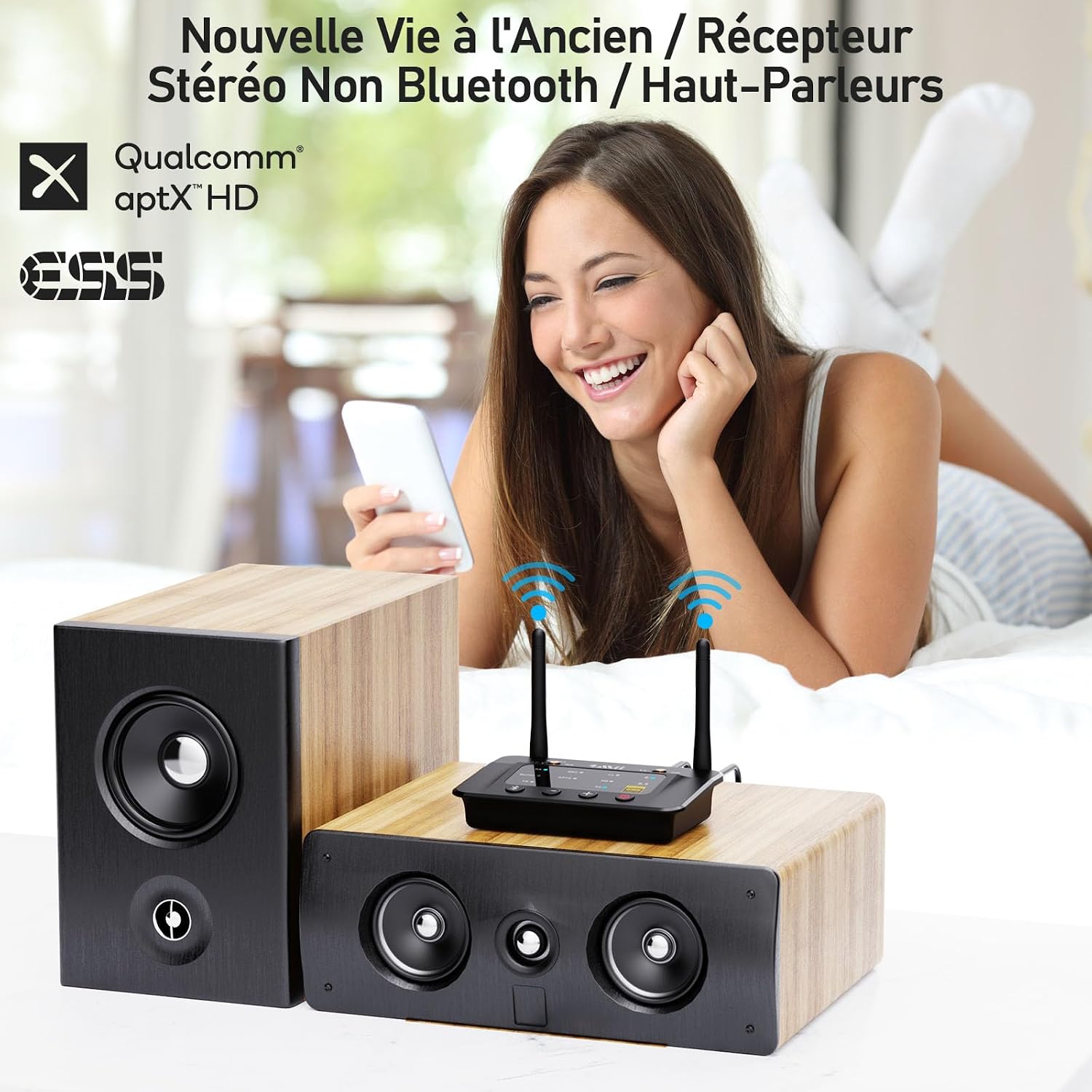
Vaizdas: pvzample of the 1Mii B03Pro in Receiver (RX) mode, connecting a smartphone to traditional speakers.
4. Transmitter Mode (TX) Setup
In TX mode, the B03Pro transmits audio from your non-Bluetooth device to Bluetooth headphones or speakers.
- Režimo jungiklį nustatykite į padėtį TX.
- Connect your audio source (e.g., TV, PC) to the B03Pro's 3.5mm In or Optinis įėjimas port using the appropriate audio cable.
- Įjunkite „Bluetooth“ ausines arba garsiakalbius susiejimo režimą.
- Paspauskite Bluetooth poravimo mygtukas on the B03Pro. The TX LED will flash.
- The B03Pro will automatically search for and connect to your Bluetooth audio device. Once connected, the TX LED will be solid.
- For dual link, repeat step 3 and 4 for the second Bluetooth device.

Image: The 1Mii B03Pro in Transmitter (TX) mode, enabling two people to listen to TV audio via Bluetooth headphones.
5. Bypass Mode Setup
Bypass mode allows you to use your wired speakers directly without disconnecting the B03Pro, providing a seamless transition between wired and wireless audio.
- Režimo jungiklį nustatykite į padėtį Apeiti.
- Connect your audio source (e.g., TV) to the B03Pro's 3.5mm In or Optinis įėjimas uostas.
- Connect the B03Pro's 3.5mm Out or Optinis išėjimas port to your wired speakers or soundbar.
- Audio will now pass directly from your source to your wired speakers.
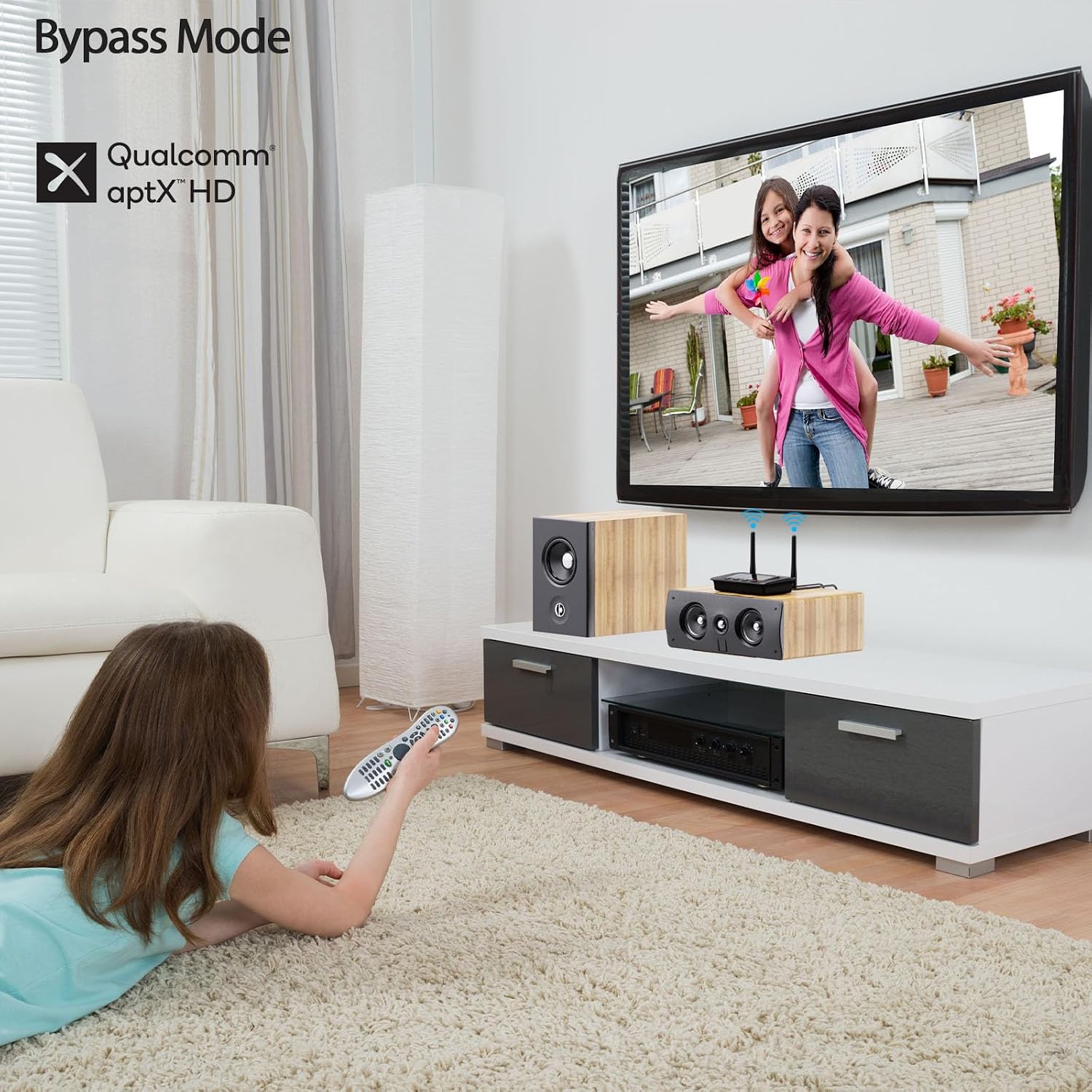
Image: The 1Mii B03Pro in Bypass mode, allowing direct audio output to a soundbar from a TV.
Priežiūra
- Keep the device in a dry environment, away from extreme temperatures and direct sunlight.
- Prietaisą valykite minkštu, sausu skudurėliu. Nenaudokite skystų valiklių ar aerozolių.
- Stenkitės, kad prietaisas nenumestų ar nepatirtų stipraus smūgio.
- Užtikrinkite tinkamą vėdinimą aplink įrenginį veikimo metu.
Trikčių šalinimas
| Problema | Galimas sprendimas |
|---|---|
| Nėra maitinimo / Įrenginys neįsijungia. | Ensure the USB power cable is securely connected and the power source is active. Try a different USB power adapter or port. |
| Negalima susieti su Bluetooth įrenginiu. |
|
| Nėra garso išvesties. |
|
| Garso kokybė prasta arba trūkčioja. |
|
Specifikacijos
| Funkcija | Detalė |
|---|---|
| Prekės ženklas | 1Mii |
| Modelio numeris | B03Pro |
| Ryšio technologija | Bluetooth 5.3, RCA, 3.5mm Jack, Optical |
| Ypatingos savybės | Audiophile DAC (ESS SABRE9018K2M), Long Range, TX+BYPASS Working, aptX HD, aptX LL, aptX Adaptive |
| Suderinami įrenginiai | Amplifiers, Speakers, Televisions, Computers, Bluetooth Wireless Headphones, Mobile Phones |
| Garso išvesties režimas | Stereo (2.0 kanalai) |
| Spalva | Juoda |
| Kontrolės metodas | Įrenginio mygtukai |
| Belaidis diapazonas (lauke) | Iki 80 metrų (265 pėdų) |
| Belaidis diapazonas (patalpose) | Iki 35 metrų (115 pėdų) |
Garantija ir palaikymas
1Mii products come with a standard manufacturer's warranty. For specific warranty details, technical support, or customer service inquiries, please refer to the warranty card included in your product packaging or visit the official 1Mii websvetainė. Taip pat galite susisiekti su „1Mii“ klientų aptarnavimo tarnyba tiesiogiai per jų pateiktus kontaktinius kanalus.
Norėdami gauti naujausią informaciją ir pagalbos išteklius, apsilankykite: www.1mii.com