
1. Įvadas
Thank you for choosing the MECHEN H1-Pro Bluetooth MP3 Player with WiFi. This device is designed to provide a versatile and enjoyable audio and video experience. Featuring a 4-inch touchscreen and running on Android 9.0, it supports various applications and connectivity options. This manual provides essential information for setting up, operating, and maintaining your device.
2. Pakuotės turinys
Patikrinkite, ar pakuotėje yra visi toliau išvardyti daiktai. Jei kurių nors daiktų trūksta arba jie pažeisti, susisiekite su klientų aptarnavimo tarnyba.
- MECHEN H1-Pro MP3 Player
- USB kabelis
- Ausinės
- Apsauginė plėvelė
- Apsauginis dėklas
- Vartotojo vadovas

Image: The MECHEN H1-Pro MP3 Player displayed with its accessories, including a USB cable, headphones, protective film, and a clear protective case.
3. Įrenginys baigtasview
Familiarize yourself with the physical components and controls of your MECHEN H1-Pro MP3 Player.
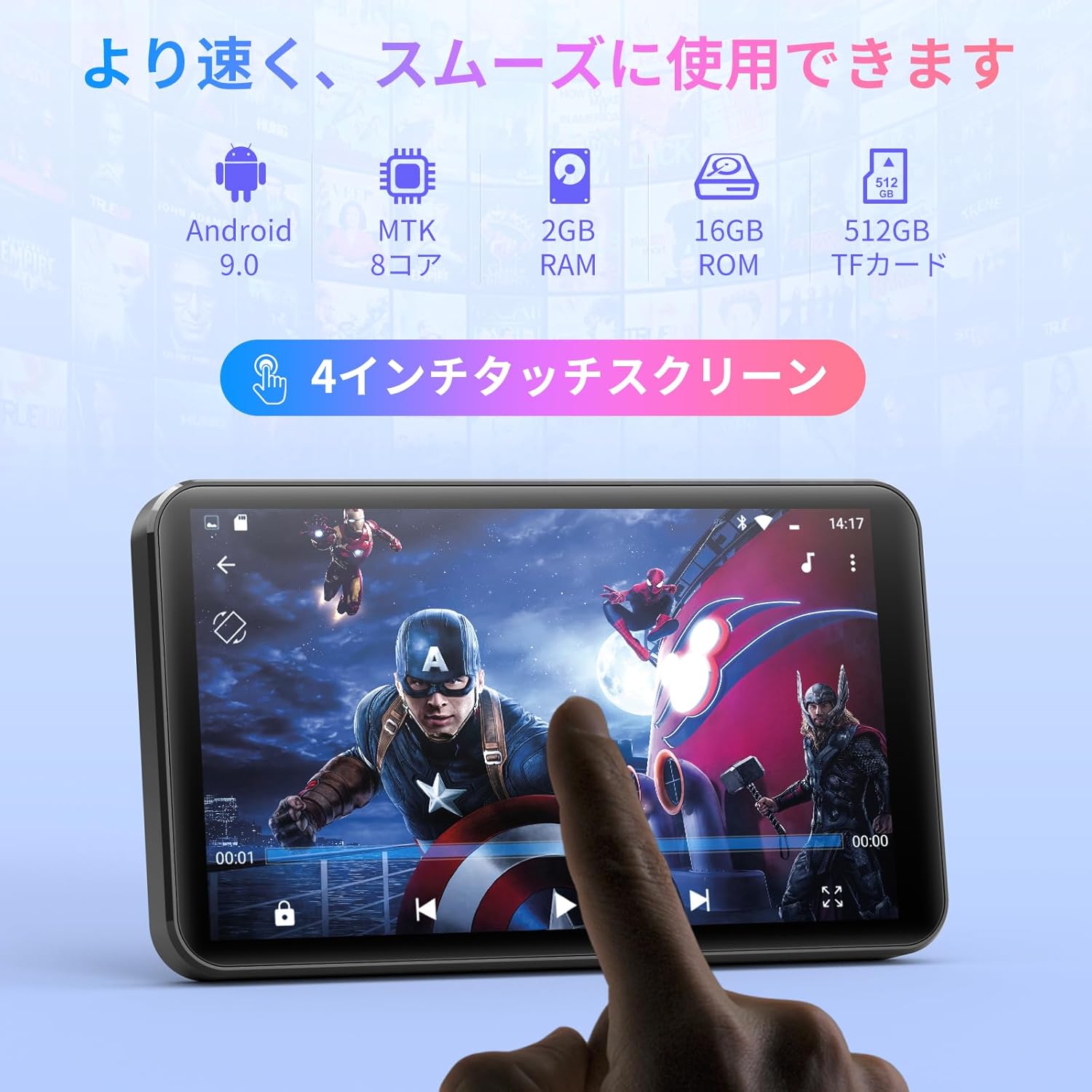
Vaizdas: priekis view of the MECHEN H1-Pro MP3 Player, showcasing its 4-inch touchscreen display.

Vaizdas: Šoninė view of the MECHEN H1-Pro MP3 Player, highlighting the power button and volume controls.

Vaizdas: Viršus ir apačia views of the MECHEN H1-Pro MP3 Player, illustrating the USB-C charging port, headphone jack, and Micro SD card slot.
4. Sąranka
4.1 Pradinis įkrovimas
Before first use, fully charge the device. Connect the provided USB cable to the player's USB-C port and the other end to a USB power adapter (not included) or a computer's USB port. The charging indicator will show the charging status.
4.2 Maitinimo įjungimas/išjungimas
- Norėdami įjungti: Paspauskite ir palaikykite nuspaudę įrenginio šone esantį maitinimo mygtuką, kol ekranas užsidegs.
- Norėdami išjungti: Press and hold the Power button until a power-off menu appears on the screen. Select 'Power Off' to shut down the device.
4.3 Prisijungimas prie „Wi-Fi“.
To access online features and download apps, connect your device to a Wi-Fi network.
- Eikite į Nustatymai > Tinklas ir internetas > Wi-Fi.
- Perjungti „Wi-Fi“ On.
- Iš sąrašo pasirinkite norimą „Wi-Fi“ tinklą.
- Jei būsite paraginti, įveskite slaptažodį ir palieskite Prisijunkite.

Image: The MECHEN H1-Pro MP3 Player screen showing Wi-Fi settings and available networks.
4.4 Micro SD kortelės įdėjimas
The device supports Micro SD cards for expanded storage. Locate the Micro SD card slot on the side of the device. Gently insert the card with the gold contacts facing down until it clicks into place.
5. Naudojimo instrukcijos
5.1 Pagrindinė navigacija (jutiklinis ekranas)
The MECHEN H1-Pro features a responsive 4-inch touchscreen. Use standard touch gestures:
- Bakstelėkite: Norėdami pasirinkti elementą arba atidaryti programėlę.
- Perbraukimas: Norėdami slinkti per sąrašus arba perjungti ekranus.
- Žiupsnelis: To zoom in or out (in supported applications).
5.2 Muzikos atkūrimas
The device supports various audio formats including MP3, WAV, WMA, APE, OGG, and FLAC for high-fidelity music playback.
- Atidarykite Muzika taikymas.
- Browse your music library by artist, album, song, or playlist.
- Tap on a song to begin playback.
- Naudokite ekrane rodomus valdiklius, norėdami paleisti / pristabdyti, praleisti takelius ir reguliuoti garsumą.

Image: The MECHEN H1-Pro MP3 Player screen showing a music playback interface with album art and controls.
5.3 Vaizdo įrašo atkūrimas
Enjoy 720P/1080P full-format HD video playback without conversion. Supported formats include RM, RMVB, FLV, MP4, DAT, MKV, MPG, MOV, TS, etc.
- Atidarykite Vaizdo grotuvas taikymas.
- Pasirinkite vaizdo įrašą file from your storage.
- Tap to play. Use on-screen controls for playback options.

Image: The MECHEN H1-Pro MP3 Player screen showing a video playing in full-screen mode.
5.4 „Bluetooth“ ryšys
Connect to Bluetooth headphones, speakers, or other compatible devices.
- Eikite į Nustatymai > Prijungti įrenginiai > Bluetooth.
- Perjungti Bluetooth On.
- Įsitikinkite, kad jūsų „Bluetooth“ priedas veikia susiejimo režimu.
- Select the accessory from the list of available devices to pair.

Image: The MECHEN H1-Pro MP3 Player shown alongside a pair of wireless headphones, indicating Bluetooth connectivity.
5.5 Wi-Fi Connectivity & App Downloads
With Android 9.0 and Wi-Fi, you can download and install various applications from the Google Play Store.
- Ensure the device is connected to Wi-Fi (see Section 4.3).
- Atidarykite Play parduotuvė taikymas.
- Prisijunkite naudodami „Google“ paskyrą.
- Ieškokite and download desired applications (e.g., Spotify, Amazon Music, Audible).

Image: The MECHEN H1-Pro MP3 Player screen showing a variety of installed applications, including music streaming services and web naršyklių.
5.6 FM radijas
Klausykitės mėgstamų FM radijo stočių.
- Prijunkite laidines ausines prie 3.5 mm garso lizdo; jos veikia kaip antena.
- Atidarykite FM radijas taikymas.
- Use the on-screen controls to scan for stations or tune manually.
5.7 File Valdymas
Naudokite įmontuotą file vadybininkas organizuoti jūsų files on internal storage and the Micro SD card.
- Atidarykite File Vadovas taikymas.
- Navigate through folders to view, copy, move, or delete files.
6. Priežiūra
6.1 Valymas
Prietaisą valykite minkštu, sausu, nepūkuotu skudurėliu. Nenaudokite skystų valiklių ar abrazyvinių medžiagų.
6.2 Saugykla
Laikykite įrenginį vėsioje, sausoje vietoje, toliau nuo tiesioginių saulės spindulių ir ekstremalių temperatūrų. Jei ilgesnį laiką laikysite, įsitikinkite, kad akumuliatorius yra iš dalies įkrautas (apie 50 %), kad pailgintumėte jo tarnavimo laiką.
6.3 Akumuliatoriaus priežiūra
To maximize battery life, avoid fully discharging the battery frequently. Use the original charging cable for optimal performance.
7. Problemų sprendimas
| Problema | Galimas sprendimas |
|---|---|
| Įrenginys neįsijungia. | Ensure the battery is charged. Connect to a charger for at least 30 minutes. If unresponsive, perform a hard reset by holding the power button for 10-15 seconds. |
| Nepavyksta prisijungti prie „Wi-Fi“. | Check if Wi-Fi is enabled. Verify the Wi-Fi password. Restart your router and the MP3 player. |
| „Bluetooth“ įrenginys nesusijungia. | Ensure Bluetooth is enabled on both devices and the accessory is in pairing mode. Move devices closer together. |
| Programėlės veikia lėtai arba stringa. | Close unnecessary background apps. Clear app cache (Settings > Apps > [App Name] > Storage > Clear Cache). Restart the device. Too many apps can lead to slowdowns. |
| Nėra garso iš ausinių. | Patikrinkite ausinių jungtį. Įsitikinkite, kad garsas nėra nutildytas arba per mažas. Išbandykite su kitomis ausinėmis. |
8. Specifikacijos
| Funkcija | Detalė |
|---|---|
| Prekės ženklas | MECHEN |
| Modelio pavadinimas | H1-Pro (EU-H11) |
| Operacinė sistema | Android 9.0 |
| Procesorius | MTK 8 branduolių |
| RAM | 2 GB |
| Vidinė saugykla | 16 GB |
| Išplečiama saugykla | „Micro SD“ (iki 512 GB) |
| Ekrano dydis | 4 colių |
| Ekrano technologija | LCD |
| Ryšys | „Bluetooth“, USB, „Wi-Fi“ |
| Ypatingos savybės | FM Radio, Equalizer, Video Playback |
| Palaikomi garso formatai | MP3, WAV, WMA, APE, OGG, FLAC |
| Palaikomi vaizdo formatai | RM, RMVB, FLV, MP4, DAT, MKV, MPG, MOV, TS, etc. |
| Baterijos talpa | 2000 mAh |
| Baterijos veikimo laikas (muzika) | Iki 50 valandų |
| Baterijos veikimo laikas (vaizdo įrašas) | Iki 8 valandų |
| Matmenys (G x P x A) | 10.5 x 6.2 x 1.2 cm (4.14 x 2.44 x 0.46 colio) |
| Prekės svoris | 97.5 gramų (3.45 uncijos) |

Image: The MECHEN H1-Pro MP3 Player shown with its physical dimensions and weight specifications.
9. Garantija ir palaikymas
For warranty information and technical support, please refer to the warranty card included in your package or visit the official MECHEN websvetainėje. Išsaugokite pirkimo kvitą kaip pirkimo įrodymą garantiniams reikalavimams.