
1. Įvadas
Thank you for choosing the N-Gear NRG 200 Bluetooth Speaker. This portable speaker is designed to deliver powerful stereo sound with dynamic LED lighting, suitable for various indoor and outdoor environments. Its robust, splash-proof design (IPX5) and multiple connectivity options make it a versatile audio companion. Please read this manual carefully to ensure proper use and to maximize your listening experience.
2. Saugos informacija
- Nelaikykite garsiakalbio ekstremaliose temperatūrose, tiesioginiuose saulės spinduliuose ar atviroje liepsnoje.
- While the speaker is IPX5 splash-proof, do not submerge it in water.
- Saugokite garsiakalbį nuo vaikų ir naminių gyvūnėlių.
- Naudokite tik pridedamą įkrovimo laidą arba sertifikuotą lygiavertį laidą.
- Nebandykite ardyti, remontuoti ar modifikuoti garsiakalbio. Tai panaikins garantiją.
- Venkite ilgai klausytis itin dideliu garsumu, kad nepažeistumėte klausos.
3. Pakuotės turinys
Įsitikinkite, kad pakuotėje yra visi daiktai:
- 1 x N-Gear NRG 200 Bluetooth Speaker
- 1 x įkrovimo laidas (USB-C)
- 1 x Greitos pradžios vadovas
- 1 x Naudotojo vadovas (šis dokumentas)
4. Produktas baigtasview
The N-Gear NRG 200 features intuitive controls and a robust design for portable audio. Familiarize yourself with the speaker's components and controls.
4.1. Garsiakalbių komponentai

4.1 vaizdas: Priekyje view of the N-Gear NRG 200 speaker, showing the main body, handle, and control panel.
- Integruota nešiojimo rankena: Kad būtų lengviau pernešti.
- Valdymo skydelis: Buttons for power, mode, volume, and light effects.
- Garsiakalbio grotelės: Protects the audio drivers.
- Pasyvūs radiatoriai: Located on the sides for enhanced bass.
- LED šviesos juostos: Dynamic multi-color lighting effects.
4.2. Valdymo skydo funkcijos

4.2 vaizdas: Išsamus view of the control buttons on the N-Gear NRG 200 speaker.
- Įjungimo mygtukas (①): Paspauskite ir palaikykite, kad įjungtumėte / išjungtumėte. Trumpai paspauskite, kad paleistumėte / pristabdytumėte „Bluetooth“ režimu.
- Režimo mygtukas (M): Short press to switch between Bluetooth, AUX, USB, and SD card modes.
- Šviesos mygtukas (✴): Trumpas paspaudimas, norint perjungti LED apšvietimo režimus arba išjungti šviesas.
- Ankstesnis takelis / Garsumo mažinimas (◀): Trumpas paspaudimas, norint pereiti į ankstesnį takelį. Ilgas paspaudimas, norint sumažinti garsumą.
- Kitas takelis / Garsumo didinimas (▶): Trumpas paspaudimas, kad pereitumėte į kitą takelį. Ilgas paspaudimas, kad padidintumėte garsumą.
- TWS susiejimo mygtukas (∞): Press to initiate True Wireless Stereo pairing with another NRG 200 speaker.
4.3. Įvesties / išvesties prievadai
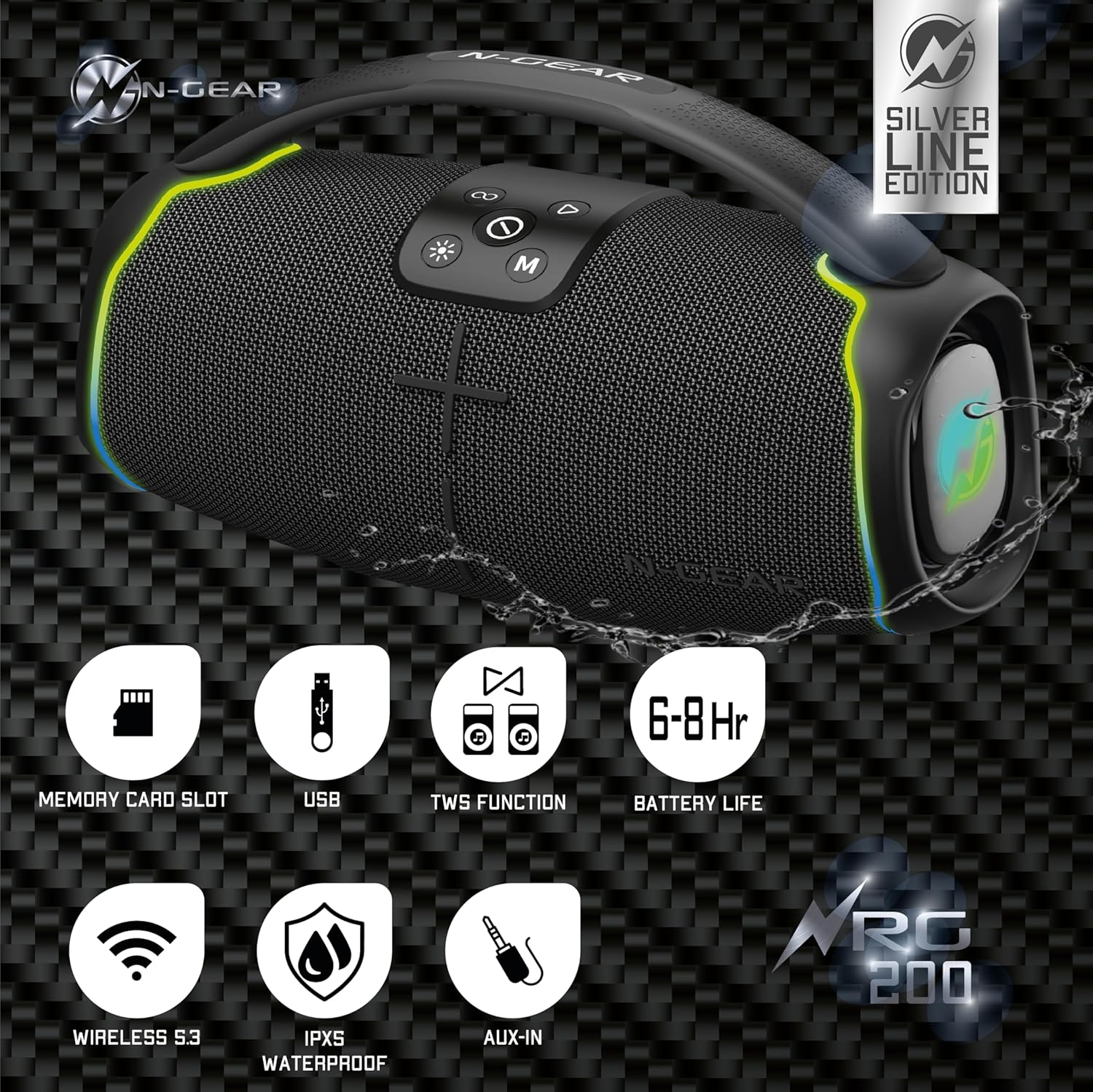
4.3 vaizdas: Galinis view of the N-Gear NRG 200, highlighting the protected input ports for charging, USB, AUX, and SD card.
- USB-C įkrovimo prievadas: Skirta garsiakalbio vidinei baterijai įkrauti.
- USB prievadas: Skirta garso įrašams leisti iš USB atmintinės.
- AUX įvestis (3.5 mm): Skirta išoriniams garso įrenginiams prijungti garso kabeliu.
- SD kortelės lizdas: For playing audio from a MicroSD/TF card.
5. Sąranka
5.1. Įkraukite garsiakalbį
- Prijunkite pridėtą USB-C įkrovimo laidą prie garsiakalbio USB-C prievado.
- Kitą laido galą prijunkite prie USB maitinimo adapterio (nepridedamas) arba kompiuterio USB prievado.
- Įkrovimo indikatoriaus lemputė (jei yra) įkrovimo metu šviečia, paprastai raudonai, o visiškai įkrovus, užgęsta arba pakeičia spalvą.
- A full charge takes approximately 3-4 hours and provides 6-8 hours of playback time.
5.2. Įjungimas/išjungimas
- Norėdami įjungti: Paspauskite ir palaikykite maitinimo mygtuką (①) 2–3 sekundes, kol išgirsite garsinį signalą ir įsijungs LED lemputės.
- Norėdami išjungti: Paspauskite ir palaikykite maitinimo mygtuką (①) 2–3 sekundes, kol išgirsite garsinį signalą ir užges LED lemputės.
6. Naudojimo instrukcijos
6.1. „Bluetooth“ ryšys
- Power on the speaker. It will automatically enter Bluetooth pairing mode, indicated by a flashing LED light (often blue).
- Mobiliajame įrenginyje (išmaniajame telefone, planšetiniame kompiuteryje ir kt.) įjunkite „Bluetooth“ ir ieškokite galimų įrenginių.
- Select "N-Gear NRG 200" from the list of devices.
- Once connected, the speaker will emit an audible confirmation, and the LED light will stop flashing.
- Dabar galite leisti garsą iš savo įrenginio per garsiakalbį.
Pastaba: The speaker supports connecting up to two Bluetooth devices simultaneously, allowing for seamless switching between audio sources.
6.2. AUX įvesties režimas
- Prijunkite vieną 3.5 mm garso kabelio (nepridedamas) galą prie garsiakalbio AUX įvesties prievado.
- Kitą galą prijunkite prie išorinio įrenginio ausinių lizdo arba garso išvesties.
- Press the Mode button (M) repeatedly until the speaker enters AUX mode.
- Valdykite atkūrimą ir garsumą iš prijungto įrenginio.
6.3. USB / SD kortelės atkūrimas
- Įkiškite USB atmintinę į USB prievadą arba SD kortelę į SD kortelės lizdą.
- Press the Mode button (M) repeatedly until the speaker enters USB or SD card mode.
- Garsiakalbis automatiškai pradės leisti garsą files (MP3, WAV, etc.) from the storage device.
- Use the track control buttons on the speaker to navigate through songs.
6.4. Tikrojo belaidžio stereo (TWS) susiejimas
TWS allows you to connect two N-Gear NRG 200 speakers wirelessly for a stereo sound experience.
- Ensure both NRG 200 speakers are powered on and not connected to any Bluetooth device.
- On one of the speakers (this will be the primary speaker), short press the TWS Pairing button (∞). It will emit a pairing tone.
- Du garsiakalbiai automatiškai ieškos vienas kito ir prisijungs. Prisijungus išgirsite patvirtinimo signalą.
- Dabar prijunkite mobilųjį įrenginį prie pagrindinio garsiakalbio per „Bluetooth“, kaip aprašyta 6.1 skyriuje.
- Garsas dabar bus grojamas stereo režimu per abu garsiakalbius.
6.5. LED šviesos valdymas

6.5 vaizdas: The N-Gear NRG 200 speaker displaying its multi-color LED light effects.
- Paspauskite šviesos mygtuką (✴) to cycle through different LED light modes.
- Norėdami išjungti šviesas, toliau spauskite mygtuką.
7. Priežiūra
7.1. Valymas
- Prieš valydami, įsitikinkite, kad garsiakalbis yra išjungtas ir atjungtas nuo bet kokio maitinimo šaltinio.
- Išorę nuvalykite minkšta, damp šluoste. Nenaudokite abrazyvinių valiklių, alkoholio ar cheminių tirpiklių.
- Do not allow water to enter any openings.
7.2. Sandėliavimas
- Garsiakalbį laikykite vėsioje, sausoje vietoje, toliau nuo tiesioginių saulės spindulių ir ekstremalių temperatūrų.
- If storing for an extended period, charge the battery to approximately 50% every 3-6 months to prolong battery life.
7.3. Akumuliatoriaus priežiūra
- The speaker contains a built-in rechargeable Lithium-ion battery. Do not attempt to replace it yourself.
- Venkite dažnai visiškai iškrauti akumuliatorių, nes tai gali sutrumpinti jo tarnavimo laiką.
8. Problemų sprendimas
| Problema | Galima priežastis | Sprendimas |
|---|---|---|
| Garsiakalbis neįsijungia. | Baterija išsikrovusi. | Įkraukite garsiakalbį bent 30 minučių. |
| Nėra garso. | Garsumas per mažas; neteisingas įvesties režimas; įrenginys neprijungtas. | Increase volume on both speaker and connected device. Ensure correct mode (Bluetooth, AUX, USB, SD). Reconnect Bluetooth device. |
| „Bluetooth“ ryšys nepavyksta. | Garsiakalbis neįjungtas susiejimo režimu; įrenginys per toli; trukdžiai. | Ensure speaker is in Bluetooth pairing mode. Move device closer to speaker. Turn off other Bluetooth devices. Forget "N-Gear NRG 200" on your device and re-pair. |
| TWS susiejimas nepavyko. | Speakers are already connected to a device; too far apart. | Disconnect both speakers from any Bluetooth devices. Ensure they are close to each other. Try TWS pairing again. |
| Neveikia LED lemputės. | Šviesos išjungtos. | Paspauskite šviesos mygtuką (✴) to cycle through modes and turn them on. |
9. Specifikacijos
| Modelio pavadinimas | NRG 200 |
| Prekės ženklas | N-Gear |
| Ryšio technologija | „Bluetooth 5.3“, AUX, USB |
| Belaidžio ryšio technologija | Bluetooth |
| Garsiakalbio tipas | Lauke |
| Maksimali garsiakalbio išvesties galia | 200 vatų |
| Garso išvesties režimas | Stereo |
| Ypatingos savybės | Dustproof, Stereo Pairing (TWS), LED Light, Portable, Waterproof (IPX5) |
| Maitinimo šaltinis | Maitinamas baterijomis (pridedama 1 ličio jonų baterija) |
| Baterijos veikimo laikas | 6-8 valandos (apytiksliai) |
| Gaminio matmenys (I x P x A) | 14.8 x 33.9 x 18.7 cm |
| Prekės svoris | 2.41 kilogramo |
| Kontrolės metodas | Palieskite |
| Suderinami įrenginiai | Smartphone, tablet, laptop, TV, MP3 player |
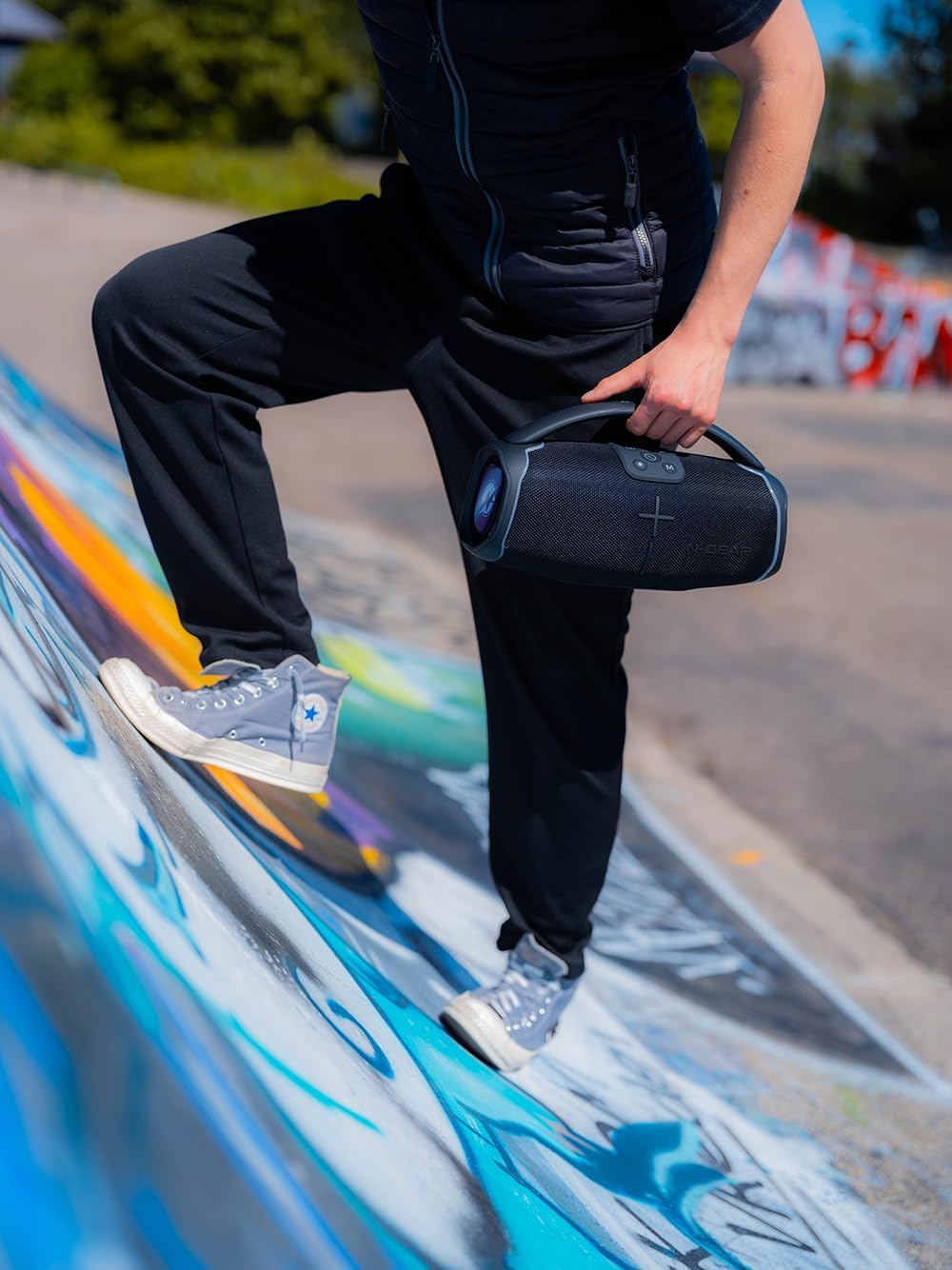
9.1 vaizdas: The N-Gear NRG 200 speaker being carried, illustrating its compact and portable design.

9.2 vaizdas: Technical drawing of the N-Gear NRG 200 speaker with its dimensions (length, width, height) indicated.
10. Garantija ir palaikymas
N-Gear products are designed and manufactured to the highest quality standards. For detailed warranty information, please refer to the warranty card included with your purchase or visit the official N-Gear websvetainę.
If you encounter any issues or have questions regarding your N-Gear NRG 200 speaker, please contact N-Gear customer support through their official channels. Have your model number (NRG200) and purchase details ready when contacting support.
Palaikymas internetu: Visit the N-Gear official webDUK, trikčių šalinimo vadovų ir kontaktinės informacijos svetainė.