
1. Įvadas
This manual provides essential information for the installation, operation, and maintenance of your XPG CORE Reactor II VE 850W Power Supply Unit (PSU). Please read this manual thoroughly before installation and retain it for future reference. The XPG CORE Reactor II VE is an 80 Plus Gold certified power supply designed for stable and efficient power delivery to your computer system.
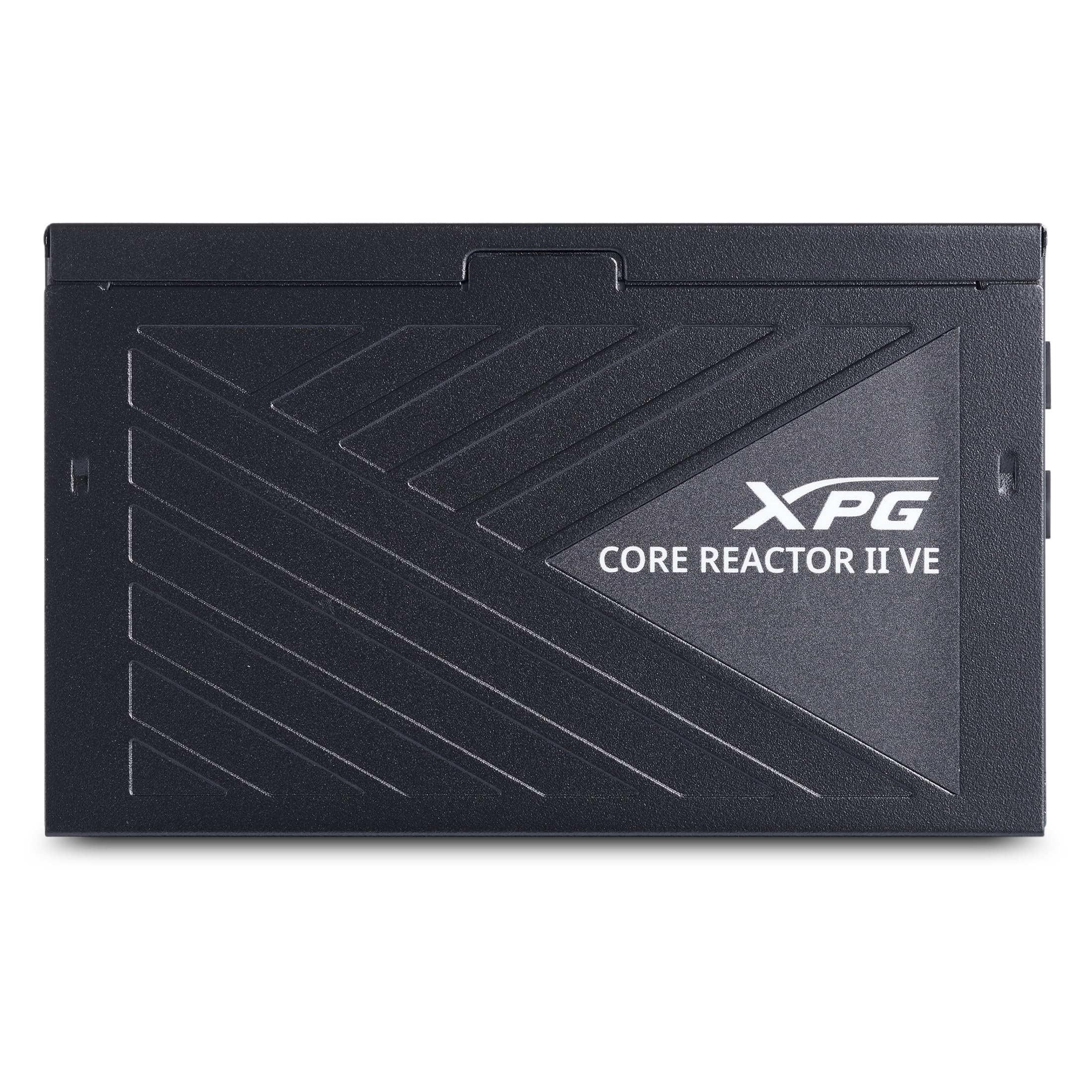
Image 1.1: XPG CORE Reactor II VE 850W Power Supply Unit, showcasindėl savo kompaktiško dizaino.
2. Pagrindinės savybės
- 80+ aukso sertifikatas: Ensures high power efficiency, reducing energy waste and operating costs.
- 12V-2x6 Connector: Provides direct and efficient power delivery to critical components, enhancing system stability and performance.
- DC-DC Circuit Design: Maximizes efficiency and reliability by converting power directly to the required output voltage, reducing heat and prolonging hardware lifespan.
- Low Ripple Noise Design: Features ripple levels below 60mV at +12V and below 40mV at +5V and +3.3V, ensuring stable power delivery and minimizing electrical interference.
- >15ms Hold Up Time: Exceeds Intel's standards for uninterrupted power delivery, ensuring reliable operation under challenging conditions.
- 8 Industrial Protections: Comprehensive protection suite including Over-Voltage apsauga (OVP), nepakankamas tūrio lygistage Protection (UVP), Over-Current Protection (OCP), Short-Circuit Protection (SCP), Over-Power Protection (OPP), Over-Temperature Protection (OTP), Surge & Inrush Protection (SIP), and No Load Operation (NLO).
- Kompaktiškas 140 mm ilgis: Maximizes space efficiency for easy integration into various PC setups and chassis.
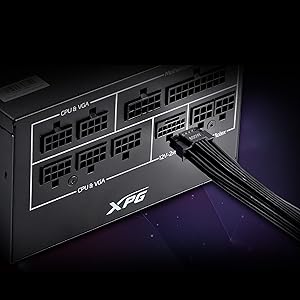
Image 2.1: Close-up of the 12V-2x6 connector for modern GPUs.
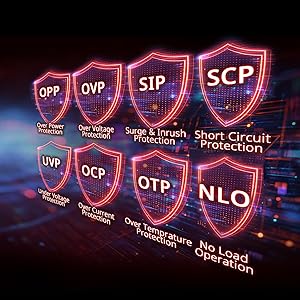
Image 2.2: Visual representation of the 8 industrial-grade protections.
3. Sąranka ir diegimas
Before installing the XPG CORE Reactor II VE PSU, ensure your computer system is powered off and disconnected from the main power outlet. Refer to your PC case and motherboard manuals for specific installation instructions.
3.1 Išpakavimas
Carefully remove the PSU and all included cables from the packaging. Verify that all components listed in the product documentation are present.

Image 3.1: XPG CORE Reactor II VE PSU with its modular cables.
3.2 Maitinimo bloko montavimas
- Position the PSU in the designated PSU bay of your PC case.
- Align the screw holes on the PSU with those on the case.
- Pritvirtinkite PSU naudodami pateiktus varžtus.
3.3 Jungiamieji kabeliai
The XPG CORE Reactor II VE is a fully modular PSU, allowing you to connect only the cables you need. This helps improve airflow and cable management within your PC case.

Image 3.2: Modular cable connection ports on the XPG CORE Reactor II VE PSU.
- Prijunkite 24 kontaktų ATX kabelį prie pagrindinės plokštės.
- Connect the 8-pin (4+4) EPS/CPU cable(s) to your motherboard.
- Connect the 6+2 pin PCIe cables to your graphics card(s). The 12V-2x6 connector is specifically designed for modern high-power GPUs.
- Connect SATA power cables to your storage drives (HDDs/SSDs) and other SATA-powered devices.
- Connect Molex cables to any peripherals requiring them.
- Įsitikinkite, kad visos jungtys yra saugios ir tinkamai pritvirtintos.
4. Naudojimo instrukcijos
Once the PSU is installed and all components are connected, you can power on your system.
- Ensure the power switch on the back of the PSU is in the "OFF" (0) position.
- Connect the AC power cord to the PSU and then to a wall outlet or surge protector.
- Flip the power switch on the PSU to the "ON" (I) position.
- Norėdami paleisti sistemą, paspauskite kompiuterio korpuso maitinimo mygtuką.
The XPG CORE Reactor II VE is designed for continuous, stable operation. Its FDB 120mm fan provides efficient cooling while maintaining low noise levels.
5. Priežiūra
Tinkama priežiūra užtikrina jūsų maitinimo bloko ilgaamžiškumą ir optimalų veikimą.
- Dulkių šalinimas: Periodically clean the PSU fan and ventilation grilles to prevent dust buildup, which can impede airflow and lead to overheating. Use compressed air for this purpose, ensuring the system is powered off and unplugged.
- Kabelių valdymas: Įsitikinkite, kad laidai yra tvarkingai išdėstyti ir netrukdo oro cirkuliacijai kompiuterio korpuse.
- Aplinkos sąlygos: Operate the PSU in a well-ventilated area, away from direct sunlight, excessive heat, and moisture.
6. Problemų sprendimas
If you encounter issues with your XPG CORE Reactor II VE PSU, refer to the following common troubleshooting steps:
- Nėra galios:
- Patikrinkite, ar kintamosios srovės maitinimo laidas yra tvirtai prijungtas prie maitinimo bloko ir sieninio lizdo.
- Ensure the PSU's power switch is in the "ON" (I) position.
- Verify that the 24-pin ATX and 8-pin EPS/CPU cables are correctly seated in the motherboard.
- Patikrinkite sieninį lizdą su kitu įrenginiu, kad įsitikintumėte, jog jame yra maitinimas.
- Sistemos nestabilumas / gedimai:
- Ensure all power connectors to components (motherboard, CPU, GPU, drives) are firmly connected.
- Check for any loose cables or short circuits within the case.
- If possible, test the PSU with a different set of components or in another system to isolate the issue.
- Per didelis triukšmas:
- Check if the PSU fan is obstructed by dust or cables.
- Įsitikinkite, kad maitinimo šaltinis yra tvirtai pritvirtintas, kad išvengtumėte vibracijos.
- If the noise persists and is unusual, contact customer support.
If troubleshooting steps do not resolve the issue, contact XPG customer support for further assistance.
7. Specifikacijos
| Funkcija | Detalė |
|---|---|
| Modelio pavadinimas | COREREACTORIIVE850G-BKCUS |
| Prekės ženklas | XPG |
| Išėjimo vattage | 850 vatų |
| Formos faktorius | ATX |
| Aušinimo būdas | Oras |
| Prekės matmenys (I x P x A) | 5.51 x 5.9 x 3.38 colio |
| Prekės svoris | 5 svaro |
| Maitinimo bloko dizainas | Pilnas modulinis |
| Ventiliatorių skaičius | 1 |
| Maksimalus įvesties tūristage | 240 voltai (kintamoji srovė) |
| Minimalus įvesties tūristage | 216 voltai (kintamoji srovė) |
| UPC | 842243032468 |
8. Garantija ir palaikymas
The XPG CORE Reactor II VE 850W PSU comes with a 7 metų gamintojo garantija. For warranty claims or technical support, please visit the official XPG websvetainėje arba susisiekite su klientų aptarnavimo skyriumi.
Norėdami gauti daugiau išteklių ir informacijos apie produktą, apsilankykite XPG Store on Amazon.
9. Produktų vaizdo įrašai
Below are relevant product videos for the XPG CORE Reactor II VE Power Supply Unit. These videos provide additional visual information regarding the product's features and installation.
XPG Core Reactor Power Supply Review
9.1 vaizdo įrašas: išsamus aprašymasview of the XPG Core Reactor Power Supply, covering its features, design, and performance. This video is provided by Consumer Tech Review.
Core Reactor Review
9.2 vaizdo įrašas: metimas per sekundęview of the Core Reactor PSU, highlighting its integration into a PC build and general performance. This video is provided by Brayden Abear.