
Įvadas
This manual provides instructions for the VTech VG232-2 Cordless Phone with Digital Answering System. It covers setup, operation, maintenance, and troubleshooting to ensure optimal performance of your device. Please read these instructions carefully before using your phone.
Sąranka
1. Išpakavimas ir komponentų patikrinimas
Prieš pradėdami, įsitikinkite, kad pakuotėje yra visi komponentai:
- 1 pagrindinis blokas
- 2 belaidžiai rageliai
- 2 kintamosios srovės adapteriai
- 2 Įkraunamos baterijos
- 1 ragelio įkroviklis
2. Akumuliatoriaus įdėjimas
Install the rechargeable battery into each cordless handset. Open the battery compartment cover on the back of the handset, connect the battery connector, and place the battery inside. Close the cover securely.

Vaizdo aprašymas: A VTech cordless phone handset is shown next to its base unit. The image highlights that the unit can be placed on a tabletop or mounted on a wall, demonstrating its versatile placement options. This image also shows the general form factor of the handset and base, relevant for battery installation.
3. Pagrindinio įrenginio prijungimas
Connect the AC adapter to the base unit and plug it into a standard electrical outlet. Connect the telephone line cord to the base unit and then to your telephone wall jack.
4. Pradinis ragelio įkrovimas
Place each handset in its respective charger or the base unit. Allow the handsets to charge for at least 16 hours before initial use to ensure full battery capacity.
5. Datos ir laiko nustatymas
After the initial charge, follow the on-screen prompts or refer to the handset menu to set the correct date and time. This is crucial for accurate caller ID and answering system timestamps.
Naudojimo instrukcijos
1. Skambinimas ir skambučių priėmimas
- Norėdami paskambinti: Paspauskite TALK/Blykstė, tada surinkite telefono numerį.
- Norėdami gauti skambutį: Kai suskamba telefonas, paspauskite TALK/Blykstė or any dial pad key (0-9, #, *).
- Norėdami baigti skambutį: Paspauskite IŠJUNGTA/ATŠAUKTI arba vėl įdėkite ragelį į įkroviklį.
2. Full-Duplex Speakerphone
Telefone yra pilnai dvipusio ryšio garsiakalbis, leidžiantis abiem šalims kalbėti ir būti girdimoms vienu metu, kad pokalbiai būtų natūralesni.
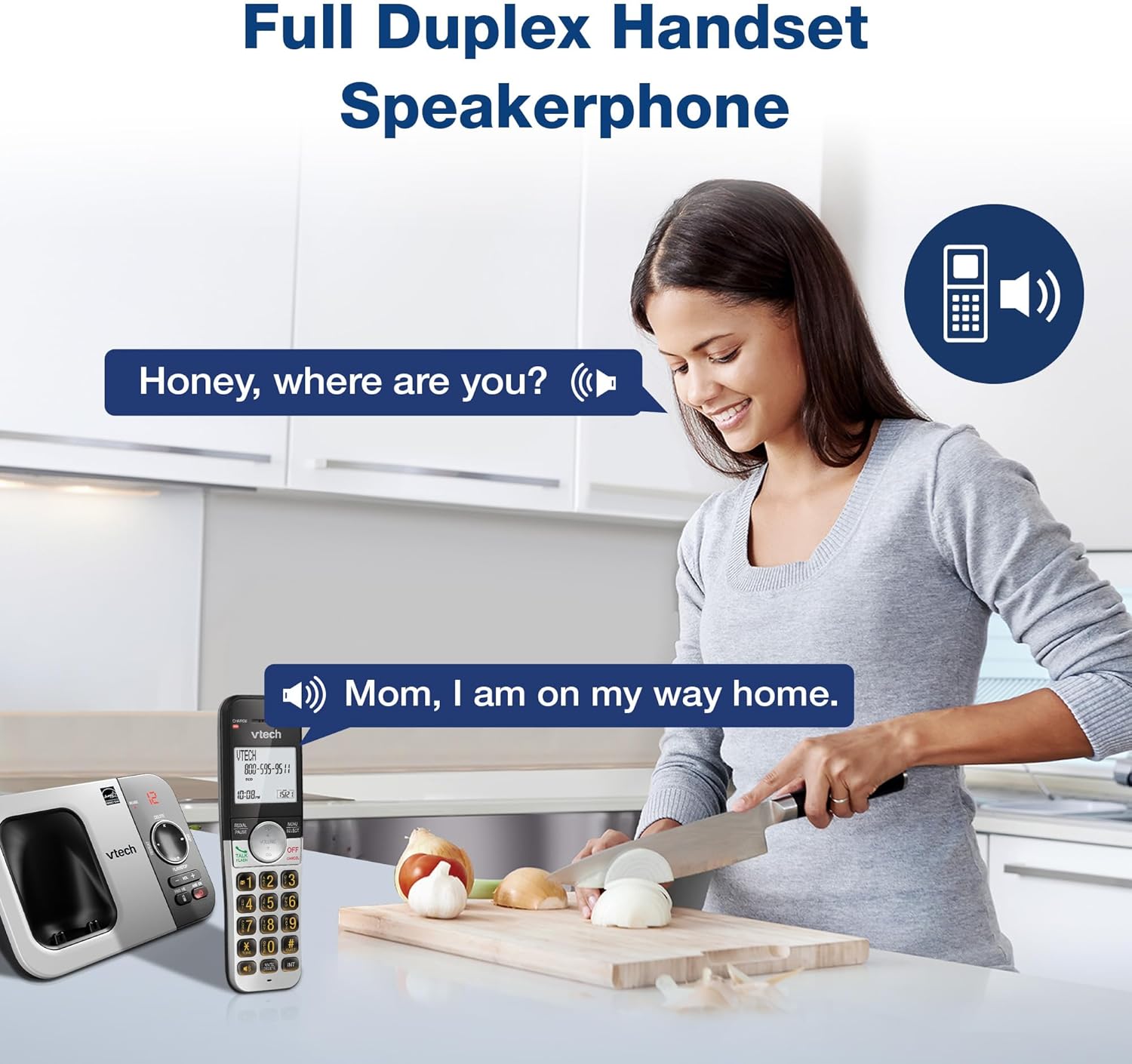
Vaizdo aprašymas: A woman is shown in a kitchen, talking on the VTech cordless phone which is placed on the counter. A speech bubble indicates a conversation, highlighting the full-duplex speakerphone feature that allows hands-free communication.
3. Skambinančiojo ID ir skambučio laukimas
The handset displays the name, number, time, and date of incoming calls. The system stores up to 50 caller ID entries.

Vaizdo aprašymas: The VTech cordless phone handset and base unit are displayed. The handset screen shows a list of phone numbers, demonstrating the Caller ID feature which stores up to 50 calls.
4. Skaitmeninis atsakiklis
The integrated digital answering system records messages for up to 14 minutes.

Vaizdo aprašymas: A man in a suit points to the VTech phone base unit, which has a digital display showing '12' (likely message count). A graphic bubble indicates 'Record 14 Mins', highlighting the answering system's recording capacity.
Message Counter
The base unit features a message counter that displays the number of new or saved messages.

Vaizdo aprašymas: A close-up of the VTech phone base unit's digital display, showing the number '12'. A text overlay explains that this displays the number of recorded messages.
Nuotolinė prieiga
You can access your answering system messages remotely by calling your phone number from an external line and entering your remote access code.

Vaizdo aprašymas: A woman is shown smiling while on a phone call, with arrows pointing between her and the VTech cordless phone. A speech bubble states 'You have 3 new messages...', illustrating the remote access feature for checking messages.
5. Telefonų knyga
Telefonų knygoje galite išsaugoti iki 50 vardų ir numerių, kad galėtumėte greitai surinkti.

Vaizdo aprašymas: The VTech cordless phone handset is shown with a graphic illustrating a phonebook icon and the text '50 Name and Number Phonebook Contacts', indicating the capacity of the phone's contact list.
6. Last 10 Number Redial
Quickly redial any of the last 10 numbers called using the redial feature.

Vaizdo aprašymas: A hand is shown pressing the 'REDIAL/PAUSE' button on the VTech cordless phone handset. A graphic icon depicts two arrows circling, symbolizing the redial function for the last 10 numbers.
7. Intercom Between Handsets
Use the intercom feature to communicate between two handsets within the system.

Vaizdo aprašymas: Two VTech cordless phone handsets are displayed, with blue arrows pointing between them, symbolizing the intercom functionality that allows communication between handsets.
8. Tylus režimas
Activate Quiet Mode to silence the ringer on the handset and base unit for a specified period.

Vaizdo aprašymas: The VTech cordless phone handset is shown with the '# QUIET' button highlighted. The background shows a person sleeping, illustrating the benefit of the Quiet Mode feature.
9. EKO režimas
The phone utilizes ECO Mode power-conserving technology to optimize battery life and reduce power consumption.

Vaizdo aprašymas: The VTech cordless phone handset and base unit are shown. A green leaf icon with a recycling symbol represents 'ECO Mode Power-Conserving Technology', indicating the phone's energy efficiency.
10. Apšviesta klaviatūra ir ekranas
The entire keypad and the 2-inch LCD screen are backlit for easier viewprasto apšvietimo sąlygomis.
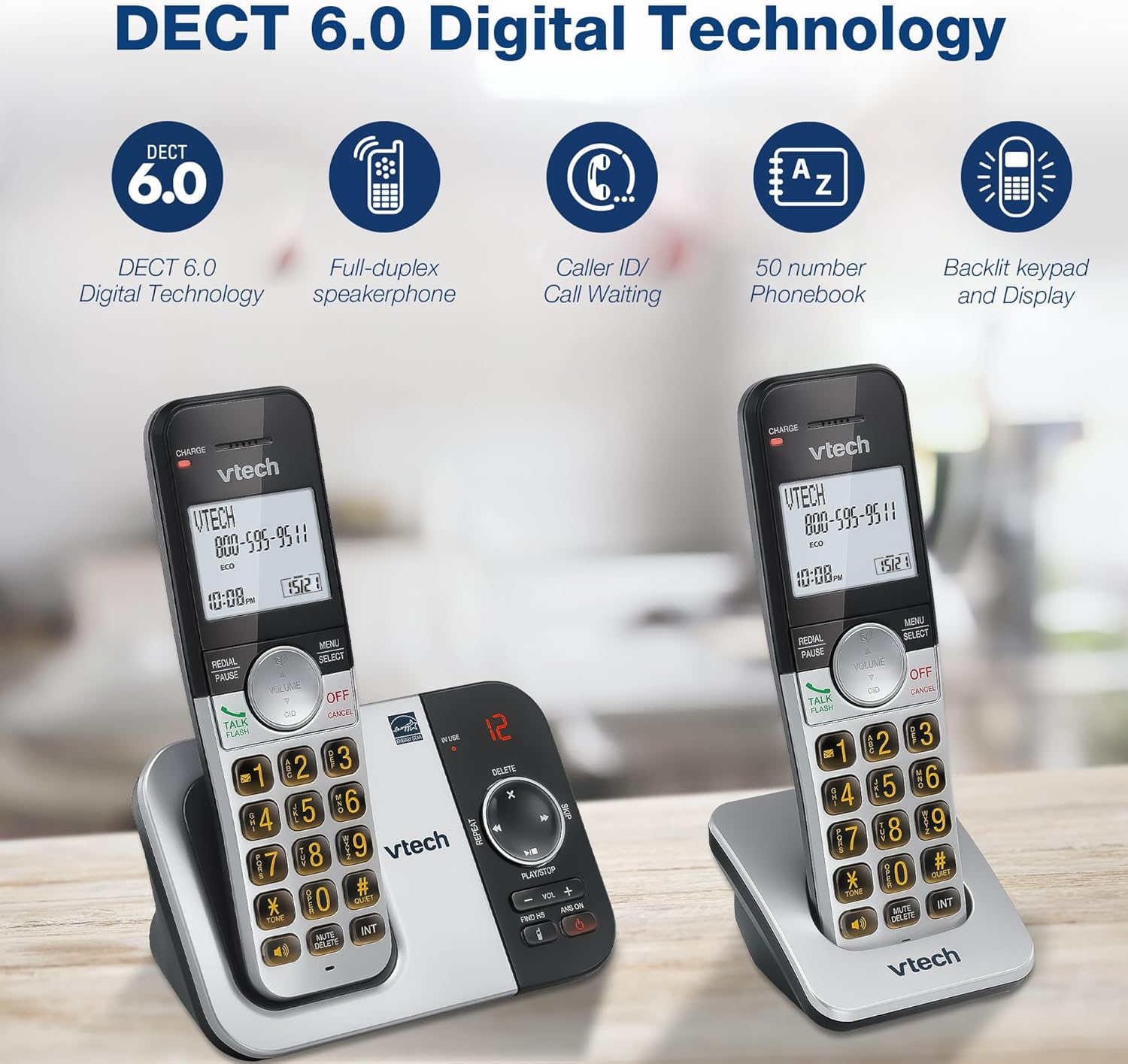
Vaizdo aprašymas: A close-up of the VTech cordless phone handset's keypad, showing the illuminated buttons, highlighting the 'Lighted Keypad' feature for visibility in the dark.
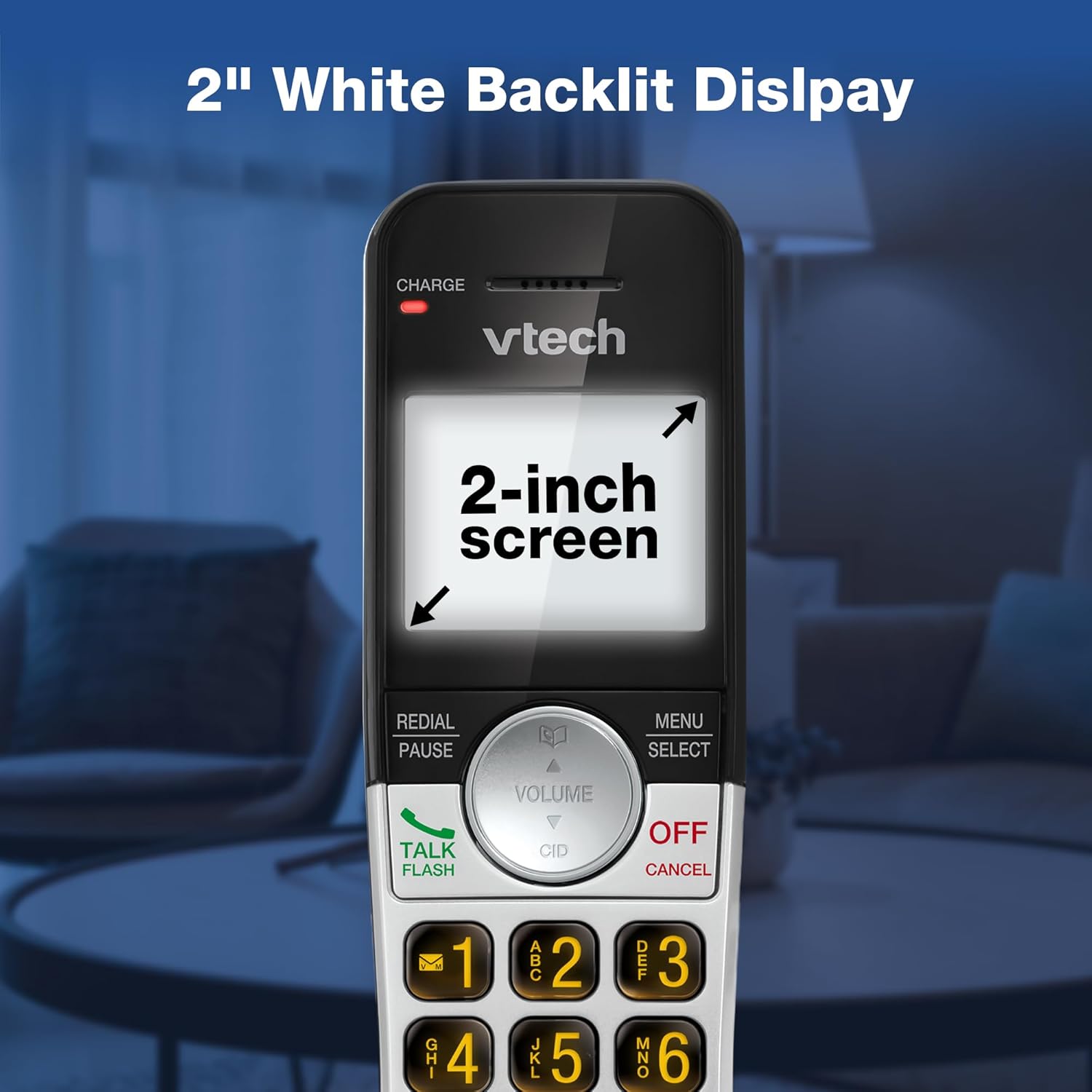
Vaizdo aprašymas: A close-up of the VTech cordless phone handset's screen, which is illuminated with a white backlight. Text on the screen indicates '2-inch screen', emphasizing the display size and backlighting.
Priežiūra
To maintain your VTech VG232-2 phone, follow these guidelines:
- Valymas: Nuvalykite telefoną ir bazinį įrenginį minkšta šluosteamp šluoste. Nenaudokite valymo purškiklių ar stiprių cheminių medžiagų.
- Akumuliatoriaus priežiūra: Replace batteries when they no longer hold a charge. Use only VTech approved replacement batteries.
- Vieta: Venkite telefono laikyti tiesioginiuose saulės spinduliuose, šalia šilumos šaltinių ar vietose, kuriose yra per daug drėgmės.
Trikčių šalinimas
| Problema | Sprendimas |
|---|---|
| Nėra rinkimo tono | Įsitikinkite, kad telefono linijos laidas yra tvirtai prijungtas prie pagrindinio įrenginio ir sieninio lizdo. Patikrinkite, ar tinkamai prijungtas kintamosios srovės adapteris. |
| Ragelis nesikrauna | Ensure the handset is correctly seated in the charger. Clean the charging contacts on both the handset and charger with a dry cloth. Verify the charger is plugged into a working power outlet. |
| Prasta garso kokybė | Move the handset closer to the base unit. Avoid placing the phone near other electronic devices that may cause interference. Check for any obstructions between the handset and base. |
| Atsakiklis neįrašo | Įsitikinkite, kad atsakiklis įjungtas. Patikrinkite, ar atmintis neužpildyta; jei reikia, ištrinkite senas žinutes. |
| Date/Time incorrect | Manually reset the date and time through the handset menu. Ensure the phone has a stable power connection. |
Specifikacijos
| Funkcija | Detalė |
|---|---|
| Prekės ženklas | „VTech“ |
| Modelio numeris | VG232-2 |
| Telefono tipas | Belaidis |
| Spalva | Sidabrinė/juoda |
| Medžiaga | Plastikiniai |
| Maitinimo šaltinis | Su laidu elektra |
| Ragelių skaičius | 2 |
| Baterijos tipas | Product-specific (2 included) |
| Atsiliepimo sistemos tipas | Skaitmeninis |
| Įrašymo talpa | 14 minučių |
| Skambintojo ID | Yes (stores 50 calls) |
| Garsiakalbis | Pilnas dvipusis |
| Telefonų knygos talpa | 50 Name and Number Contacts |
| Konferencinio skambučio galimybė | 3 krypčių |
| Telefoninių pokalbių laikas | 7 valandų |
| Telefono budėjimo laikas | 5 dienų |
| Prekės matmenys (I x P x A) | 14.1 x 8.5 x 18.4 cm |
| UPC | 735078053824 |
| Įtraukti komponentai | 1 handset charger, 2 AC adapters, 2 cordless handsets, 2 batteries, Base unit |
Produktas baigtasview Vaizdo įrašas
Vaizdo įrašo aprašymas: Šiame vaizdo įraše pateikiama bendra informacijaview of the VTech VG232-2 cordless phone, showcasing its features and design. It offers a visual guide to the product's main functionalities.
Informacija apie garantiją
VTech products are manufactured with high-quality components and are subject to rigorous testing. This product is covered by a limited warranty against defects in material and workmanship. For specific warranty terms and conditions, please refer to the warranty card included in your product packaging or visit the official VTech websvetainę.
Palaikymas
If you require further assistance or have questions not covered in this manual, please visit the VTech support website or contact customer service. Contact details can typically be found on the VTech official websvetainėje arba produkto pakuotėje.