
1. Įvadas
Thank you for choosing the Delton Wireless Ergonomic Keyboard. This full-size keyboard is designed to provide a comfortable and efficient typing experience with its ergonomic split design, integrated wrist rest, and quiet, responsive keys. It connects wirelessly via a 2.4G USB dongle, offering broad compatibility with various devices.

Image 1: Delton Wireless Ergonomic Keyboard with its 2.4G USB dongle.
2. Pakuotės turinys
Prašome patikrinti, ar pakuotėje yra visi reikalingi daiktai:
- Delton Wireless Ergonomic Keyboard
- 2.4G USB raktas
- Vartotojo vadovas (šis dokumentas)
3. Sąranka
3.1. Akumuliatoriaus įdėjimas
- Raskite baterijų skyrių klaviatūros apačioje.
- Atidarykite akumuliatoriaus skyriaus dangtelį.
- Įdėkite dvi (2) AA baterijas, užtikrindami teisingą poliškumą (+/-). Baterijos neįeina.
- Saugiai uždarykite akumuliatoriaus skyriaus dangtelį.

Image 2: Illustration of battery installation in the keyboard's underside compartment.
3.2. Connecting the USB Dongle
The keyboard utilizes 2.4GHz wireless technology for a stable connection.
- Locate the 2.4G USB dongle, typically found in the battery compartment or packaged separately.
- Plug the USB dongle into an available USB port on your computer, laptop, or compatible smart device.
- The keyboard should automatically connect to your device within a few seconds. No additional drivers or software installation is required.

Image 3: The 2.4G USB dongle being inserted into a laptop's USB port for automatic pairing.
3.3. Suderinamumas
This keyboard is widely compatible with:
- PCs (Windows operating systems)
- Nešiojamieji kompiuteriai
- Mac devices (macOS)
- Tablet PCs (iOS and other compatible systems)
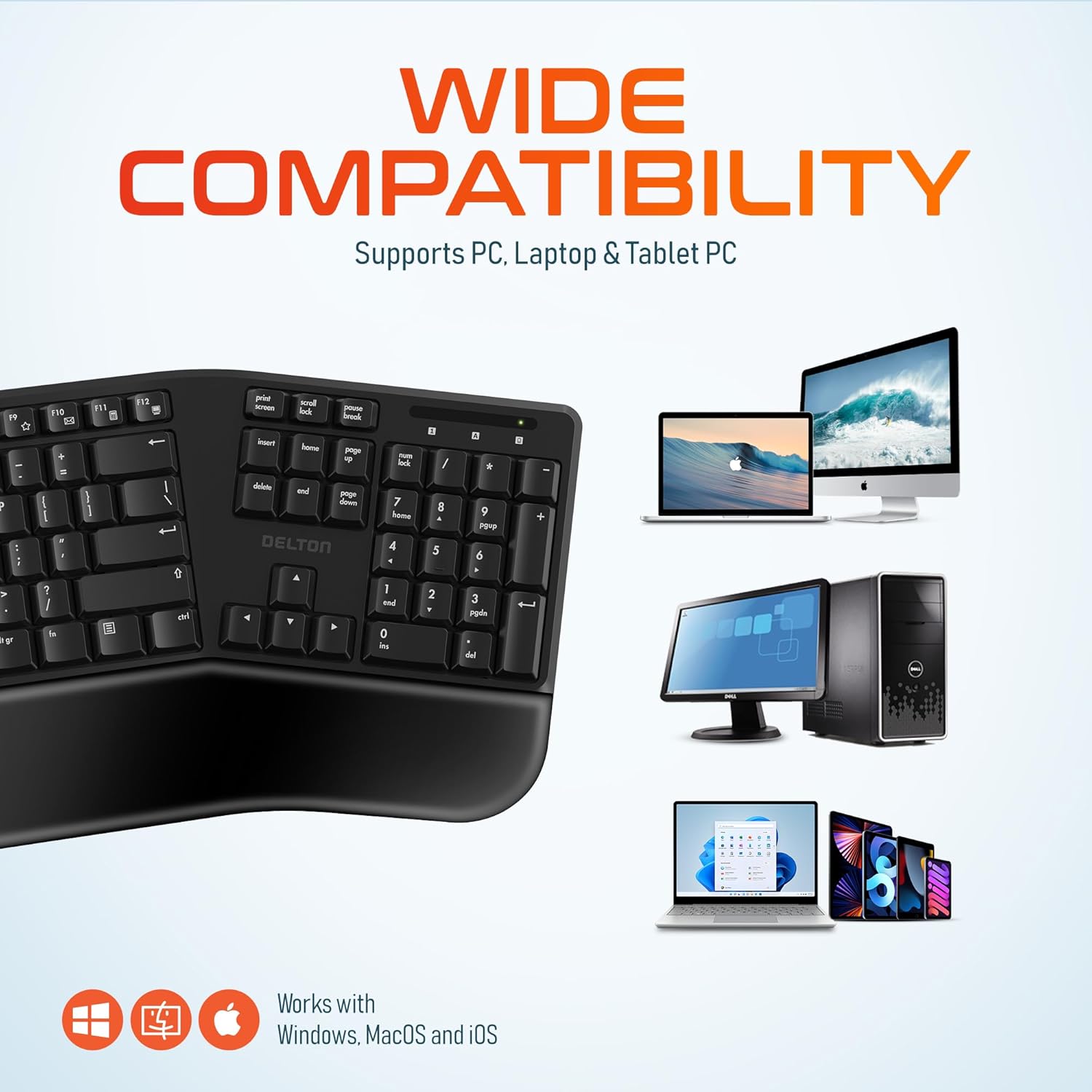
Image 4: Visual representation of the keyboard's wide compatibility with different operating systems and device types.
4. Naudojimo instrukcijos
4.1. Pagrindinis spausdinimas
Once connected, the keyboard functions like a standard full-size keyboard. The keys are designed for quiet and precise typing, with a smooth feel and ergonomic curvature for comfort.
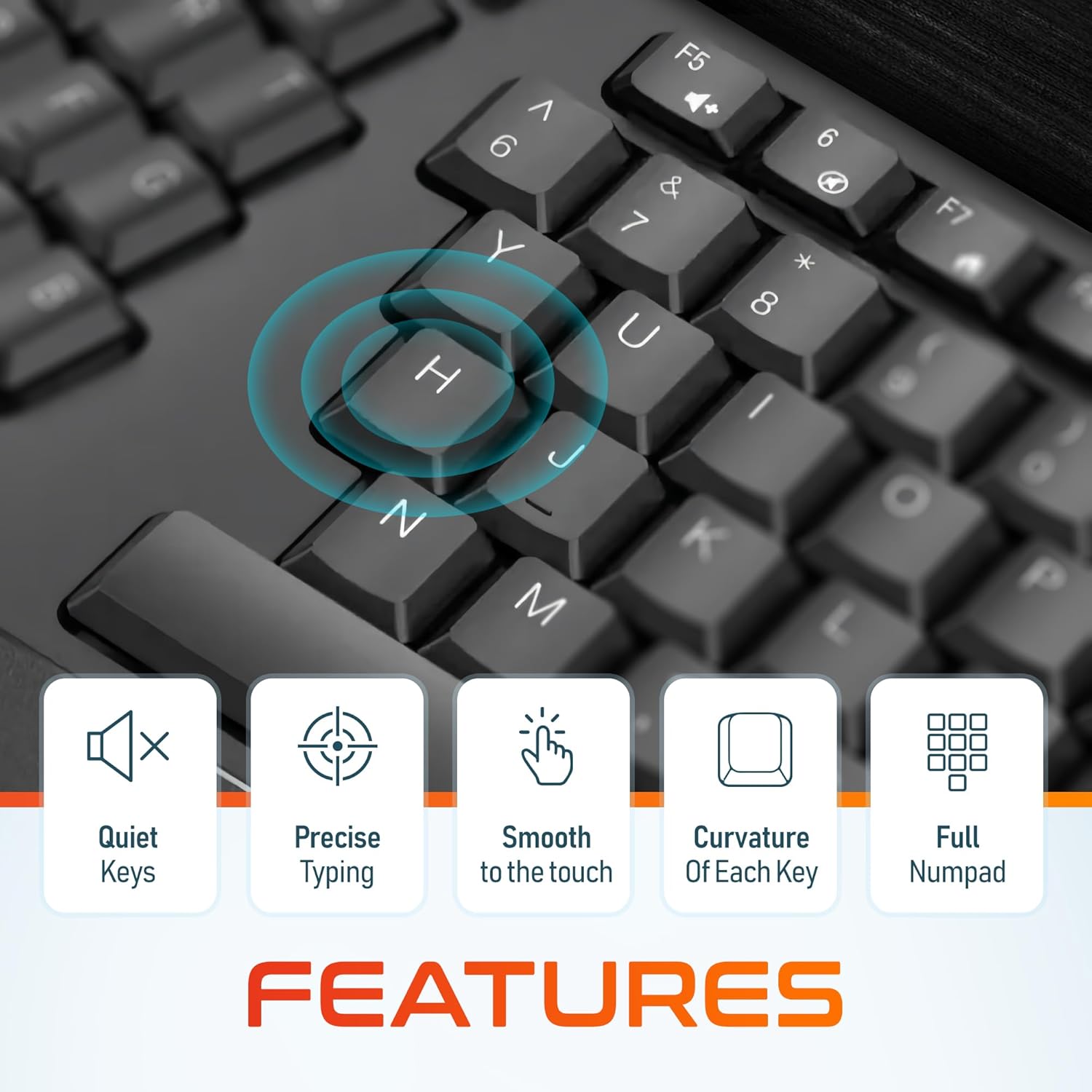
5 paveikslėlis: Stambus planas view of the keyboard keys, illustrating their quiet operation, precise response, smooth texture, and ergonomic curvature.
4.2. Function Keys and Hotkeys
The keyboard includes a full set of 105 keys, including a dedicated numpad and various function keys (F1-F12) and media hotkeys. These hotkeys provide quick access to functions such as volume control, media playback, and more. Refer to your device's operating system documentation for specific hotkey functionalities.
4.3. Energijos taupymo režimas
To conserve battery life, the keyboard features an automatic power saver mode. If inactive for 10 minutes, the keyboard will enter a sleep state. To wake it up, simply press any key. The keyboard will instantly reconnect to your device.
5. Savybės
- Ergonomiškas dizainas: Features a split keyset design and a comfortable, pillowed wrist rest to reduce strain and promote a natural typing posture. This design is intended to improve comfort during extended use.
- 2.4 GHz belaidis ryšys: Provides a reliable wireless connection with an impressive maximum range of 8 meters (approximately 26 feet).
- Quiet and Responsive Keys: Engineered for a quiet typing experience with precise and smooth key presses.
- Viso dydžio išdėstymas: Includes 105 keys with a full numpad for comprehensive functionality.
- Pailgintas akumuliatoriaus veikimo laikas: With the auto power saver mode, two AA batteries can last up to 15 months.
- Patvari konstrukcija: Built with quality materials to withstand daily use.

Image 6: Comparison illustrating the ergonomic benefits of the split keyboard design over a traditional flat keyboard, showing reduced wrist strain.

Image 7: Diagram illustrating the 2.4GHz wireless connectivity with an 8-meter maximum range for stable operation.
6. Priežiūra
6.1. Valymas
Norėdami išlaikyti klaviatūros išvaizdą ir funkcionalumą:
- Use a soft, dry, lint-free cloth to wipe the surface of the keyboard.
- Įsisenėjusiam purvui šiek tiek pamirkykiteampNuvalykite šluostę vandeniu arba švelniu, neabrazyviniu valikliu. Venkite per didelės drėgmės.
- Nepurkškite valymo tirpalų tiesiai ant klaviatūros.
- Use compressed air to remove debris from between the keys.
6.2. Baterijos keitimas
When the keyboard's performance diminishes or it fails to connect, it may be time to replace the batteries. Follow the steps in Section 3.1 to replace the two AA batteries.
7. Problemų sprendimas
If you encounter issues with your Delton Wireless Ergonomic Keyboard, please refer to the following common solutions:
| Problema | Galima priežastis | Sprendimas |
|---|---|---|
| Klaviatūra nereaguoja | Išsikrovusios arba išsikrovusios baterijos | Pakeiskite dvi AA baterijas. |
| Klaviatūra nereaguoja | USB dongle not connected or loose | Ensure the USB dongle is securely plugged into a working USB port. Try a different USB port. |
| Klaviatūra nereaguoja | Trikdžiai arba už diapazono ribų | Move the keyboard closer to the USB dongle (within 8 meters). Remove any objects that might be causing interference. |
| Klavišai yra lipnūs arba nereaguoja | Purvas ar šiukšlės po raktais | Clean the keyboard using compressed air or a soft brush. |
| Keyboard frequently disconnects | Weak signal or battery | Replace batteries. Ensure the dongle is in line of sight and close to the keyboard. |
8. Specifikacijos

Image 8: Diagram illustrating the physical dimensions of the Delton Wireless Ergonomic Keyboard.
| Funkcija | Detalė |
|---|---|
| Modelio numeris | KB200 |
| Ryšio technologija | 2.4 GHz belaidis ryšys (USB adapteris) |
| belaidis diapazonas | Iki 8 metrų |
| Klaviatūros išdėstymas | Full-Size, 105 Keys with Numpad |
| Ypatingos savybės | Ergonomic Split Keyset Design, Wrist Rest, Hotkeys, Media Keys, Stain Resistant |
| Suderinami įrenginiai | Stalinis kompiuteris, nešiojamas kompiuteris, „Mac“, asmeninis kompiuteris |
| Maitinimo šaltinis | 2 x AA baterijos (į komplektą neįeina) |
| Baterijos veikimo laikas | Up to 15 months (with auto power saver) |
| Gaminio matmenys | 19.7 x 8.3 x 1.6 colio (50.04 x 21.08 x 4.06 cm) |
| Prekės svoris | 2.4 svaro (1.09 kg) |
| Medžiaga | Plastikiniai |
| Spalva | Juoda |
| Gamintojas | Deltonas |
9. Garantija ir palaikymas
For warranty information and customer support, please refer to the warranty card included with your product or visit the official Delton website. You may also contact Delton customer service directly for assistance with product inquiries or technical support.
Delton Customer Support: Please refer to the contact information provided on the product packaging or the official Delton websvetainę.