
Įvadas
Ačiū, kad pirkoteasing the Greadio GB-W18 Portable CD Player Boombox. This device offers multiple audio playback options including CD, cassette, FM radio, Bluetooth, USB, AUX, and TF/SD card. Please read this manual carefully before using the product to ensure proper operation and to maximize your listening experience. Keep this manual for future reference.
Saugos informacija
- Saugokite įrenginį nuo lietaus ar drėgmės, kad išvengtumėte gaisro ar elektros smūgio.
- Neatidarykite casing. Visus techninės priežiūros darbus patikėkite kvalifikuotiems darbuotojams.
- Venkite įrenginio statyti šalia šilumos šaltinių arba tiesioginiuose saulės spinduliuose.
- Užtikrinkite tinkamą vėdinimą aplink įrenginį.
- Use only the specified power adapter (if applicable) or charge with a compatible 5V/2A Type-C charger.
- Laikyti vaikams nepasiekiamoje vietoje.
Pakuotės turinys
Prašome patikrinti, ar yra visi daiktai:
- Greadio GB-W18 Portable CD Player Boombox
- Nuotolinis valdymas (1)
- Vartotojo vadovas (šis dokumentas)
- USB įkrovimo laidas (C tipo)
Produktas baigtasview
Familiarize yourself with the various parts and controls of your Greadio GB-W18 boombox.
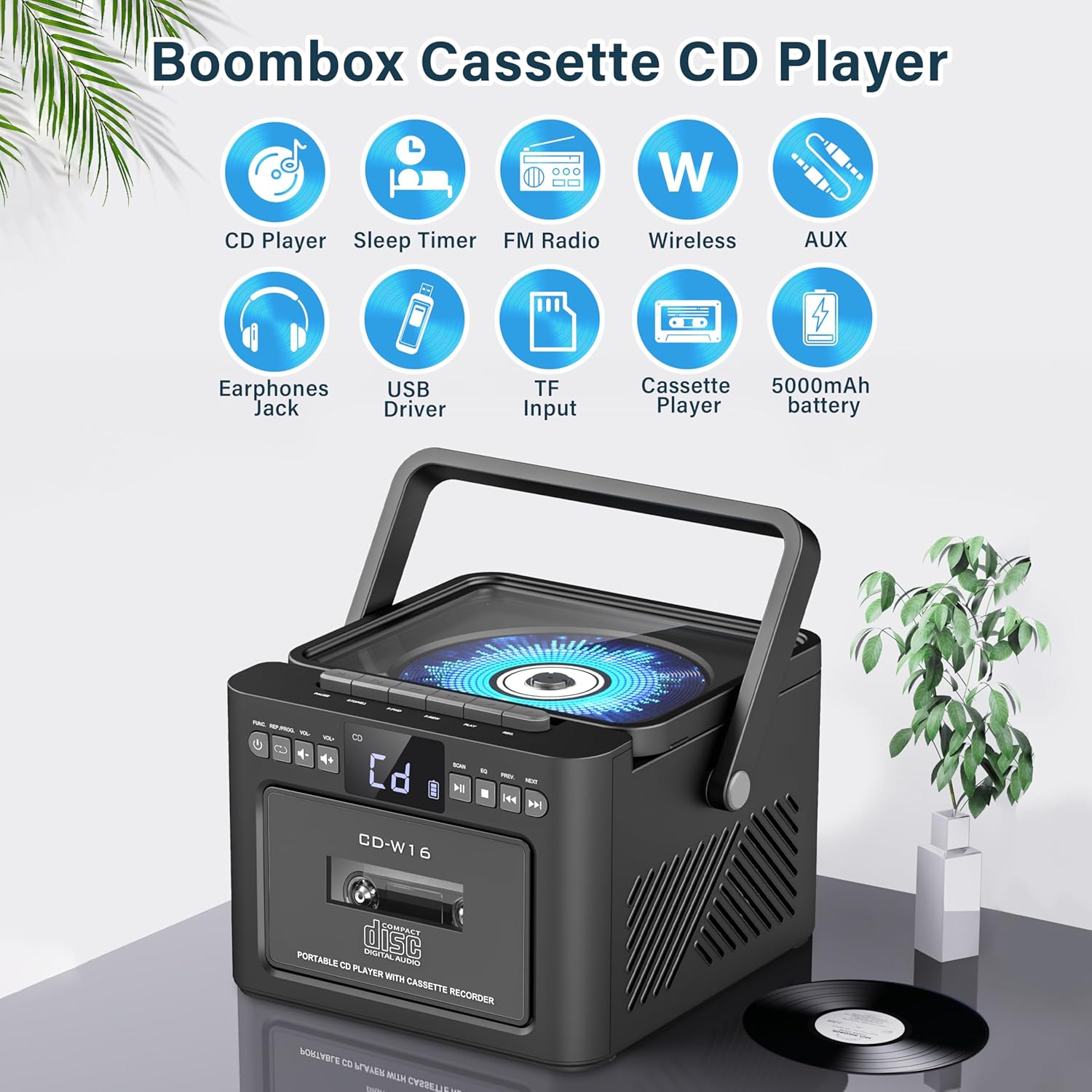
Vaizdas: Baigėsiview of the Greadio GB-W18 Portable CD Player Boombox, highlighting its multi-functional capabilities including CD, cassette, FM radio, Bluetooth, USB, TF/SD card, AUX, and a built-in 5000mAh rechargeable battery.
Priekinio skydelio valdikliai
- Skystųjų kristalų ekranas: Rodo dabartinį režimą, takelio numerį, dažnį ir kt.
- Maitinimo mygtukas: Įjungia/išjungia įrenginį.
- Režimo mygtukas: Switches between CD, Cassette, FM, Bluetooth, USB, AUX, TF/SD modes.
- Garsumo valdymas: Reguliuoja garso išvesties lygį.
- Atkūrimo / pristabdymo mygtukas: Controls playback for CD, USB, TF/SD, Bluetooth.
- Stop mygtukas: Sustabdo atkūrimą.
- Praleidimo / paieškos mygtukai: Skips tracks or searches radio frequencies.
- Įrašymo mygtukas: Initiates cassette recording.
Side/Rear Panel Ports
- CD skyrius: Iš viršaus įkraunamas CD grotuvas.
- Kasečių dekas: Front-loading cassette player/recorder.
- USB prievadas: USB atmintinės atkūrimui.
- TF/SD kortelės lizdas: Skirta TF/SD kortelių atkūrimui.
- AUX įvestis: 3.5 mm lizdas išoriniams garso įrenginiams.
- Ausinių lizdas: 3.5 mm lizdas privačiam klausymuisi.
- DC 5V Input (Type-C): Skirta vidinei baterijai įkrauti.
- FM antena: Teleskopinė antena radijo signalų priėmimui.
Sąranka
Įrenginio maitinimas
The Greadio GB-W18 can be powered by its built-in rechargeable battery or via a Type-C USB power source.
- Baterijos įkrovimas: Connect the provided USB Type-C cable to the DC 5V input port on the unit and the other end to a compatible USB power adapter (e.g., car charger, power bank, computer USB port). The LED display will indicate charging status. A full charge provides extended portable use.

Vaizdas: The Greadio GB-W18 boombox with its USB and TF/SD card slots highlighted, along with illustrations of various 5V Type-C charging methods: car charger, power bank, and computer.
Pradinis įjungimas
Paspauskite Galia button to turn on the unit. The LED display will light up, and the unit will typically default to the last used mode or CD mode.
Naudojimo instrukcijos
Naudokite Režimas button to switch between different playback sources.
CD atkūrimas
- Paspauskite Režimas button until 'CD' appears on the display.
- Atidarykite CD skyriaus dangtelį.
- Place a CD (CD, CD-R, CD-RW) with the label side facing up onto the spindle.
- Close the CD compartment lid. The CD will begin to play automatically.
- Naudokite Leisti / pristabdyti, Sustok, ir Praleisti/ieškoti mygtukai, skirti valdyti atkūrimą.

Vaizdas: A user operating the Greadio GB-W18 boombox, demonstrating CD playback and the use of the remote control for convenient operation.
Kasečių atkūrimas ir įrašymas
- Paspauskite Režimas button until 'TAPE' appears on the display.
- Atidarykite kasečių grotuvo dureles.
- Įdėkite kasetę atviru kraštu į viršų.
- Uždarykite kasečių grotuvo dureles.
- Paspauskite Žaisti button on the cassette deck controls to start playback.
- Į Įrašas: Ensure a blank or recordable cassette is inserted. Select your desired input source (e.g., FM radio, AUX, Bluetooth). Press the Įrašas button on the unit. Press Sustok įrašymui baigti.

Vaizdas: The Greadio GB-W18 boombox in a social setting, illustrating the cassette player function with a hand inserting a tape.
FM radijo veikimas
- Ištieskite teleskopinę FM anteną, kad gautumėte optimalų priėmimą.
- Paspauskite Režimas mygtuką, kol ekrane pasirodys „FM“.
- Paspauskite ir palaikykite Praleisti/ieškoti buttons to automatically scan for available stations. The unit can preset up to 30 stations.
- Paspauskite Praleisti/ieškoti buttons briefly to manually tune or cycle through preset stations.
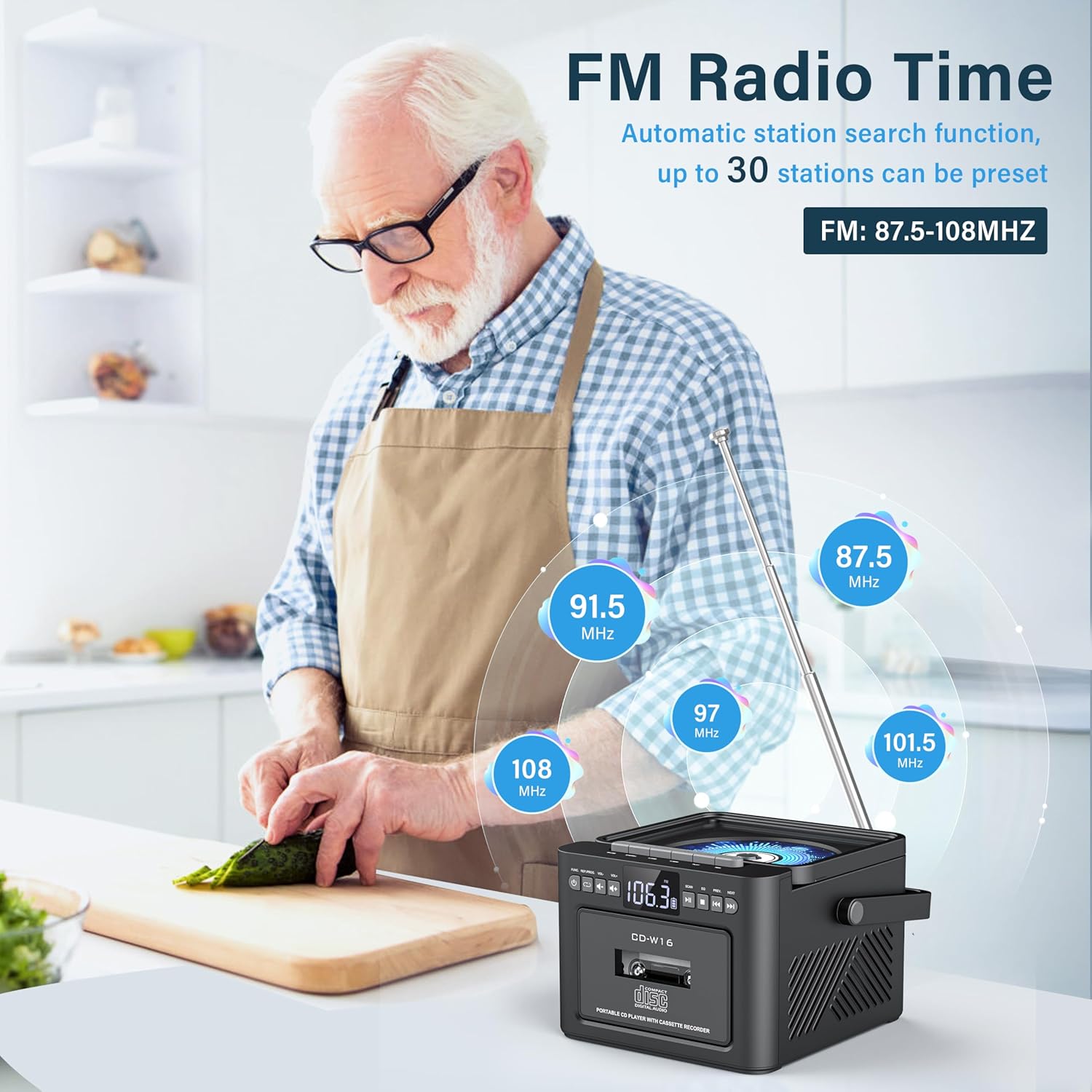
Vaizdas: A user in a kitchen setting with the Greadio GB-W18 boombox, demonstrating its FM radio capabilities and the range of frequencies it can receive.
Bluetooth (Wireless Receiver)
- Paspauskite Režimas button until 'BLUE' or 'BT' appears on the display. The unit will enter pairing mode, indicated by a flashing Bluetooth icon.
- Mobiliajame įrenginyje (išmaniajame telefone, planšetiniame kompiuteryje ir kt.) įjunkite „Bluetooth“ ir ieškokite galimų įrenginių.
- Select 'Greadio GB-W18' (or similar name) from the list to pair.
- Once paired, you can play audio from your device through the boombox.
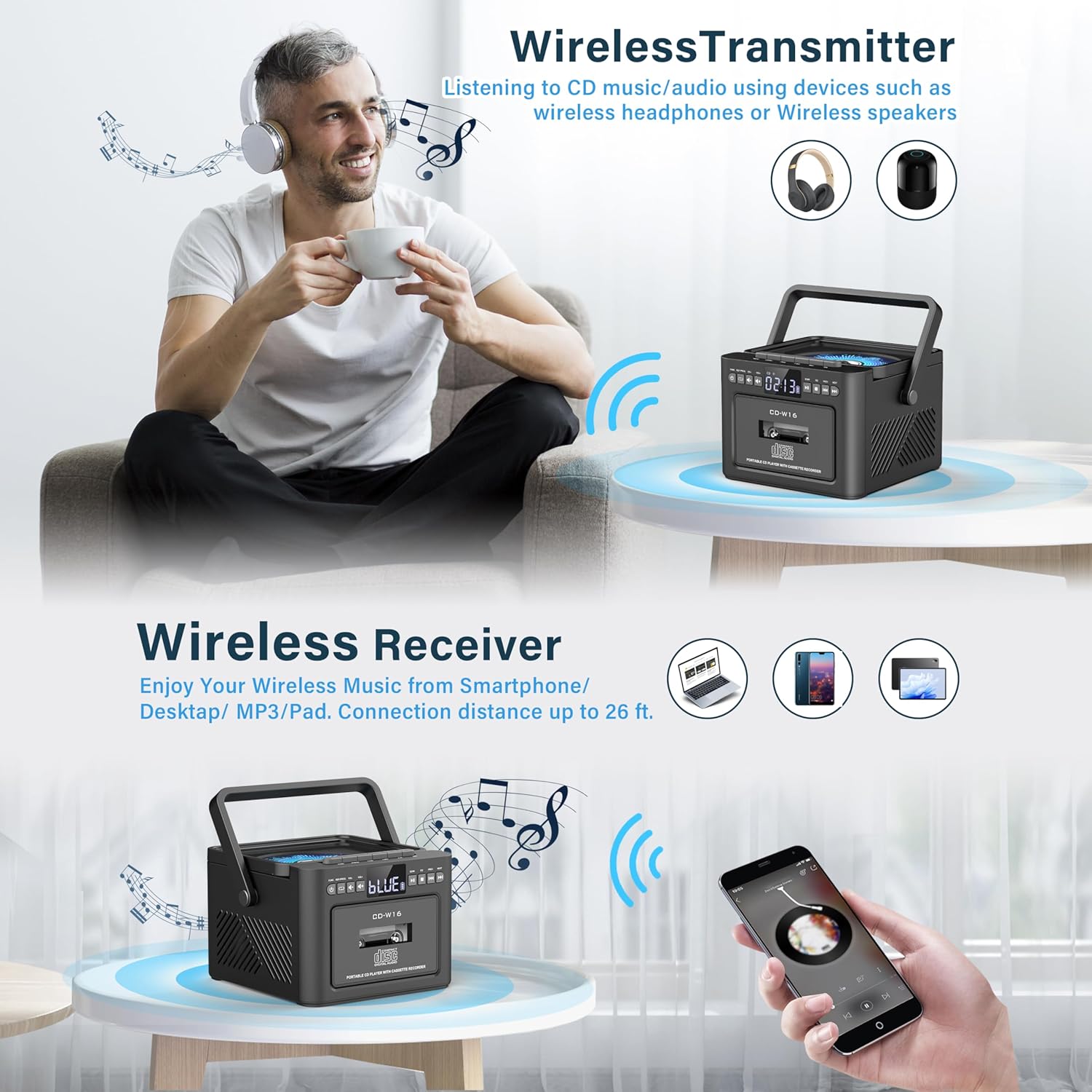
Vaizdas: The Greadio GB-W18 boombox demonstrating its wireless capabilities, functioning as both a wireless transmitter (for headphones/speakers) and a wireless receiver (for streaming from smartphones/tablets).
USB Drive & TF/SD Card Playback
- Insert a USB drive into the USB port or a TF/SD card into the TF/SD card slot.
- Paspauskite Režimas button until 'USB' or 'TF' appears on the display.
- Įrenginys automatiškai aptiks ir paleis MP3 files iš saugojimo įrenginio.
- Naudokite Leisti / pristabdyti, Sustok, ir Praleisti/ieškoti mygtukai, skirti valdyti atkūrimą.
AUX įvestis
- Connect an external audio device (e.g., MP3 player, smartphone) to the AUX input jack using a 3.5mm audio cable (not included).
- Paspauskite Režimas button until 'AUX' appears on the display.
- Leiskite garsą iš išorinio įrenginio. Garsas bus išvedamas per „boombox“ garsiakalbius.
Nuotolinio valdymo pultas
The included remote control allows for convenient operation of most functions from a distance. Point the remote control directly at the front panel of the boombox. Functions include power on/off, mode selection, volume adjustment, playback controls (play, pause, stop, skip), and radio tuning.
Miego laikmatis
The unit features a sleep timer function. Refer to the remote control or specific button on the unit (if available) to set a timer for automatic power-off. This feature is useful for falling asleep to music.
Priežiūra
- Valymas: Išorinį įrenginio paviršių valykite minkštu, sausu skudurėliu. Nenaudokite abrazyvinių valiklių ar tirpiklių.
- CD objektyvo priežiūra: Jei kyla problemų dėl CD atkūrimo, naudokite specialų CD lęšių valymo diską.
- Kasetės galvutės valymas: Regularly clean the cassette heads with a cotton swab lightly damppraturtintas izopropilo alkoholiu, kad būtų užtikrinta optimali garso kokybė ir išvengta kasečių pažeidimų.
- Akumuliatoriaus priežiūra: Norėdami optimalaus akumuliatoriaus veikimo laiko, venkite dažnai visiškai iškrauti akumuliatorių. Reguliariai kraukite įrenginį, net jei jis ilgą laiką nenaudojamas.
- Saugykla: Kai prietaisas ilgą laiką nenaudojamas, laikykite jį vėsioje, sausoje vietoje, apsaugotoje nuo tiesioginių saulės spindulių ir ekstremalių temperatūrų.
Trikčių šalinimas
| Problema | Galima priežastis | Sprendimas |
|---|---|---|
| Įrenginys neįsijungia. | Baterija išsikrovusi. | Prijunkite įrenginį prie maitinimo šaltinio naudodami C tipo USB laidą ir leiskite jam įkrauti. |
| Nėra garso iš garsiakalbių. | Volume is too low or muted. Incorrect mode selected. Headphones connected. | Increase volume. Press the Režimas button to select the correct source. Disconnect headphones. |
| Kompaktinis diskas praleidžia arba negroja. | Kompaktinis diskas nešvarus, subraižytas arba neteisingai įdėtas. Kompaktinio disko lęšis nešvarus. | Clean the CD. Reinsert the CD correctly. Use a CD lens cleaner. |
| Prastas FM radijo priėmimas. | Antena neištiesta. Silpnas signalas. | Fully extend the FM antenna. Reposition the unit for better reception. |
| „Bluetooth“ įrenginio nepavyksta susieti. | Boombox not in pairing mode. Device too far. | Ensure boombox is in Bluetooth mode and flashing. Move device closer (within 26 ft). |
| Cassette playback distorted. | Cassette heads are dirty. Tape is old or damaged. | Clean cassette heads. Try a different tape. |
Specifikacijos
- Modelio numeris: GB-W18
- Gaminio matmenys: 7.56 x 7.56 x 5.16 colio
- Prekės svoris: 2.99 svaro
- Ryšio technologija: Bluetooth 5.0
- Garsiakalbio tipas: Dvigubas stereo garsiakalbis
- Baterija: Built-in 5000mAh Rechargeable Lithium Ion Battery
- Maitinimo įvestis: 5 V DC (C tipas)
- Palaikoma laikmena: CD, CD-R, CD-RW, Cassette Tape, USB Drive (MP3 format, up to 32GB), TF/SD Card (MP3 format, up to 32GB), AUX Input
- FM radijo dažnis: 87.5-108 MHz
Garantija ir palaikymas
Greadio products are designed for reliability and performance. For any questions, technical support, or warranty inquiries, please refer to the contact information provided with your purchase or visit the official Greadio websvetainėje. Prašome išsaugoti pirkimo įrodymą garantiniams reikalavimams.