
Įvadas
This manual provides detailed instructions for the setup, operation, and maintenance of your bemi Kix-m Smartwatch Fitness Tracker. Please read this manual thoroughly before using the device to ensure proper function and to maximize your user experience. The bemi Kix-m is designed to assist you in monitoring your fitness activities and health metrics.
Kas yra dėžutėje
- bemi Kix-m Smartwatch
- Įkrovimo kabelis
- Vartotojo vadovas (šis dokumentas)
Sąranka
1. Programos diegimas
The bemi Kix-m Smartwatch operates with the "H Band" application. This application is compatible with smartphones running Android 4.4 or newer and iOS 8.0 or newer.
- Ieškokite "H Band" in the App Store (for iOS devices) or Google Play Store (for Android devices).
- Atsisiųskite ir įdiekite programėlę į savo išmanųjį telefoną.
- Follow the on-screen prompts to create an account and set up your personal profile.
2. Prietaiso poravimas
To connect your smartwatch with the "H Band" app:
- Įsitikinkite, kad jūsų išmaniajame telefone įjungtas „Bluetooth“ ryšys.
- Open the "H Band" application.
- Navigate to the device pairing section within the app (usually found under "Device" or "My Device").
- The app will search for available devices. Select "Kix-m" from the list to initiate pairing.
- Jei būsite paraginti, patvirtinkite susiejimo užklausą tiek išmaniajame telefone, tiek išmaniajame laikrodyje.
Pastaba: If you experience issues with pairing, ensure the watch is charged and within Bluetooth range of your phone. Refer to the troubleshooting section for further assistance.
Naudojimo instrukcijos
1. Pagrindinė navigacija
The bemi Kix-m Smartwatch features a 1.5-inch touchscreen display for navigation. Swipe left, right, up, or down to access different functions and menus. Tap to select options.
2. Muzikos atkūrimas
The Kix-m includes a built-in audio player with 512MB of internal memory, allowing you to store and play music directly from the watch.
- Muzikos perkėlimas: Connect the smartwatch to a computer using the charging cable. The watch should appear as a removable storage device. Drag and drop your MP3 files into the designated music folder on the watch.
- Connecting Headphones/Speakers: The watch features a dual Bluetooth module. Navigate to the Bluetooth settings on your watch, enable Bluetooth, and pair with your wireless headphones or speaker.
- Atkūrimo valdymas: Access the music player from the watch's menu. You can play, pause, skip tracks, and adjust volume directly from the watch screen.
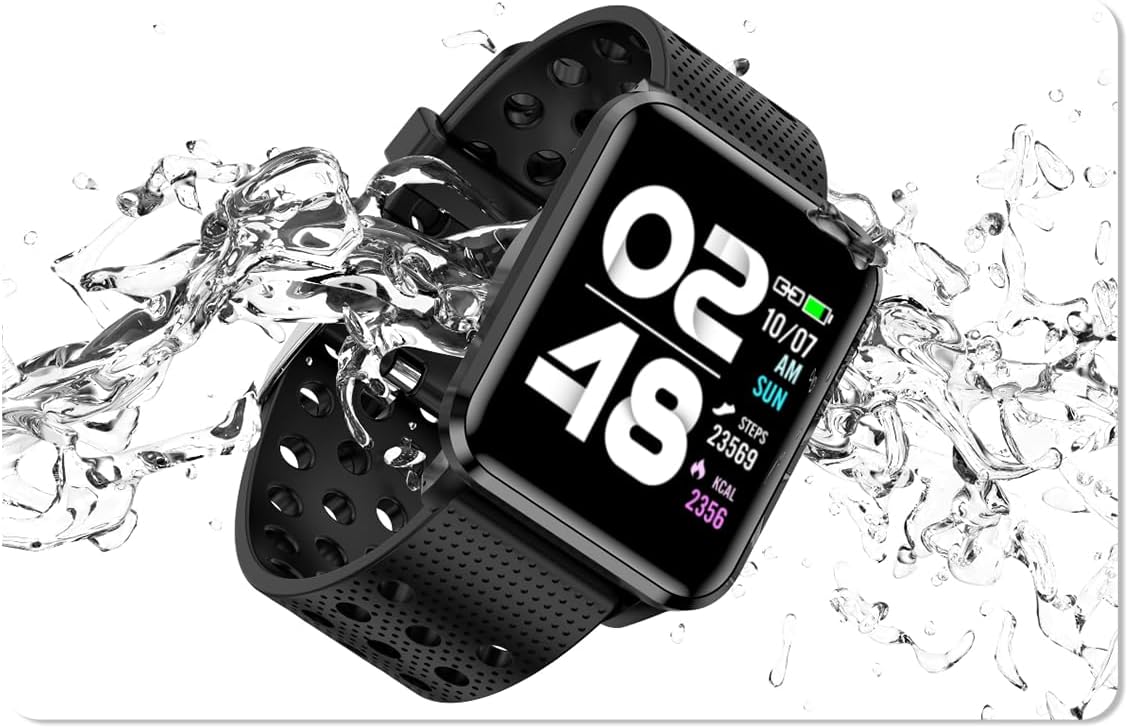
Image: The bemi Kix-m Smartwatch showing its music playback interface, with wireless earbuds positioned next to it, illustrating the device's audio capabilities.
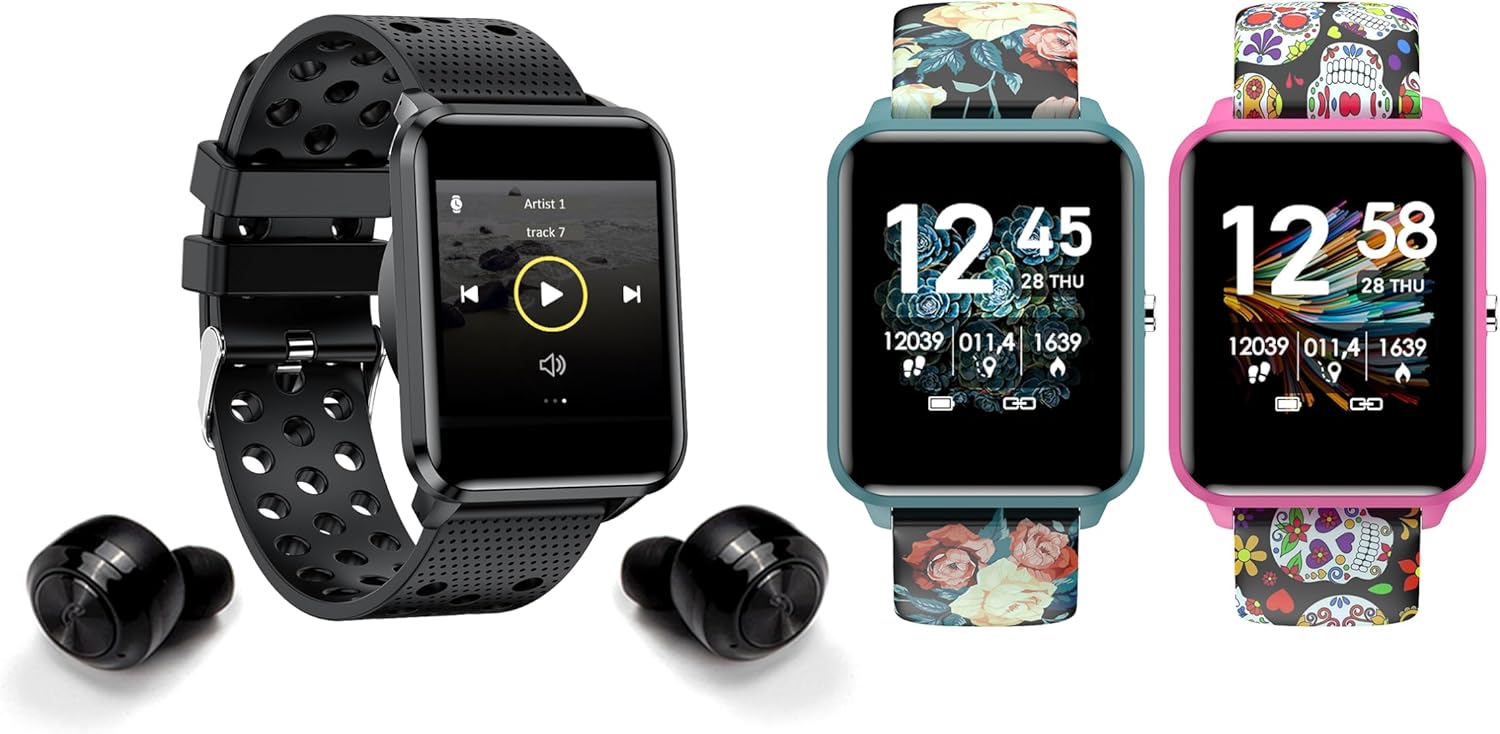
Image: The bemi Kix-m Smartwatch showing its music playback interface, with wireless earbuds positioned next to it, illustrating the device's audio capabilities.
3. Veiklos stebėjimas
The smartwatch continuously monitors your daily activity, including steps taken, distance covered, and calories burned. This data is synchronized with the "H Band" app for detailed analysis.

Image: A screenshot of the H Band application dashboard, displaying various activity metrics such as steps, blood oxygen saturation (SpO2), heart rate, and sleep patterns, alongside a smartwatch face.
4. Sporto režimai
The Kix-m offers 10 different sport modes to track specific workouts. Select the appropriate mode before starting an activity to get accurate data for your performance.
- Access sport modes from the main menu.
- Choose your desired activity (e.g., running, cycling).
- The watch will display real-time metrics relevant to your chosen sport.
5. Sveikatos stebėsena
The smartwatch provides continuous monitoring of several health metrics:
- Širdies ritmo monitorius: Seka jūsų širdies ritmą visą dieną. View realaus laiko duomenys laikrodyje arba išsamūs grafikai programėlėje.
- Kraujo deguonis (SpO2): Matuoja deguonies kiekį kraujyje.
- Miego stebėjimas: Monitors your sleep patterns, including deep sleep, light sleep, and awake times. Data is analyzed in the "H Band" app to provide insights into sleep quality.

Paveikslėlis: Galinė dalis view of the bemi Kix-m Smartwatch, highlighting the optical sensors used for heart rate and blood oxygen monitoring.

Image: The bemi Kix-m Smartwatch screen showing current blood pressure and heart rate measurements, with a background graph indicating historical data.

Paveikslėlis: detalus view of the H Band application's sleep tracking interface, showing sleep duration, quality, and different sleep stages.
6. Išmaniosios funkcijos
- Pranešimai: Receive alerts for calls, messages, and app notifications directly on your wrist. Configure notification settings within the "H Band" app.
- Kameros valdymas: Use your smartwatch as a remote shutter for your smartphone camera. Access this feature from the watch's menu.
- Moterų sveikatos stebėjimas: A dedicated mode for women's health tracking, including menstrual cycle and ovulation predictions. Set up and manage this feature in the "H Band" app.
- Judėjimo priminimas: The watch can remind you to move after periods of inactivity.
- Žadintuvas, Chronometras, Laikmatis: Standard utility functions available on the watch.
- Rasti telefoną: Use this feature to locate your paired smartphone by making it ring.

Image: The bemi Kix-m Smartwatch screen showing a photo, demonstrating its remote camera control functionality with a smartphone in the background.

Image: A screenshot of the H Band application displaying the women's health tracking interface, including menstrual cycle and ovulation prediction features.
7. Pritaikymas
Choose from 24 clock faces available in the "H Band" application. You can also upload a photo from your phone to use as a custom watch face.

Image: A display of multiple bemi Kix-m Smartwatches showcasing different customizable watch faces, including a personalized photo option.
Priežiūra
1. Įkrovimas
Connect the provided charging cable to the charging port on the back of the smartwatch and to a USB power source. The watch will display a charging indicator. A full charge typically takes 1-2 hours.
2. Atsparumas vandeniui
The bemi Kix-m Smartwatch is IP68 waterproof, meaning it is resistant to dust and can withstand immersion in water up to 1.5 meters for up to 30 minutes. It is suitable for daily use, such as washing hands or light rain. Avoid hot water, saunas, or diving, as these conditions may compromise the water resistance.

Image: The bemi Kix-m Smartwatch being splashed with water, illustrating its IP68 water resistance rating for daily activities.
3. Valymas
Nuvalykite laikrodžio ekraną ir dirželį minkšta,amp audiniu. Venkite naudoti stiprias chemines medžiagas ar abrazyvines medžiagas, kurios gali pažeisti įrenginį.
Trikčių šalinimas
- Laikrodis neįsijungia: Įsitikinkite, kad laikrodis yra visiškai įkrautas. Prijunkite jį prie įkrovimo laido ir maitinimo šaltinio bent 30 minučių.
- Nepavyksta susieti su telefonu:
- Įsitikinkite, kad jūsų telefone įjungtas „Bluetooth“.
- Įsitikinkite, kad laikrodis yra arti telefono.
- Perkraukite ir telefoną, ir išmanųjį laikrodį.
- Check if the "H Band" app is updated to the latest version.
- Jei anksčiau buvote susietas, pabandykite atsieti įrenginį telefono „Bluetooth“ nustatymuose ir vėl susieti per programėlę.
- Netikslūs sveikatos duomenys:
- Įsitikinkite, kad laikrodis tvirtai prigludęs prie riešo, bet ne per stipriai.
- Nuvalykite jutiklį laikrodžio gale.
- Atkreipkite dėmesį, kad išmanieji laikrodžiai nėra medicinos prietaisai, o rodmenys skirti tik informaciniams tikslams.
- Pranešimai nerodomi:
- Įsitikinkite, kad laikrodis sėkmingai susietas su jūsų telefonu.
- Check notification permissions for the "H Band" app in your phone's settings.
- Ensure notifications are enabled within the "H Band" app for the desired applications.
Specifikacijos
| Modelio numeris | Kix-m |
| Ekrano dydis | 1.5 colių |
| Atminties talpa | 512 MB (muzikai) |
| Ryšio technologija | „Bluetooth“, „Wi-Fi“ |
| Atsparumas vandeniui | IP68 |
| Operacinės sistemos suderinamumas | „Android 4.4+“, „iOS 8.0+“ |
| Baterijos tipas | Ličio polimeras |
| Prekės svoris | 4.2 uncijos |
| Pakuotės matmenys | 4.8 x 2.83 x 2.24 colio |
Pastaba: specifikacijos gali būti keičiamos be išankstinio įspėjimo.
Garantija ir palaikymas
For warranty information and customer support, please refer to the official bemi websvetainėje arba susisiekite su pardavėju. Išsaugokite pirkimo kvitą kaip pirkimo įrodymą garantijos pretenzijoms.
Dėl papildomos pagalbos apsilankykite bemi Store on Amazon.