
Įvadas
This manual provides essential information for the safe and effective use of your llano LP-E6NH 2400mAh rechargeable battery. Designed for compatibility with various Canon EOS cameras, this battery features a convenient built-in USB-C charging port, offering flexibility and extended power for your photography needs. Please read these instructions carefully before use.
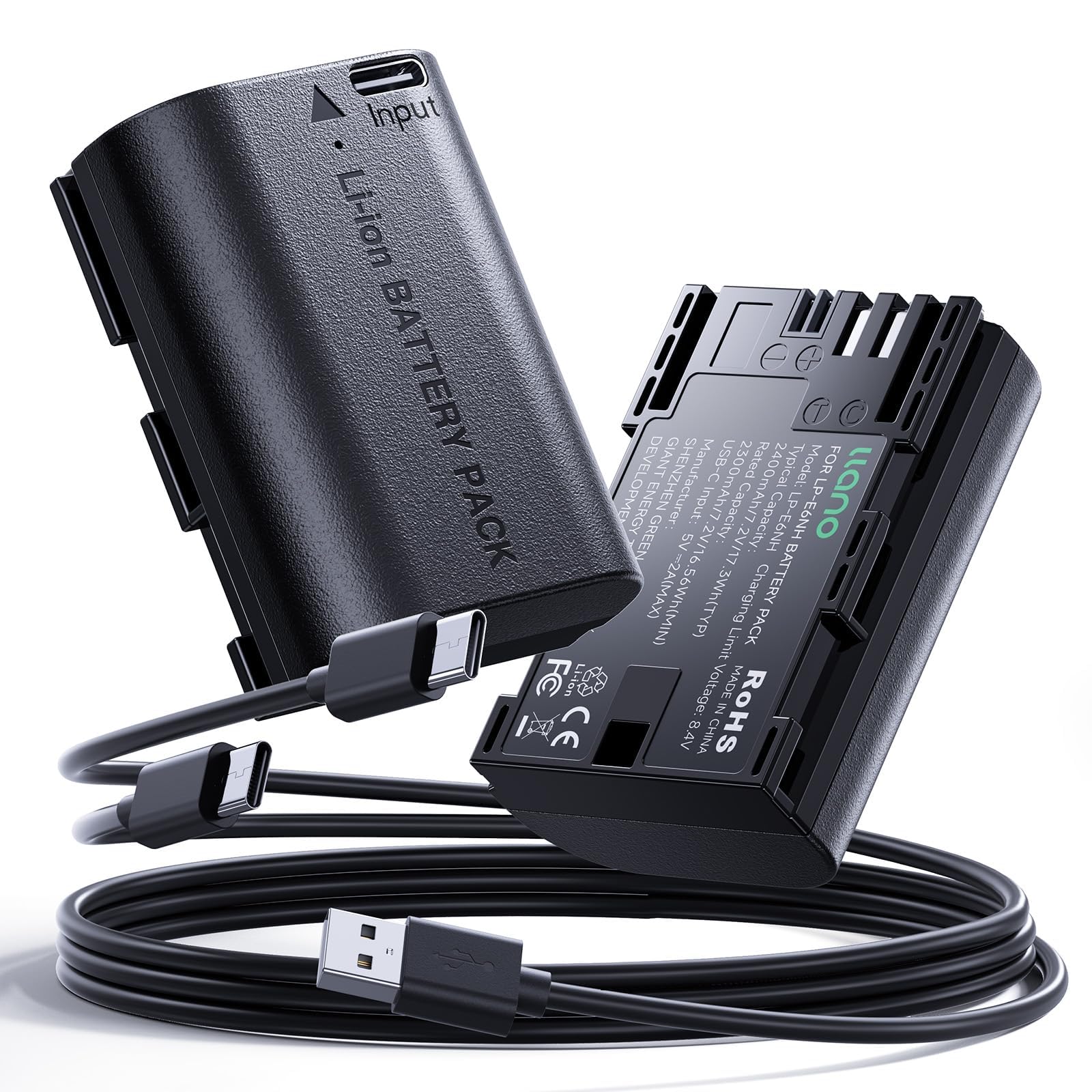
Image: The llano LP-E6NH 2400mAh rechargeable battery.
Produkto savybės
- Wide Compatibility & Full Decoding: Fully compatible with Canon EOS R5, R6, R6 Mark II, R5 Mark II, R, 90D, 5D Mark IV, 6D Mark II, 80D, 70D, 7D Mark II, 5DS R, 5DS, 5D Mark III, 6D, 60D, 7D, 5D Mark II, XC15, XC10, C700, and more. Features full decoding for accurate power display without warning messages.
- 2400mAh Real Capacity: Provides 2400mAh capacity (7.2V/17.3Wh) for extended shooting sessions, designed to maintain performance over 500+ charge cycles.
- Built-in USB-C Port for Direct Fast Charging: Allows charging directly via a Type-C port using standard wall adapters, car chargers, or portable power banks, eliminating the need for an external charger.
- Reliable & Safe with 10-Layer Protection: Incorporates a 10-tier protection system against overcharging, overheating, short circuits, over-current, over-discharge, and overvoltage.
- Išmanieji LED indikatoriai: Features an intelligent LED indicator: red for charging, green when fully charged.

Paveikslėlis: pagrindinis privalumastages of the llano LP-E6NH battery, including real capacity, no camera errors, USB-C charging, and safety features.
Suderinamumas
The llano LP-E6NH battery is designed for full compatibility with a wide range of Canon EOS cameras and other devices that use LP-E6NH, LP-E6, or LP-E6N batteries. Compatible models include:
- Canon EOS R5, EOS R6, EOS R6 Mark II, EOS R5 Mark II, EOS R
- Canon EOS 90D, EOS 5D Mark IV, EOS 6D Mark II, EOS 80D, EOS 70D, EOS 7D Mark II
- Canon EOS 5DS R, EOS 5DS, EOS 5D Mark III, EOS 6D, EOS 60D, EOS 7D, EOS 5D Mark II
- Canon XC15, XC10, C700
- Also supports battery grips BG-E6, E7, E9, E11, E13, E14.

Image: Visual representation of compatible Canon camera models.
Pakuotės turinys
Patikrinkite, ar pakuotėje yra visi reikalingi daiktai:
- 2 x llano LP-E6NH Battery
- 1 x USB-A–dvigubas USB-C laidas
- 1 x Naudotojo vadovas (šis dokumentas)
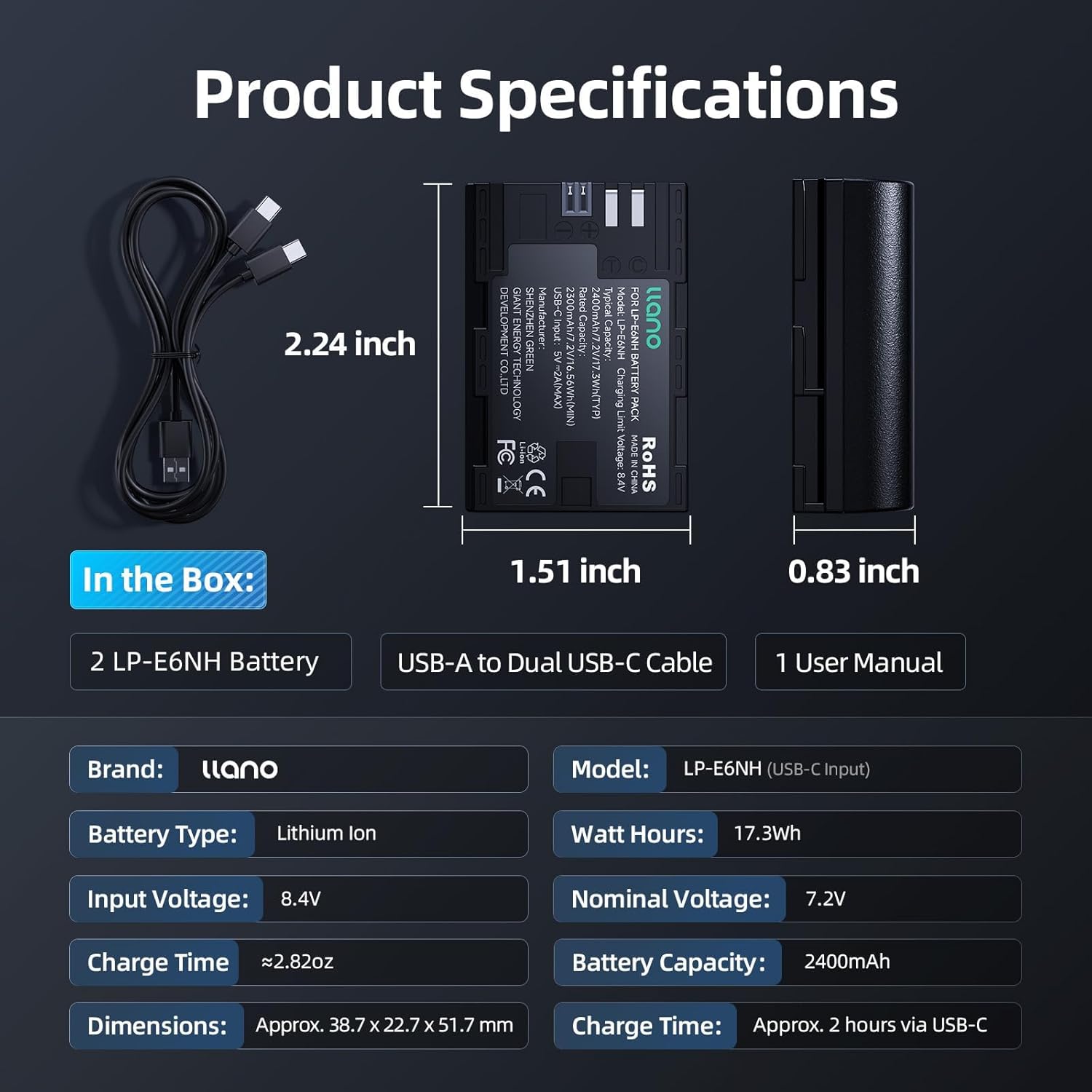
Image: Contents included in the llano LP-E6NH battery 2-pack.
Sąranka
Pradinis įkrovimas
- Naudojant USB-C: Connect the provided USB-A to Dual USB-C cable to the USB-C port on the battery. Plug the USB-A end into a compatible USB power source (e.g., wall adapter, power bank, car charger). The LED indicator on the battery will glow red during charging.
- Using a Traditional Charger: Alternatively, you can charge the battery using any standard LP-E6 series battery charger. Insert the battery into the charger as per the charger's instructions.
- Viso įkrovimo indikacija: The LED indicator on the battery will turn green when charging is complete. For optimal performance, fully charge the battery before its first use.

Image: Various methods for charging the battery via its USB-C port.
Akumuliatoriaus montavimas
- Įsitikinkite, kad jūsų kamera yra išjungta.
- Open the battery compartment cover on your Canon EOS camera.
- Insert the llano LP-E6NH battery into the compartment, aligning it correctly with the contacts. Push until it clicks into place.
- Saugiai uždarykite akumuliatoriaus skyriaus dangtelį.
Naudojimo instrukcijos
Using the Battery in Your Camera
Once installed, power on your camera. The llano LP-E6NH battery is fully decoded, meaning your camera will display accurate battery level information on the screen, similar to an original Canon battery. You can use all camera functions, including continuous shooting and video recording, without interruption or warning messages related to battery compatibility.

Image: The llano LP-E6NH battery operating in a Canon camera without warning messages.
Akumuliatoriaus įkrovimas
The battery can be charged using its integrated USB-C port or a traditional LP-E6 series charger.
- USB-C įkrovimas: Connect a USB-C cable to the battery's port and a USB power source. The charging time via USB-C is approximately 2 hours.
- Traditional Charger: Use your existing Canon LP-E6 series charger for charging.
LED indikatorius:
- Raudona šviesa: Baterija kraunasi.
- Žalia šviesa: Baterija pilnai įkrauta.

Image: LED indicators on the llano LP-E6NH battery during charging (red) and when fully charged (green).
Priežiūra
- Saugykla: Store batteries in a cool, dry place away from direct sunlight and extreme temperatures. For long-term storage, it is recommended to charge the battery to about 50-60% capacity.
- Valymas: Use a soft, dry cloth to clean the battery terminals if they become dirty. Do not use liquid cleaners.
- Temperatūra: The battery is engineered to operate reliably in temperatures from -20°C to 40°C. Avoid exposing the battery to temperatures outside this range for extended periods.
- Šalinimas: Dispose of depleted batteries according to local regulations. Do not dispose of batteries in general waste or by incineration.

Image: The llano LP-E6NH battery's wide temperature tolerance for reliable operation.
Trikčių šalinimas
- Akumuliatorius neįkraunamas:
- Įsitikinkite, kad USB-C laidas yra tvirtai prijungtas prie akumuliatoriaus ir maitinimo šaltinio.
- Verify that the USB power source is active and providing sufficient power.
- Check the LED indicator on the battery; if it's not red, charging may not be initiated.
- If using a traditional charger, ensure the battery is correctly seated and the charger is powered.
- Camera Displays Error Message:
- The llano LP-E6NH battery is designed for full decoding and should not trigger warning messages. If an error occurs, ensure the battery is fully inserted and the compartment door is closed.
- Power off the camera, remove the battery, wait a few seconds, and reinsert it.
- Confirm your camera model is listed in the compatibility section.
- Greitai išsikrauna akumuliatorius:
- Battery life can vary significantly based on camera usage (e.g., video recording, live view, continuous shooting, cold environments).
- Prieš naudodami įsitikinkite, kad akumuliatorius yra visiškai įkrautas.
- Over time, all rechargeable batteries experience some degradation. If the battery's performance has significantly decreased, it may be nearing the end of its lifespan.
Specifikacijos
| Funkcija | Detalė |
|---|---|
| Prekės ženklas | llano |
| Modelis | LP-E6NH (USB-C Input) |
| Baterijos tipas | Ličio jonas |
| Baterijos talpa | 2400 mAh |
| Nominalus ttage | 7.2 V |
| Vatų valandos | 17.3 Wh |
| Įvesties tomastage (USB-C) | 8.4 V |
| Charge Time (via USB-C) | apytiksliai 2 valandas |
| Matmenys | Apytiksliai 38.7 x 22.7 x 51.7 mm (1.51 x 0.83 x 2.24 colio) |
| Baterijos svoris | Approx. 0.36 Pounds (163g) |
| Pakartotinis naudojimas | Įkraunamas |
| Gamintojas | SHENZHEN GREEN GIANT ENERGY TECHNOLOGY DEVELOPMENT CO.,LTD |
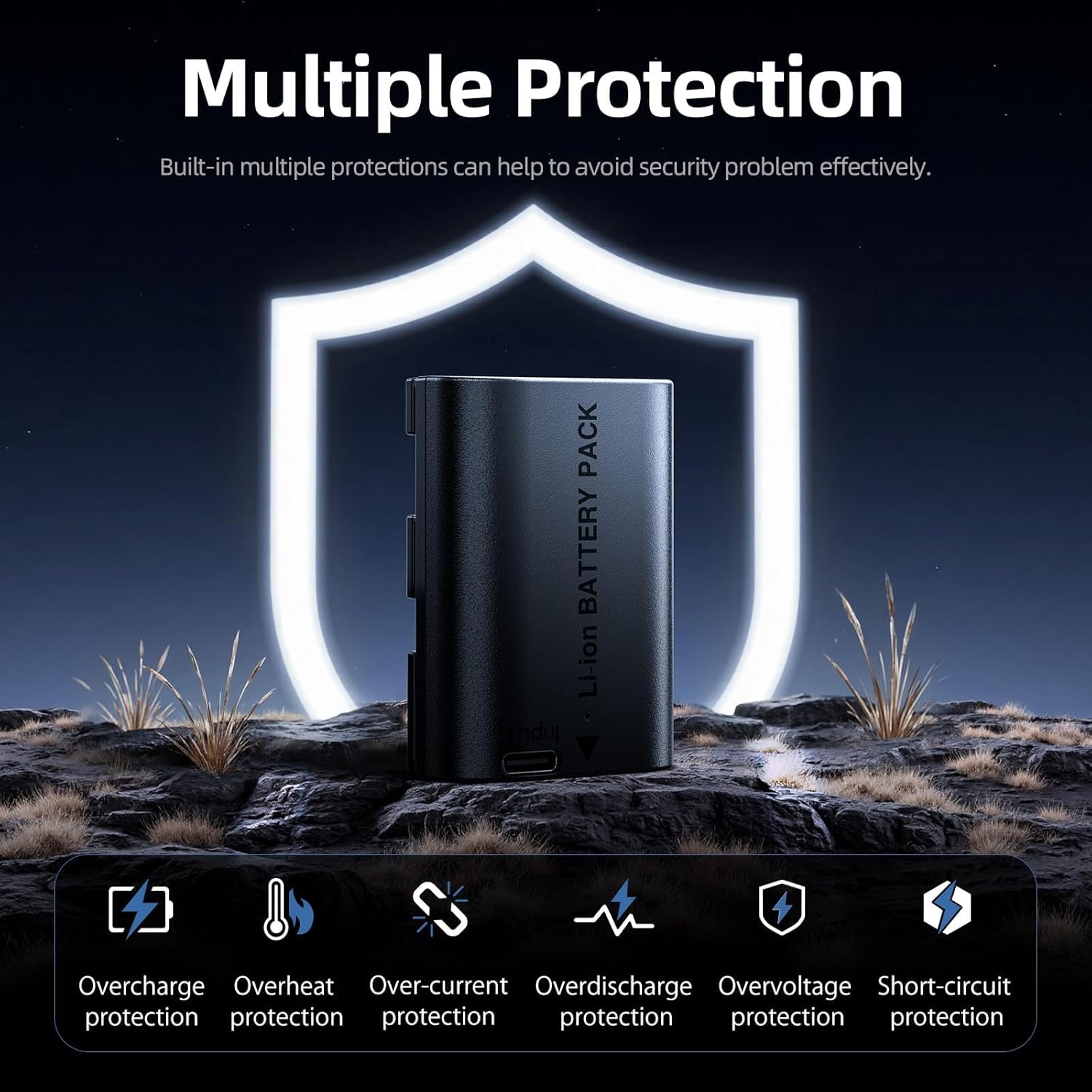
Image: Technical specifications and physical dimensions of the llano LP-E6NH battery.
Garantija ir palaikymas
Informacija apie garantiją
The product comes with a limited warranty. For specific details regarding the warranty period and coverage, please refer to the warranty card included in your package or visit the official llano websvetainėje. Išsaugokite pirkimo įrodymą garantiniams reikalavimams.
Pagalba klientams
If you encounter any issues or have questions regarding your llano LP-E6NH battery, please contact llano customer support through their official website or the retailer where the product was purchased. Provide your product model and purchase date for efficient assistance.


