
1. Įvadas
Thank you for choosing the BTQILEYOO Q28-2X Motorcycle Helmet Bluetooth Headset with integrated camera. This device combines communication, entertainment, and recording capabilities for an enhanced riding experience. Please read this manual thoroughly before use to ensure proper operation and safety.
2. Saugos informacija
Dėl savo saugumo ir norėdami išvengti įrenginio pažeidimų, laikykitės šių nurodymų:
- Handle the battery with care. Avoid exposing the device to extreme temperatures (both high and low).
- Be cautious when operating near other wireless devices to prevent potential interference.
- Ensure the device is securely mounted to your helmet before riding.
- Nebandykite ardyti ar modifikuoti įrenginio, nes tai panaikins garantiją ir gali sukelti gedimus ar sužalojimus.
- Always prioritize road safety. Do not operate device functions that distract you from riding.
3. Pakuotės turinys
Patikrinkite, ar pakuotėje yra visi reikalingi daiktai:
- BTQILEYOO Q28-2X Helmet Headset Unit
- 32 GB TF kortelė (iš anksto įdiegta arba atskirai)
- Helmet Speakers with Microphone
- Mounting Bracket (Clip-on and Adhesive options)
- C tipo USB įkrovimo laidas
- Vartotojo vadovas
4. Produktas baigtasview ir Savybės
The Q28-2X unit integrates several key functionalities:

Figure 1: BTQILEYOO Q28-2X Helmet Headset Main Unit
4.1. Integrated 1080P HD Camera
The Q28-2X features a 1080P 120° ultra-wide-angle lens, capable of capturing clear and detailed high-definition videos at 30 frames per second (FPS) and crisp 2MP images. It supports up to 256GB TF cards for extended recording, with a complimentary 32GB TF card included.
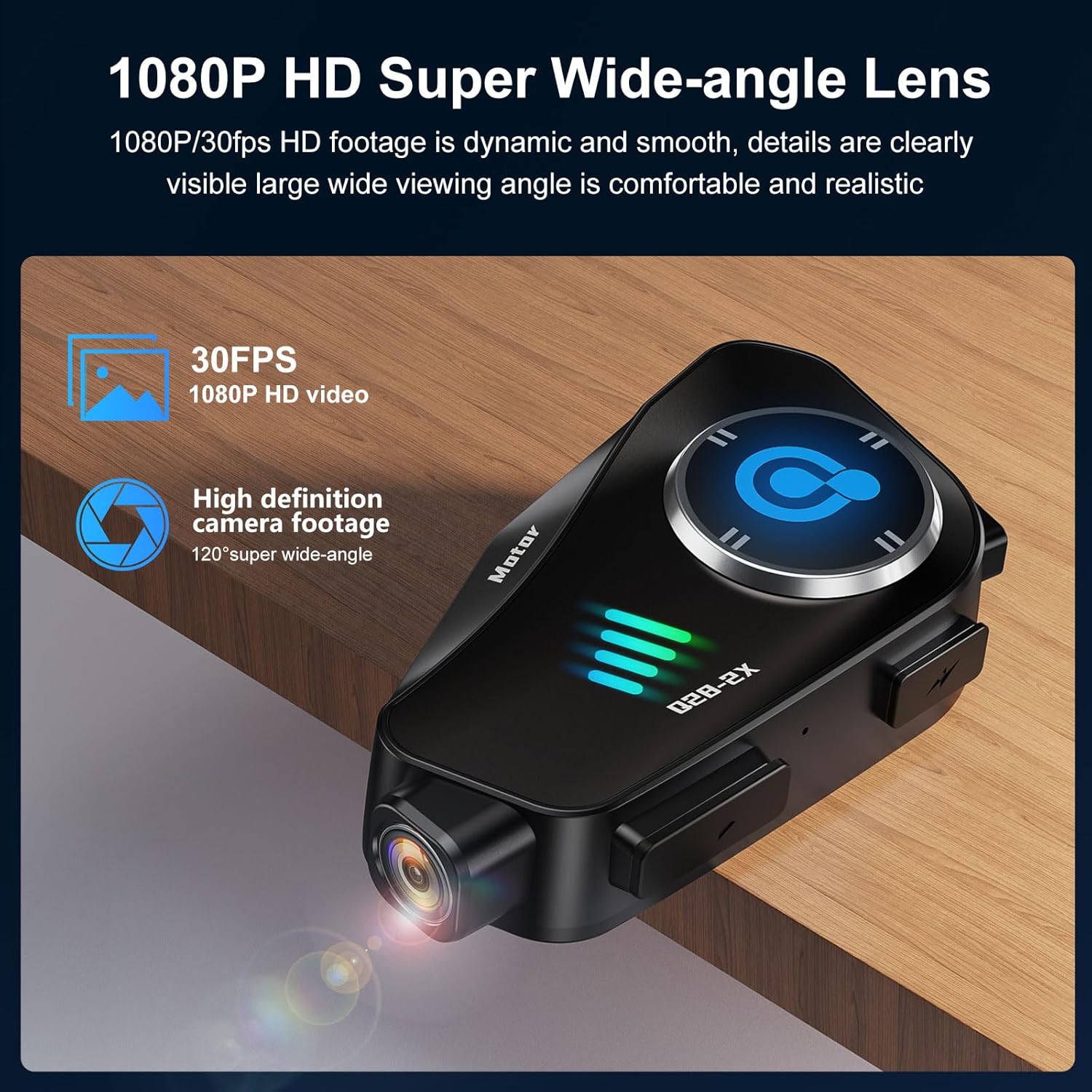
Figure 2: 1080P HD Super Wide-angle Lens for clear video capture.
4.2. Advanced Noise Reduction
Equipped with a high-sensitivity microphone and combining CVC algorithm with DSP hardware, the device effectively reduces environmental noise, ensuring clear human voice transmission during calls and recordings.

Figure 3: Intelligent Noise Reduction for clear communication in noisy environments.
4.3. Long-Lasting Battery and Fast Charging
The built-in 1500mAh battery provides approximately 50 hours of music playback and 6.5 hours of continuous video recording. It boasts a standby time of up to 18 months and supports Type-C fast charging. Battery status can be displayed on your connected phone.

Figure 4: Extended battery life for music and video recording.
4.4. IP66 atsparumo vandeniui įvertinimas
The Q28-2X is IP66 waterproof, designed to withstand various weather conditions including dust, rain, storms, and snow, ensuring reliable performance even in challenging outdoor environments.
4.5. Intercom and Connectivity
Supports dual 1000m intercom functionality and is compatible with other third-party wireless headset intercom systems. It features Bluetooth 5.3 for stable audio streaming and Wi-Fi hotspot for direct phone connectivity to view ir atsisiųskite įrašytą footage.
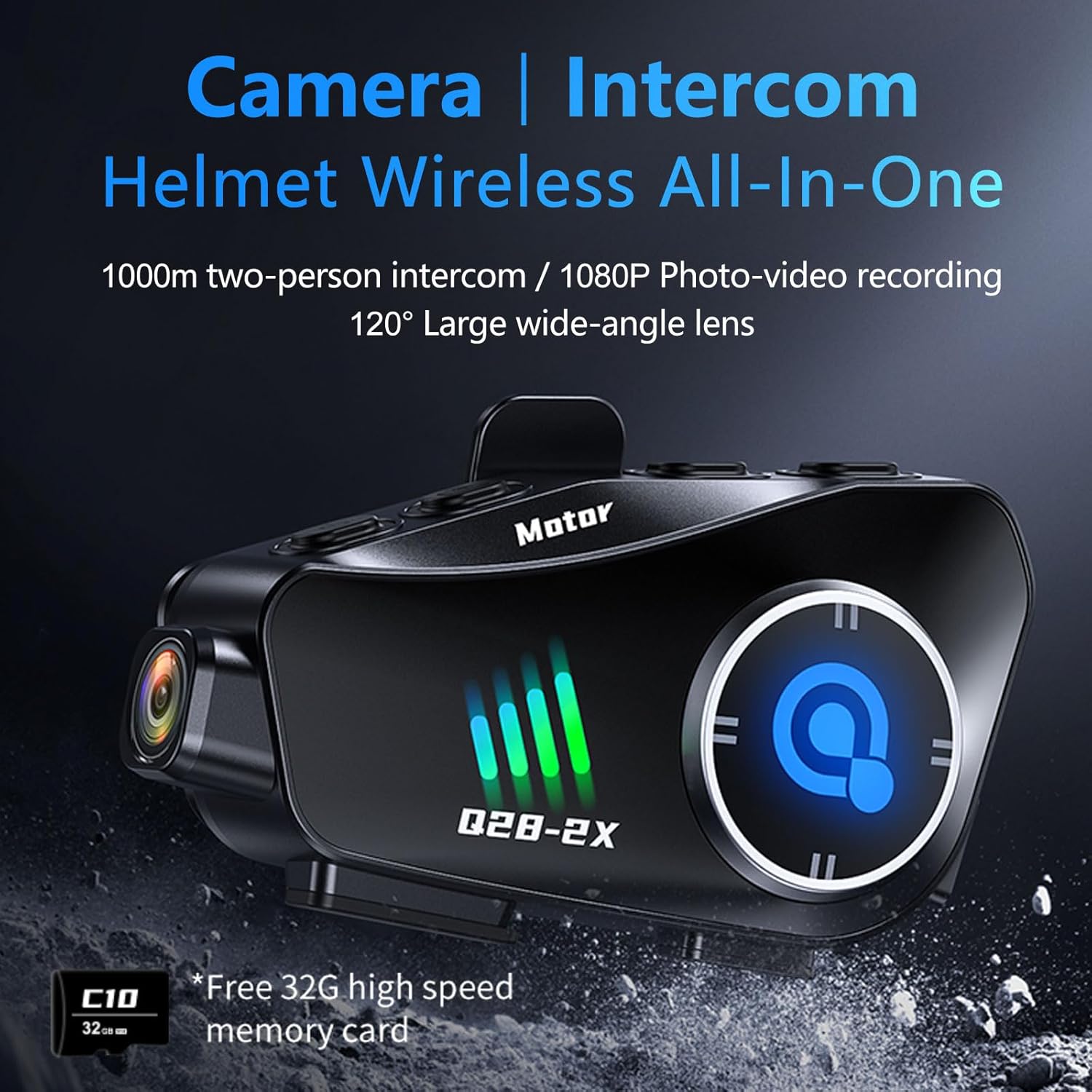
Figure 5: All-in-one Camera and Intercom system.

Figure 6: Wi-Fi Hotspot for seamless phone connectivity and media management.
4.6. 360° Body Adjustment
The camera body can be rotated 360 degrees, allowing for flexible adjustment of the shooting angle to capture panoramic video or adapt to horizontal/vertical shooting preferences.

Figure 7: Helmet Exclusive HD Recorder with 360° rotation capability.
5. Sąranka ir diegimas
5.1. Įrenginio montavimas
The Q28-2X unit can be mounted on the side of your helmet using either the clip-on bracket or the adhesive mount. Ensure the mount is securely fastened and the unit clicks firmly into place. The mount allows for adjustment to optimize the camera's viewing kampas.
5.2. Garsiakalbio ir mikrofono įrengimas
Install the speakers inside your helmet's ear pockets. Route the microphone to a position near your mouth for optimal voice pickup. Ensure wires are tucked away neatly to avoid discomfort or interference.
5.3. Pradinis įkrovimas
Before first use, fully charge the device using the provided USB Type-C cable. Connect the cable to the charging port on the unit and a compatible USB power source.
6. Naudojimo instrukcijos

Figure 8: Function Buttons and their corresponding actions.
6.1. Maitinimo įjungimas/išjungimas
To power on the device, press and hold the main power button (usually the central button or indicated as 'Motor' on the unit) until the indicator lights illuminate. To power off, press and hold the same button until the lights turn off.
6.2. Bluetooth ryšys
- Įsitikinkite, kad jūsų išmaniajame telefone įjungtas „Bluetooth“.
- On your phone, search for available Bluetooth devices. The device will appear as "Q28".
- Select "Q28" to pair. Once paired, you can stream music, make calls, and receive GPS voice prompts.

Figure 9: Incoming calls are automatically answered for convenience.
6.3. Kameros veikimas
The camera has a separate power button. Press the camera power button to turn it on/off. Once on, press the record button to start/stop video recording. A short press of the photo button will capture a still image.
6.4. Wi-Fi Hotspot and App Usage
Activate the Wi-Fi hotspot on the device (refer to the function button diagram). Connect your smartphone to this Wi-Fi network. Download the dedicated app (check the manual for QR code or app store name). Through the app, you can:
- View real-time camera feed.
- Playback recorded videos and photos.
- Download media files į jūsų telefoną.
- Adjust camera settings (resolution, loop recording, etc.).
6.5. Domofono funkcija
Refer to the specific intercom pairing instructions in the quick start guide for connecting with another Q28-2X unit or compatible third-party intercoms. The intercom button on the unit initiates and ends intercom conversations.
7. Priežiūra
7.1. Valymas
Nuvalykite įrenginį minkštu, damp audiniu. Nenaudokite stiprių cheminių medžiagų ar abrazyvinių valiklių. Prieš kraunant įsitikinkite, kad visi prievadai yra sausi.
7.2. TF Card Management
Regularly format the TF card to maintain optimal recording performance and prevent data corruption. This can typically be done through the companion app's settings. Back up important footage prieš formatavimą.
7.3. Akumuliatoriaus priežiūra
Norėdami pailginti baterijos veikimo laiką, venkite dažnai visiškai iškrauti įrenginį. Kai nenaudojate ilgesnį laiką, laikykite įrenginį vėsioje, sausoje vietoje.
8. Problemų sprendimas
- Įrenginys neįsijungia: Įsitikinkite, kad akumuliatorius įkrautas. Prijunkite prie maitinimo šaltinio ir bandykite dar kartą.
- „Bluetooth“ susiejimo problemos: Ensure the device is in pairing mode. Turn off and on your phone's Bluetooth. Forget previous pairings and try again. Confirm you are connecting to "Q28".
- No audio from speakers: Check speaker connections to the main unit. Ensure volume is not muted on the device or your phone.
- Camera not recording/saving: Ensure a TF card is inserted and has sufficient free space. Format the TF card if issues persist.
- App display issues (e.g., untranslated text): While the device unit supports English, some parts of the companion app may not be fully translated. Refer to the manual's diagrams and common icons for navigation.
- Intercom not connecting: Ensure both units are within range and in intercom pairing mode. Refer to the specific pairing sequence in the quick start guide.
9. Specifikacijos
| Funkcija | Specifikacija |
|---|---|
| Modelis | Q28-2X |
| Kameros raiška | 1080P HD (1920*1080) @ 30FPS |
| Objektyvo kampas | 120° platus kampas |
| Nuotraukų raiška | 2 MP |
| Baterijos talpa | 1500 mAh |
| Muzikos atkūrimo laikas | Iki 50 valandų |
| Vaizdo įrašymo laikas | Iki 6.5 valandų |
| Budėjimo laikas | Iki 18 mėnesių |
| Įkrovimo prievadas | C tipo USB |
| Atsparumo vandeniui įvertinimas | IP66 |
| Bluetooth versija | 5.3 |
| Intercom diapazonas | Up to 1000m (dual intercom) |
| Supported TF Card | Iki 256 GB |
| Prekės svoris | 11.5 uncijos |
| Medžiaga | Aliuminis |
10. Garantija ir palaikymas
For warranty information and technical support, please refer to the documentation provided with your purchase or contact BTQILEYOO customer service directly. Keep your proof of purchase for warranty claims.