
Įvadas
The Lyridz A5138 Rechargeable LED Motion Sensor Closet Light is designed to provide convenient, automatic lighting for various indoor spaces. Featuring a built-in rechargeable battery, motion sensing capabilities, and adjustable brightness, these lights are ideal for closets, cabinets, stairs, and more. This manual provides detailed instructions for setup, operation, maintenance, and troubleshooting to ensure optimal performance.
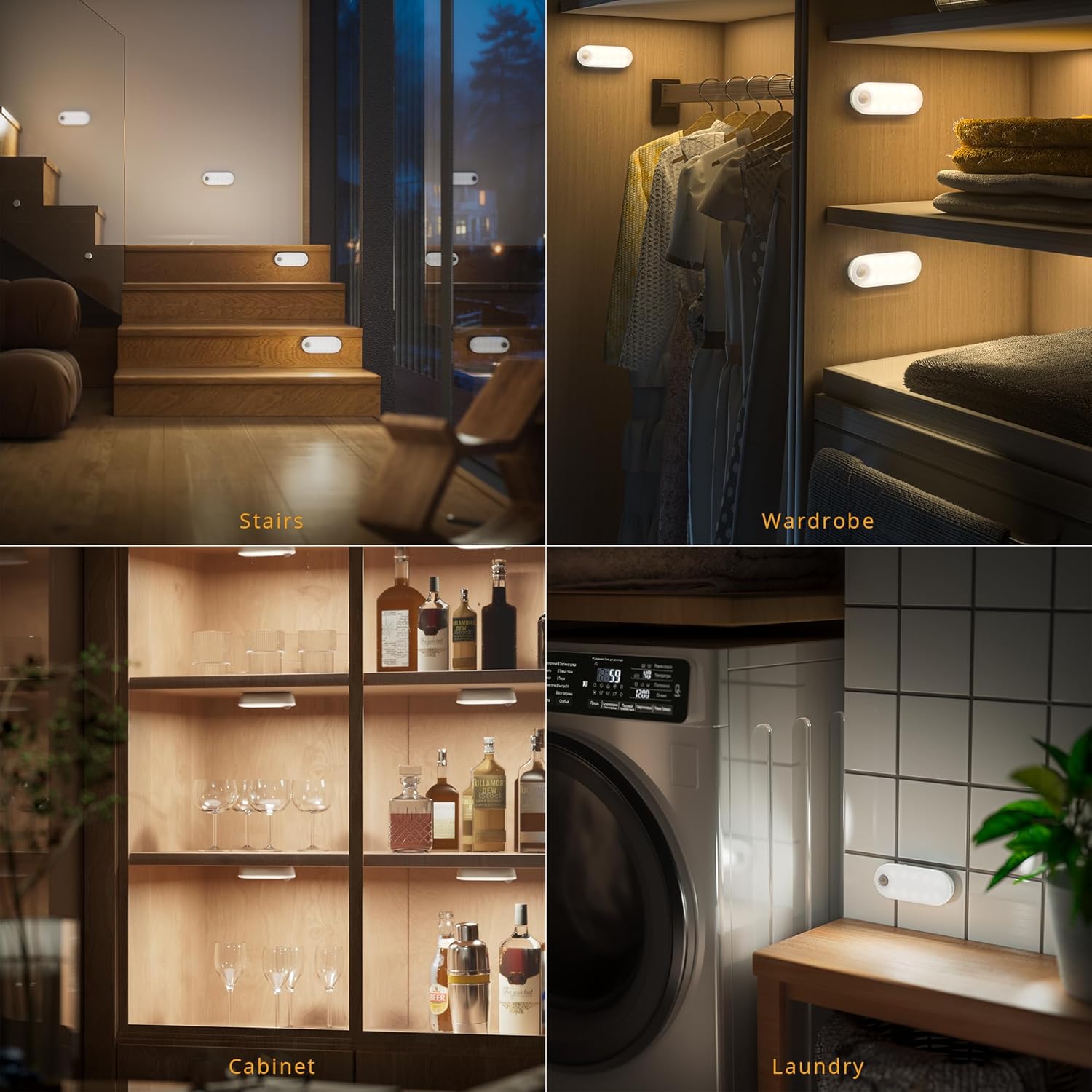
Image: Lyridz A5138 lights providing illumination in a wardrobe, on stairs, inside a cabinet, and in a laundry room.
Kas yra dėžutėje
Patikrinkite pakuotės turinį, kad įsitikintumėte, jog yra visi reikalingi daiktai:
- Lyridz A5138 LED Motion Sensor Lights (3 units)
- USB įkrovimo laidas
- Adhesive Metal Plates (for non-magnetic surfaces)
- Vartotojo vadovas

Image: The Lyridz A5138 product packaging showing the three lights, charging cable, and instruction manual.
Specifikacijos
| Funkcija | Aprašymas |
|---|---|
| Prekės ženklas | Lyridz |
| Modelio pavadinimas | A5138 |
| Spalva | Baltas |
| Medžiaga | Polikarbonatas |
| Šviesos šaltinio tipas | LED |
| Šviesios spalvos | Šalta Balta |
| Ryškumas | 1-80 Lumens (Dimmable) |
| Maitinimo šaltinis | Maitinamas baterija (1500 mAh ličio jonų) |
| Ypatingos savybės | Dimmable, Energy Efficient, Motion Sensor, Portable |
| Judesio jutiklio kampas | 150 laipsnių |
| Judesio jutiklio atstumas | Iki 16 pėdų (5 metrų) |
| Gaminio matmenys | 4.09 x 1.65 x 1.18 colio (10.4 x 4.2 x 3 cm) |
| Prekės svoris | 2.89 uncijos (82 gramų) |
Sąranka ir diegimas
The Lyridz A5138 lights offer easy installation with built-in magnets. They can be attached directly to iron surfaces or to other surfaces using the provided adhesive metal plates.
Diegimo žingsniai:
- Clean the surface where you intend to install the light. Ensure it is dry and free of dust.
- If installing on a non-magnetic surface, peel off the protective film from one side of an adhesive metal plate and firmly press it onto the desired location.
- Attach the Lyridz light to the metal plate or directly to an iron surface using its built-in magnet. Ensure the light is securely attached.

Image: A Lyridz A5138 light being magnetically attached to the underside of a cabinet.
Diegimo patarimas:
For optimal motion sensor performance, consider the placement of the PIR sensor. It should be positioned to detect movement across its field of view rather than directly towards it. Avoid placing the sensor too close to heat sources or air outlets, as this can affect its sensitivity.
Video: What should I do if the product doesn’t stick?
Video: This video demonstrates proper surface preparation and adhesive application to ensure the light sticks securely.
Naudojimo instrukcijos
The Lyridz A5138 light features three operating modes and adjustable brightness levels.
Veikimo režimai:
Use the switch on the light to select one of the following modes:
- ĮJUNGTA: The light will remain continuously on until the battery is depleted or the mode is changed.
- NIGHT-AUTO: The light will automatically turn on when motion is detected in a dark environment. It will turn off after 30 seconds of no motion.
- 24H-AUTO: The light will automatically turn on whenever motion is detected, regardless of ambient light conditions. It will turn off after 30 seconds of no motion.

Image: Visual representation of the three work modes: ON (non-stop lighting), 24H AUTO (motion detection always), and NIGHT AUTO (motion detection in dark only).
Ryškumo reguliavimas:
The light supports both stepless dimming and 5-level brightness adjustment.
- Bepakopis pritemdymas: Tap and hold the dimmable button (fingerprint icon) to continuously adjust the brightness from 1LM to 80LM. Release when the desired brightness is reached.
- 5 lygių ryškumas: Tap the dimmable button to cycle through 5 preset brightness levels.

Image: Instructions for dimming the light, showing both tap-and-hold for stepless adjustment and single tap for 5-level brightness.
Judesio jutiklio diapazonas:
The upgraded PIR motion sensor offers a 150-degree sensing angle and a detection distance of up to 16 feet, ensuring sensitive and wide-area coverage.

Image: A visual representation of the 150-degree ultra-sensing motion sensor coverage.
Video: Lyridz Motion Sensor Closet Light Overview
Vaizdo įrašas: šiame vaizdo įraše pateikiama bendra informacijaview of the Lyridz Motion Sensor Closet Light, demonstrating its features including modes and dimming.
Priežiūra
The Lyridz A5138 light is equipped with a built-in 1500mAh rechargeable lithium battery, offering extended use and environmental benefits.
Baterijos įkrovimas:
- When the light's brightness diminishes or it stops responding, it's time to recharge.
- Connect the provided USB charging cable to the charging port on the light and to a standard USB power source (e.g., computer, USB wall adapter).
- A charging indicator light will typically show red during charging and turn green when fully charged.
- A full charge can provide up to 120 days of daily use (based on lab tests: 50% brightness, 8 activations/day, 30 seconds each).

Image: The Lyridz A5138 light connected to a USB charging cable, illustrating its rechargeable and eco-friendly design.
Trikčių šalinimas
If you encounter any issues with your Lyridz A5138 light, refer to the following common problems and solutions:
Problem: The product does not stick to the wall.
- Sprendimas: Ensure the installation surface is clean, dry, and smooth. For non-magnetic surfaces, use the provided adhesive metal plates and press firmly for at least 30 seconds to ensure proper adhesion.
Video: What should I do if the product doesn’t stick?
Video: This video demonstrates proper surface preparation and adhesive application to ensure the light sticks securely.
Problem: The motion sensor is not sensitive or doesn't work.
- 1 sprendimas: Check the ambient light. In NIGHT-AUTO mode, the sensor will only activate in dark conditions. If the area is too bright, the light will not turn on.
- 2 sprendimas: Adjust the light's orientation. The PIR sensor detects movement across its field of view. If you walk directly towards the sensor, it may not trigger. Try positioning the light so that movement occurs across its sensing area.
- 3 sprendimas: Ensure the PIR sensor is not inverted if installed vertically. The recommended installation position is to face the PIR sensor outwards.
Video: What should I do if the motion sensor doesn't work?
Video: This video explains why the motion sensor might not be working and provides solutions related to ambient light and sensor orientation.
Video: What should I do if the motion sensor is not sensitive?
Video: This video offers guidance on improving motion sensor sensitivity, including proper placement and orientation.
Problem: The light is too bright.
- Sprendimas: Use the dimmable button (fingerprint icon) to adjust the brightness. Tap and hold for stepless dimming or tap repeatedly to cycle through 5 preset brightness levels.
Video: What should I do if the light is too bright?
Video: This short video demonstrates how to dim the light if it is too bright.
Problem: The light remains on after sensing.
- 1 sprendimas: Ensure there is no continuous human movement within the sensing range. The light is designed to turn off after 30 seconds of inactivity.
- 2 sprendimas: Check for other heat sources or air outlets nearby that might be continuously triggering the sensor. Relocate the light if necessary.
- 3 sprendimas: If multiple lights are installed too close to each other, the light from one unit might prevent another from turning off if it's in NIGHT-AUTO mode. Ensure adequate spacing between units.
Video: What should I do if the light remains on after sensing?
Video: This video addresses why the light might stay on after motion detection and provides solutions.
Garantija ir palaikymas
Lyridz products are designed for quality and reliability. For any questions, concerns, or technical support regarding your Lyridz A5138 Rechargeable LED Motion Sensor Closet Light, please refer to the contact information provided in your product packaging or visit the official Lyridz webklientų aptarnavimo svetainė.