
Įvadas
This manual provides detailed instructions for the safe and efficient operation of your Longer Ray5 20000mW Laser Engraver with Air Assist Kit. Please read this manual thoroughly before using the device to ensure proper setup, operation, and maintenance. Retain this manual for future reference.
Saugos informacija
ĮSPĖJIMAS: Laser engravers are powerful tools that can cause serious injury if not used correctly. Always follow these safety guidelines:
- Always wear appropriate laser safety goggles when operating the machine.
- Never look directly into the laser beam or at its reflection.
- Ensure the work area is well-ventilated to dissipate fumes and smoke.
- Laikykite degias medžiagas atokiai nuo lazerio spindulio kelio.
- Darbo metu nepalikite mašinos be priežiūros.
- Įsitikinkite, kad mašina pastatyta ant stabilaus, lygaus paviršiaus.
- Laikykite vaikus ir naminius gyvūnus toliau nuo darbo zonos.
- Prieš atlikdami bet kokius techninės priežiūros ar reguliavimo darbus, atjunkite maitinimą.
- Susipažinkite su avarinio išjungimo procedūromis.
Pakuotės turinys
Patikrinkite, ar pakuotėje yra visi komponentai:
- Longer Ray5 20000mW Laser Engraver Unit
- Oro pagalbinis siurblys
- Air Assist Nozzle and Tubing
- Maitinimo adapteris
- USB kabelis
- Apsauginiai akiniai
- Vartotojo vadovas (šis dokumentas)
- Medžiaga Samples (gali skirtis)

Image: Air assist kit components including the pump, nozzle, and tubing.
Sąranka
- Išpakavimas: Atsargiai išimkite visus komponentus iš pakuotės.
- Surinkimas: Follow the included quick start guide for assembling the main laser engraver frame and attaching the laser module.
- Air Assist Installation:
- Connect the air assist pump to the designated port on the laser module using the provided tubing.
- Ensure the air assist nozzle is securely attached to direct airflow to the engraving/cutting point.
- Maitinimo jungtis: Prijunkite maitinimo adapterį prie graviravimo aparato, o tada – prie tinkamo maitinimo lizdo.
- Prijungimas prie kompiuterio: Connect the engraver to your computer via USB, or prepare for Wi-Fi/TF card connection.

Image: The Longer Ray5 laser engraver with the air assist pump connected and ready for operation.
Naudojimo instrukcijos
1. Programinė įranga ir jungiamumas
The Longer Ray5 supports various software and connection methods:
- Suderinama programinė įranga: LaserGRBL and LightBurn.
- Operacinės sistemos: Supports Windows 7+, MacOS, and Linux.
- Prisijungimo būdai: Wi-Fi, USB, App, and TF card.
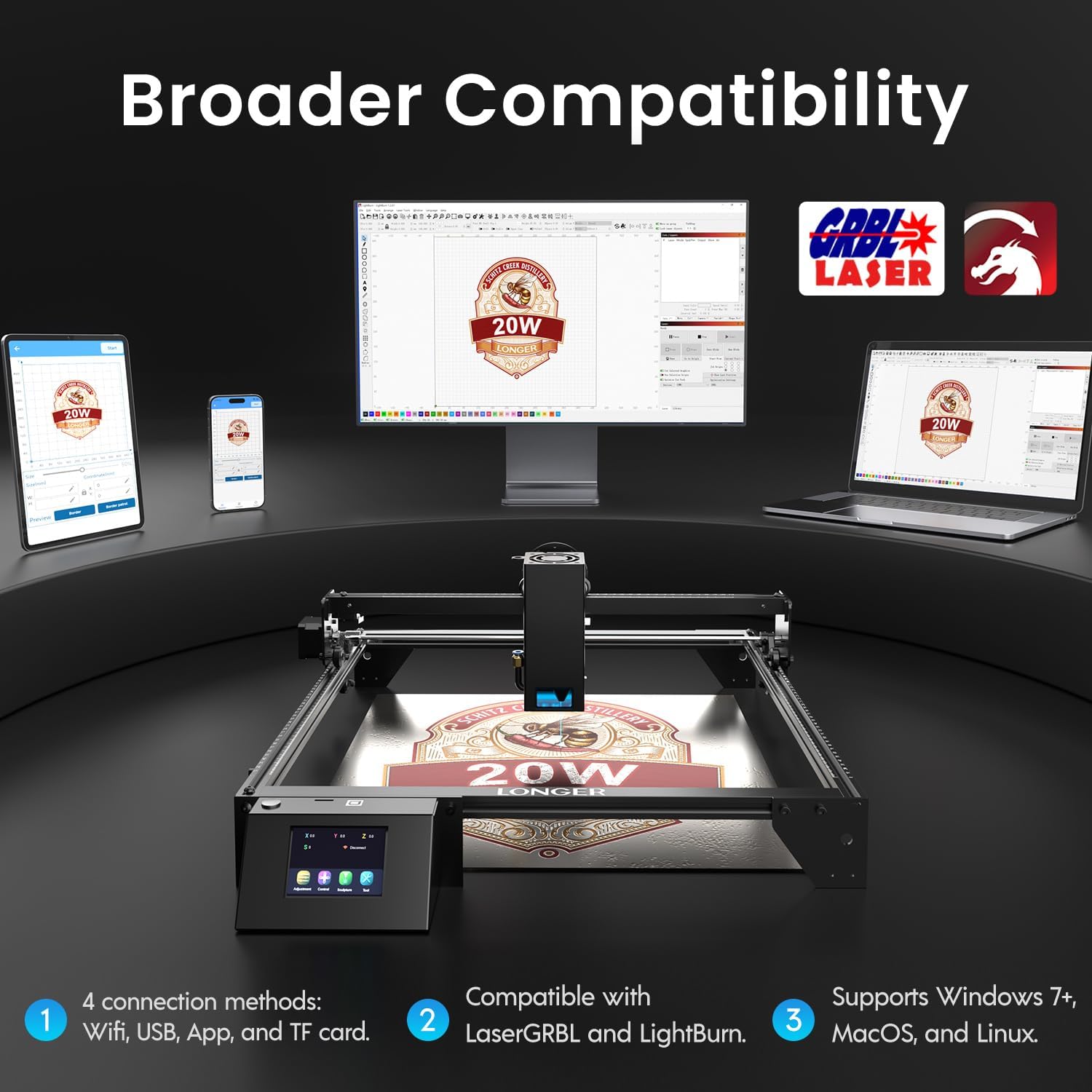
Image: Display showing the Longer Ray5's compatibility with LaserGRBL and LightBurn software, and various connection options including Wi-Fi, USB, App, and TF card across Windows, MacOS, and Linux operating systems.
2. Graviravimo ir pjovimo galimybės
The 20W diode laser offers high-efficiency performance for various materials.
- Pjovimas: Capable of cutting up to 25mm of wood and 35mm of acrylic. It can also cut 0.05mm metal.
- Graviravimas: Engrave hundreds of colors on metallic steel and a wide range of other materials.
- Medžiagos: Acrylic, metal, wood, stainless steel, and more.
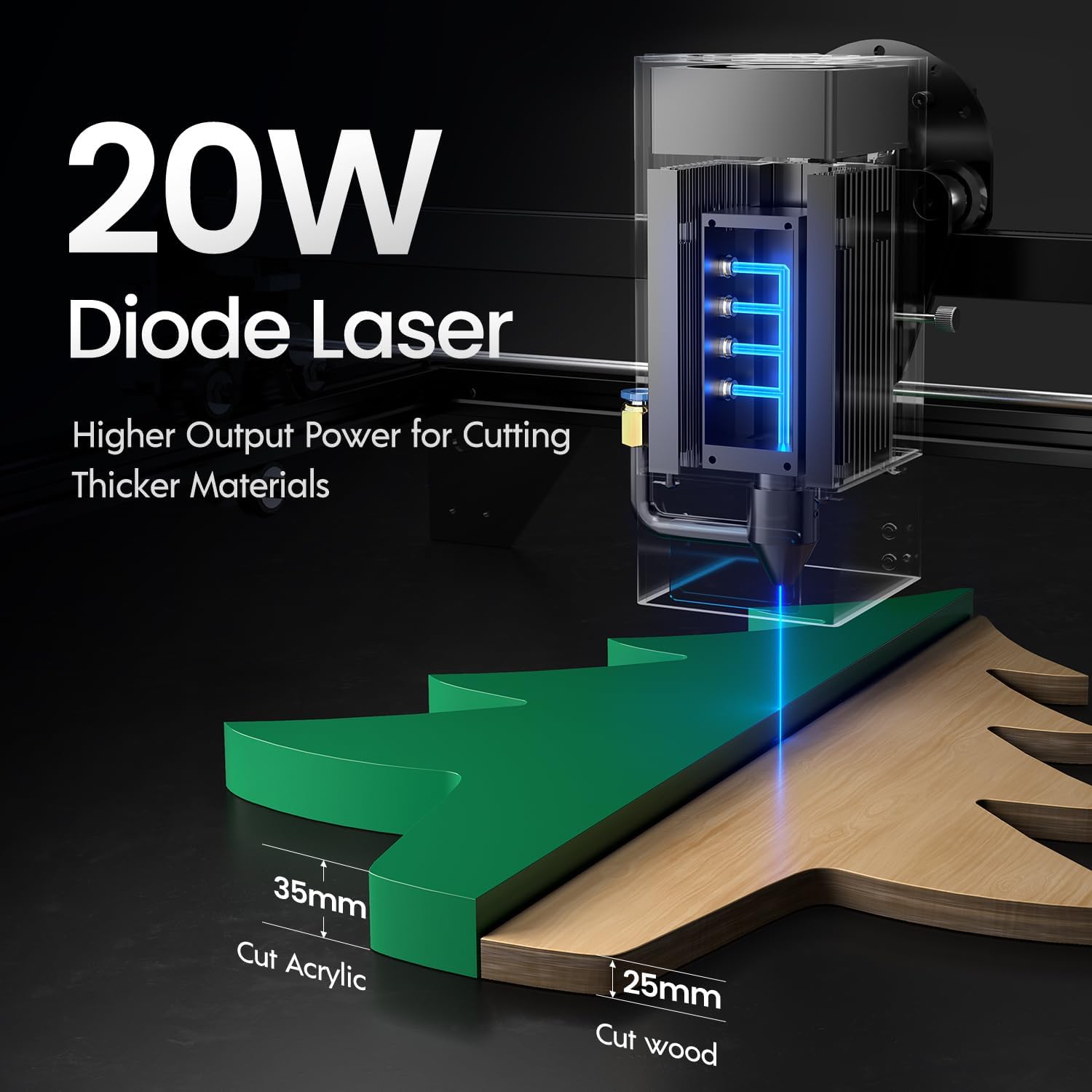
Image: Illustration demonstrating the 20W diode laser's capability to cut 25mm wood and 35mm acrylic.

Vaizdas: pvzamples of engraving capabilities, showcasing over 380 colors on metallic surfaces and other DIY artworks.

Image: A collection of various items demonstrating the versatile material selection for engraving and cutting, including wood, metal, and acrylic.
3. Air Assist Function
The integrated air assist kit significantly improves cutting and engraving quality.
- Enhanced Cutting: The adjustable airflow (10-30L/min) suppresses smoke and dust, preventing laser energy attenuation and ensuring cleaner, smoother edges.
- Reduced Yellowing: Air assist helps prevent charring and yellowing on materials during laser processing, especially for wood and acrylic.

Image: A visual comparison showing the benefits of air assist, resulting in cleaner cuts and reduced processing time (e.g., 12 minutes with air assist vs. 20 minutes without).
4. Nuolatinis veikimas
The Longer Ray5 is designed for powerful continuous working capacity, supporting 24/7 continuous engraving. A single computer can control multiple machines.

Image: Depiction of multiple Longer Ray5 machines working simultaneously, illustrating continuous operation and the ability for one computer to control several units.
Priežiūra
Reguliarus valymas užtikrina optimalų veikimą ir pailgina lazerinio graviravimo įrankio tarnavimo laiką.
- Išvalykite lazerio lęšį: Kad išlaikytumėte lazerio spindulio kokybę, periodiškai valykite lazerio lęšį minkštu, nepūkuotu skudurėliu ir lęšių valymo tirpalu.
- Išvalyti šiukšles: Remove any accumulated dust or debris from the work area and machine components.
- Patikrinkite diržus ir bėgius: Inspect drive belts for tension and wear. Keep linear rails clean and lubricated as per manufacturer recommendations.
- Oro pagalbinis filtras: If your air assist pump has a filter, clean or replace it regularly to ensure efficient airflow.
- Firmware atnaujinimai: Patikrinkite gamintojo websvetainėje, kurioje rasite visus galimus programinės įrangos atnaujinimus, skirtus našumui pagerinti arba funkcijoms pridėti.
Trikčių šalinimas
Šiame skyriuje aptariamos dažniausiai pasitaikančios problemos, su kuriomis galite susidurti.
| Problema | Galima priežastis | Sprendimas |
|---|---|---|
| Lazeris nešauna | Power not connected, software error, laser module fault. | Check power connections. Verify software settings. Contact support if laser module is suspected faulty. |
| Prasta graviravimo / pjovimo kokybė | Incorrect focus, dirty lens, wrong power/speed settings, material issues, no air assist. | Adjust laser focus. Clean the laser lens. Optimize power/speed settings for the material. Ensure air assist is active. |
| Įrenginys neprisijungia prie kompiuterio | USB cable issue, driver not installed, Wi-Fi configuration error. | Try a different USB port/cable. Install necessary drivers. Reconfigure Wi-Fi connection. |
| Per didelis dūmų/garų kiekis | Insufficient ventilation, air assist not active or weak. | Ensure proper ventilation. Check air assist pump and tubing for blockages. Increase air assist flow. |
Specifikacijos
| Funkcija | Detalė |
|---|---|
| Modelio numeris | RAY5 |
| Lazerio išėjimo galia | 20000 mW (20 W) |
| Lazerio tipas | Diodinis lazeris |
| Cutting Depth (Wood) | Iki 25 mm |
| Cutting Depth (Acrylic) | Iki 35 mm |
| Metal Cutting Capability | 0.05 mm |
| Air Assist Flow | 10-30 L/min (Adjustable) |
| Jutiklinis ekranas | 3.5 colių |
| Ryšys | Wi-Fi, USB, App, TF Card |
| Suderinama programinė įranga | LaserGRBL, LightBurn |
| Palaikoma OS | Windows 7+, MacOS, Linux |
| Gamintojas | Ilgiau |
| Pasiekiama pirmoji data | 1 m. rugpjūčio 2024 d |
Garantija ir palaikymas
For warranty information and technical support, please refer to the official Longer websvetainėje arba susisiekite tiesiogiai su jų klientų aptarnavimo tarnyba. Išsaugokite pirkimo kvitą kaip pirkimo įrodymą garantijos pretenzijoms.
Internetiniai ištekliai: Aplankykite Longer Store on Amazon dėl papildomos informacijos apie gaminį ir pagalbos.