
1. Įvadas
Welcome to the user manual for your new Lenovo IdeaCentre 27IRH9 F0HM000RUS All-in-One PC. This document provides comprehensive instructions to help you set up, operate, maintain, and troubleshoot your device. Please read this manual thoroughly before using your computer to ensure optimal performance and longevity.
The Lenovo IdeaCentre 27IRH9 F0HM000RUS is a powerful and elegantly designed all-in-one desktop computer, featuring a 27-inch Full HD touchscreen display, an Intel Core i7 13th Gen i7-13620H processor, 16GB of RAM, and a 512GB SSD. It comes pre-installed with Windows 11 Home, offering a stable, intuitive, and responsive computing environment for both productivity and creative tasks.
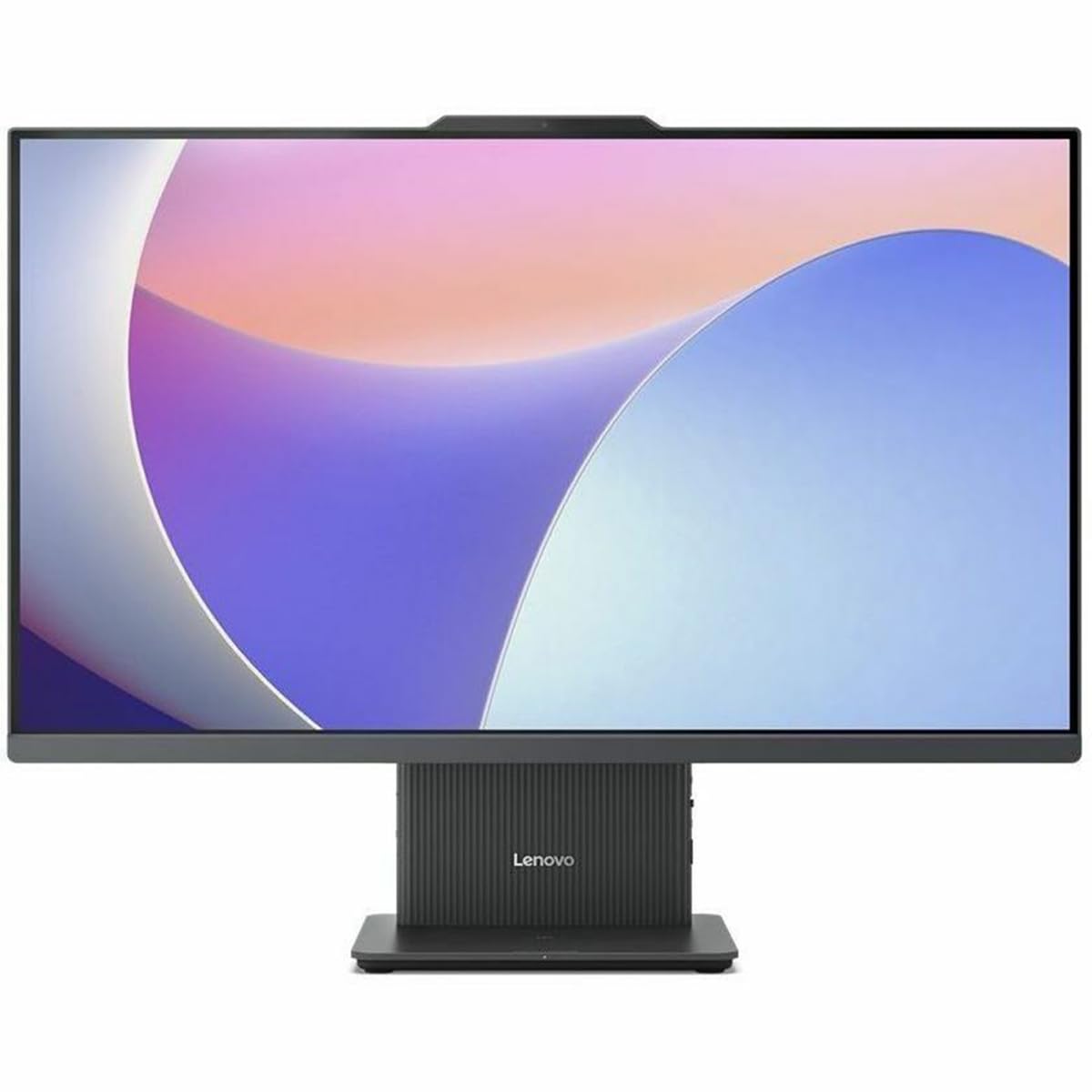
1 pav.: priekis view of the Lenovo IdeaCentre 27IRH9 F0HM000RUS All-in-One PC.
2. Sąrankos vadovas
2.1 Išpakavimas ir įdėjimas
- Carefully remove all components from the packaging. Ensure all items listed in the packing slip are present.
- Place the IdeaCentre All-in-One PC on a stable, flat surface, such as a desk or table. Ensure there is adequate ventilation around the device.
- Venkite kompiuterio laikymo tiesioginiuose saulės spinduliuose arba šalia šilumos šaltinių.
2.2 Išorinių įrenginių prijungimas
Connect the included wireless keyboard and mouse. The USB receiver for these devices is typically found in the mouse or keyboard packaging. Insert the USB receiver into an available USB port on the back of the computer.
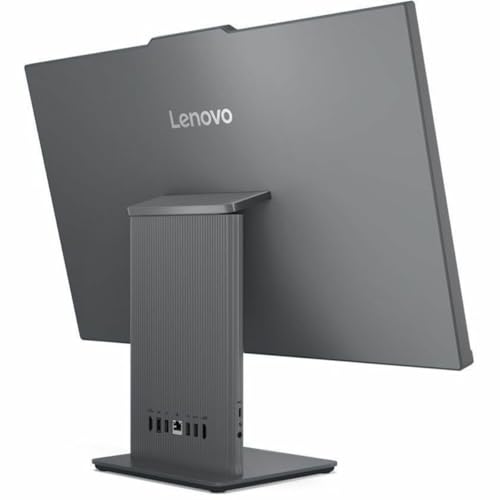
2 pav.: galinis view of the IdeaCentre, highlighting available ports for peripheral connections.
2.3 Maitinimo jungtis
- Connect the power adapter cable to the power input port on the back of the IdeaCentre PC.
- Įjunkite maitinimo adapterį į įžemintą elektros lizdą.
2.4 Pradinis paleidimas
- Paspauskite maitinimo mygtuką, kuris paprastai yra ekrano šone arba apačioje.
- Vykdykite ekrane pateikiamus nurodymus, kad užbaigtumėte „Windows 11 Home“ sąrankos procesą, įskaitant kalbos pasirinkimą, tinklo ryšį ir vartotojo paskyros kūrimą.
3. Naudojimo instrukcijos
3.1 Windows 11 Home Basics
Your IdeaCentre PC runs on Windows 11 Home, offering a user-friendly interface. Familiarize yourself with the Start Menu, Taskbar, and File Explorer for efficient navigation and application management.
3.2 Jutiklinio ekrano funkcionalumas
The 27-inch Full HD display supports multi-touch gestures. Use gestures such as tap, swipe, pinch-to-zoom, and two-finger scroll for intuitive interaction with applications and content.
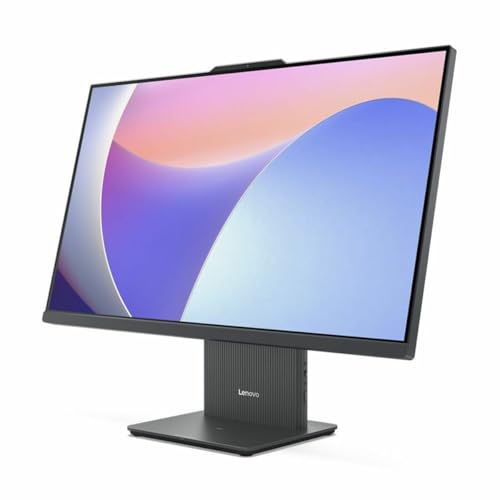
Figure 3: User interacting with the touchscreen display of the IdeaCentre.
3.3 Tinklo ryšys
- „Wi-Fi“: To connect to a wireless network, click the Wi-Fi icon in the taskbar, select your network, and enter the password. The device supports 802.11ax for stable and efficient online operations.
- Ethernet: For a wired connection, plug an Ethernet cable into the RJ-45 port on the back of the computer.
3.4 „Bluetooth“ įrenginiai
Norėdami susieti „Bluetooth“ įrenginius (pvz., ausines, garsiakalbius), eikite į Nustatymai > „Bluetooth“ ir įrenginiai, turn on Bluetooth, and select your device from the list to pair. Bluetooth ensures stable wireless communication with minimal interference from nearby devices.
3.5 USB Type-C Port Usage
The USB Type-C port supports high-speed data transfer and power delivery, allowing for streamlined connectivity and efficient integration with various peripherals.
4. Priežiūra
4.1 Prietaiso valymas
- Ekranas: Šiek tiek naudokite minkštą, be pūkelių šluostę dampnuplaukite vandeniu arba ekrano valikliu. Venkite stiprių cheminių medžiagų.
- Kėbulo tipas: Wipe the exterior with a soft, dry cloth. Do not use abrasive cleaners.
- Prieš valydami įsitikinkite, kad prietaisas yra išjungtas ir atjungtas.
4.2 Programinės įrangos naujiniai
Regularly check for and install Windows updates and driver updates to ensure system stability, security, and optimal performance. Go to Nustatymai > „Windows“ naujinimas tvarkyti atnaujinimus.
4.3 Duomenų atsarginė kopija
Periodiškai kurkite svarbių duomenų atsargines kopijas files to an external drive or cloud storage to prevent data loss. Windows 11 offers built-in backup solutions.
5. Problemų sprendimas
This section addresses common issues you might encounter with your IdeaCentre PC.
| Problema | Galimas sprendimas |
|---|---|
| Kompiuteris neįsijungia | Įsitikinkite, kad maitinimo laidas yra tvirtai prijungtas prie kompiuterio ir elektros lizdo. Patikrinkite lizdą su kitu įrenginiu. |
| Ekrane nėra ekrano | Check if the computer is powered on. If connected to an external monitor, ensure the correct input source is selected on the monitor. |
| Wi-Fi ryšio problemos | Restart your router and modem. Ensure Wi-Fi is enabled on your computer. Check network settings in Windows. |
| Klaviatūra arba pelė nereaguoja | Check battery levels for wireless devices. Ensure the USB receiver is properly inserted. Try a different USB port. |
| Sistema lėta arba nereaguoja | Close unnecessary applications. Check for background processes using Task Manager. Ensure sufficient free space on the SSD. Run a system scan for malware. |
Jei problemos išlieka, kreipkitės į „Lenovo“ palaikymo tarnybą websvetainėje arba susisiekite su klientų aptarnavimo tarnyba, jei reikia daugiau pagalbos.
6. Specifikacijos
Detailed technical specifications for the Lenovo IdeaCentre 27IRH9 F0HM000RUS:
| Funkcija | Detalė |
|---|---|
| Prekės ženklas | Lenovo |
| Modelio numeris | F0HM000RUS |
| Operacinė sistema | Windows 11 Home |
| CPU modelis | „Intel Core i7-13620H“ (13-oji karta) |
| CPU greitis | 4.9 GHz |
| Grafikos procesorius | „Intel UHD Graphics“ (integruota) |
| RAM atmintis | 16 GB DDR5 |
| Sandėliavimas | 512 GB SSD |
| Ekrano dydis | 27 colių |
| Ekrano raiška | 1920 x 1080 (Full HD) |
| Ekrano tipas | IPS, Touchscreen |
| Krašto santykis | 16:9 |
| Belaidis ryšys | Wi-Fi (802.11ax), Bluetooth |
| USB prievadai | 4 (įskaitant USB-C) |
| HDMI prievadai | 1 |
| Energijos suvartojimas | 135 vatų |
| Gaminio matmenys | 22.1 x 56.1 x 75.9 cm |
| Produkto svoris | 24.25 svaro |
| Įtraukti komponentai | AIO Stand, Wireless Keyboard, Wireless Mouse, USB Receiver, Power Adapter |
| UPC | 197531855381 |
7. Garantija ir palaikymas
7.1 Gaminio garantija
Your Lenovo IdeaCentre 27IRH9 F0HM000RUS comes with a standard manufacturer's warranty. Please refer to the warranty card included in your product packaging or visit the official Lenovo websvetainėje rasite išsamias garantijos sąlygas, galiojimo laiką ir aptarnavimo procedūras.
7.2 Techninė pagalba
For technical assistance, troubleshooting beyond this manual, or service inquiries, please contact Lenovo customer support. You can find contact information, FAQs, and additional resources on the official Lenovo support websvetainė: support.lenovo.com. When contacting support, please have your product model number (F0HM000RUS) and serial number ready.