
Headwolf FPad6
„Headwolf FPad6“ „Android“ planšetinio kompiuterio naudojimo instrukcija
Brand: Headwolf | Model: FPad6
1. Įvadas
Welcome to the Headwolf FPad6 Android Tablet. This manual provides comprehensive instructions for setting up, operating, and maintaining your device. The FPad6 is an 8-inch tablet featuring the latest Android 15 operating system, a powerful Helio G99 processor, a high-resolution 2.5K display, and 4G LTE connectivity, designed for a versatile and efficient user experience.

Figure 1.1: Headwolf FPad6 Tablet with key specifications highlighted.
1.1 vaizdo įrašas: metimas per sekundęview of the Headwolf FPad6 tablet's features and design. This video demonstrates the tablet's sleek profile, display quality, and general usage scenarios.
2. Sąranka
2.1 Pakuotės turinys
Patikrinkite, ar pakuotėje yra visi reikalingi daiktai:
- Headwolf FPad6 Tablet
- C tipo USB kabelis
- Maitinimo adapteris
- SIM kortelės PIN kodas
- Naudotojo vadovas (japonų k.)

Figure 2.1: Contents of the Headwolf FPad6 package and device port layout.
2.2 Pradinis įjungimas ir įkrovimas
To power on your tablet for the first time, press and hold the Power button located on the side of the device until the Headwolf logo appears. If the battery is low, connect the tablet to the power adapter using the provided Type-C cable and charge it fully before first use.

Figure 2.2: Charging the Headwolf FPad6 tablet with the Type-C cable.
2.3 SIM kortelės ir atminties išplėtimas
The FPad6 supports dual SIM cards or one SIM card and one microSD card for expanded storage up to 2TB. Use the provided SIM card pin to open the SIM tray. Insert your nano-SIM card(s) and/or microSD card into the appropriate slots as indicated on the tray.

Figure 2.3: Inserting SIM cards and understanding 4G LTE capabilities.
3. Planšetinio kompiuterio valdymas
3.1 „Android 15“ funkcijos
The FPad6 runs on the latest Android 15, offering enhanced privacy, productivity, and AI capabilities. Key features include:
- Privati erdvė: Secure sensitive apps and data with dual authentication.
- Single App Recording: Record specific app screens without capturing the entire display.
- Programėlių pora: Pin app combinations to your home screen for quick split-screen multitasking.
- Dvynių dirbtinis intelektas: Google's advanced AI assists with text input, search, and translation.

Figure 3.1: New features available with Android 15 on the FPad6.
3.2 Ekranas ir vaizdai
Experience stunning visuals on the 8.4-inch 2.5K (2560x1600) In-Cell IPS display. With 500 Nits brightness, images are vibrant and clear from any angle. The tablet also supports Widevine L1, allowing you to stream 1080P HD content from major platforms like Netflix, Amazon Prime Video, and Disney+.

Figure 3.2: The FPad6's 2.5K In-Cell IPS display with Widevine L1 support.
3.3 Našumas ir saugykla
Powered by the MTK Helio G99 octa-core processor and Mali G57 GPU, the FPad6 delivers smooth performance for gaming and graphic-intensive applications. It comes with 16GB (8GB physical + 8GB virtual) RAM and 128GB UFS 2.1 ROM, expandable up to 2TB via microSD card, providing ample space for all your apps, videos, and files.
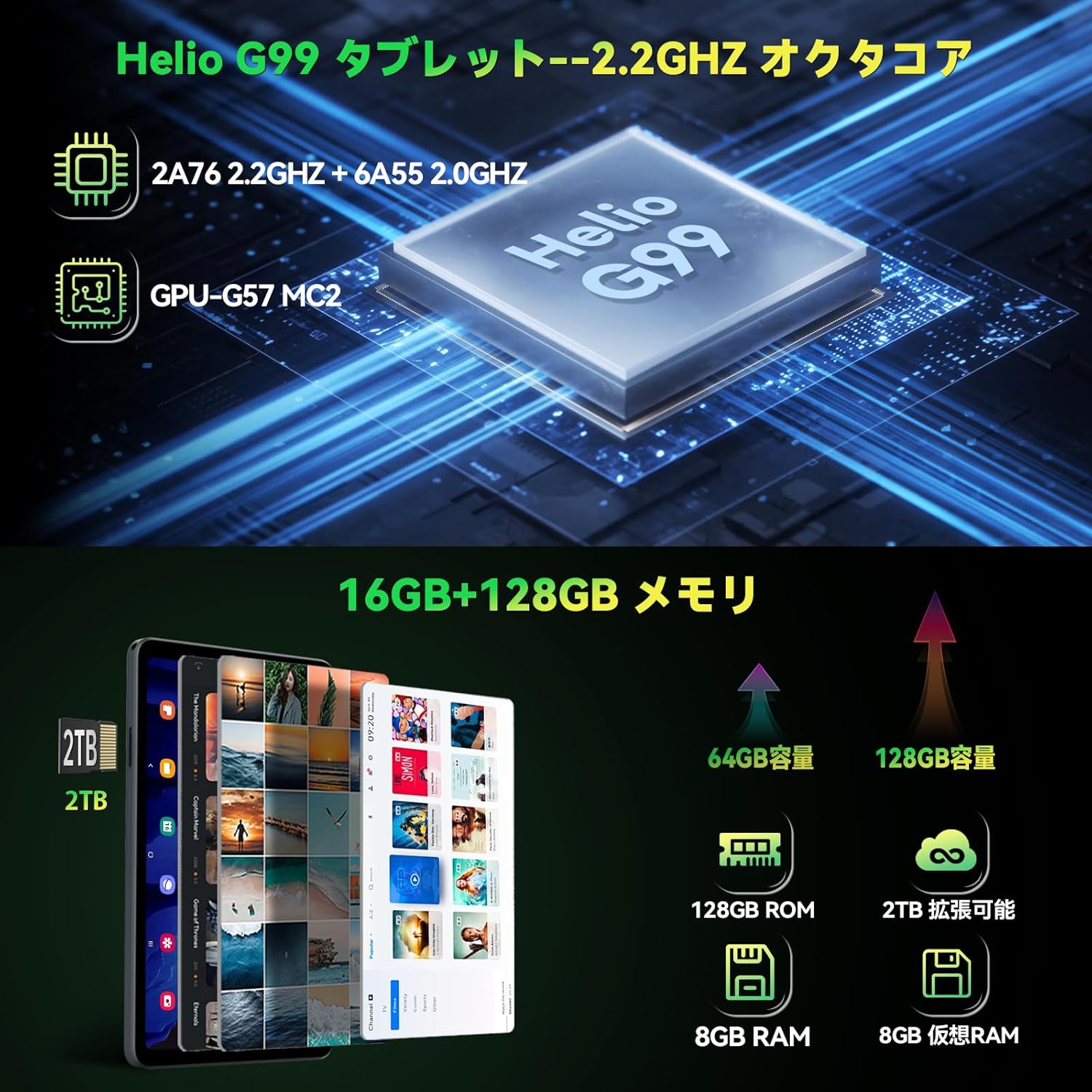
Figure 3.3: Helio G99 processor and memory specifications.
3.4 Kameros funkcijos
The FPad6 is equipped with an 8MP front camera for video calls and face recognition, and a 16MP rear camera with autofocus and background blur support for capturing clear photos and videos.

Figure 3.4: Front and rear camera capabilities.
3.5 Ryšys
Stay connected with 4G LTE communication, 2.4/5G WiFi, and Bluetooth 5.2. The tablet also features a quad-satellite positioning system (GPS) for accurate navigation.

Figure 3.5: GPS navigation on the FPad6 tablet.
3.6 Akumuliatoriaus valdymas
The 6500mAh cobalt acid lithium battery provides extended usage time. Charge your device using the Type-C port. The tablet also includes a 3.5mm headphone jack for audio connectivity.

Figure 3.6: Battery capacity and charging interface.
3.7 Gaming and Sensors
Enhance your gaming experience with the 6-axis gyroscope and geomagnetic sensor, providing precise control and improved immersion. These sensors also contribute to accurate navigation and orientation.

Figure 3.7: Gaming with the 6-axis gyroscope.
3.8 Basic Operations and Accessibility
The FPad6 offers convenient features such as screen splitting for multitasking, lift-to-wake functionality, and a three-finger screenshot gesture. Its lightweight (385g) and thin (8.5mm) metal body make it comfortable for one-handed use and highly portable.
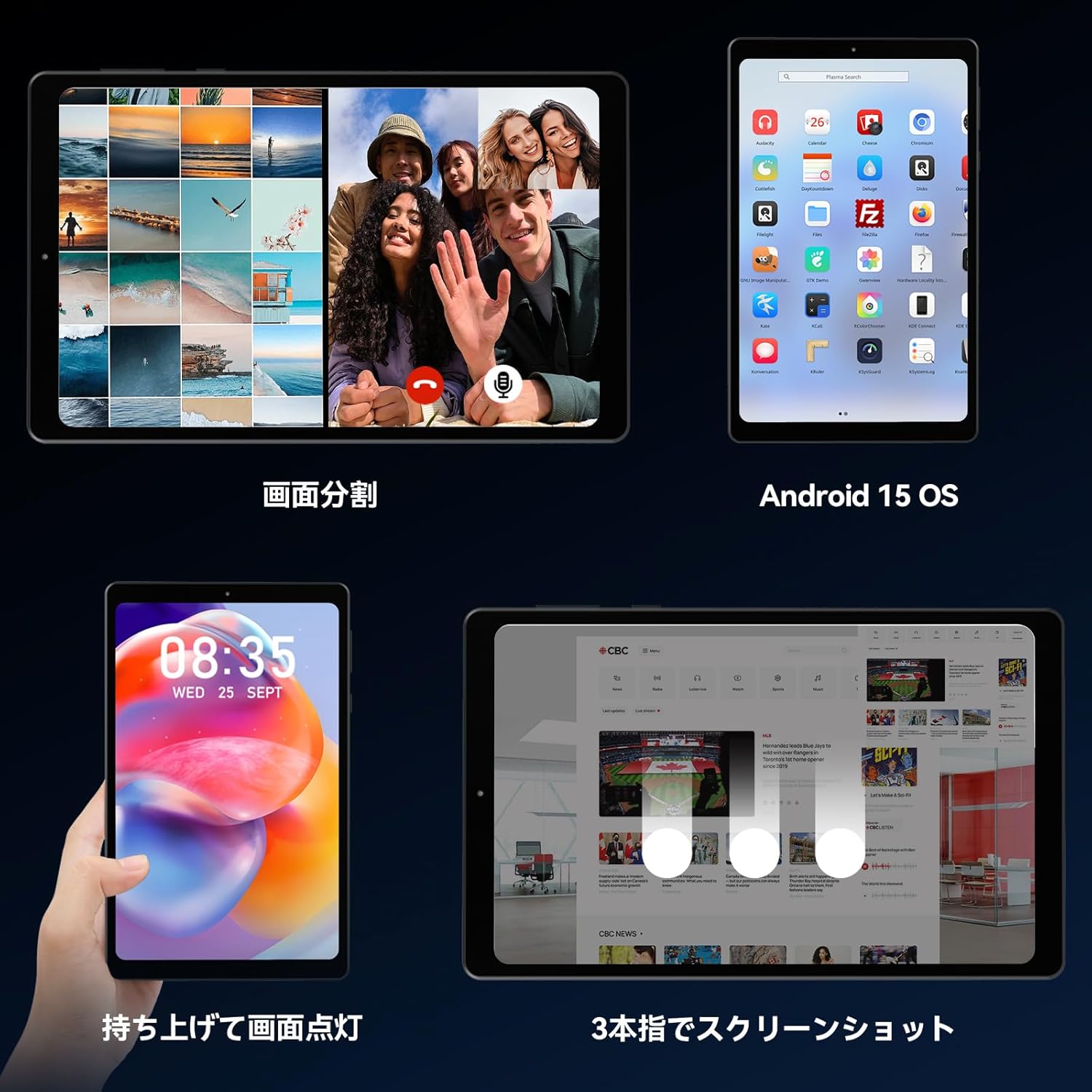
Figure 3.8: Various operational features of the FPad6.

Figure 3.9: Physical design and portability of the FPad6.
4. Priežiūra
To ensure the longevity of your Headwolf FPad6 tablet, follow these maintenance guidelines:
- Valymas: Ekraną ir korpusą valykite minkštu, nepūkuotu audiniu. Venkite abrazyvinių medžiagų ar stiprių cheminių medžiagų.
- Saugykla: Tabletę laikykite vėsioje, sausoje vietoje, apsaugotoje nuo tiesioginių saulės spindulių ir ekstremalių temperatūrų.
- Akumuliatoriaus priežiūra: Avoid fully discharging the battery frequently. For long-term storage, charge the battery to about 50% to prevent deep discharge.
- Programinės įrangos atnaujinimai: Reguliariai tikrinkite, ar yra sistemos naujinimų, ir įdiekite juos, kad užtikrintumėte optimalų našumą ir saugumą.
5. Problemų sprendimas
This section addresses common issues you might encounter with your Headwolf FPad6 tablet. If you experience problems not listed here, please refer to the support section.
| Problema | Galima priežastis | Sprendimas |
|---|---|---|
| Planšetinis kompiuteris neįsijungia. | Žema akumuliatoriaus įkrova; sistemos gedimas. | Kraukite planšetinį kompiuterį bent 30 minučių. Paspauskite ir palaikykite maitinimo mygtuką 10–15 sekundžių, kad priverstumėte jį paleisti iš naujo. |
| Ekranas nereaguoja. | Software glitch; screen protector interference. | Restart the tablet. Ensure screen protector is properly applied and not damaged. |
| Nepavyksta prisijungti prie „Wi-Fi“. | Neteisingas slaptažodis; maršrutizatoriaus problema; išjungtas „Wi-Fi“. | Verify Wi-Fi password. Restart router. Ensure Wi-Fi is enabled in settings. |
| Programėlės stringa arba užstringa. | Insufficient memory; app bug; outdated app. | Close background apps. Clear app cache. Update the app or reinstall it. |
| Lėtas veikimas. | Per daug veikiančių programų; mažai vietos saugykloje; pasenusi programinė įranga. | Uždarykite nenaudojamas programas. Atlaisvinkite vietos saugykloje. Patikrinkite, ar yra sistemos atnaujinimų. |
6. Specifikacijos
| Funkcija | Detalė |
|---|---|
| Prekės ženklas | Galvos vilkas |
| Modelio pavadinimas | FPad6 |
| Operacinė sistema | Android 15 |
| Ekrano dydis | 8.4 colių |
| Ekrano raiška | 2560 x 1600 pikselių (2.5K) |
| Procesorius | Helio G99 |
| RAM | 16 GB (8 GB + 8 GB išplėtimo galimybė) |
| Vidinė saugykla | 128 GB UFS 2.1 |
| Išplečiama saugykla | Iki 2 TB (microSD) |
| Baterijos talpa | 6500 mAh |
| Priekinė kamera | 8 MP |
| Galinė kamera | 16 MP |
| Ryšys | 4G LTE, 2.4/5G WiFi (802.11n), Bluetooth 5.2 |
| Jutikliai | 6-axis Gyroscope, Geomagnetic Sensor, GPS |
| Matmenys | 21.8 x 13.8 x 4.9 cm |
| Svoris | 320 g |
7. Garantija ir palaikymas
Headwolf provides customer support for its products. For warranty information, technical assistance, or service inquiries, please visit the official Headwolf store on Amazon or contact their customer service directly.
Official Headwolf Store: Headwolf Japan Official Store
Išsaugokite pirkimo įrodymą, kad galėtumėte kreiptis dėl garantijos.
Ask a question about this manual
Ask about setup, troubleshooting, compatibility, parts, safety, or missing instructions. Manuals+ will review the question and use this page’s manual context to help answer it.