
Įvadas
Ačiū, kad pirkoteasing the Youshiko YC8071 Jumbo Radio Controlled Wall Clock. This clock is designed to provide accurate timekeeping through its radio-controlled function, automatically adjusting for daylight saving time. It also features a clear LCD display, indoor temperature, and an alarm function. Please read this manual carefully to ensure proper setup and operation.
Produkto savybės
- Radijo bangomis valdomas laikas: Automatically synchronizes with the MSF signal (UK version) for precise time.
- Automatinis vasaros laiko reguliavimas: Automatically adjusts for Daylight Saving Time (Spring/Autumn).
- Didelis LCD ekranas: Clear and easy-to-read display for time, date, and temperature.
- Datos rodymas: Shows full weekday and 3-digit month.
- Vidaus temperatūros ekranas: Displays temperature in Celsius (°C) or Fahrenheit (°F).
- Dual Alarm with Snooze: Two independent alarms with a snooze function.
- Laiko formatas: Selectable 12 or 24-hour display format.
- Universalus išdėstymas: Suitable for wall mounting or tabletop use with an integrated stand.
Pakuotės turinys
- Youshiko YC8071 Jumbo Radio Controlled Wall Clock
- Instrukcijų vadovas
- (Baterijos nepridedamos)
Sąranka
1. Akumuliatoriaus įdėjimas
- Laikrodžio gale suraskite akumuliatoriaus skyrių.
- Atidarykite akumuliatoriaus skyriaus dangtelį.
- Insert 2 x AA batteries (not included) according to the polarity markings (+ and -).
- Saugiai uždarykite akumuliatoriaus skyriaus dangtelį.

Vaizdas: Galinis view of the clock showing the battery compartment and integrated stand. The battery compartment is located centrally on the back.
2. Initial Setup and Radio Control Signal Reception
After battery installation, the clock will automatically begin searching for the radio control signal (MSF for UK and Ireland). This process may take several minutes. During this time, the radio control icon will flash on the display.
- Optimaliam signalo priėmimui laikrodį pastatykite prie lango.
- Nestatykite laikrodžio šalia elektroninių prietaisų, kurie gali sukelti trikdžius (pvz., televizorių, kompiuterių, mikrobangų krosnelių).
- Once the signal is received, the time and date will set automatically, and the radio control icon will become solid.
- The clock automatically checks the time daily to ensure accuracy.
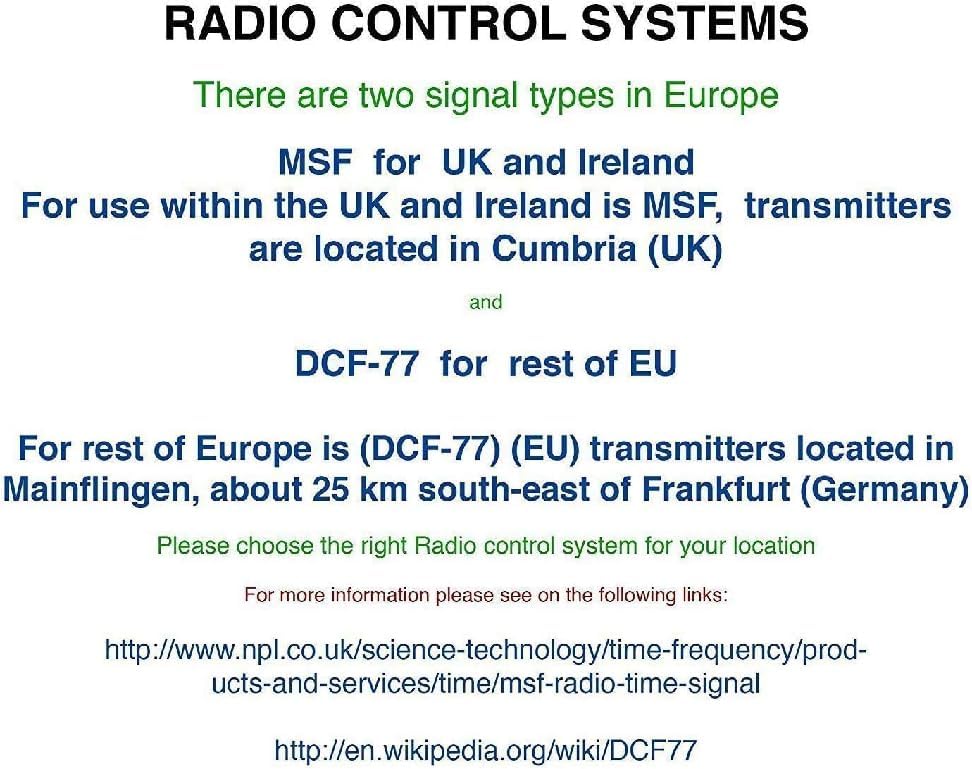
Vaizdas: Diagram illustrating radio control systems. It specifies MSF for UK and Ireland, with transmitters in Cumbria (UK), and DCF-77 for the rest of the EU, with transmitters in Mainflingen, Germany. Users should choose the correct system for their location. This clock uses MSF.
If the signal is not received after a few hours, try relocating the clock to a different position or manually setting the time (see "Manual Settings" section).
Naudojimo instrukcijos
Rodyti daugiauview

Vaizdas: The main display of the Youshiko YC8071 clock. It shows the date (e.g., 26/SEP), large digital time (e.g., 12:34), day of the week (e.g., SATURDAY), and indoor temperature (e.g., 27.8°C). Radio control signal, DST, and alarm indicators are also visible.
- Laikas: Large digits display the current time.
- Data: Displays day and month (e.g., 26/SEP).
- Savaitės diena: Full weekday name (e.g., SATURDAY).
- Temperatūra: Indoor temperature in °C or °F.
- Radio Control Icon: Indicates signal reception status.
- DST indikatorius: Shows if Daylight Saving Time is active.
- Signalizacijos indikatoriai: 1 ir 2 žadintuvo piktogramos.
Mygtukai baigtiview (Refer to back panel image)

Vaizdas: Galinis view of the clock, highlighting the control buttons. From left to right, these typically include buttons for settings, plus (+), minus (-), alarm, and memory (MEM).
- SET mygtukas: Used to enter setting modes.
- + / - buttons: Used to adjust values or toggle settings.
- ALARM mygtukas: Used to set and activate alarms.
- MEM button: Used for memory functions (e.g., min/max temperature).
Setting Time and Date Manually (If RC signal is unavailable)
- Paspauskite ir palaikykite NUSTATYTI mygtuką, kol ekranas pradės mirksėti.
- Naudokite + or - mygtukais reguliuokite mirksinčią reikšmę (pvz., valandą, minutę, metus, mėnesį, dieną).
- Paspauskite NUSTATYTI dar kartą, kad patvirtintumėte nustatymą ir pereitumėte prie kitos reikšmės.
- Repeat until all desired settings are configured.
- The clock will exit setting mode automatically after a few seconds of inactivity, or you can press NUSTATYTI repeatedly until normal display resumes.
Signalo nustatymas
- Paspauskite SIGNALAS mygtuką vieną kartą view 1 žadintuvas. Paspauskite dar kartą, jei norite įjungti 2 žadintuvą.
- Nors viewing an alarm time, press and hold the SIGNALAS mygtuką, kol mirksės žadintuvo valanda.
- Naudokite + or - mygtukais nustatykite valandas. Paspauskite SIGNALAS patvirtinti.
- Minutes reguliuokite naudodami + or -, tada paspauskite SIGNALAS patvirtinti.
- Norėdami įjungti / išjungti žadintuvą, paspauskite SIGNALAS button repeatedly until the desired alarm icon (1 or 2) appears/disappears on the main display.
Snaudimo funkcija
When an alarm sounds, press any button (except ALARM) to activate the snooze function. The alarm will temporarily stop and sound again after approximately 5-10 minutes. To stop the alarm completely, press the SIGNALAS mygtuką.
Changing Temperature Unit (°C/°F)
Paspauskite MEM button to toggle between Celsius (°C) and Fahrenheit (°F) display for the indoor temperature.
12/24 valandų formatas
Įprastu laiko rodymo režimu paspauskite + mygtuką, kad perjungtumėte 12 valandų ir 24 valandų laiko formatus.
Montavimo parinktys
The Youshiko YC8071 clock offers two convenient placement options:
- Montavimas ant sienos: Use the integrated hanging hole on the back of the clock to mount it securely on a wall.
- Stalinis stovas: Extend the integrated stand on the back of the clock for stable placement on a desk, shelf, or table.
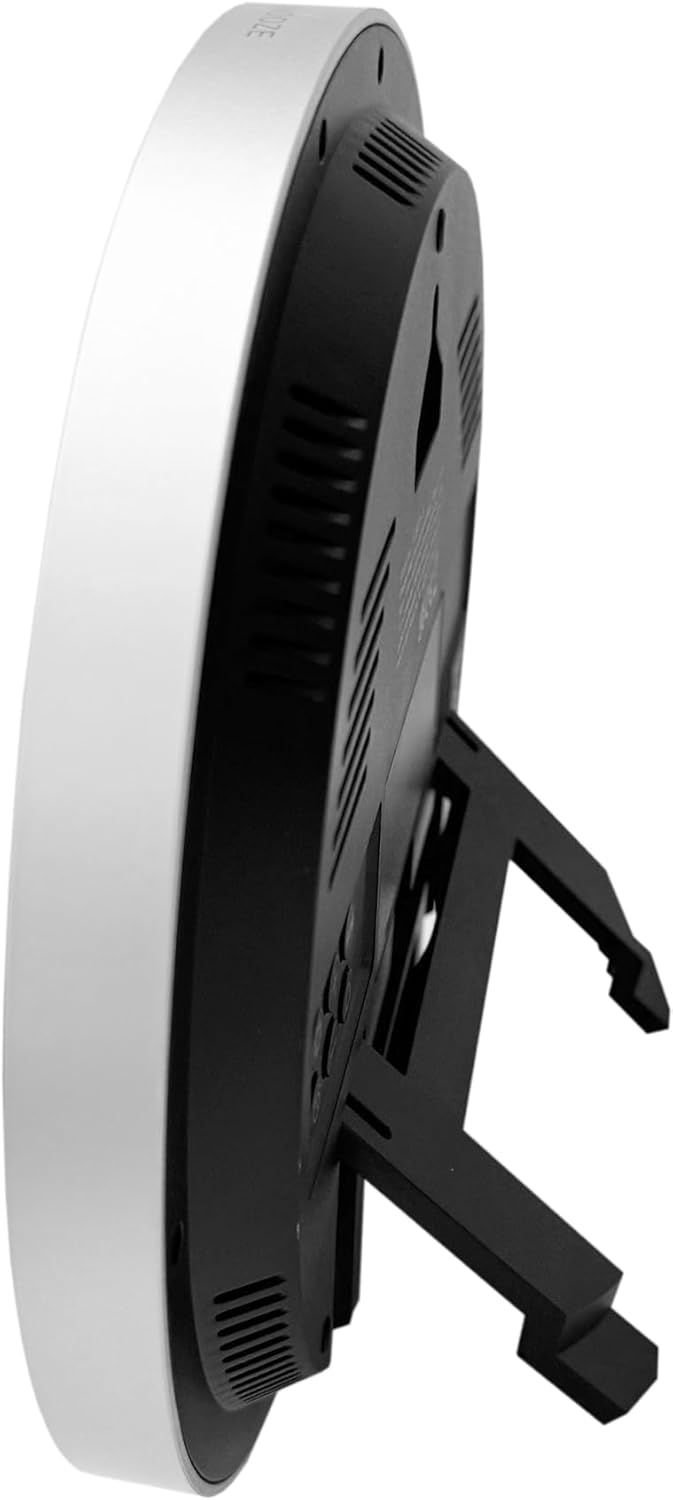
Vaizdas: Šoninė view of the clock with its integrated stand deployed, allowing it to stand upright on a flat surface.
Vaizdas: Galinis view of the clock, showing the recessed hanging hole for wall mounting and the stand folded flat against the back panel.
Trikčių šalinimas
- Nėra ekrano / silpnas ekranas:
- Patikrinkite akumuliatoriaus poliškumą.
- Pakeiskite senas baterijas naujomis.
- Incorrect Time / No Radio Signal:
- Ensure the clock is placed in an area with good signal reception (near a window, away from interference).
- Allow several hours for the clock to receive the signal.
- Manually set the time if the radio signal is consistently unavailable.
- Verify you are in an MSF signal reception area (UK/Ireland).
- Temperatūros rodmenys netikslūs:
- Ensure the clock is not exposed to direct sunlight or heat sources, which can affect the sensor.
- Allow time for the sensor to stabilize after moving the clock to a new environment.
- Signalizacija neskamba:
- Check if the alarm is activated (alarm icon visible on display).
- Įsitikinkite, kad žadintuvo laikas nustatytas teisingai.
Specifikacijos
| Modelio numeris | YC8071 |
| Prekės ženklas | Youshiko |
| Laiko kontrolė | Radio Controlled (MSF - UK/Ireland) |
| Ekrano tipas | LCD skaitmeninis |
| Laiko formatas | 12/24 Hour Selectable |
| Temperatūros diapazonas | Indoor Temperature (°C/°F) |
| Signalizacija | Dvigubas signalas su snaudimu |
| Maitinimo šaltinis | 2 x AA baterijos (į komplektą neįeina) |
| Matmenys (A x P x G) | 20.5 x 20.5 x 2.8 cm (approx. 20.5 x 3.81 x 20.5 cm including stand) |
| Svoris | 430 g |
| Montavimo parinktys | Wall mount or Tabletop stand |

Vaizdas: Technical diagram illustrating the dimensions of the clock. It shows a diameter of 20.5 cm and various segment heights on the display, such as 2.9 cm for the main time digits.
Priežiūra ir priežiūra
- Laikrodį valykite minkšta, sausa šluoste. Nenaudokite abrazyvinių valiklių ar tirpiklių.
- Venkite laikrodžio veikti itin aukštoje temperatūroje, tiesioginiuose saulės spinduliuose ar didelėje drėgmėje.
- Jei laikrodis nebus naudojamas ilgesnį laiką, išimkite baterijas, kad išvengtumėte elektrolito pratekėjimo.
- Keep the clock away from strong magnetic fields or sources of radio interference.
Garantija ir palaikymas
Youshiko products are manufactured to high-quality standards. For warranty information or technical support, please refer to the warranty card included with your purchase or visit the official Youshiko websvetainėje. Prašome išsaugoti pirkimo įrodymą garantiniams reikalavimams.


