
Įvadas
This manual provides essential information for the proper setup, operation, and maintenance of your ONN 24-inch FHD Gaming Monitor, model 100027813. Please read this manual thoroughly before using the product to ensure optimal performance and safety. This monitor is designed to deliver a high-quality gaming experience with its 1080p resolution, 165Hz refresh rate, 1ms response time, and FreeSync technology.
Saugos informacija
Visada laikykitės šių saugos priemonių, kad nesugadintumėte monitoriaus ir užtikrintumėte naudotojo saugumą:
- Saugokite monitorių nuo lietaus ar drėgmės, kad išvengtumėte gaisro ar elektros smūgio pavojaus.
- Neatidarykite monitoriaus c.asing. Viduje nėra dalių, kurias galėtų aptarnauti vartotojas. Visus techninės priežiūros darbus patikėkite kvalifikuotiems techninės priežiūros darbuotojams.
- Padėkite monitorių ant stabilaus, lygaus paviršiaus, kad jis nenukristų.
- Užtikrinkite tinkamą vėdinimą aplink monitorių. Neužblokuokite ventiliacijos angų.
- Naudokite tik prie monitoriaus pridėtą maitinimo adapterį.
- Atjunkite monitorių nuo maitinimo lizdo žaibuojant arba kai jis ilgą laiką nenaudojamas.
Pakuotės turinys
Patikrinkite, ar pakuotėje yra visi reikalingi daiktai:
- ONN 24-inch FHD Gaming Monitor
- Monitoriaus stovas (pagrindas ir kaklelis)
- Maitinimo adapteris
- DisplayPort Cable (6 ft)
- HDMI Cable (6 ft)
- Vartotojo vadovas (šis dokumentas)

Image: Retail box of the ONN 24-inch Gaming Monitor, highlighting key features like 165Hz, 1ms response time, DisplayPort, HDMI, and Adaptive-Sync.
Sąranka
1. Stovo surinkimas
- Atsargiai išimkite monitoriaus ir stovo komponentus iš pakuotės.
- Attach the stand neck to the stand base. Secure it with the provided screw, if applicable.
- Align the assembled stand with the mounting slot on the back of the monitor. Gently push until it clicks into place or secure with screws as per the design.
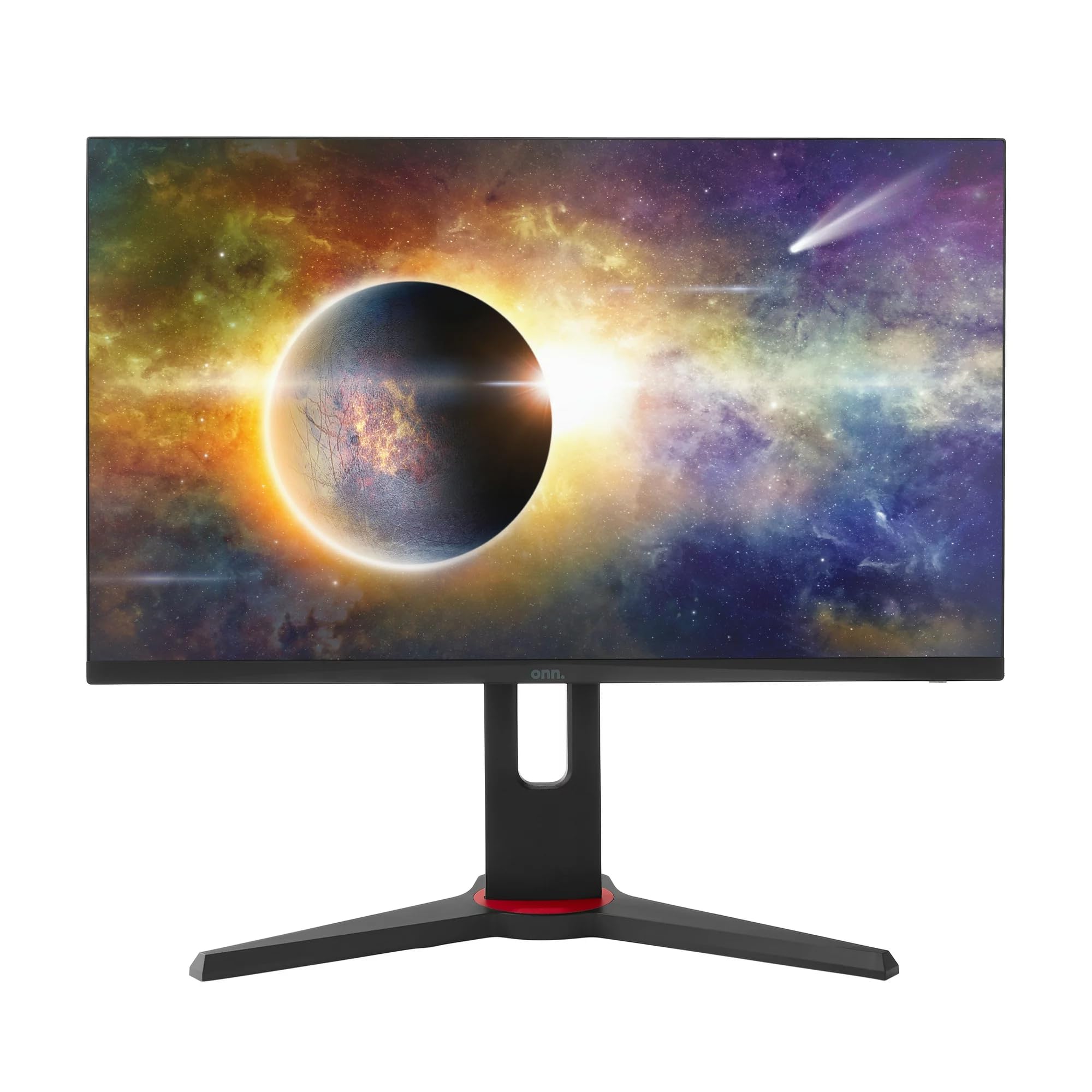
Vaizdas: priekis view of the ONN 24-inch Gaming Monitor, fully assembled with its stand.

Vaizdas: Galinis view of the ONN 24-inch Gaming Monitor, illustrating the stand attachment and cable management area.
2. Jungiamieji kabeliai
Locate the input ports on the back of your monitor:
- Galia: Prijunkite maitinimo adapterį prie monitoriaus maitinimo įvesties, o tada – prie maitinimo lizdo.
- Vaizdo įvestis: Connect one end of the provided DisplayPort or HDMI cable to the corresponding port on your computer's graphics card and the other end to the monitor. The monitor supports 2 HDMI inputs and 1 DisplayPort input.
- Garso išvestis (neprivaloma): If your monitor has a 3.5mm audio jack, you can connect external speakers or headphones.

Vaizdas: Stambus planas view of the monitor's rear ports, including HDMI 1, HDMI 2, DisplayPort (DP), and power input.
3. Pradinis įjungimas
- Įsitikinkite, kad visi laidai yra tvirtai prijungti.
- Press the power button on the monitor (usually located on the back or bottom right).
- The monitor should display the ONN logo and then search for an input signal.
- If no image appears, ensure your computer is powered on and the correct input source is selected on the monitor (see Operating section).
Veikiantis
1. Maitinimo įjungimas/išjungimas
Press the power button to turn the monitor on or off. The power indicator light will show the monitor's status (e.g., blue for on, amber for standby).
2. Ekrano meniu (OSD) naršymas
Your monitor features an OSD menu for adjusting various settings. Typically, buttons on the back or bottom of the monitor control the OSD:
- Meniu mygtukas: Atidaro OSD meniu.
- Naršymo mygtukai (aukštyn / žemyn / kairėn / dešinėn): Naudojamas naršyti meniu parinktis.
- Pasirinkimo / įvedimo mygtukas: Patvirtina pasirinkimą arba įeina į submeniu.
- Išėjimo mygtukas: Išeina iš dabartinio meniu arba OSD.
3. Nustatymų reguliavimas
Key settings you can adjust via the OSD menu include:
- Ryškumas / kontrastas: Sureguliuokite bendrą šviesumą ir skirtumą tarp šviesių ir tamsių sričių.
- Spalvų nustatymai: Keisti spalvų temperatūrą, gamą ir atskirus RGB lygius.
- Įvesties šaltinis: Rankiniu būdu pasirinkite tarp HDMI 1, HDMI 2 arba DisplayPort įvesčių.
- Atnaujinimo dažnis: Ensure your graphics card and monitor are set to 165Hz for the smoothest experience. This is usually configured in your operating system's display settings.
- Atsakymo laikas: Adjust the monitor's response time setting (e.g., 1ms) for reduced motion blur in fast-paced games.
- „FreeSync“ technologija: Enable FreeSync in the OSD menu and in your AMD graphics card settings to synchronize the monitor's refresh rate with your GPU's frame rate, eliminating screen tearing and stuttering.
- Vaizdo režimai: Select from preset modes optimized for different content (e.g., Standard, Game, Movie, Text).

Image: The ONN 24-inch Gaming Monitor displayed in a typical desk setup, connected to a laptop with gaming peripherals.
Priežiūra
Monitoriaus valymas
- Visada atjunkite monitorių prieš valydami.
- Lengvai naudokite minkštą, nepūkuotą audinį dampnuplaukite vandeniu arba švelniu, neabrazyviniu ekrano valikliu.
- Nepurkškite valiklio tiesiai ant ekrano. Pirmiausia užtepkite jį ant šluostės.
- Venkite naudoti stiprias chemines medžiagas, abrazyvinius kempinėlės ar tirpiklius.
Sandėliavimas
Jei monitorių ilgesnį laiką sandėliuosite, atjunkite visus laidus, supakuokite jį į originalią pakuotę (jei yra) ir laikykite vėsioje, sausoje vietoje, toliau nuo tiesioginių saulės spindulių ir ekstremalių temperatūrų.
Trikčių šalinimas
Jei kyla problemų dėl monitoriaus, žr. šias dažniausiai pasitaikančias problemas ir sprendimus:
| Problema | Galimas sprendimas |
|---|---|
| Ekrane nėra vaizdo |
|
| Image is flickering or distorted |
|
| Nėra garso (jei naudojate monitoriaus garsiakalbius / garso išvestį) |
|
| Monitorius nepasiekia 165 Hz |
|
Specifikacijos
Detailed technical specifications for the ONN 24-inch FHD Gaming Monitor (Model 100027813):
| Funkcija | Specifikacija |
|---|---|
| Modelio numeris | 100027813 |
| Ekrano dydis | 24 colių |
| Rezoliucija | FHD 1080p (1920 x 1080) |
| Atnaujinimo dažnis | 165 Hz |
| Reagavimo laikas | 1 milisekundės |
| Ekrano technologija | IPS |
| Adaptyvusis sinchronizavimas | FreeSync |
| Krašto santykis | 16:9 |
| Kontrasto santykis | 2000:1 |
| Ekrano paviršius | Matte, Anti-glare with low blue light setting |
| Ryšys | 2 x HDMI, 1 x DisplayPort |
| Gaminio matmenys (D x P x A) | 61.3 x 11.3 x 37.3 cm |
| Prekės svoris | 6.1 kg |
| Spalva | Juoda |
| Montavimo tipas | Stalo kalnas |
| Specifiniai naudojimo būdai | Entertainment, Gaming |
Garantija
This ONN 24-inch FHD Gaming Monitor is a renewed product. Warranty terms and conditions for renewed products may vary. Please refer to the specific warranty information provided by the seller or retailer at the time of purchase. It is recommended to retain your proof of purchase for any warranty claims.
Palaikymas
For technical assistance, troubleshooting beyond this manual, or warranty inquiries, please contact the retailer or the Amazon Renewed support channel where the product was purchased. Have your model number (100027813) and proof of purchase ready when contacting support.