
1. Įvadas
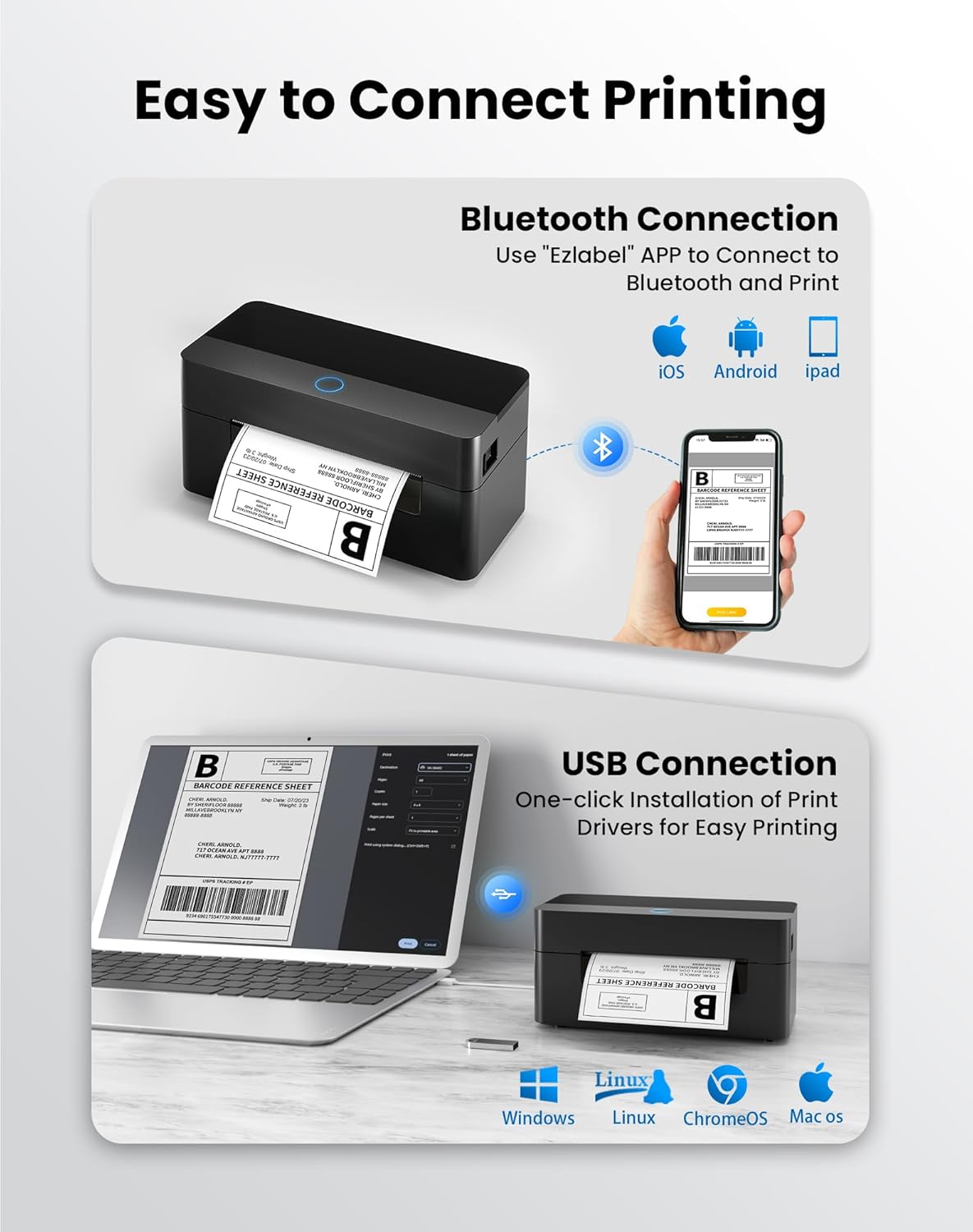
This manual provides detailed instructions for the setup, operation, and maintenance of your BPXX Bluetooth Thermal Shipping Label Printer, Model D463B. This printer is designed for efficient and clear printing of various thermal labels, including 4x6 inch shipping labels, with a resolution of 203 DPI. It supports both Bluetooth connectivity via the 'Ezlabel' mobile application and USB connection to computers.
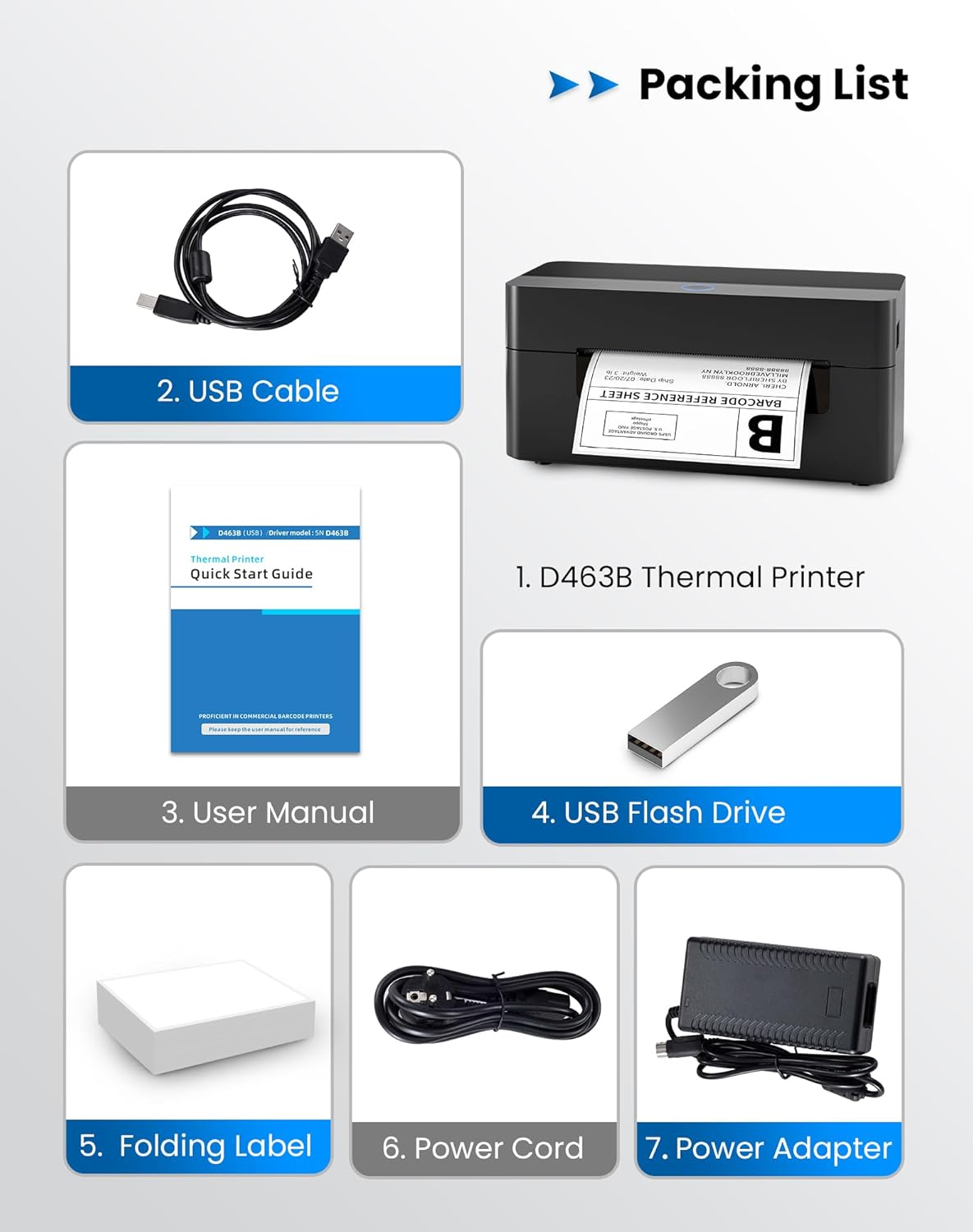
2. Pakavimo sąrašas
Patikrinkite, ar jūsų siuntinyje yra visi toliau išvardyti daiktai:
- 1 x BPXX D463B Thermal Printer
- 1x USB laidas
- 1 x Vartotojo vadovas
- 1 x USB Flash Drive (containing drivers)
- 1 x Folding Label (sample roll)
- 1 x maitinimo laidas
- 1x maitinimo adapteris
3. Sąrankos vadovas
3.1 Techninės įrangos prijungimas
- Connect the power adapter to the printer's power port and plug the power cord into an electrical outlet.
- Open the printer cover and load the thermal labels. Ensure the labels are facing the correct direction for printing and are properly aligned within the guide rails.
- Saugiai uždarykite spausdintuvo dangtį.

3.2 Programinės įrangos ir tvarkyklių diegimas
3.2.1 Mobile App (Bluetooth Connection)
For mobile printing, download the 'Ezlabel' application from your device's app store (available for iOS and Android).
- Ieškokite 'Ezlabel' in the App Store (iOS) or Google Play Store (Android).
- Atsisiųskite ir įdiekite programą.
- Įjunkite „Bluetooth“ savo mobiliajame įrenginyje.
- Open the 'Ezlabel' app and follow the in-app instructions to connect to your BPXX D463B printer via Bluetooth.
3.2.2 Computer Driver (USB Connection)
For computer printing, install the appropriate drivers for your operating system (Windows, Mac OS, Linux, ChromeOS). Drivers are provided on the included USB flash drive or can be downloaded from the official websvetainę.
- Insert the provided USB flash drive into your computer.
- Locate and run the installer for your operating system.
- Vykdykite ekrane pateikiamus nurodymus, kad užbaigtumėte tvarkyklės diegimą.
- Alternatively, download drivers from: BPXX Driver Download
4. Naudojimo instrukcijos
4.1 Etikečių įkėlimas
Ensure the thermal labels are loaded correctly for optimal printing. The printer supports thermal labels with widths ranging from 1 to 4.5 inches, including standard 4x6 inch shipping labels.
- Atidarykite viršutinį spausdintuvo dangtį.
- Place the roll of thermal labels into the label compartment, ensuring the printable side faces upwards.
- Feed the first label through the printer's output slot until it is slightly extended.
- Sureguliuokite etikečių kreipiklius, kad jie tiksliai atitiktų etikečių plotį, bet nebūtų per daug prispausti.
- Uždarykite viršutinį dangtį. Spausdintuvas automatiškai aptiks etiketės dydį ir atliks kalibravimą.

4.2 Printing via Bluetooth (Mobile App)
- Ensure the printer is powered on and connected to the 'Ezlabel' app via Bluetooth.
- Open the 'Ezlabel' app on your mobile device.
- Select or create your desired label design. The app includes preset templates for various label sizes.
- Confirm print settings such as label size and quantity.
- Initiate the print command from the app.
4.3 Printing via USB (Computer)
- Prijunkite spausdintuvą prie kompiuterio naudodami pateiktą USB kabelį.
- Ensure the printer drivers are correctly installed.
- Open the document or application from which you wish to print (e.g., a PDF viewt. y. siuntimo programinė įranga).
- Select the BPXX D463B printer from your printer options.
- Adjust print settings as needed (e.g., paper size to 4x6 inches for shipping labels).
- Send the print command.
4.4 Supported Platforms and Print Quality
The BPXX D463B printer is compatible with major shipping carriers and e-commerce platforms, facilitating the printing of shipping labels, return labels, and postagel. etiketės.
- Shipping Carriers: FedEx, UPS, USPS, DHL, EasyPost, etc.
- E-commerce Platforms: Amazon, Shopify, Etsy, eBay, Walmart, etc.
The printer utilizes a high-quality thermal print head and advanced algorithms to deliver clear and sharp barcodes and text at 203 DPI resolution. It achieves a high-speed output of 152mm/s, capable of printing approximately 72 4x6 inch shipping labels per minute.


5. Priežiūra
Reguliarus aptarnavimas užtikrina optimalų našumą ir pailgina spausdintuvo tarnavimo laiką.
- Spausdinimo galvutės valymas: Use an alcohol swab or a specialized thermal printer cleaning pen to gently wipe the print head. Ensure the printer is off and cooled down before cleaning.
- Išorės valymas: Nuvalykite spausdintuvo išorę minkšta,amp audinys. Venkite naudoti stiprių cheminių medžiagų ar abrazyvinių medžiagų.
- Dulkių šalinimas: Periodically use compressed air to clear any dust or paper debris from inside the label compartment.
6. Problemų sprendimas
If you encounter issues with your BPXX D463B printer, refer to the following common problems and solutions:
- Spausdintuvas neatsako:
- Ensure the power cord is securely connected and the printer is turned on.
- For Bluetooth connection, verify that Bluetooth is enabled on your device and the printer is paired within the 'Ezlabel' app.
- For USB connection, check the USB cable connection and ensure drivers are correctly installed. Try a different USB port or cable.
- Poor Print Quality (Faint/Streaky Prints):
- Išvalykite spausdinimo galvutę, kaip aprašyta skyriuje „Priežiūra“.
- Įsitikinkite, kad naudojate aukštos kokybės termines etiketes.
- Check print density settings in the 'Ezlabel' app or printer preferences on your computer.
- Etiketės netiekiamos tinkamai:
- Verify that labels are loaded correctly and aligned with the guide rails.
- Įsitikinkite, kad etiketės kelyje nėra jokių kliūčių.
- Perform a label calibration from the printer settings or app if available.
- Printer Offline Error:
- Iš naujo paleiskite spausdintuvą ir kompiuterį / mobilųjį įrenginį.
- Re-establish the Bluetooth or USB connection.
- Check printer status in your operating system's printer settings.
7. Gaminio specifikacijos
| Modelio pavadinimas | D463B |
| Prekės ženklas | BPXX |
| Spausdinimo technologija | Šiluminis |
| Ryšio technologija | Bluetooth, USB |
| Didžiausia spausdinimo raiška | 203 x 203 Dots Per Inch (DPI) |
| Maksimalus spausdinimo greitis | 152 mm/s (72 labels per minute) |
| Maksimalus laikmenos dydis | 4x6 colių |
| Palaikomas etiketės plotis | 1–4.5 colių |
| Suderinami įrenginiai | PC (Windows, Mac OS, Linux, ChromeOS), Smartphones (iOS, Android) |
| Kontrolės metodas | App ('Ezlabel'), USB |
| Gaminio matmenys | 7.3 "D x 3.3" P x 3.3" A |
| Prekės svoris | 1.6 svaro |
| Įtraukti komponentai | Printer, USB Cable, User Manual, USB Flash Drive, Sample Labels, Power Cord, Power Adapter |
8. Garantija ir palaikymas
The BPXX D463B Thermal Shipping Label Printer comes with a limited warranty. For specific warranty terms and conditions, please refer to the documentation included with your product or contact BPXX customer support.
For technical assistance, troubleshooting, or any inquiries regarding your product, please contact BPXX customer support through the official websvetainėje arba kontaktinę informaciją, pateiktą jūsų produkto pakuotėje.