
Įvadas
Thank you for choosing the Raddy RF320 Shortwave Radio. This manual provides essential information for the safe and efficient operation of your device. Please read it thoroughly before use and retain it for future reference. The RF320 is a versatile portable radio offering comprehensive reception across AIR, FM, VHF, MW, SW, and WB bands, along with Bluetooth 5.0 connectivity, TF card playback, and emergency features like a flashlight and SOS function.
Saugos informacija
- Nelaikykite radijo imtuvo itin aukštose temperatūrose, tiesioginiuose saulės spinduliuose ar didelėje drėgmėje.
- Stenkitės, kad prietaisas nenumestų ar nepatirtų stipraus smūgio.
- Keep the radio away from water and other liquids. It is not waterproof.
- Naudokite tik nurodytą įkrovimo laidą ir maitinimo adapterį, kad išvengtumėte pažeidimų.
- Do not attempt to disassemble or modify the radio. This will void the warranty and may cause harm.
- Išmeskite baterijas laikydamiesi vietinių taisyklių.
Pakuotės turinys
Patikrinkite, ar pakuotėje yra visi reikalingi daiktai:
- Raddy RF320 Shortwave Radio
- USB įkrovimo laidas
- 3m Cable Antenna
- Ausinės
- Savininko vadovas
Produktas baigtasview
Familiarize yourself with the radio's components and controls.
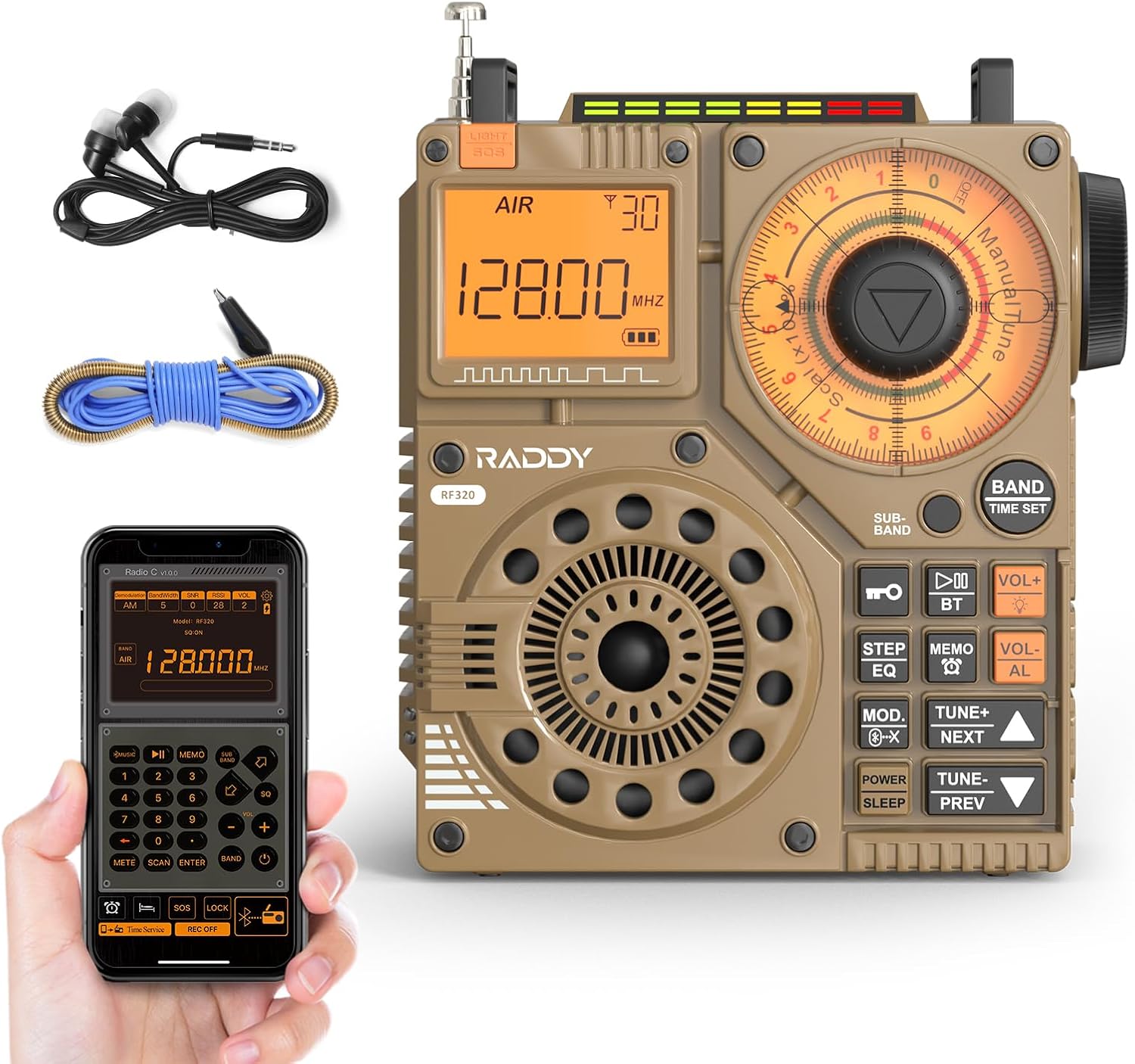
1 pav.: priekis view of the Raddy RF320 Shortwave Radio, showing the display, speaker, and control buttons.

2 pav.: šonas view of the Raddy RF320, illustrating the fine-tuning knobs and their function for precise frequency adjustment.
Pagrindinės funkcijos:
- Skaitmeninis ekranas: Shows frequency, band, and other operational information.
- Tuning Knobs: For manual and fine-tuning adjustments.
- Band Selection Buttons: To switch between AIR, FM, VHF, MW, SW bands.
- Garsumo valdymas: Reguliuoja garso išvesties lygį.
- Integruotas žibintuvėlis: Apšvietimui esant silpnam apšvietimui.
- SOS funkcija: Įjungia avarinį signalą.
- "Bluetooth 5.0": Belaidžiam garso transliavimui.
- TF kortelės lizdas: For direct playback of stored audio files.
- 3.5 mm garso lizdas: For earphone connection.
Sąranka
1. Akumuliatoriaus įkrovimas
The RF320 is powered by a built-in Lithium-ion battery. Before first use, fully charge the radio.
- Connect the USB charging cable to the radio's charging port.
- Kitą USB laido galą prijunkite prie suderinamo USB maitinimo adapterio (nepridedamas) arba kompiuterio USB prievado.
- The charging indicator on the display will show the charging status. It will typically turn off or change color when fully charged.
2. Antenos pritvirtinimas
For optimal reception, especially on SW and AIR bands, extend the telescopic antenna or connect the included 3m cable antenna.
- Teleskopinė antena: Extend it fully and adjust its direction for best signal.
- Cable Antenna: Plug the cable antenna into the designated antenna jack on the radio. Extend the cable antenna as much as possible, ideally outdoors or near a window, for improved shortwave reception.
Naudojimo instrukcijos
1. Maitinimo įjungimas/išjungimas
Paspauskite ir palaikykite GALIA mygtuką, kad įjungtumėte arba išjungtumėte radiją.
2. Juostos pasirinkimas
Paspauskite BAND button repeatedly to cycle through the available frequency bands: FM, AM (MW), SW, VHF, AIR, WB.
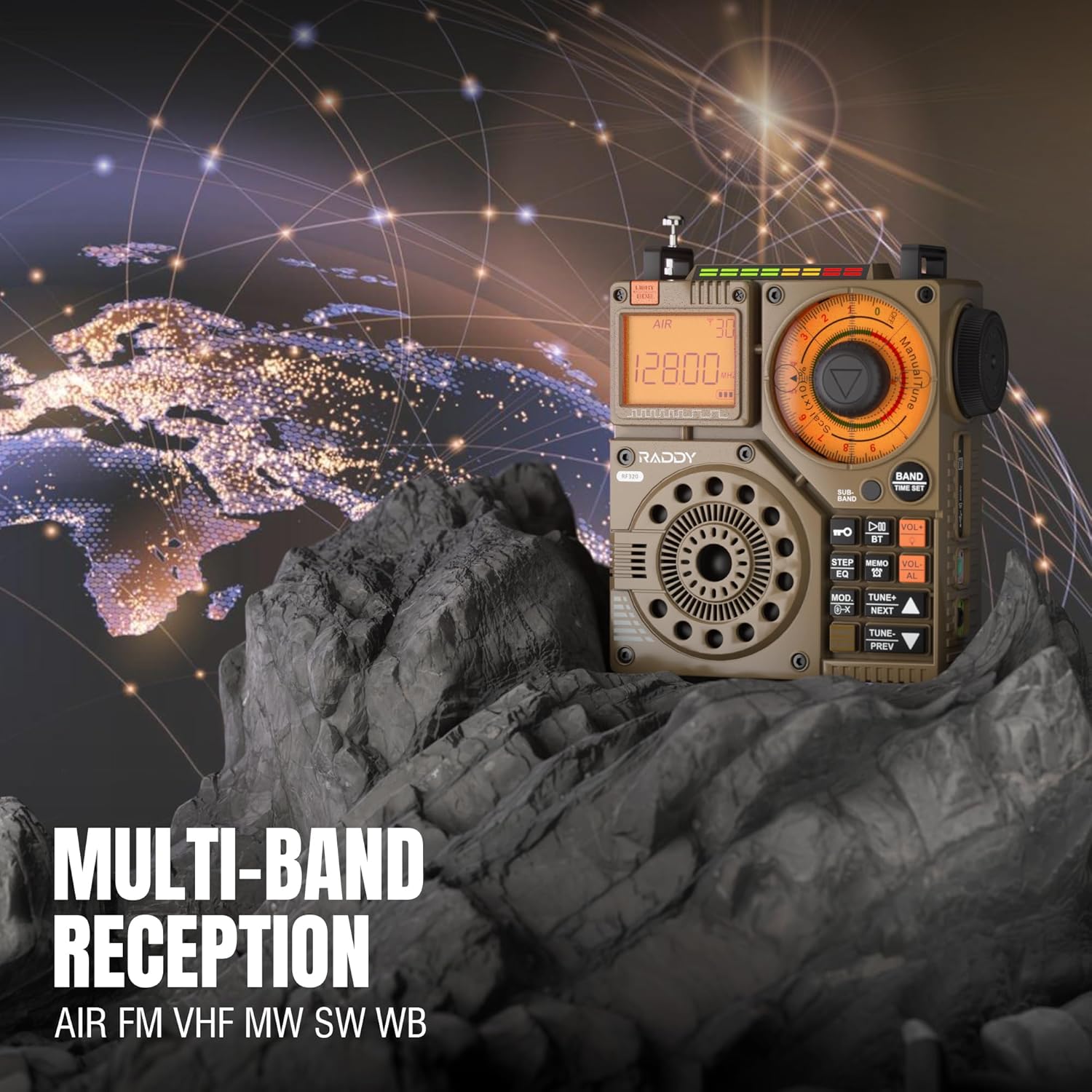
Figure 3: The Raddy RF320 radio on a rocky surface, symbolizing its multi-band reception capabilities across AIR, FM, VHF, MW, SW, and WB bands.
3. Derinimo metodai
The RF320 offers multiple tuning options:
- Rankinis derinimas: Use the main tuning knob to adjust the frequency incrementally. The precise tuning knobs offer a minimum step value of 0.005 MHz for accurate frequency selection.
- Skaitmeninis derinimas: Use the numeric keypad (if available on the device or via app) to directly enter a frequency.
- Automatinė paieška: Paspauskite AUTOMATINIS NUSKAITYMAS mygtuką, kad automatiškai nuskaitytumėte ir išsaugotumėte galimas stotis.
- Pusiau automatinė paieška: This function allows for scanning within a specific range or with user intervention. Refer to the on-screen prompts or app interface for details.
4. Station Storage
The radio can store up to 955 stations (199 for each of AIR, FM, VHF, MW, and SW bands).
- Nustatykite norimą stotį.
- Paspauskite ir palaikykite PRANEŠIMAS button (or equivalent) to save the station.
- Naudokite KITAS / PREV mygtukai, skirti naršyti po išsaugotas stotis.
5. „Bluetooth“ (BT) režimas
Prijunkite išmanųjį telefoną ar kitą „Bluetooth“ įrenginį, kad galėtumėte transliuoti garsą belaidžiu būdu.
- Paspauskite REŽIMAS button until 'BT' or 'Bluetooth' is displayed.
- On your device, search for Bluetooth devices and select 'Raddy RF320'.
- Susiejus įrenginį, galite leisti garsą iš jo per radijo garsiakalbį.
6. TF kortelės atkūrimas
Leisti garsą filetiesiai iš TF („MicroSD“) kortelės.
- Insert a TF card (up to 32GB, FAT32 format) with audio files į TF kortelės lizdą.
- Paspauskite REŽIMAS button until 'TF' or 'Card' is displayed.
- Naudokite KITAS / PREV mygtukus, kad galėtumėte naršyti takelius.

Figure 4: The Raddy RF320 radio next to a smartphone displaying music, highlighting its three operational modes: Bluetooth, TF Card, and Radio Receiver.
7. Žibintuvėlis ir SOS funkcija
The RF320 includes an integrated flashlight and an SOS emergency signal.
- Žibintuvėlis: Paspauskite ŠVIESA button to turn the flashlight on/off.
- SOS: Paspauskite ir palaikykite SOS button to activate the emergency alarm and flashing light. Press again to deactivate.

Figure 5: Close-up of the Raddy RF320 radio with its integrated flashlight active, demonstrating its outdoor lighting capability.
8. Programos valdymas
The Raddy RF320 can be controlled via a dedicated application on iOS, Android, and HarmonyOS systems.
- Download the 'Radio C' application from your device's app store.
- Ensure Bluetooth is enabled on your smartphone and the RF320 radio.
- Open the app and follow the on-screen instructions to connect to your RF320.
- The app allows for digital tuning, channel naming, recording broadcasts, and other advanced controls.

Figure 6: The Raddy RF320 radio displayed alongside a smartphone running its control application, illustrating the ease of use with app integration.
Priežiūra
- Radijo imtuvą valykite minkštu, sausu skudurėliu. Nenaudokite abrazyvinių valiklių ar tirpiklių.
- Kai radijo imtuvo nenaudojate ilgesnį laiką, laikykite jį vėsioje, sausoje vietoje.
- Periodically charge the battery to maintain its lifespan, even if the radio is not being used.
- Ensure the telescopic antenna is retracted when not in use to prevent damage.
Trikčių šalinimas
| Problema | Galima priežastis | Sprendimas |
|---|---|---|
| Radijas neįsijungia. | Baterija išsikrovusi. | Pilnai įkraukite radijo imtuvą. |
| Prastas radijo priėmimas. | Silpnas signalas; antena neištiesta. | Extend the telescopic antenna or connect the 3m cable antenna. Adjust antenna position. Move to an area with better signal. |
| „Bluetooth“ ryšys nepavyksta. | Radio not in BT mode; device too far; pairing issue. | Ensure radio is in BT mode. Bring devices closer. Delete 'Raddy RF320' from your device's BT list and re-pair. |
| TF kortelė nežaidžia. | Card not inserted correctly; unsupported format; corrupted files. | Reinsert TF card. Ensure card is FAT32 format. Check if audio files yra palaikomi. |
| Programos valdymas neveikia. | Bluetooth not connected; app not updated. | Ensure radio is paired via Bluetooth. Update the 'Radio C' app to the latest version. |
Specifikacijos
| Funkcija | Specifikacija |
|---|---|
| Prekės ženklas | Raddy |
| Modelio numeris | RF320 |
| Palaikomos radijo dažnių juostos | AIR, FM, VHF, MW (AM), SW |
| Tiuningo technologija | FM, AM, VHF, SW, AIR |
| Ryšio technologija | Bluetooth 5.0 |
| Ypatingos savybės | Digital Display, Integrated Flashlight, Rechargeable, Automatic Squelch, Keypad Lock, TF Card Playback, App Control, SOS Function |
| Gaminio matmenys (I x P x A) | 15L x 9W x 15H centimetrai |
| Maitinimo šaltinis | Maitinamas baterijomis (pridedama 1 ličio jonų baterija) |
| Ekrano tipas | Digital Display (LCD/LED) |
| Techninės įrangos sąsaja | 3.5mm garso lizdas |
| Atsparumo vandeniui lygis | Neatsparus vandeniui |
| Vidinė medžiaga | Metalas |
| Kilmės šalis | Kinija |
Garantija ir palaikymas
Informacija apie garantiją
Raddy products typically come with a standard manufacturer's warranty. Please refer to the warranty card included in your package or visit the official Raddy website for detailed warranty terms and conditions specific to the RF320 model. Keep your purchase receipt as proof of purchase for warranty claims.
Pagalba klientams
For technical assistance, troubleshooting beyond this manual, or warranty inquiries, please contact Raddy customer support through their official website or the contact information provided with your product packaging. When contacting support, please have your product model (RF320) and purchase details ready.