
1. Įvadas
Thank you for choosing the ecozy Smart Nugget Ice Maker. This portable countertop ice machine is designed to provide you with soft, chewable nugget ice, perfect for any beverage or occasion. With smart features like app and voice control, along with a convenient self-cleaning function, enjoying fresh ice has never been easier.
This manual provides detailed instructions for the safe and efficient operation, maintenance, and troubleshooting of your ecozy ice maker. Please read it thoroughly before first use and keep it for future reference.

Figure 1.1: The ecozy Smart Nugget Ice Maker, showcasing its sleek stainless steel design and a full basket of chewable ice.
2. Saugos instrukcijos
To ensure safe operation and prevent damage to the appliance or injury to yourself and others, please adhere to the following safety precautions:
- Always plug the ice maker into a grounded electrical outlet with the correct voltage (115 voltų).
- Nemerkite prietaiso, maitinimo laido ar kištuko į vandenį ar kitus skysčius.
- Keep the ice maker away from heat sources, direct sunlight, and corrosive materials.
- Ensure adequate ventilation around the unit. Maintain at least 6 inches of clearance from walls and other objects.
- Nenaudokite prietaiso su pažeistu laidu ar kištuku. Dėl remonto kreipkitės į klientų aptarnavimo tarnybą.
- Supervise children when the appliance is in use. This is not a toy.
- Vandens rezervuare naudokite tik geriamąjį vandenį.
- Prieš valydami arba kai ilgesnį laiką nenaudojate ledo gaminimo aparato, atjunkite jį nuo elektros tinklo.
3. Produktas baigtasview
3.1. Komponentai
- ecozy Smart Nugget Ice Maker Unit
- Ledo samtelis
- Ice Bags (for storage)
3.2. Pagrindinės savybės
- Soft, Chewable Nugget Ice: Produces popular pebble-shaped ice that is gentle on teeth and ideal for various beverages.
- Didelė ledo gamyba: Gali pagaminti iki 34 svarų ledo per 24 valandas.
- Išmaniųjų programų valdymas: Connects to the EcozyHome app (supports 2.4GHz Wi-Fi only) for remote control, scheduling, and monitoring.
- Balso valdymo suderinamumas: Sklandžiai integruojasi su „Amazon Alexa“ ir „Google Assistant“, kad būtų galima valdyti laisvų rankų įranga.
- Vieno mygtuko savaiminis valymas: Features an automatic self-cleaning cycle that takes approximately 15 minutes, simplifying maintenance.
- Išmanieji įspėjimai: Provides notifications via the app when the ice basket is full or the water reservoir is low.
- Patvari konstrukcija: Made with high-quality stainless steel for longevity and a modern aesthetic.

Figure 3.1: Control your ecozy ice maker conveniently from your smartphone using the EcozyHome app.

Figure 3.2: Activate your ice maker with simple voice commands through Alexa or Google Assistant.
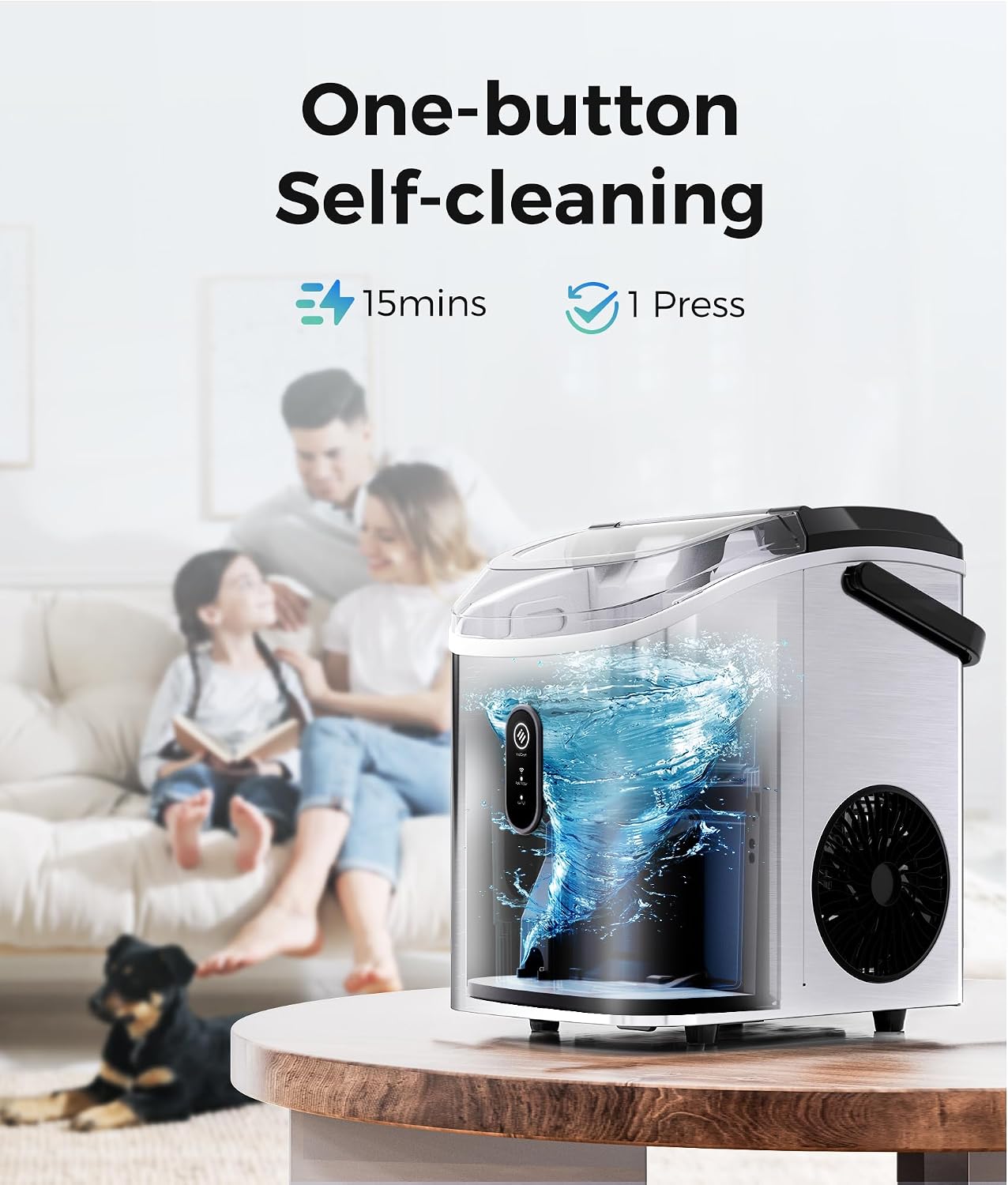
Figure 3.3: The self-cleaning function ensures your ice maker remains hygienic with minimal effort.
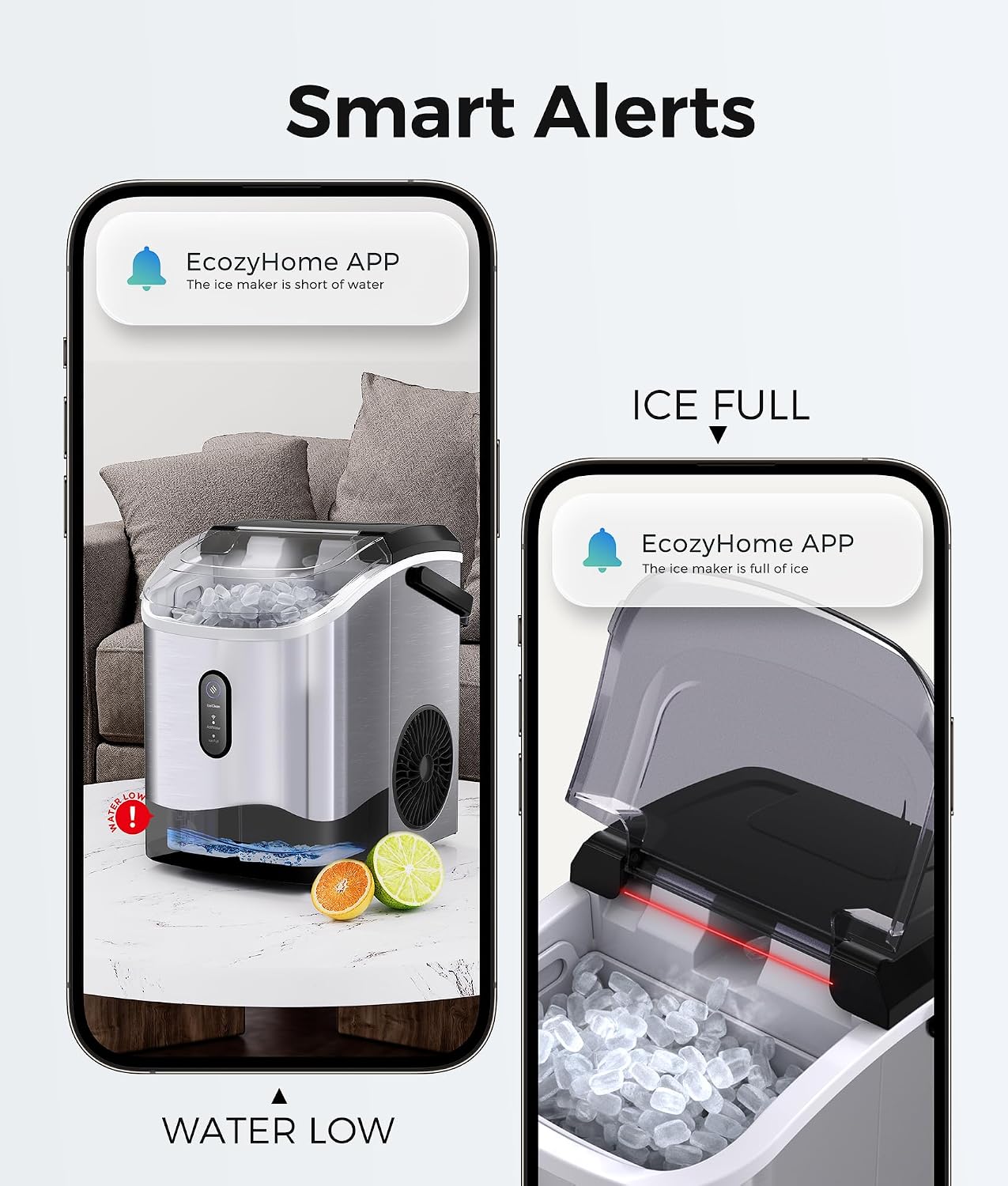
Figure 3.4: Stay informed with real-time alerts on your phone regarding ice levels and water status.
4. Sąranka
4.1. Išpakavimas
- Atsargiai išimkite ledo gaminimo aparatą ir visus priedus iš pakuotės.
- Patikrinkite, ar įrenginys nėra pažeistas transportavimo metu. Jei pažeistas, nenaudokite jo ir susisiekite su klientų aptarnavimo tarnyba.
- Nuimkite visas pakavimo medžiagas, juosteles ir apsaugines plėveles.
4.2. Įdėjimas
- Place the ice maker on a flat, stable, and level surface.
- Ensure the surface can support the weight of the unit when full of water and ice.
- Position the unit in a well-ventilated area, away from direct sunlight or heat sources (e.g., ovens, radiators).
- Aplink įrenginį palikite bent 6 colių vietos, kad oras tinkamai cirkuliuotų.
4.3. Pradinis valymas
Prieš pirmą kartą naudojant, rekomenduojama išvalyti ledo gaminimo aparatą:
- Pripildykite vandens rezervuarą geriamojo vandens.
- Press the self-cleaning button (refer to Section 6.1 for details).
- After the cleaning cycle, drain the water completely using the drain plug at the bottom of the unit.
- Nuvalykite vidų ir išorę minkšta, d šluosteamp audinys.
5. Naudojimo instrukcijos
5.1. Ledo gaminimas
- Įsitikinkite, kad išleidimo kamštis yra sandariai uždarytas.
- Open the top lid and fill the water reservoir with potable water up to the MAX fill line.
- Uždarykite dangtį.
- Plug the ice maker into a grounded electrical outlet. The indicator light will illuminate.
- Press the "Ice/Clean" button to start the ice making process. The ice maker will begin producing ice within 3-5 minutes.
- The ice maker will automatically stop when the ice basket is full or when the water level is low.
5.2. Using the EcozyHome App
The ecozy Smart Nugget Ice Maker can be controlled via the EcozyHome app. Ensure your Wi-Fi network is 2.4GHz, as the device does not support 5GHz networks.
- Download the "EcozyHome" app from your smartphone's app store.
- Prisiregistruokite arba prisijunkite prie savo paskyros.
- Follow the in-app instructions to add your ecozy ice maker to your account. This typically involves putting the ice maker into pairing mode (refer to app for specific steps).
- Once connected, you can remotely start/stop ice production, schedule ice making times, and receive notifications for "Ice Full" or "Add Water" status.

Figure 5.1: Schedule your ice production to wake up to fresh ice or have it ready for your party.
5.3. Balso valdymas („Alexa“ / „Google Assistant“)
After connecting your ice maker to the EcozyHome app, you can enable voice control through Amazon Alexa or Google Assistant.
- Atidarykite savo „Alexa“ arba „Google Home“ programėlę.
- Ieškokite and enable the "EcozyHome" skill/service.
- Link your EcozyHome account when prompted.
- Discover devices. Your ecozy ice maker should now be controllable by voice.
- Example komandos: "Alexa, turn on the ice maker" or "Hey Google, start ice production on the ice maker."
6. Priežiūra ir valymas
Regular cleaning and maintenance will extend the life of your ecozy ice maker and ensure the best ice quality.
6.1. Savaiminio išsivalymo funkcija
The ice maker features a convenient one-press self-cleaning cycle:
- Įsitikinkite, kad vandens rezervuaras pripildytas švaraus vandens.
- Press and hold the "Ice/Clean" button for 3 seconds to activate the self-cleaning mode. The indicator light will change to indicate cleaning is in progress.
- The cycle takes approximately 15 minutes.
- Once complete, drain the water from the unit using the drain plug.
6.2. Reguliarus valymas
- Išorė: Išorę nuvalykite minkšta, damp audinys. Nenaudokite abrazyvinių valiklių ar tirpiklių.
- Interjeras: Periodically wipe down the interior surfaces, including the ice basket and water reservoir, with a mild detergent and water solution. Rinse thoroughly.
- Išleidimo kamštis: Ensure the drain plug is clean and free of debris to prevent leaks.
- Oro angos: Keep the air vents on the sides and back of the unit clear of dust and obstructions to ensure proper cooling.
6.3. Sandėliavimas
Jei ledo gaminimo aparatas nebus naudojamas ilgesnį laiką:
- Perform a self-cleaning cycle.
- Išleiskite visą vandenį iš rezervuaro.
- Unplug the unit and allow it to air dry completely with the lid slightly ajar to prevent mold or mildew.
- Laikyti vėsioje, sausoje vietoje.
7. Problemų sprendimas
Prieš kreipdamiesi į klientų aptarnavimo tarnybą, peržiūrėkite šias dažniausiai pasitaikančias problemas ir jų sprendimus:
| Problema | Galima priežastis | Sprendimas |
|---|---|---|
| No ice production / Slow ice production | Lack of water; Ambient temperature too high; Air vents blocked; Unit needs cleaning. | Add water to the reservoir; Ensure room temperature is suitable (10-32°C); Clear air vents; Run self-cleaning cycle. |
| Šviečia indikatorius „Įpilkite vandens“ | Vandens rezervuaras tuščias arba jame mažai vandens. | Pripildykite vandens rezervuarą geriamojo vandens. |
| Šviečia indikatorius „Ledo pilna“ | Ledo krepšelis pilnas. | Remove ice from the basket. The unit will resume ice making. |
| Įrenginys neįsijungia | Neįjungta; Išjungta maitinimastage; Sugedęs lizdas. | Ensure the unit is securely plugged in; Check power supply; Try a different outlet. |
| Vanduo nutekėjo iš įrenginio | Drain plug not securely closed; Unit not level. | Ensure the drain plug is firmly inserted; Place the unit on a level surface. |
| Unusual noise (e.g., squealing) | Internal component issue; Needs professional inspection. | Unplug the unit and contact customer support. Do not attempt to repair yourself. |
| Programos ryšio problemos | Incorrect Wi-Fi band (5GHz); Weak Wi-Fi signal; App not updated. | Ensure your Wi-Fi is 2.4GHz; Move unit closer to router; Update EcozyHome app; Re-pair device. |
8. Specifikacijos
| Atributas | Detalė |
|---|---|
| Prekės ženklas | jaukus |
| Modelio pavadinimas | IM-NS280B |
| Gaminio matmenys (D x P x A) | 8.66 "D x 11.3" P x 12.68" A |
| Capacity (Ice Production per Day) | 34 svaro |
| Vattage | 192 vatų |
| ttage | 115 voltų |
| Šaldymo agentas | R600a |
| Medžiaga | Nerūdijantis plienas |
| Prekės svoris | 20.3 svaro |
| UPC | 850061905536 |
| Įtraukti komponentai | Ice maker, ice scoop, ice bags |
9. Garantija ir palaikymas
Your ecozy Smart Nugget Ice Maker is designed for reliability and performance. For any issues not covered in the troubleshooting section, or for warranty inquiries, please contact ecozy customer support.
This product is part of the Verified by Transparency program, ensuring authenticity and quality.
For the most up-to-date warranty information and support contacts, please visit the official ecozy websvetainėje arba žr. prie gaminio pridėtą garantinę kortelę.