
Įvadas
Thank you for choosing the Cuifati Mini Body Camera. This manual provides detailed instructions for the proper use, setup, and maintenance of your device. Please read this manual thoroughly before operating the camera to ensure optimal performance and longevity.
Pakuotės turinys
- 1 x Wearable Camera
- 1 x nešiojimo krepšys
- 1 x Vartotojo vadovas
- 1 x dirželis
- 1 x Back Shell Bracket
- 1 x trikojis
- 1x USB laidas
- 1 x Valymo šluostė

Figure 1: Cuifati Mini Body Camera and included accessories.

2 pav.: Kelių scenarijų taikymo pavyzdysamples for the body camera.
Produktas baigtasview
Familiarize yourself with the components and controls of your Cuifati Mini Body Camera.
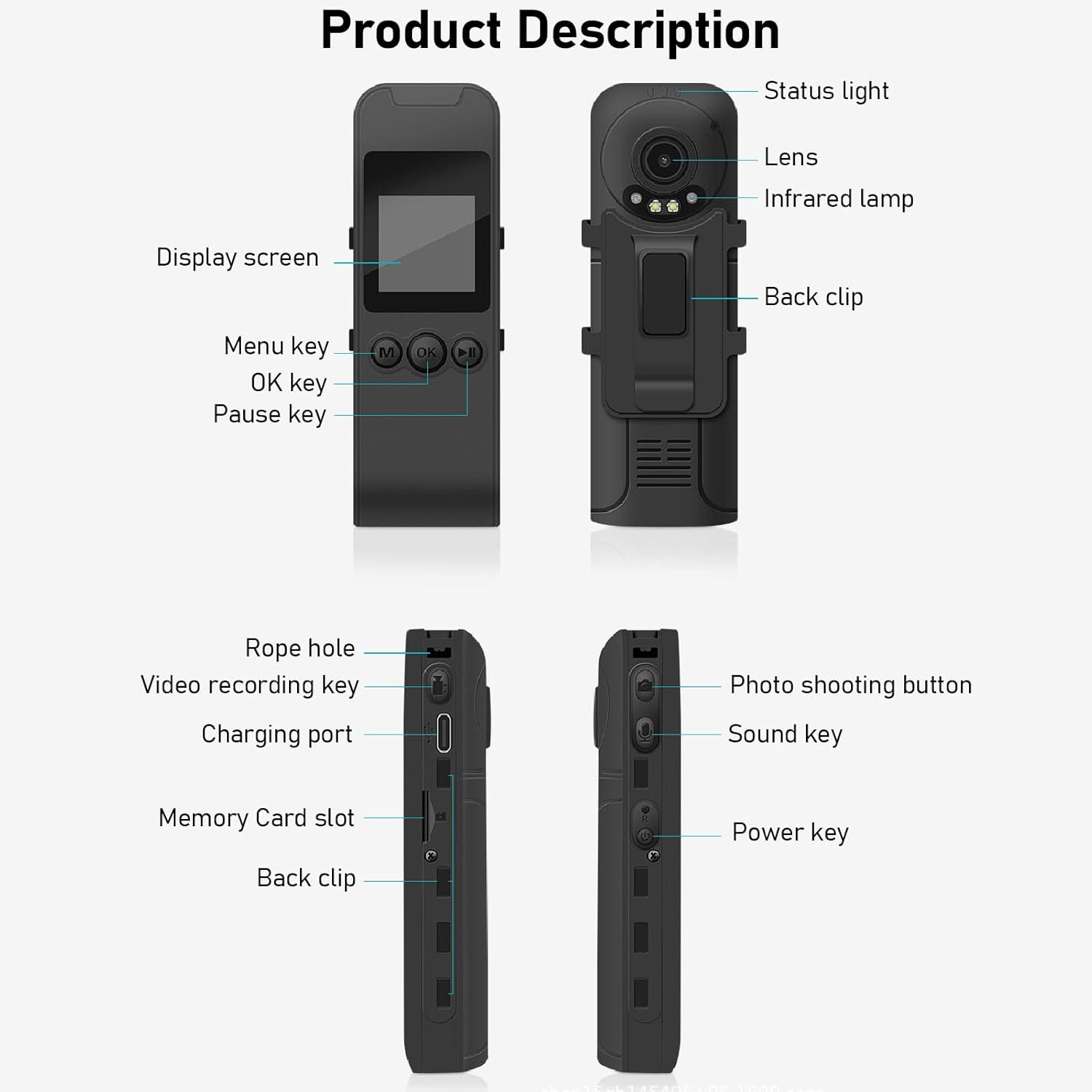
Figure 3: Labeled components of the Cuifati Mini Body Camera.
- Būsenos lemputė: Indicates device status (e.g., recording, charging).
- Objektyvas: Main camera lens for video and photo capture.
- Infraraudonųjų spindulių L.amp: Suteikia apšvietimą naktiniam matymui.
- Nugaros klipas: For attaching the camera to clothing or other surfaces.
- Ekranas: 1.3-inch LCD for live view, atkūrimas ir naršymas meniu.
- Menu Key (M): Prieina įrenginio nustatymus.
- Gerai klavišas: Confirms selections or starts/stops functions.
- Pauzės klavišas: Pristabdo atkūrimą arba įrašymą.
- Virvės skylė: Attachment point for the lanyard.
- Video Recording Key: Pradeda ir sustabdo vaizdo įrašymą.
- Įkrovimo prievadas (C tipo): Skirta įrenginiui įkrauti ir prijungti prie kompiuterio.
- Atminties kortelės lizdas: Insert microSD card for storage.
- Photo Shooting Button: Fiksuoja nejudančius vaizdus.
- Sound Key: Controls audio recording.
- Maitinimo klavišas: Įjungia arba išjungia įrenginį.
Sąranka
1. Akumuliatoriaus įkrovimas
Before first use, fully charge the camera's built-in lithium-ion battery. Connect the camera to a power source using the provided Type-C USB cable. The status light will indicate charging status. A full charge provides approximately 20 hours of work time and 10 hours of video recording.
Figure 4: Built-in 1200mAh battery for extended use.
2. Atminties kortelės įdėjimas
The camera supports up to a 256GB memory card (not included). Locate the memory card slot on the side of the camera. Gently insert the microSD card with the gold contacts facing down until it clicks into place. To remove, push the card in slightly until it springs out.

Figure 5: Memory card slot for storage expansion.
Naudojimo instrukcijos
1. Įjungimas/išjungimas
- Norėdami įjungti: Press and hold the Power Key until the display screen illuminates.
- Norėdami išjungti: Press and hold the Power Key until the device shuts down.
2. Vaizdo įrašymas
The camera records in 1440P HD at 30 frames per second with a 120° wide-angle lens and infrared night vision.
- Norėdami pradėti įrašymą: Press the Video Recording Key. The status light will change, and a recording indicator will appear on the screen.
- Norėdami sustabdyti įrašymą: Press the Video Recording Key again.
- Ciklo įrašymas: Kamera palaiko ciklinį įrašymą, automatiškai perrašydama seniausius files kai atminties kortelė pilna.
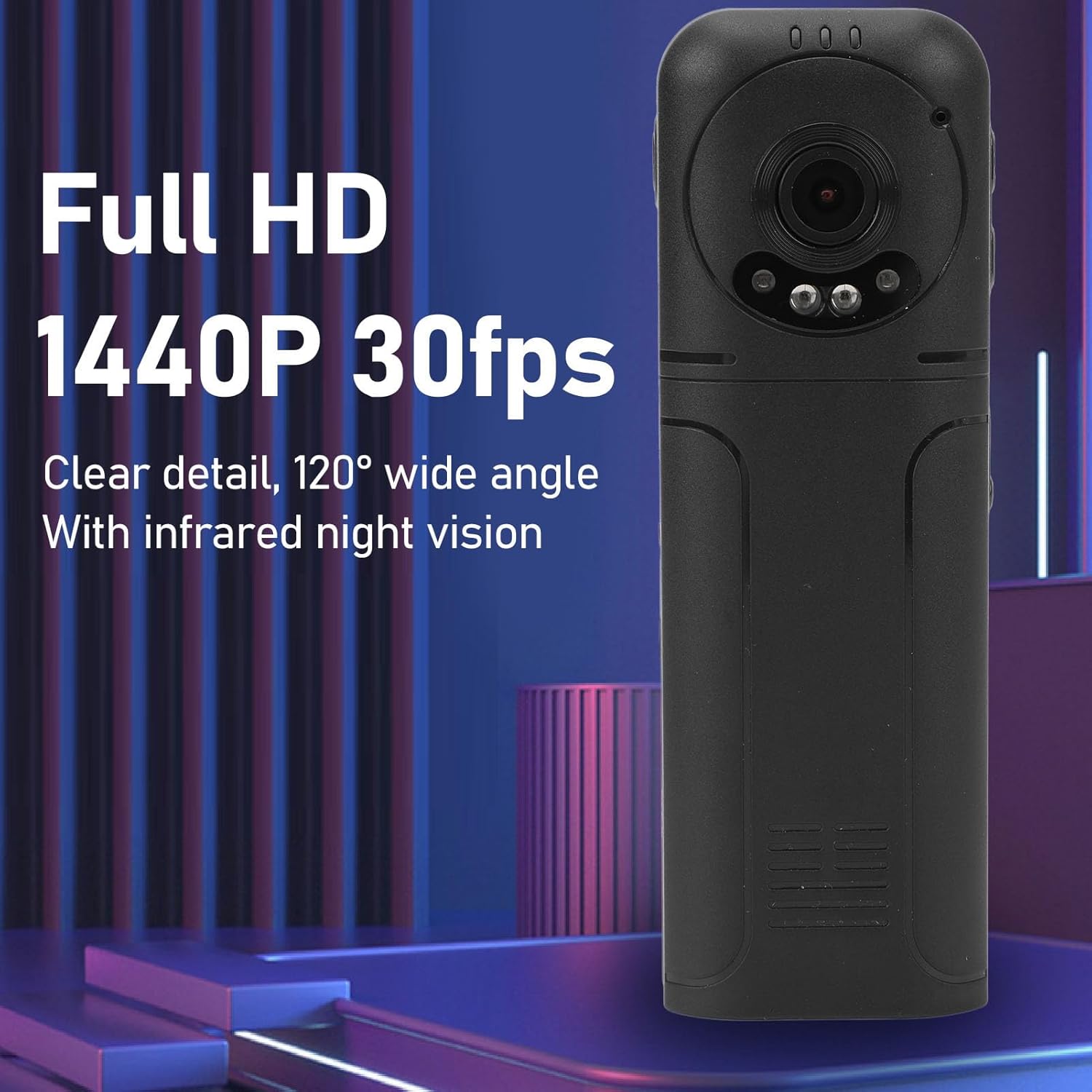
Figure 6: 1440P HD video recording with night vision.
3. Fotografavimas
- Norėdami fotografuoti: In standby mode, press the Photo Shooting Button.
4. Garso įrašymas
- To Start Audio Recording: Press the Sound Key.
- To Stop Audio Recording: Press the Sound Key again.

Figure 7: Audio recording functionality.
5. Atkūrimas ir File Valdymas
The 1.3-inch LCD screen supports live playback, browsing, and pausing of videos, photos, and recordings directly on the device.

Figure 8: 1.3-inch color screen for on-device playback.
- Atkūrimas įrenginyje: Use the Menu, OK, and Pause keys to navigate and play files ekrane.
- Prisijungimas prie kompiuterio: Connect the camera to a computer via the Type-C USB cable to transfer, view, or delete files.
- OTG funkcija: If your mobile phone supports OTG, you can connect the camera directly to your phone for playback and file valdymas.
Priežiūra
1. Valymas
- Use the provided cleaning cloth or a soft, dry cloth to wipe the camera body and lens.
- Nenaudokite skystų valiklių ar tirpiklių, nes jie gali pažeisti prietaisą.
2. Sandėliavimas
- Fotoaparatą laikykite vėsioje, sausoje vietoje, toliau nuo tiesioginių saulės spindulių ir ekstremalių temperatūrų.
- Remove the memory card if storing for extended periods.
Trikčių šalinimas
Jei kyla problemų dėl fotoaparato, žr. toliau pateiktas dažniausiai pasitaikančias problemas ir sprendimus:
| Problema | Sprendimas |
|---|---|
| Kamera neįsijungia. | Įsitikinkite, kad akumuliatorius įkrautas. Prijunkite prie maitinimo šaltinio ir bandykite dar kartą. |
| Nepavyksta įrašyti vaizdo / nuotraukos. | Check if a memory card is inserted correctly and has sufficient free space. Format the memory card if necessary (this will erase all data). |
| Atminties kortelė neatpažinta. | Ensure the memory card is inserted correctly. Try a different compatible memory card. Format the card using the camera's menu or a computer. |
| Prasta vaizdo / garso kokybė. | Ensure the lens is clean. Check lighting conditions. For audio, ensure the microphone is not obstructed. |
| Įrenginys užstringa arba nereaguoja. | Press and hold the Power Key for 10-15 seconds to force a restart. |
Specifikacijos
Below are the technical specifications for the Cuifati Mini Body Camera (Model CUIFATI2vg0ri8moa):
- Prekės tipas: Wearable Camera
- Medžiaga: ABS
- Naktinis matymas: 2pcs Night Vision Light Beads
- Vaizdo įrašo raiška: 1440P (Maximum)
- Kadrų dažnis: 30 FPS
- Baterijos tipas: Ličio jonų baterija
- Baterijos talpa: 1200 mAh (įmontuota)
- Saugojimo palaikymas: Maximum 256GB Memory Card (Not Included)
- Įkrovimo prievadas: C tipas
- APP pavadinimas: For RoadCam (if applicable for advanced features)
- Modelio pavadinimas: CUIFATI2vg0ri8moa
- Gamintojas: CUIFATI
Garantija ir palaikymas
For warranty information or technical support, please refer to the documentation provided at the time of purchase or contact Cuifati customer service directly. Keep your purchase receipt as proof of purchase.