
SUAAT S6
SUAAT S6 11 colių „Android“ planšetinio kompiuterio naudotojo vadovas
Model: S6 | Brand: SUAAT
1. Įvadas
Welcome to the user manual for your new SUAAT S6 11-inch Android Tablet. This tablet is designed to provide a versatile and powerful computing experience, whether for work, study, or entertainment. Featuring the latest Android 14 system, an octa-core processor, ample memory, and a vibrant HD touchscreen, it is built for efficiency and enjoyment.

Image: The SUAAT S6 11-inch Android Tablet, showcasing its sleek design and key features like 8000mAh battery, Android 14, 24GB RAM, 256GB storage, 5G Wi-Fi, and Widevine L1 support.
2. Kas yra dėžutėje
Atidarę pakuotę, įsitikinkite, kad joje yra visi šie daiktai:
- SUAAT S6 11-inch Android Tablet
- Apsauginis dėklas
- Ekrano apsauga (iš anksto užklijuota arba pridedama atskirai)
- Įkroviklis
- Įkrovimo kabelis
3. Pradinė sąranka
3.1 Planšetinio kompiuterio įkrovimas
Before first use, it is recommended to fully charge your tablet. Connect the provided charging cable to the tablet's Type-C port and the charger to a power outlet. The battery indicator on the screen will show charging progress.
3.2 Maitinimo įjungimas/išjungimas
- Norėdami įjungti: Press and hold the Power button located on the side of the tablet until the SUAAT logo appears.
- Norėdami išjungti: Paspauskite ir palaikykite maitinimo mygtuką, kol pasirodys maitinimo parinkčių meniu. Pasirinkite „Išjungti“ ir patvirtinkite.
- Norėdami paleisti iš naujo: Maitinimo parinkčių meniu pasirinkite „Paleisti iš naujo“ ir patvirtinkite.
3.3 Pradinė konfigūracija
Pirmą kartą įjungus planšetinį kompiuterį, jis padės atlikti pradinį nustatymą. Vykdykite ekrane pateikiamus nurodymus, kad:
- Pasirinkite savo kalbą.
- Prisijunkite prie „Wi-Fi“ tinklo.
- Prisijunkite naudodami „Google“ paskyrą arba sukurkite naują.
- Nustatykite ekrano užraktą (PIN kodą, šabloną, slaptažodį arba atrakinimą veidu).
- Review ir sutikite su sąlygomis ir nuostatomis.
4. Planšetinio kompiuterio valdymas
4.1 Android 14 System and Performance
Your SUAAT S6 tablet runs on the latest Android 14 operating system, offering enhanced privacy features, improved performance, and a user-friendly interface. The high-quality T606 octa-core processor ensures smooth multitasking and efficient operation for all your applications.

Image: Visual representation of the Android 14 system, highlighting features like convenient multitasking with Taskbar, enhanced Privacy & Security for managing permissions, and Parental Control options.
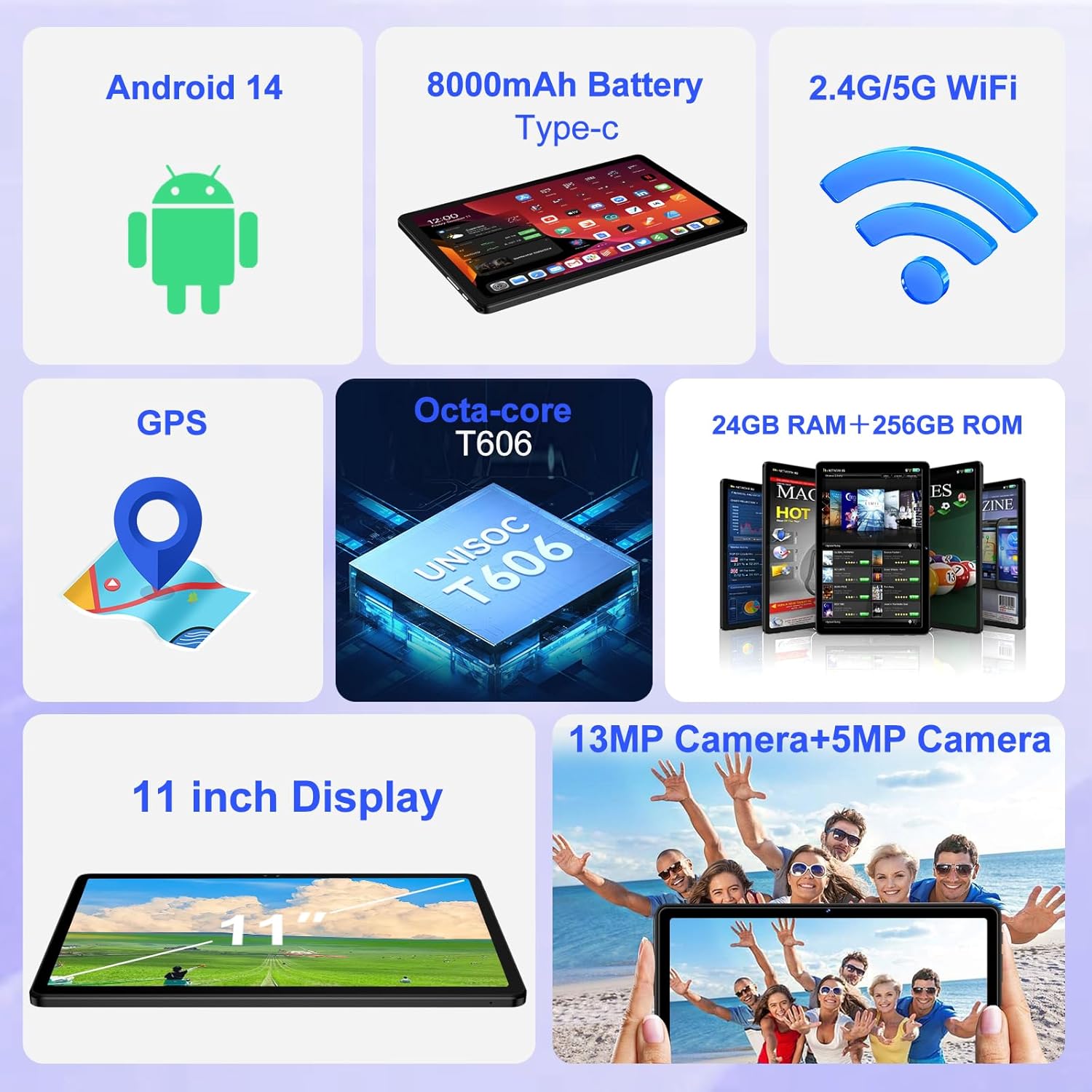
Paveikslėlis: Viršview of the tablet's core features, including Android 14, 8000mAh battery, 2.4G/5G WiFi, GPS, Octa-core T606 processor, 24GB RAM + 256GB ROM, 13MP + 5MP cameras, and an 11-inch display.
4.2 Ekranas
The tablet features a large 11-inch IPS HD touchscreen with a resolution of 1280x800 pixels, providing clear and vibrant visuals. The screen is made with tempered glass for increased durability. It also supports Widevine L1, allowing you to stream high-definition content from popular services.

Image: The 11-inch HD display, illustrating its 1280x800 FHD resolution, 16:10 aspect ratio, and In-cell multi-touch technology.

Image: Comparison showing the difference between Widevine L1 (1080P) and L3, demonstrating the superior high-definition streaming quality supported by SUAAT tablets.
4.3 Atmintis ir saugykla
The tablet comes with 24GB of RAM (8GB physical + 16GB virtual) and 256GB of internal storage. Storage can be expanded up to 1TB using a Micro SD card (not included), providing ample space for apps, photos, videos, and documents.
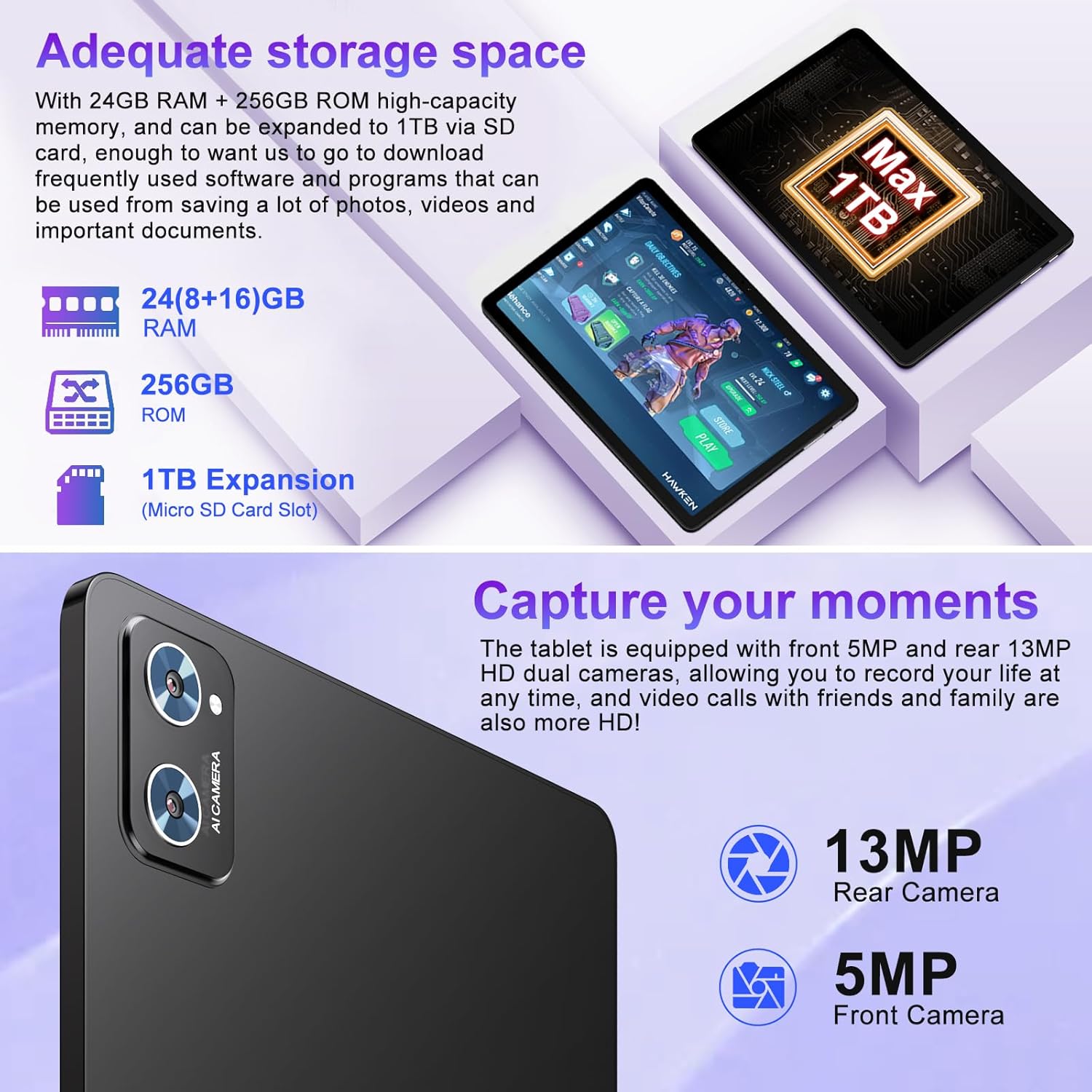
Image: Illustration of the tablet's storage capabilities, showing 24GB RAM, 256GB ROM, and 1TB Micro SD card expansion.
4.4 fotoaparatai
Capture your moments with the tablet's dual cameras: a 5MP front camera for clear video calls and selfies, and a 13MP rear camera for high-resolution photos and videos.
Vaizdas: Stambus planas view of the tablet's rear camera module, indicating the 13MP rear camera and 5MP front camera capabilities for capturing moments and high-definition video calls.
4.5 Battery Life and Connectivity
Equipped with an 8000mAh battery, the tablet offers extended usage times, with an average of 8 hours of battery life. It supports both 5G and 2.4G Wi-Fi for fast and stable internet connections, and Bluetooth 5.0 for seamless pairing with accessories and easy file transfers. GPS functionality is also integrated for navigation.

Image: Visual representation of the tablet's 8000mAh high-capacity battery, indicating approximate usage times: 8 hours for music, 6 hours for web browsing, and 5 hours for gaming.
5. Priežiūra ir priežiūra
- Valymas: Ekraną ir korpusą valykite minkštu, nepūkuotu audiniu. Venkite abrazyvinių valiklių ar tirpiklių.
- Saugykla: Tabletę laikykite vėsioje, sausoje vietoje, apsaugotoje nuo tiesioginių saulės spindulių ir ekstremalių temperatūrų.
- Akumuliatoriaus priežiūra: To prolong battery life, avoid fully discharging the tablet frequently. Charge it regularly, but do not leave it plugged in for extended periods after it's fully charged.
- Programinės įrangos atnaujinimai: Reguliariai tikrinkite, ar yra sistemos naujinimų, ir įdiekite juos, kad užtikrintumėte optimalų našumą ir saugumą.
- Apsauga: Always use the provided protective case and screen protector to guard against drops and scratches.
6. Problemų sprendimas
| Problema | Galima priežastis | Sprendimas |
|---|---|---|
| Planšetinis kompiuteris neįsijungia. | Žema akumuliatoriaus įkrova; sistemos gedimas. | Kraukite planšetinį kompiuterį bent 30 minučių. Paspauskite ir palaikykite maitinimo mygtuką 10–15 sekundžių, kad priverstumėte jį paleisti iš naujo. |
| „Wi-Fi“ ryšio problemos. | Neteisingas slaptažodis; maršrutizatoriaus problema; planšetinio kompiuterio „Wi-Fi“ išjungtas. | Ensure correct password. Restart your Wi-Fi router. Toggle Wi-Fi off/on in tablet settings. |
| Lėtas veikimas. | Per daug veikiančių programų; mažai vietos saugykloje; pasenusi programinė įranga. | Close unused apps. Clear cache. Free up storage. Check for system updates. |
| Baterija greitai išsikrauna. | High screen brightness; background apps; poor signal. | Reduce screen brightness. Close background apps. Disable unused features like GPS/Bluetooth. |
7. Techninės specifikacijos
| Funkcija | Detalė |
|---|---|
| Prekės ženklas | SUAAT |
| Modelio pavadinimas | S6 |
| Operacinė sistema | Android 14 |
| Procesorius | Octa-core T606 (2 GHz) |
| RAM | 24 GB (8 GB fizinės + 16 GB virtualios) |
| Vidinė saugykla | 256 GB |
| Išplečiama saugykla | Iki 1 TB per „Micro SD“ kortelę |
| Ekrano dydis | 11 colių |
| Ekrano raiška | 1280 x 800 pikselių (IPS HD) |
| Priekinė kamera | 5 MP |
| Galinė kamera | 13 MP |
| Baterijos talpa | 8000 mAh |
| Vidutinis baterijos veikimo laikas | 8 valandų |
| Belaidis ryšys | 802.11ac (5G/2.4G WiFi), Bluetooth 5.0 |
| Navigacija | GPS |
| Prekės svoris | 1.15 svaro |
| Gaminio matmenys | 10.16 x 6.61 x 0.32 colio |
| Spalva | Juoda |
8. Garantija ir palaikymas
Your SUAAT S6 tablet comes with a 2 metų garantija, as mentioned by customer reviews. For any technical assistance, troubleshooting beyond this manual, or warranty claims, please contact SUAAT customer support. Refer to the contact information provided with your product packaging or visit the official SUAAT websvetainėje, kur rasite išsamios pagalbos.
SUAAT is committed to providing professional technical support and 24-hour after-sales service to ensure customer satisfaction.
Ask a question about this manual
Ask about setup, troubleshooting, compatibility, parts, safety, or missing instructions. Manuals+ will review the question and use this page’s manual context to help answer it.