
1. Produktas baigtasview
The SUAAT S6 Tablet is an advanced 11-inch device running on the Android 14 operating system. It features an Octa-core T606 processor, 24GB RAM, 256GB internal storage (expandable up to 1TB), and an 8000mAh battery. Designed for versatile use, it supports 5G/2.4G WiFi, Bluetooth 5.0, GPS, and includes dual cameras (5MP front, 13MP rear) for capturing moments and video calls. The tablet also boasts Widevine L1 support for high-definition streaming.

1.1 vaizdas: Baigtaview of the SUAAT S6 Tablet, showcasing its 8000mAh battery, Android 14, 24GB RAM, 256GB storage, 5G WiFi, and Widevine L1 capabilities.
2. Kas yra dėžutėje
Upon unboxing your SUAAT S6 Tablet, please ensure all the following items are present:
- SUAAT S6 planšetė
- Apsauginis dėklas
- Ekrano apsauga
- Įkroviklis ir laidas
3. Pradinė sąranka
3.1. Planšetinio kompiuterio įkrovimas
Before first use, fully charge your tablet. Connect the provided charger cable to the tablet's charging port and plug the adapter into a power outlet. The battery indicator on the screen will show charging progress.
3.2. Įjungimas/išjungimas
- Norėdami įjungti: Press and hold the Power button located on the side of the tablet until the SUAAT logo appears.
- Norėdami išjungti: Paspauskite ir palaikykite maitinimo mygtuką, kol pasirodys maitinimo parinkčių meniu. Pasirinkite „Išjungti“ ir patvirtinkite.
- Norėdami paleisti iš naujo: Maitinimo parinkčių meniu pasirinkite „Paleisti iš naujo“.
3.3. Pradinė konfigūracija
Pirmą kartą įjungę planšetinį kompiuterį, vykdykite ekrane pateikiamus nurodymus, kad nustatytumėte jį:
- Pasirinkite norimą kalbą.
- Prisijunkite prie „Wi-Fi“ tinklo. Tai būtina norint atsisiųsti atnaujinimus ir pasiekti internetines paslaugas.
- Prisijunkite naudodami „Google“ paskyrą arba sukurkite naują. Tai suteiks prieigą prie „Google Play“ parduotuvės ir kitų „Google“ paslaugų.
- Nustatykite ekrano užraktą (PIN kodą, šabloną, slaptažodį arba atrakinimą veidu).
- Review ir sutikite su sąlygomis ir nuostatomis.
4. Planšetinio kompiuterio valdymas
4.1. Android 14 System Features
Your tablet runs on the latest Android 14 system, offering enhanced performance, privacy, and user experience.
- Atrakinimas pagal veidą: Utilize the front camera for quick and secure unlocking of your device.
- Užduočių juosta: The convenient taskbar allows for efficient multitasking and quick app switching.
- Privatumas ir saugumas: Android 14 provides robust controls for managing app permissions and protecting your personal data.
- Tėvų kontrolė: Manage and control screen time and content access for younger users.
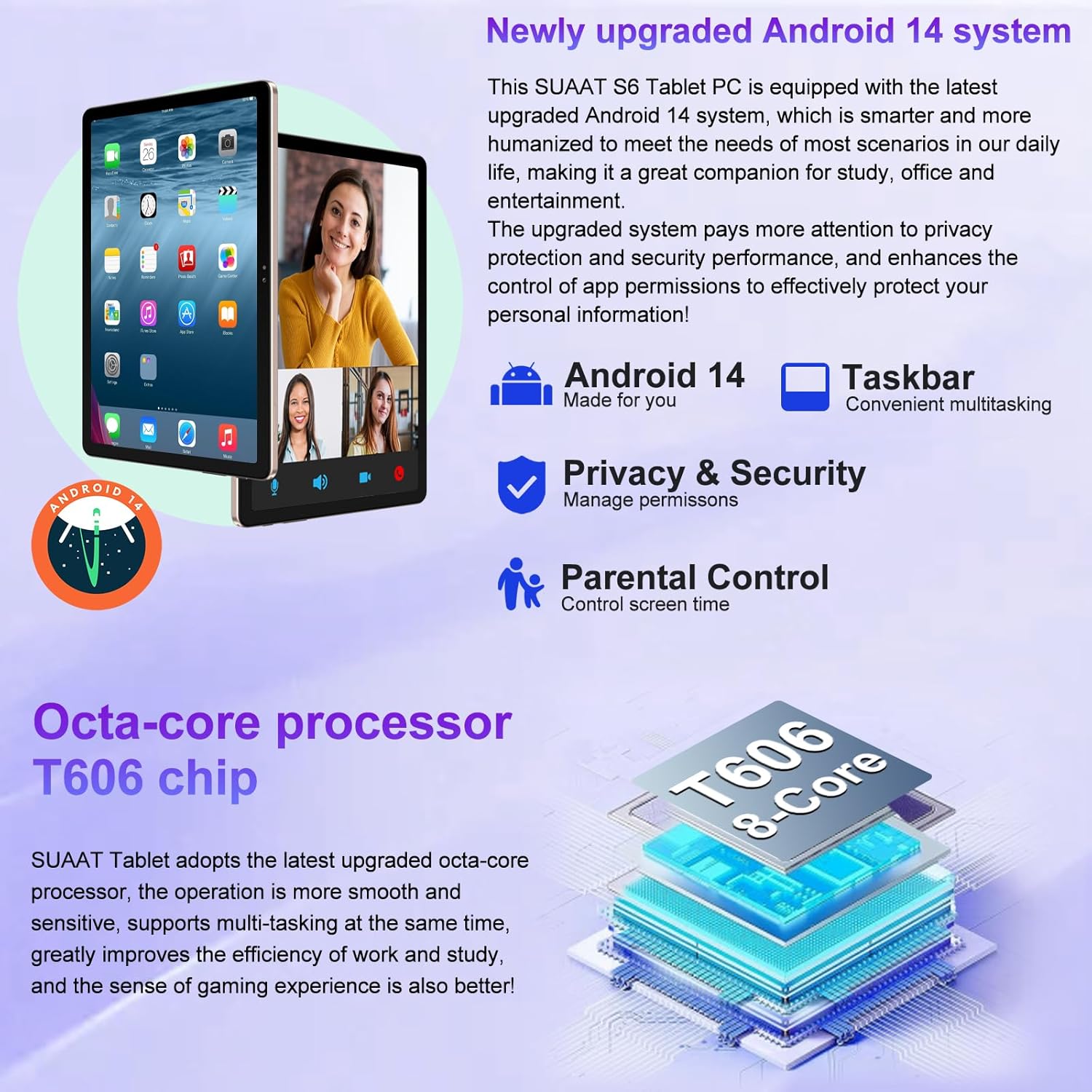
Image 4.1: Visual representation of the Android 14 system's key features, including the taskbar for multitasking, enhanced privacy and security controls, and parental control options.
4.2. Ekranas ir vaizdinė medžiaga
The 11-inch HD display offers a resolution of 1280x800 pixels, providing a clear and vibrant visual experience. The screen is made with tempered glass for increased durability.

Image 4.2: The large 11-inch HD display, highlighting its 2000x1200 FHD resolution, 16:10 aspect ratio, and In-cell multi-touch technology for a premium visual experience.
4.3. Saugojimas ir našumas
The tablet is equipped with an Octa-core T606 processor, ensuring smooth operation and efficient multitasking. It comes with 256GB of internal storage and supports expansion up to 1TB via a Micro SD card slot, providing ampvietos programoms, medijai ir dokumentams.

Image 4.3: Details on the tablet's storage capacity (24GB RAM, 256GB ROM, 1TB expansion via Micro SD) and its dual camera setup (13MP rear, 5MP front).
4.4. Kameros funkcionalumas
Capture high-quality photos and videos with the tablet's dual cameras: a 13MP rear camera and a 5MP front camera. These are ideal for video calls and documenting your experiences.
4.5. Ryšys
- „Wi-Fi“: Supports both 5G and 2.4G Wi-Fi connections for fast and stable internet access.
- "Bluetooth 5.0": Easily connect wireless accessories such as headphones, keyboards, and mice for enhanced productivity and entertainment.
- GPS: Integruotas GPS leidžia naudotis navigacija ir vietos nustatymu pagrįstomis paslaugomis.
4.6. Baterijos veikimo laikas
The 8000mAh high-capacity battery provides extended usage times, allowing for up to 8 hours of music playback, 6 hours of web browsing, or 5 hours of gaming on a single charge.
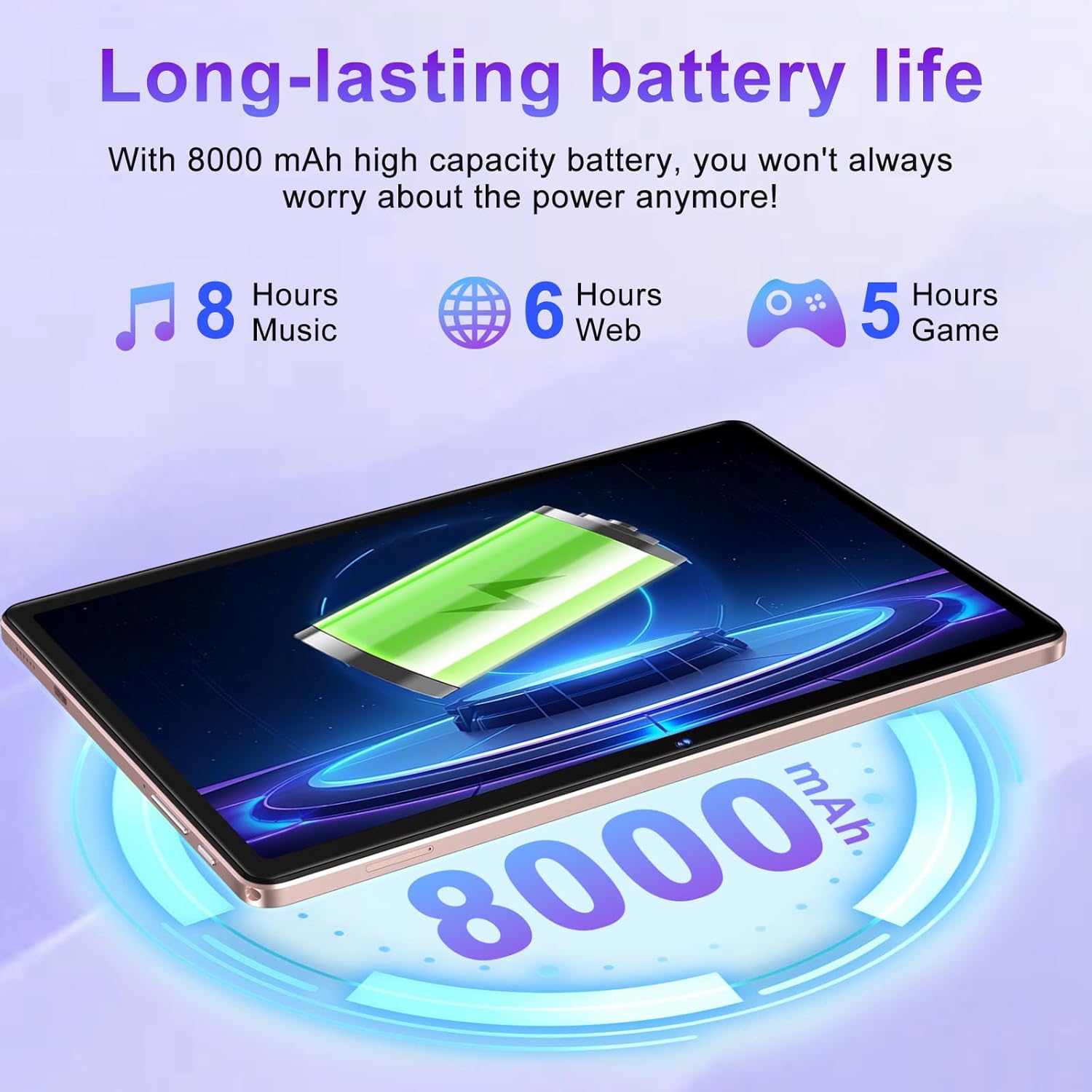
Image 4.4: Illustration of the tablet's 8000mAh battery capacity and its estimated usage times for music, web browsing, and gaming.
4.7. Widevine L1 Support
The SUAAT S6 tablet supports Widevine L1, enabling high-definition video streaming from popular platforms like YouTube, Prime Video, Hulu, and HBO Max, ensuring a premium viewpatirtį.

Image 4.5: Comparison showing the difference between Widevine L1 (1080P) and L3, indicating the tablet's capability for high-definition streaming from various platforms.
5. Priežiūra
5.1. Planšetinio kompiuterio valymas
Planšetiniam kompiuteriui valyti naudokite minkštą, nepūkuotą šluostę. Įsisenėjusias dėmes šiek tiek nuvalykite.ampen the cloth with water or a screen-safe cleaner. Avoid using harsh chemicals, abrasive materials, or excessive moisture.
5.2. Programinės įrangos atnaujinimai
Periodically check for system updates to ensure your tablet has the latest features, security patches, and performance improvements. Navigate to Nustatymai > Sistema > Sistemos naujinimas , kad patikrintumėte, ar yra atnaujinimų, ir įdiegtumėte juos.
5.3. Akumuliatoriaus priežiūra
To prolong battery life, avoid exposing the tablet to extreme temperatures. It is recommended to keep the battery charge between 20% and 80% for optimal longevity. Avoid leaving the tablet fully charged or fully discharged for extended periods.
6. Problemų sprendimas
This section addresses common issues you might encounter with your SUAAT S6 Tablet.
6.1. Planšetinis kompiuteris neįsijungia
- Ensure the tablet is sufficiently charged. Connect the charger and wait a few minutes before attempting to power on again.
- Norėdami atlikti priverstinį paleidimą iš naujo, paspauskite ir palaikykite maitinimo mygtuką bent 10–15 sekundžių.
6.2. „Wi-Fi“ ryšio problemos
- Patikrinkite, ar įjungtas „Wi-Fi“ ryšys Nustatymai > Tinklas ir internetas > Internetas.
- Paleiskite iš naujo „Wi-Fi“ maršrutizatorių.
- Pamirškite tinklą ir vėl prisijunkite iš naujo įvesdami slaptažodį.
- Įsitikinkite, kad esate „Wi-Fi“ signalo diapazone.
6.3. Programėlių strigimas arba užstrigimas
- Uždarykite probleminę programėlę ir vėl ją atidarykite.
- Išvalykite programos talpyklą ir duomenis Nustatymai > Programos > [Programos pavadinimas] > Saugykla ir talpykla.
- Ensure the app is updated to its latest version via the Google Play Store.
- Iš naujo paleiskite planšetinį kompiuterį.
6.4. Lėtas veikimas
- Uždarykite nenaudojamas fonines programas.
- Atlaisvinkite vietos saugykloje ištrindami nereikalingus files or uninstalling unused apps.
- Reguliariai paleiskite planšetinį kompiuterį iš naujo.
- Kraštutiniu atveju apsvarstykite galimybę atkurti gamyklinius nustatymus (Note: This will erase all data on the tablet. Back up important data first.).
7. Specifikacijos
Detailed technical specifications for the SUAAT S6 Tablet:
| Funkcija | Specifikacija |
|---|---|
| Modelio pavadinimas | S6 |
| Operacinė sistema | Android 14 |
| Procesorius | Octa-core T606, 2 GHz |
| RAM | 24 GB |
| Vidinė saugykla | 256 GB |
| Išplečiama saugykla | Iki 1 TB per „Micro SD“ kortelę |
| Ekrano dydis | 11 colių |
| Ekrano raiška | 1280x800 Pixels (Max 2000x1200) |
| Galinė kamera | 13 MP |
| Priekinė kamera | 5 MP |
| Baterijos talpa | 8000 mAh (ličio polimeras) |
| Belaidis tipas | 802.11ac (5 G / 2.4 G belaidis internetas) |
| Bluetooth | Bluetooth 5.0 |
| Matmenys (IxPxH) | 10.16 x 6.61 x 0.32 colio |
| Prekės svoris | 1.15 svaro |
| Spalva | Rožinis auksas |
8. Garantija ir palaikymas
SUAAT is committed to providing excellent customer service and product support.
8.1. Aptarnavimas po pardavimo
For any inquiries or issues regarding your SUAAT S6 Tablet, the brand offers 24-hour after-sales service. Please refer to your purchase documentation or the official SUAAT store page for contact details.
8.2. Techninė pagalba
Professional technical support is available to assist you with setup, troubleshooting, and general usage questions. Contact information can typically be found on the SUAAT brand store or within the product packaging.
Dėl papildomos informacijos ir pagalbos galite apsilankyti SUAAT Store on Amazon.