
1. Įvadas
Thank you for choosing the HITRENDS Magic Light Wand and Wireless Remote Control Outlet. This product provides a convenient and fun way to control your Christmas tree lights and other home decorations wirelessly. Please read this manual carefully before use to ensure proper operation and safety.
2. Saugos informacija
- Saugokite gaminį nuo vandens ar per didelės drėgmės.
- Ensure the receiver is plugged into a standard 120V AC outlet.
- Do not overload the receiver. Refer to specifications for maximum wattage.
- Keep the Magic Light Wand away from small children to prevent choking hazards from small parts.
- Replace batteries in the wand only with the specified type (2 AA batteries).
- Unplug the receiver from the wall outlet when not in use for extended periods.
3. Pakuotės turinys
Į paketą įeina šie elementai:
- 1 x Magic Light Wand (requires 2 AA batteries, not included)
- 1 x Wireless Remote Control Outlet Receiver (3-prong)
4. Produktas baigtasview
The HITRENDS Magic Light Wand system consists of two main components: the Magic Light Wand and the Wireless Remote Control Outlet Receiver.
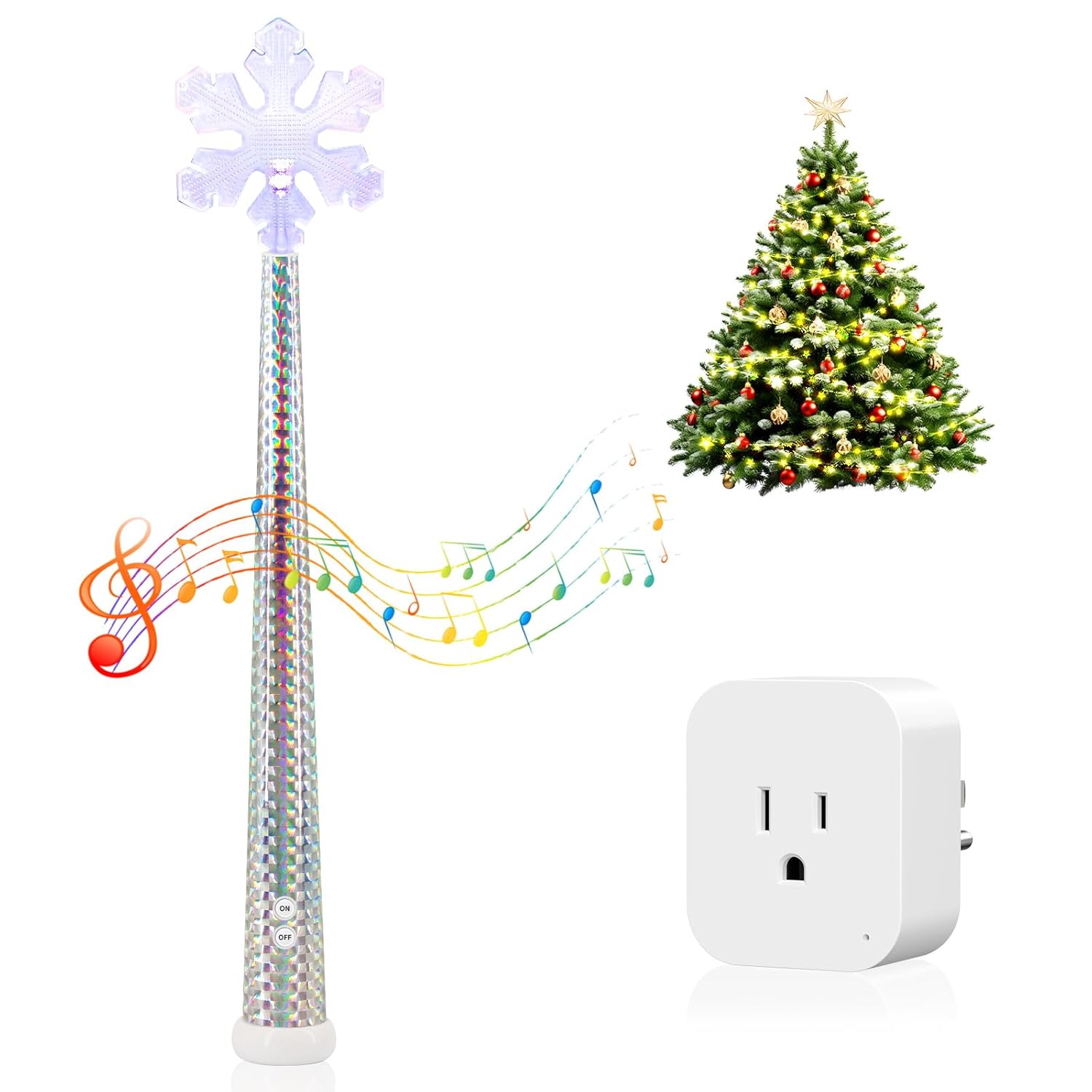
Image 4.1: The Magic Light Wand and its accompanying Wireless Remote Control Outlet Receiver.

4.2 pav.: Išsamus view of the Magic Light Wand, highlighting its RGB LED light, battery compartment (for 2 AA batteries, not included), high-quality speaker for music, and ON/OFF buttons.
The Magic Light Wand features an RGB LED light, a speaker for music, and ON/OFF buttons. The Wireless Remote Control Outlet Receiver is a compact 3-prong device designed to plug into a standard wall outlet.
5. Sąrankos instrukcijos
Follow these steps to set up your Magic Light Wand and Wireless Remote Control Outlet:
- Insert Batteries into the Wand: Open the battery compartment on the Magic Light Wand and insert 2 AA batteries (not included), ensuring correct polarity.
- Prijunkite imtuvą: Insert the Wireless Remote Control Outlet Receiver into any standard 3-prong wall outlet.
- Prijunkite savo šviestuvus: Plug the string lights or other decoration lights you wish to control into the 3-prong outlet on the receiver.

Image 5.1: Visual guide for connecting the receiver to a wall socket and plugging in the string lights.
6. Naudojimo instrukcijos
Once set up, you can control your lights using the Magic Light Wand.
6.1 Pagrindinis įjungimo/išjungimo valdymas
- To turn the connected lights ON, press the 'ON' button on the Magic Light Wand.
- To turn the connected lights IŠJUNGTA, press the 'OFF' button on the Magic Light Wand.

Image 6.1: A person using the Magic Light Wand to control Christmas tree lights, demonstrating the wireless remote control functionality with a range of up to 100 feet.
6.2 Shaking Mode and Music Effects
The Magic Light Wand also features an interactive shaking mode with music:
- Press and hold the button on the wand for approximately 5 seconds to activate the shaking mode.
- Once in shaking mode, gently shake the wand to control the lights and activate musical surprises.

Image 6.2: A child demonstrating the shaking mode of the Magic Light Wand to control lights, accompanied by musical effects.
6.3 Belaidžio ryšio diapazonas
The wireless remote control operates effectively up to 100 feet (approximately 30 meters) away from the receiver, allowing flexible placement and control.
6.4 Universalus naudojimas
This system is suitable for controlling various types of decorative lights and small appliances, including LED lights, floor lamps, and holiday decorations.

6.3 pav.: pvz.amples of various indoor and outdoor decoration lights that can be controlled using the HITRENDS Magic Light Wand system.
7. Priežiūra
- Valymas: Wipe the Magic Light Wand and receiver with a dry, soft cloth. Do not use abrasive cleaners or immerse in water.
- Baterijos keitimas: When the wand's lights dim or the music becomes faint, replace the 2 AA batteries. Ensure proper polarity during replacement.
- Saugykla: Store the product in a cool, dry place when not in use. Remove batteries from the wand if storing for extended periods to prevent leakage.
8. Problemų sprendimas
- Lights not turning on/off:
- Check if the receiver is securely plugged into a live wall outlet.
- Ensure the lights are properly plugged into the receiver.
- Verify that the Magic Light Wand has fresh batteries and they are inserted correctly.
- Ensure the wand is within the 100-foot operating range of the receiver.
- Wand not lighting up or playing music:
- Replace the AA batteries in the wand.
- Ensure the ON/OFF buttons on the wand are pressed firmly.
- Trikdžiai: If experiencing intermittent control, try moving the receiver or wand to a different location to avoid potential interference from other electronic devices.
9. Specifikacijos
- Prekinis ženklas: HITRENDS
- Modelis: Magic Light Wand and Wireless Remote Control Outlet
- Power Input (Receiver): 120V kintamoji srovė
- Wand Battery: 2 x AA baterijos (į komplektą neįeina)
- Belaidis diapazonas: Iki 100 pėdų (apie 30 metrų)
- Receiver Plug Type: 3-šakės
- Sertifikatai: UL tested & certified (Receiver)
- Pakuotės matmenys: 15.2 x 3.27 x 2.83 colio
- Pakuotės svoris: 8.15 uncijos

Image 9.1: Detailed dimensions of the Magic Light Wand and the Wireless Remote Control Outlet Receiver.
10. Garantija ir palaikymas
HITRENDS products are designed for reliability and performance. For any questions, technical support, or warranty inquiries, please contact HITRENDS customer service through the retailer's platform or the official HITRENDS websvetainę. Kreipdamiesi į palaikymo tarnybą, turėkite po ranka savo produkto modelį ir pirkimo datą.