
1. Įvadas
This manual provides detailed instructions for the safe and efficient use of your Phomemo A30 Thermal Transfer Label Printer. Please read this manual thoroughly before operating the device and retain it for future reference.
Produktas baigtasview
The Phomemo A30 is a compact, portable thermal transfer label printer designed for various labeling needs. It connects wirelessly via Bluetooth to smartphones and tablets, offering ink-free printing with customizable designs.

Image 1.1: The Phomemo A30 Label Printer, showcasing its design and various label outputs.
Pagrindinės savybės
- Terminio pernešimo spausdinimas: Utilizes thermal transfer technology for durable, ink-free labels.
- Bluetooth ryšys: Seamless wireless connection to compatible smart devices.
- Nešiojamas dizainas: Kompaktiškas ir lengvas, kad būtų lengva transportuoti ir naudoti.
- Įkraunama baterija: Built-in 1200mAh battery for cordless operation.
- Patvarios etiketės: Labels are resistant to water, oil, and abrasion, suitable for indoor and outdoor use.
- Universalūs etikečių tipai: Supports pre-cut, continuous, patterned, magnetic, fabric iron-on, glitter, and luminous labels.
- Išmaniųjų programėlių integravimas: Features the 'Print Master' app with extensive customization options, including fonts, symbols, and templates.
2. Sąranka
2.1 Išpakavimas ir pakuotės turinys
Atsargiai išpakuokite visus daiktus iš dėžės. Įsitikinkite, kad yra šie komponentai:
- Phomemo A30 Label Printer
- Roll Paper for Printer (pre-installed or separate)
- Vartotojo vadovas (šis dokumentas)
- USB kabelis (C tipo)
2.2 Spausdintuvo įkrovimas
Before first use, fully charge the printer. Connect the provided USB Type-C cable to the printer's charging port and a compatible USB power adapter (not included). The indicator light will show charging status.
2.3 Programos diegimas
The Phomemo A30 operates via the 'Print Master' application. Download the app from your device's app store (iOS or Android) or scan the QR code provided in the quick start guide (if applicable).
2.4 Bluetooth poravimas
- Įsitikinkite, kad spausdintuvas įjungtas.
- Įjunkite „Bluetooth“ išmaniajame telefone ar planšetiniame kompiuteryje.
- Atidarykite programėlę „Spausdinimo meistras“.
- Within the app, search for available devices and select 'Phomemo A30' to connect. The app will indicate a successful connection.

Image 2.1: The Phomemo A30 printer demonstrating intelligent connectivity with a smartphone and laptop.
2.5 Loading Label Cartridge
The A30 printer uses label cartridges. Open the printer cover, insert the label cartridge according to the directional indicators, and ensure it clicks into place. Close the cover. The printer automatically recognizes compatible consumables within the supported size of 12mm (0.47 inch) width.
3. Naudojimo instrukcijos
3.1 Maitinimo įjungimas/išjungimas
- Maitinimas: Paspauskite ir palaikykite maitinimo mygtuką, kol užsidegs indikatoriaus lemputė.
- Išjungti: Paspauskite ir palaikykite maitinimo mygtuką, kol užges indikatoriaus lemputė.
3.2 Using the 'Print Master' App
The 'Print Master' app is your primary interface for creating and printing labels. It offers a wide range of customization options:
- Teksto įvestis: Enter desired text for your labels.
- Fonts & Styles: Choose from over 200 built-in fonts and adjust size, bold, italic, etc.
- Simboliai ir piktogramos: Access over 600 symbols to enhance your labels.
- Šablonai: Utilize 200+ border templates and various pre-designed label templates for quick creation.
- QR Codes & Barcodes: Generate and print QR codes or barcodes directly from the app.
- Images & Timestamps: Insert images or add timestamps to your labels.

Image 3.1: The 'Print Master' app interface, illustrating the extensive customization options available.
3.3 Spausdinimo procesas
- Design your label within the 'Print Master' app.
- Ensure the printer is connected via Bluetooth.
- Tap the 'Print' button in the app.
- The printer will feed and print the label.
3.4 Integruoto pjaustytuvo naudojimas
After printing, use the integrated paper cutter to cleanly separate the label from the roll. Slide the cutter lever across the label exit slot to achieve a straight edge.
3.5 Palaikomi etikečių tipai ir jų taikymas
The A30 supports a wide range of label types, expanding its utility:
- Pre-cut/Continuous Labels: Standartinės etiketės bendram naudojimui.
- Patterned Labels: Labels with decorative designs.
- Refrigerator Magnetic Labels: For organizing items on magnetic surfaces.
- Fabric Iron-on Labels: For clothing and textile identification.
- Glitter Labels: For decorative purposes.
- Luminous Labels: Labels that glow in the dark for visibility in low light.

Image 3.2: The Phomemo A30 printer customizing gift ribbons with personalized content.
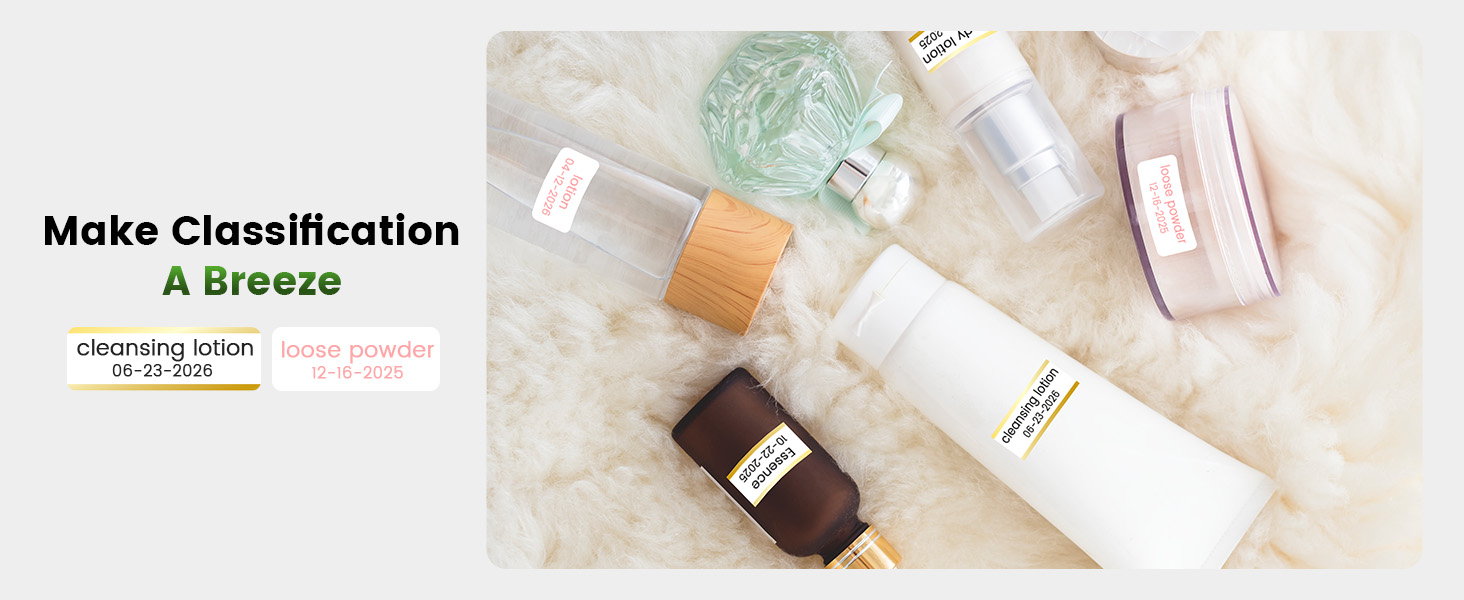
3.3 pav.: pvz.ample of magnetically sticking labels on a refrigerator for organization.
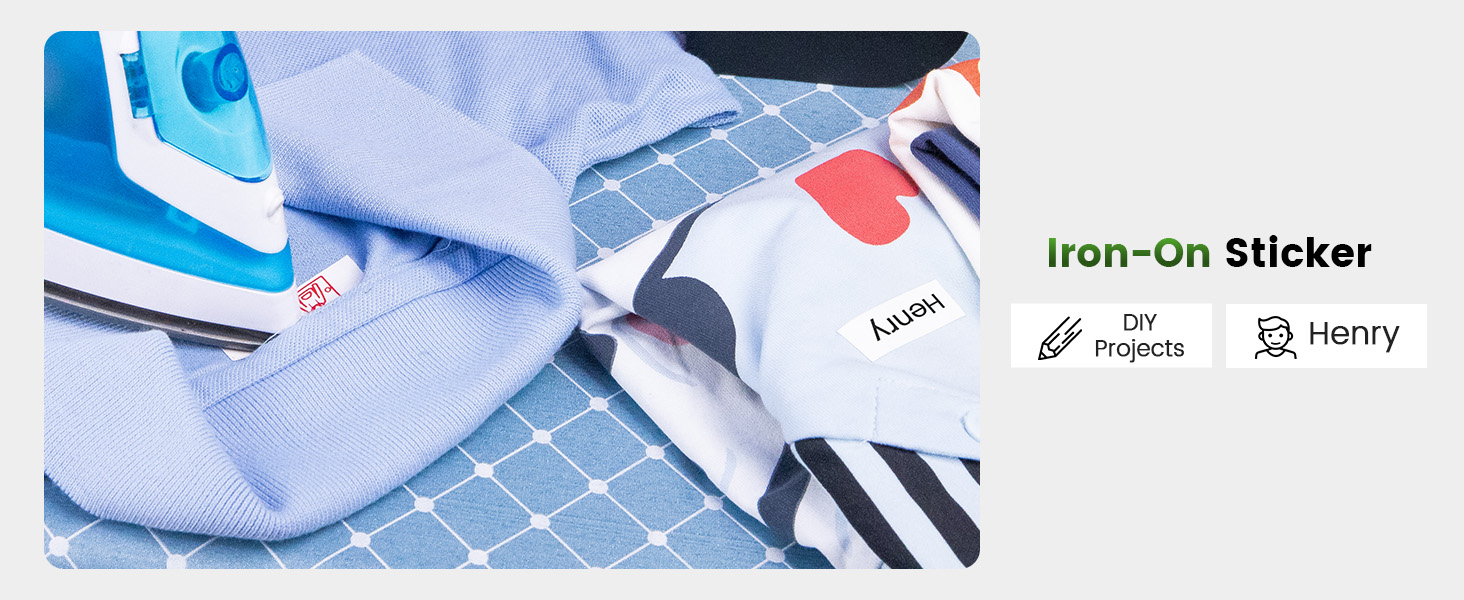
Image 3.4: Luminous labels applied to light switches for easy identification in the dark.

Image 3.5: An iron-on sticker being applied to clothing, demonstrating its use for fabric labeling.
4. Priežiūra
4.1 Spausdintuvo galvutės valymas
To ensure optimal print quality, regularly clean the thermal print head. Use a soft, lint-free cloth lightly dampened with isopropyl alcohol. Gently wipe the print head surface. Ensure the printer is off and cool before cleaning.
4.2 Akumuliatoriaus priežiūra
- Venkite dažnai visiškai iškrauti akumuliatorių.
- Charge the printer regularly, even if not in use, to maintain battery health.
- Do not expose the printer to extreme temperatures, as this can affect battery life.
4.3 Saugykla
Store the printer in a cool, dry place away from direct sunlight and excessive dust. If storing for an extended period, ensure the battery is partially charged (around 50%) and recharge every few months.
5. Problemų sprendimas
This section addresses common issues you might encounter with your Phomemo A30 printer.
| Problema | Galima priežastis | Sprendimas |
|---|---|---|
| Spausdintuvas neįsijungia | Išsikrovęs akumuliatorius; netinkamai paspaustas maitinimo mygtukas | Charge the printer; Press and hold the power button firmly. |
| Nepavyksta prisijungti per Bluetooth | Bluetooth off on device; Printer not in pairing mode; App issue | Ensure Bluetooth is enabled; Restart printer and app; Try pairing again. |
| Poor print quality (faint, blurry) | Nešvari spausdinimo galvutė; Neteisingas etiketės tipas; Išsikrovusi baterija | Clean the print head (see Section 4.1); Ensure correct thermal transfer labels are used; Charge the printer. |
| Etiketės netinkamai tiekiamos | Label cartridge improperly installed; Label jam | Reinstall the label cartridge; Open cover and clear any jammed labels. |
| App features require subscription | Some advanced templates/features are premium | Utilize free features or consider purchasing a subscription if desired. |
If the issue persists, please refer to the 'Print Master' app's help section or contact Phomemo customer support.
6. Specifikacijos
| Funkcija | Detalė |
|---|---|
| Prekės ženklas | Phomemo |
| Modelio pavadinimas | A30 (M836) |
| Spausdinimo technologija | Terminis perdavimas |
| Ryšio technologija | Bluetooth |
| Techninės įrangos sąsaja | C tipo USB |
| Spausdintuvo išvestis | Vienspalvis |
| Didžiausias spausdinimo greitis, vienspalvis | 5 ppm |
| Maksimali nespalvoto spausdinimo raiška | 203 dpi |
| Suderinami įrenginiai | Išmanieji telefonai, planšetiniai kompiuteriai („Android“, „iOS“) |
| Maksimalus laikmenos dydis | 15 mm |
| Lapo dydis | 14 milimetrai |
| Spausdintuvo rašalo tipas | No Ink (Thermal Transfer) |
| Baterijos | Reikalinga 1 A baterija (pridedama) |
| Gaminio matmenys | 8.27 x 1.85 x 2.56 colio |
| Prekės svoris | 5.6 uncijos (160 gramų) |
| Įtraukti komponentai | Label Printer, Roll Paper for Printer, User Manual, USB Cable |
7. Garantija ir palaikymas
7.1 Informacija apie garantiją
The Phomemo A30 Thermal Transfer Label Printer comes with a limited warranty. Please refer to the warranty card included in your package or the official Phomemo websvetainėje rasite konkrečias sąlygas, susijusias su garantijos aprėptimi ir trukme.
7.2 Pagalba klientams
For technical assistance, troubleshooting not covered in this manual, or warranty claims, please contact Phomemo customer support through their official websvetainėje arba kontaktinę informaciją, pateiktą kartu su jūsų produkto dokumentais.