
1. Įvadas
This manual provides detailed instructions for the Zopsc 5K Digital Camera, a versatile device designed for photography and vlogging. It features a 48MP ultra-high resolution sensor, 16X digital zoom, a 3.5-inch display, and various flash modes. The camera is equipped with autofocus and six-axis stabilization for clear images and videos, along with built-in wireless connectivity for easy sharing.
2. Pakuotės turinys
Prašome patikrinti pakuotę, kad įsitikintumėte, jog yra visi reikalingi daiktai:
- 1x skaitmeninis fotoaparatas
- 1 x Battery (NP60 1050mAh)
- 1 x UV Filter
- 1 x objektyvo dangtelis
- 1x USB laidas
- 1 x Multimedia Cable
- 1 x Valymo šluostė
- 1 x Rankinis dirželis
- 1 x nešiojimo krepšys
- 1 x Vartotojo vadovas

Image: All items included in the Zopsc 5K Digital Camera package.
3. Produktas baigtasview
The Zopsc 5K Digital Camera features a compact design with a 3.5-inch IPS display on the rear for clear viewing and menu navigation. The front houses the lens with 16X powerful zoom capabilities and a built-in flash. A hot shoe mount is located on top for external accessories like microphones or additional lighting.

Vaizdas: Priekyje ir gale views of the Zopsc 5K Digital Camera, highlighting the display and lens.
4. Sąranka
4.1 Akumuliatoriaus įdėjimas
- Raskite baterijų skyriaus dangtelį fotoaparato apačioje.
- Pastumkite skląstį, kad atidarytumėte dangtelį.
- Insert the provided NP60 1050mAh lithium battery, ensuring the correct orientation according to the diagram inside the compartment.
- Uždarykite baterijų skyriaus dangtelį, kol jis tvirtai spragtelės.
4.2 Atminties kortelės įdėjimas
The camera supports storage cards from 4GB to 256GB. A C10/U1 or higher speed card is recommended for optimal performance.
- Locate the memory card slot, typically near the battery compartment or on the side of the camera.
- Įdėkite atminties kortelę kontaktais teisinga kryptimi, kol ji spragtelės ir užsifiksuos.
- Norėdami išimti, švelniai paspauskite kortelę, kol ji iššoks.
4.3 Pradinis įjungimas
After installing the battery and memory card, press and hold the power button (usually located on the top of the camera) to turn on the device. The 3.5-inch display will illuminate.
5. Naudojimo instrukcijos
5.1 Pagrindinės operacijos
- Maitinimo įjungimas/išjungimas: Paspauskite ir palaikykite maitinimo mygtuką.
- Meniu naršymas: Use the directional buttons (up, down, left, right) and the 'OK' button to navigate through the camera's menu on the 3.5-inch display.
- Režimo ratukas: Rotate the function dial to switch between different modes such as photo taking, video recording, continuous shooting, time lapse, loop recording, and slow motion.
5.2 Fotografavimo funkcijos
- Automatinis fokusavimas: The camera features automatic focus to quickly lock onto your subject, ensuring clear images.
- Blykstės režimai: Select from three flash modes (e.g., Auto, Fill-in, Red-eye Reduction) to suit different lighting conditions, whether indoors or outdoors.
- 16X skaitmeninis priartinimas: Use the zoom controls to magnify distant subjects up to 16 times.

Image: Demonstration of the 16X digital zoom capability, focusing on a distant object.
5.3 Vaizdo įrašymas
- 5K Recording: Record high-resolution videos at 5K 30FPS for detailed footage.
- Ciklo įrašymas: Nuolat įrašinėti vaizdo įrašą, perrašant seniausius files kai atminties kortelė pilna.
- Lėtas judėjimas: Capture dynamic scenes in slow motion for dramatic effects.
5.4 Išplėstinės funkcijos
- Six-Axis Stabilization: This feature reduces blur from camera shake, ensuring stable images and videos even when handheld or in low light.

Image: Visual representation of the 6-axis physical stabilization system, showing its effect on motion shots.
- Wireless Connectivity (Fidelity): Utilize the built-in wireless function to transfer images and videos to your smart devices for quick sharing and editing via a mobile application.
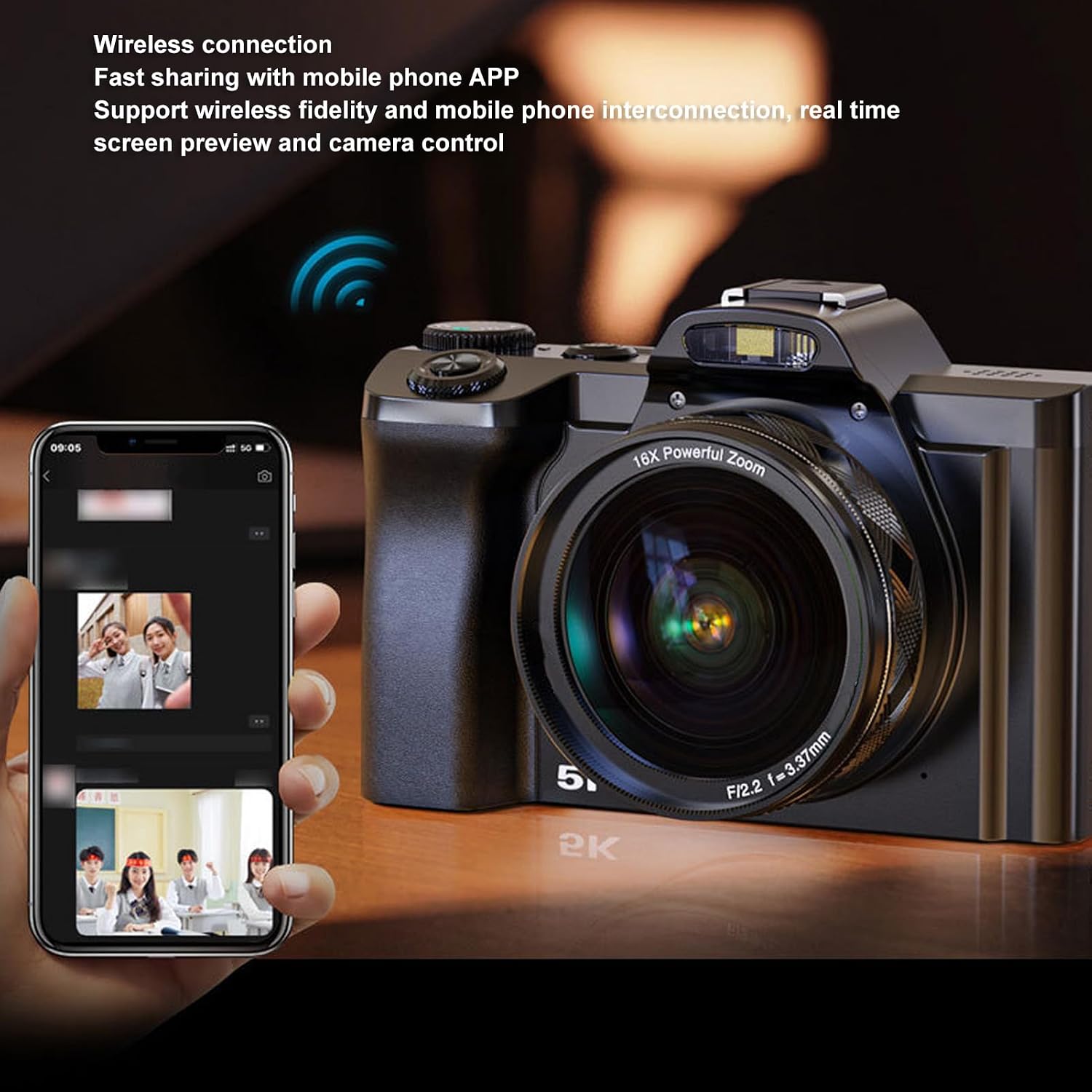
Image: The camera demonstrating wireless connection with a mobile phone application for real-time preview ir kontroliuoti.
- External Hot Shoe: The camera features a professional hot shoe mount, allowing connection of external accessories such as noise-canceling microphones or additional flash units for enhanced audio and lighting.

Image: The camera with various external accessories like a microphone and LED light attached to its hot shoe mount.
6. Priežiūra
- Valymas: Use the provided cleaning cloth to gently wipe the lens and screen. For stubborn smudges, use a specialized lens cleaning solution. Avoid harsh chemicals.
- Saugykla: When not in use, store the camera in the carrying bag in a cool, dry place away from direct sunlight and extreme temperatures. Remove the battery if storing for extended periods.
- Akumuliatoriaus priežiūra: Charge the battery fully before first use. Avoid completely draining the battery frequently to prolong its lifespan.
7. Problemų sprendimas
If you encounter issues with your camera, please refer to the table below for common problems and solutions.
| Problema | Galima priežastis | Sprendimas |
|---|---|---|
| Kamera neįsijungia. | Baterija išsikrovė arba netinkamai įdėta. | Charge the battery or re-insert it correctly. Ensure the battery compartment is closed. |
| Vaizdai neryškūs. | Autofocus failed, camera shake, or dirty lens. | Ensure autofocus is engaged. Hold the camera steady or use the 6-axis stabilization. Clean the lens. |
| Cannot connect to mobile app. | Wireless function is off, incorrect app settings, or distance too far. | Enable wireless connectivity on the camera. Check app settings and ensure camera and phone are close. |
| Atminties kortelės klaida. | Kortelė pilna, sugadinta arba nesuderinama. | Ištrinti files, format the card (this will erase all data), or try a different compatible card (C10/U1 or higher). |
8. Specifikacijos
Detailed technical specifications for the Zopsc 5K Digital Camera:
| Funkcija | Specifikacija |
|---|---|
| Ekrano dydis | 3.5 inches (IPS display) |
| Krašto santykis | 16:9 |
| Maksimali nuotraukos raiška | 48 MP (8000 x 6000) |
| Maksimali vaizdo raiška | 5K 30 FPS |
| Skaitmeninis priartinimas | 16x |
| Vaizdo stabilizavimas | Yes (6-axis physical stabilization) |
| Automatinis fokusavimas | Taip |
| Ryšio technologija | Wireless (Fidelity), USB, Multimedia Cable |
| Supported Storage Card | 4GB to 256GB (C10/U1 recommended) |
| Baterijos tipas | Lithium battery NP60 1050mAh |
| File Formatas | JPG, MP4 |
| Modelio pavadinimas | Zopsce54dh2mif9 |
| Prekės ženklas | Zopsc |
9. Garantija ir palaikymas
Your Zopsc 5K Digital Camera is covered by a manufacturer's warranty. For specific warranty terms, duration, and to register your product, please refer to the warranty card included in your package or visit the official Zopsc website. For technical support, troubleshooting assistance beyond this manual, or service inquiries, please contact Zopsc customer support through the contact information provided on their official websvetainėje arba jūsų pirkimo platformoje.