
1. Įvadas
The Awei H15 Smartwatch is designed to integrate seamlessly into your daily life, offering health monitoring, communication features, and smart notifications. This manual provides essential information for setting up, operating, and maintaining your device.
2. Kas yra dėžutėje
- 1 x Awei H15 Smartwatch
- 1x įkrovimo laidas
- 1 x Naudotojo vadovas (šis dokumentas)
3. Produktas baigtasview
Familiarize yourself with the key components of your Awei H15 Smartwatch.
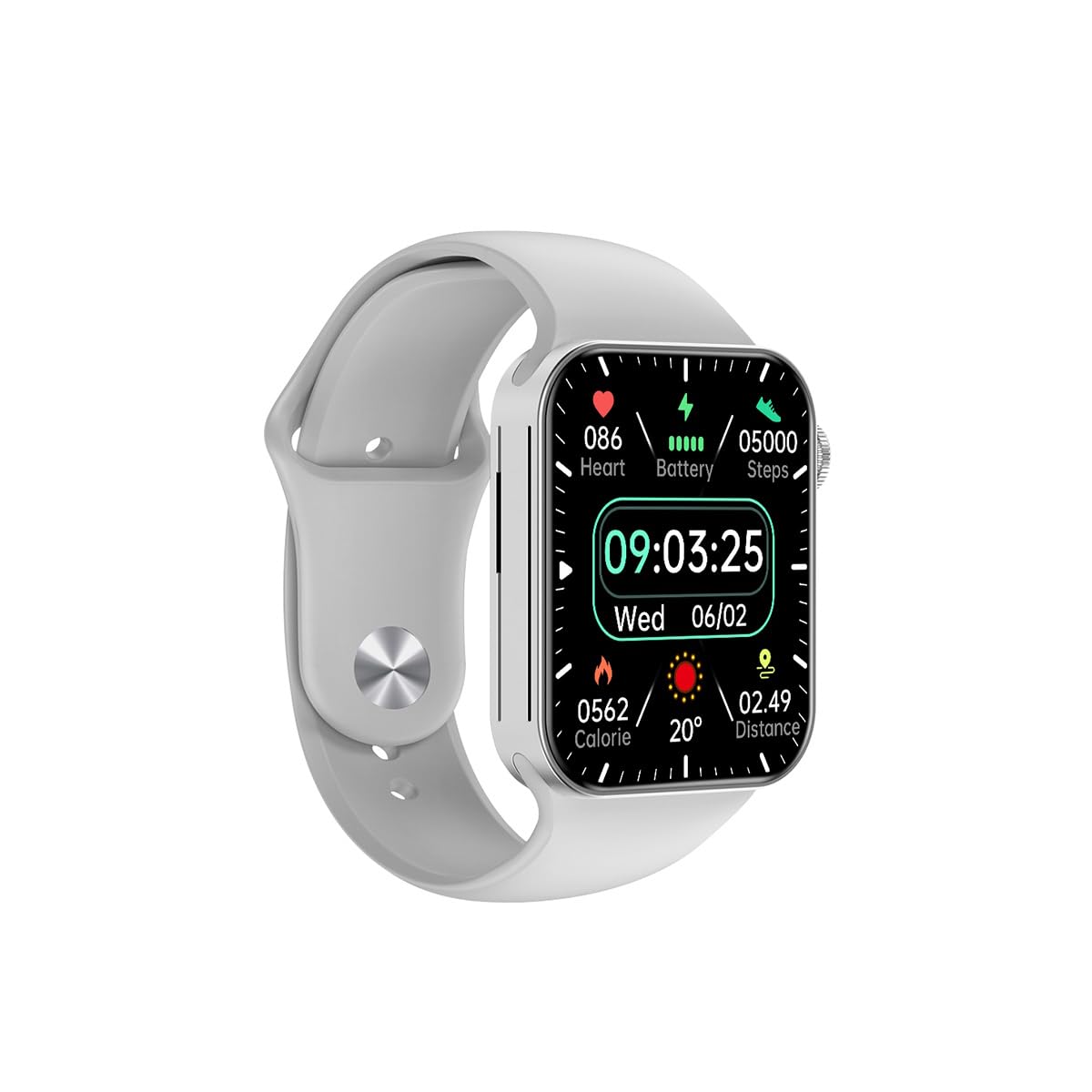
3.1 paveikslas: Priekyje view of the Awei H15 Smartwatch display, illustrating various health metrics and time.

3.2 paveikslas: Šoninė view of the smartwatch, highlighting the rotary crown for navigation and an additional button.
4. Sąranka
4.1 Išmaniojo laikrodžio įkrovimas
Before first use, fully charge your Awei H15 Smartwatch. Connect the provided charging cable to the charging port on the back of the watch and to a standard USB power adapter (not included).
- Įkrovimo laikas: Maždaug 2–3 valandos pilnam įkrovimui.
- Battery Life: Up to 7 days with calls, up to 15 days without calls.
4.2 Maitinimo įjungimas/išjungimas
- Norėdami įjungti: Press and hold the side button until the Awei logo appears.
- Norėdami išjungti: Paspauskite ir palaikykite šoninį mygtuką, tada ekrane pasirinkite „Išjungti“.
4.3 Susiejimas su išmaniuoju telefonu
The Awei H15 Smartwatch uses Dual Bluetooth 3.0/5.0 for stable connectivity. To unlock full features, download the companion app (refer to the packaging or quick start guide for app name) from your smartphone's app store.
- Ensure your smartwatch is powered on and fully charged.
- Įjunkite „Bluetooth“ savo išmaniajame telefone.
- Open the companion app and follow the on-screen instructions to search for and connect to your Awei H15 Smartwatch.
- Patvirtinkite susiejimo užklausą ir išmaniajame telefone, ir išmaniajame laikrodyje.
5. Naudojimo instrukcijos
5.1 Pagrindinė navigacija
- Jutiklinis ekranas: Braukite kairėn, dešinėn, aukštyn arba žemyn, kad naršytumėte meniu ir ekranus. Palieskite, kad pasirinktumėte elementus.
- Rotacinė karūna: Rotate the crown to scroll through lists or zoom in/out (where applicable). Press the crown to return to the home screen or confirm selections.
5.2 Multi-Dial Switching
Customize your smartwatch's appearance by switching between various watch faces.

5.1 paveikslas: Examples of different watch faces available on the Awei H15 Smartwatch.
Norėdami pakeisti laikrodžio veidą:
- Pradiniame ekrane paspauskite ir palaikykite ekraną.
- Braukite kairėn arba dešinėn, kad peržiūrėtumėte galimus laikrodžio ciferblatus.
- Tap on a watch face to select it.
5.3 Sveikatos stebėjimas
The Awei H15 Smartwatch tracks various health metrics to support your active lifestyle.
- Širdies ritmas: Stebėkite savo širdies ritmą visą dieną.
- Veiklos stebėjimas: The built-in G-Sensor (MSA311) accurately tracks steps, distance, and calories burned.
- Miego stebėjimas: Track your sleep patterns (light sleep, deep sleep, wake-up times).
Access detailed health data through the companion app on your smartphone.
5.4 Išmaniosios funkcijos
- Skambučiai: Make and receive calls directly from your smartwatch when connected to your phone via Bluetooth.
- Pranešimai: Receive alerts for messages, emails, and app notifications.
- Orų atnaujinimai: Gaukite orų informaciją realiuoju laiku.
- Muzikos valdymas: Valdykite muzikos atkūrimą išmaniajame telefone.
6. Priežiūra
6.1 Valymas
Reguliariai valykite savo išmanųjį laikrodį, kad užtikrintumėte optimalų veikimą ir higieną.
- Nuvalykite ekraną ir korpusą minkštu, nepūkuotu skudurėliu.
- Įsisenėjusiam purvui šiek tiek pamirkykiteampNuplaukite šluostę vandeniu. Venkite stiprių cheminių medžiagų.
- Reguliariai valykite įkrovimo kontaktus, kad užtikrintumėte gerą ryšį.
6.2 Atsparumas vandeniui (IP67)
The Awei H15 Smartwatch is IP67 water-resistant, meaning it is protected against dust and can withstand immersion in water up to 1 meter for 30 minutes.
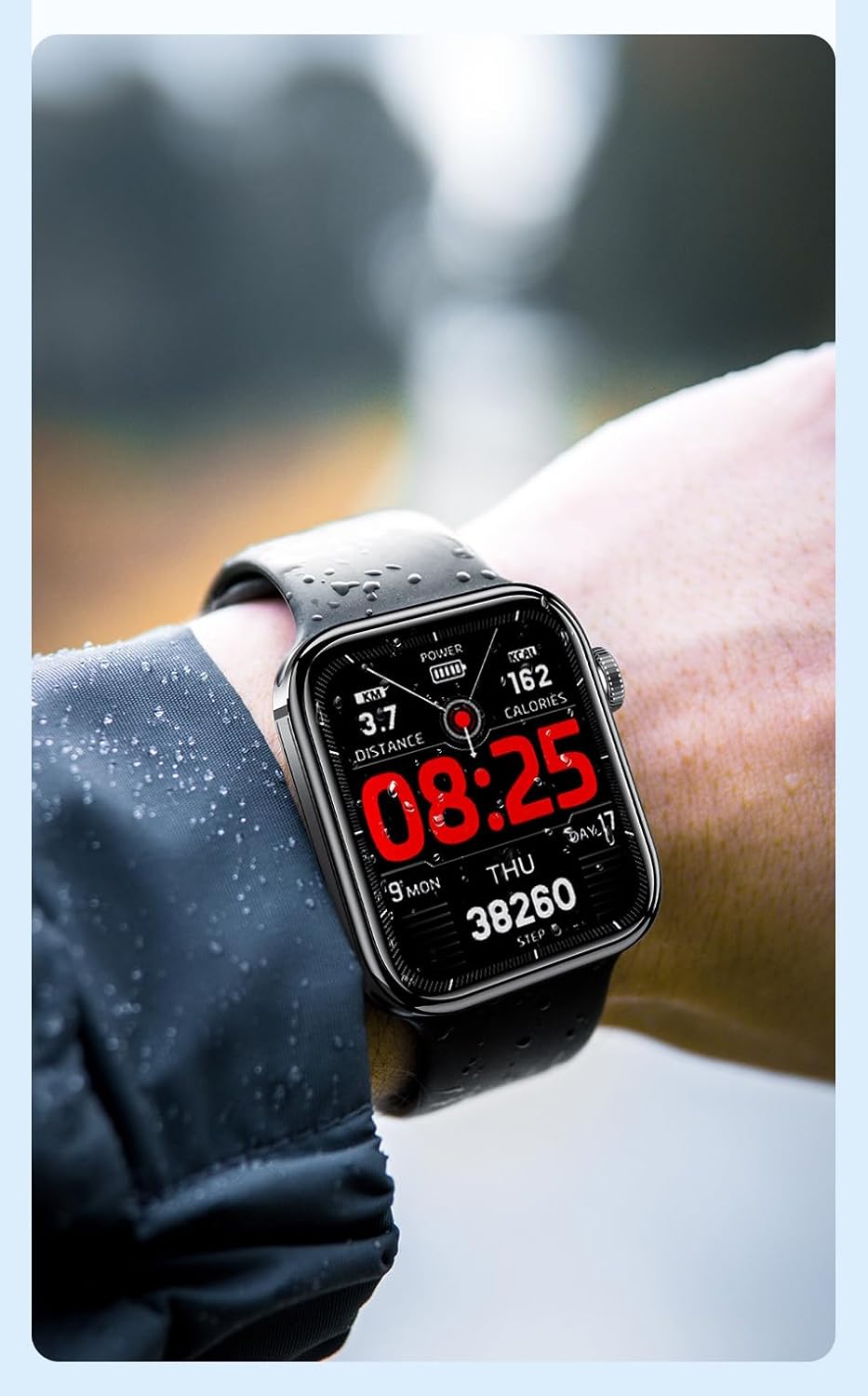
6.1 paveikslas: The Awei H15 Smartwatch is designed to withstand splashes and dust.
Important: IP67 rating does not mean the watch is suitable for swimming, showering, or diving. Avoid exposing the watch to hot water, steam, or high-velocity water.
7. Problemų sprendimas
- Laikrodis neįsijungia: Įsitikinkite, kad laikrodis yra visiškai įkrautas. Prijunkite jį prie įkroviklio bent 30 minučių.
- Nepavyksta susieti su išmaniuoju telefonu:
- Įsitikinkite, kad jūsų telefone ir laikrodyje įjungtas „Bluetooth“.
- Įsitikinkite, kad laikrodis yra jūsų telefono diapazone.
- Iš naujo paleiskite ir laikrodį, ir telefoną.
- Patikrinkite, ar papildoma programėlė atnaujinta į naujausią versiją.
- Netikslūs sveikatos duomenys: Įsitikinkite, kad laikrodis tvirtai uždėtas ant riešo – ne per stipriai ar per laisvai. Nuvalykite jutiklį laikrodžio gale.
- Trumpas baterijos veikimo laikas: Sumažinkite ekrano ryškumą, išjunkite nereikalingus pranešimus ir apribokite nuolatinį širdies ritmo stebėjimą.
8. Specifikacijos
| Funkcija | Specifikacija |
|---|---|
| Modelis | H15 |
| Ryšio technologija | Bluetooth 3.0/5.0 |
| Atsparumas vandeniui | IP67 |
| Baterijos talpa | 260 mAh |
| Įkrovimo laikas | 2-3 valandas |
| Naudojimo laikas | Up to 7 days (with calls), 15 days (without calls) |
| G jutiklis | MSA311 |
| Matmenys | 36.8 × 42.5 × 13.2 mm |
| Apyrankės ilgis | 270 mm |
| Gamintojas | Awei |
9. Garantija ir palaikymas
Your Awei H15 Smartwatch comes with a 6 mėnesių garantija nuo įsigijimo datos. Ši garantija taikoma gamybos defektams, atsiradusiems įprasto naudojimo sąlygomis.
For warranty claims or technical support, please contact your retailer or the official Awei customer service. Keep your proof of purchase for warranty validation.