
1. Įvadas
This manual provides essential information for the proper setup, operation, and maintenance of your redbeat M2 Android 14 Tablet. Please read this guide thoroughly before using your device to ensure optimal performance and longevity.

Image: The redbeat M2 Tablet shown with its included pink protective case. The tablet features a sleek design with a large display.
2. Kas yra dėžutėje
Patikrinkite, ar pakuotėje yra visi reikalingi daiktai:
- redbeat M2 Tablet
- Pink Protective Case
- C tipo įkrovimo laidas
- Instrukcijų knyga (šis vadovas)
- SIM Card Tray Ejector Tool

Image: A visual representation of the redbeat M2 Tablet's physical features, including camera, ports, and buttons, alongside a list of included accessories: the tablet, pink case, Type-C cable, instruction book, and card needle.
3. Įrenginio išdėstymas
Familiarize yourself with the physical components of your redbeat M2 Tablet:
- Priekinė kamera: Located at the top center when held vertically.
- 10.95 colių HD ekranas: Main touchscreen interface.
- Galinė kamera: Located on the back, typically in the upper left corner.
- Maitinimo mygtukas: Usually on the side, used to turn the device on/off or wake/sleep.
- Garsumo mygtukai: Šalia maitinimo mygtuko, skirtas garso lygiams reguliuoti.
- C tipo USB prievadas: Įkrovimui ir duomenų perdavimui.
- 3.5 mm ausinių lizdas: Laidinių garso įrenginių prijungimui.
- SIM Card/MicroSD Card Slot: For inserting SIM cards and expanding storage.
- Four Stereo Speakers: Positioned for enhanced audio output.
4. Sąrankos vadovas
4.1 Pradinis įkrovimas
Before first use, fully charge your tablet using the provided Type-C cable and a compatible 18W fast charger. The 8000mAh battery provides extended usage time.
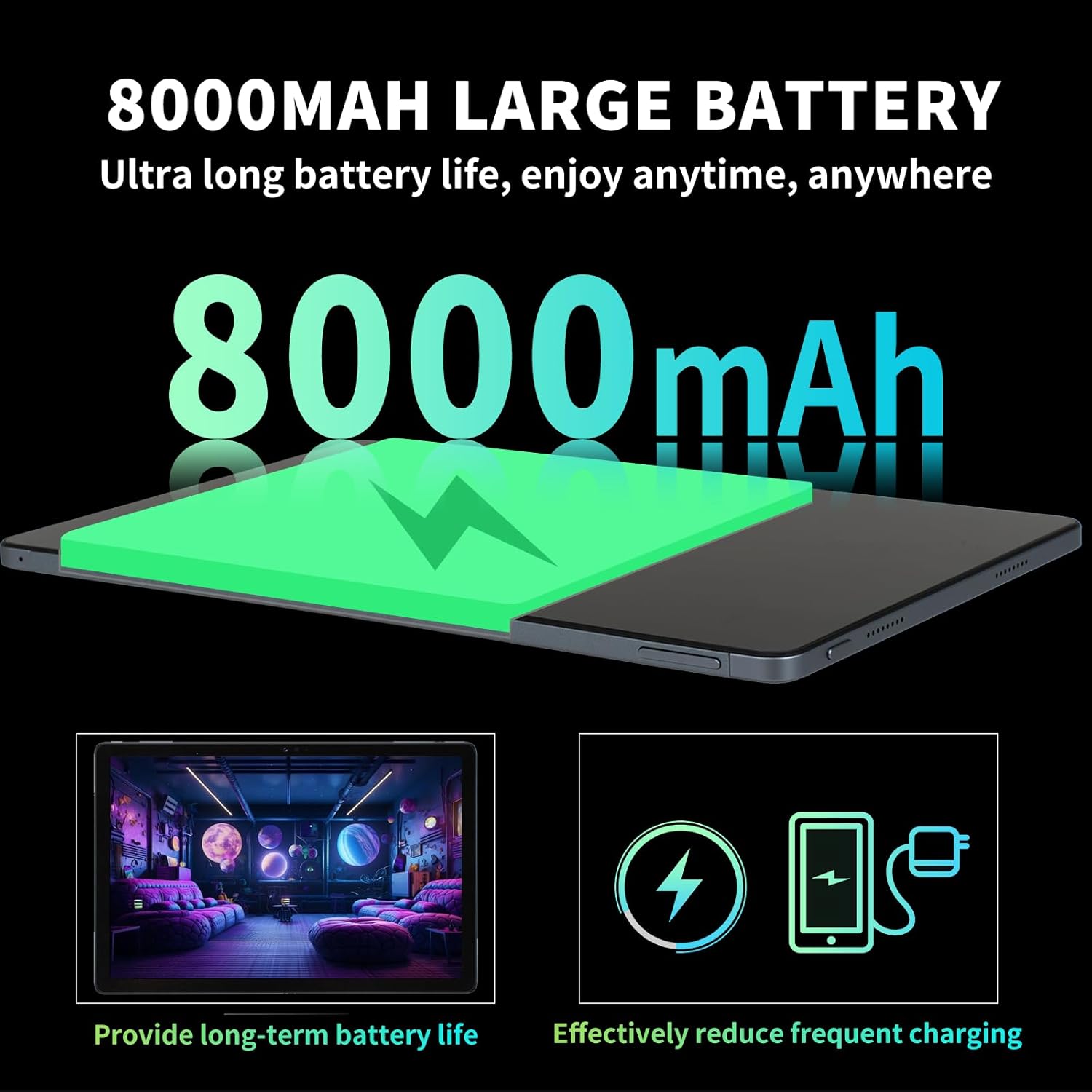
Image: Illustration highlighting the 8000mAh large battery capacity, emphasizing long battery life and reduced charging frequency.
4.2 Maitinimo įjungimas/išjungimas
- Norėdami įjungti: Press and hold the Power button until the redbeat logo appears.
- Norėdami išjungti: Paspauskite ir palaikykite maitinimo mygtuką, tada ekrane rodomoje parinkčių sąraše pasirinkite „Išjungti“.
- Norėdami paleisti iš naujo: Press and hold the Power button, then select 'Restart'.
4.3 SIM kortelės ir atminties išplėtimas
The redbeat M2 Tablet supports dual Nano SIM cards for 4G LTE connectivity and a TF (MicroSD) card for storage expansion up to 1TB.
- Planšetinio kompiuterio šone raskite SIM kortelės dėklą.
- Insert the SIM card tray ejector tool into the small hole next to the tray and press gently until the tray pops out.
- Place your Nano SIM card(s) and/or TF card into the designated slots on the tray. Ensure correct orientation.
- Atsargiai įstatykite dėklą atgal į planšetinį kompiuterį.

Image: The redbeat M2 Tablet displaying its 4G Global Connectivity feature, with an emphasis on dual SIM card support and compatible network frequency bands.
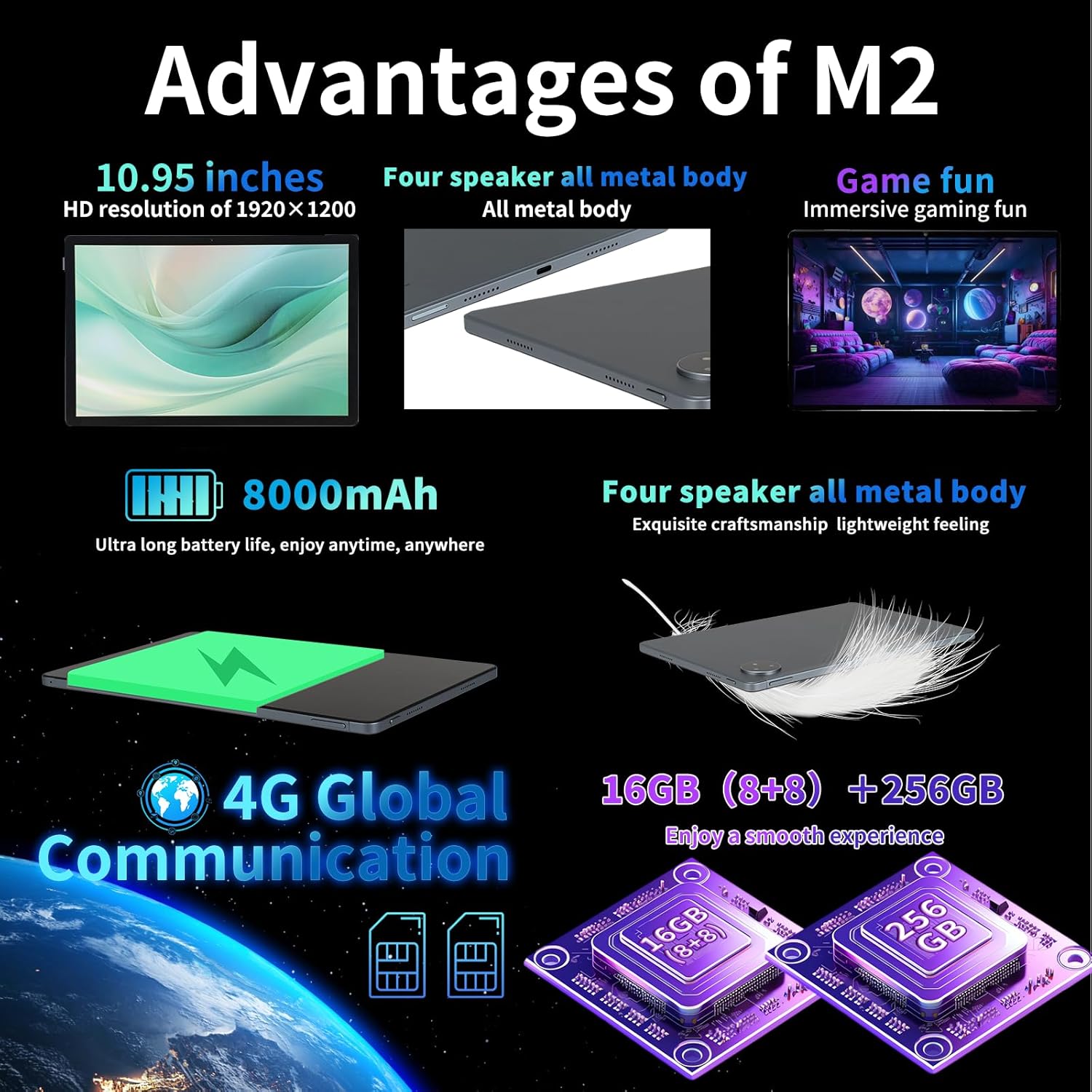
Image: A graphic illustrating the tablet's memory configuration: 16GB (8GB physical + 8GB extended) RAM and 256GB internal storage, with support for up to 1TB external storage.
4.4 Pradinė įrenginio sąranka
Upon first power-on, follow the on-screen prompts to configure your tablet:
- Pasirinkite savo kalbą ir regioną.
- Connect to a Wi-Fi network (2.4G/5G supported).
- Prisijunkite naudodami „Google“ paskyrą arba sukurkite naują. Tai būtina norint atsisiųsti programėles iš „Google Play“ parduotuvės.
- Nustatykite ekrano užraktą (PIN kodą, šabloną, slaptažodį arba veido atrakinimą).
- Review ir sutikite su sąlygomis ir nuostatomis.
5. Naudojimo instrukcijos
5.1 Jutiklinio ekrano gestai
Navigate your tablet using standard Android gestures:
- Bakstelėkite: Pasirinkite elementą arba atidarykite programėlę.
- Ilgas paspaudimas: Pasiekite kontekstinius meniu arba perkelkite piktogramas.
- Perbraukimas: Slinkite per puslapius, sąrašus arba perjunkite pagrindinius ekranus.
- Žiupsnelis, norint priartinti: Priartinkite arba atitolinkite vaizdus ir web puslapių.
5.2 Ryšys
- „Wi-Fi“: Eikite į Nustatymai > Tinklas ir internetas > „Wi-Fi“ to connect to available networks. Supports 2.4G and 5G bands.
- Bluetooth: Eikite į Nustatymai > Prijungti įrenginiai > „Bluetooth“ to pair with Bluetooth devices (e.g., headphones, keyboards). Supports BT5.0.
- Mobilieji duomenys (4G LTE): Ensure a valid SIM card is inserted. Enable mobile data in Nustatymai > Tinklas ir internetas > Mobilusis tinklas.
5.3 Kameros naudojimas
Planšetiniame kompiuteryje yra 13 MP galinė ir 5 MP priekinė kamera.
- Atidarykite programėlę „Kamera“ iš pagrindinio ekrano arba programėlių stalčiaus.
- Norėdami nufotografuoti, palieskite užrakto mygtuką.
- Perjunkite priekinę ir galinę kameras naudodami kameros piktogramą.
- Pasirinkite vaizdo įrašymo režimą, kad įrašytumėte vaizdo įrašus.
5.4 Garsas ir multimedija
Enjoy immersive audio with the tablet's four stereo speakers and Dolby panoramic surround sound. A 3.5mm headphone jack is available for private listening.

Vaizdas: Stambus planas view of the redbeat M2 Tablet's all-metal body and speaker grilles, highlighting its four-speaker audio system and exquisite craftsmanship.
5.5 Face Unlock and GPS
The redbeat M2 Tablet includes Face Unlock for convenient security and GPS for navigation and location-based services.
6. Priežiūra
6.1 Planšetinio kompiuterio valymas
Use a soft, lint-free cloth to clean the screen and body of your tablet. Avoid abrasive materials or harsh chemicals that could damage the surface.
6.2 Programinės įrangos naujiniai
Reguliariai tikrinkite, ar yra programinės įrangos atnaujinimų, ir juos įdiekite, kad jūsų planšetiniame kompiuteryje būtų įdiegtos naujausios funkcijos, saugos pataisymai ir našumo patobulinimai. Eikite į Nustatymai > Sistema > Sistemos naujinimas.
6.3 Saugojimo valdymas
Norėdami optimizuoti našumą, periodiškai tvarkykite planšetinio kompiuterio saugyklą. Ištrinkite nereikalingus files, pašalinkite nenaudojamas programas ir perkelkite didelius medijos failus files to external storage (TF card) if applicable. Go to Nustatymai > Saugykla.
7. Problemų sprendimas
If you encounter issues with your redbeat M2 Tablet, refer to the following common solutions:
- Įrenginys neįsijungia: Ensure the battery is charged. Connect the tablet to the charger for at least 30 minutes before attempting to power on.
- Ekranas nereaguoja: Try restarting the tablet by holding the Power button for 10-15 seconds.
- „Wi-Fi“ / 4G ryšio problemos: Toggle Wi-Fi/Mobile Data off and on. Restart your router or check your SIM card insertion.
- Programėlės stringa arba veikia lėtai: Uždarykite fonines programas, išvalykite programų talpyklą (Nustatymai > Programos > [Programos pavadinimas] > Atmintis ir talpykla > Išvalyti talpyklą), or restart the tablet.
- Baterija greitai išsikrauna: Reduce screen brightness, disable unused features (Bluetooth, GPS, Wi-Fi when not needed), and check for power-intensive apps in Nustatymai> Baterija.
- Planšetinis kompiuteris neįkraunamas: Ensure the Type-C cable and charger are working correctly. Try a different cable or power adapter. Clean the charging port for any debris.
If problems persist, contact redbeat customer support for further assistance.
8. Specifikacijos
| Funkcija | Specifikacija |
|---|---|
| Modelio pavadinimas | M2 |
| Operacinė sistema | Android 14 |
| Procesorius | „Unisoc T616“ aštuonių branduolių, 2 GHz |
| RAM | 16 GB (8 GB + 8 GB išplėstinė) |
| Vidinė saugykla | 256 GB |
| Išplečiama saugykla | Iki 1 TB (TF kortelė) |
| Ekrano dydis | 10.95 colių |
| Ekrano raiška | 1920 x 1200 pikselių (2K HD) |
| Galinė kamera | 13 MP |
| Priekinė kamera | 5 MP |
| Baterijos talpa | 8000 mAh |
| Įkrovimas | 18 W greitasis įkrovimas (C tipo) |
| Belaidis ryšys | Wi-Fi (802.11n, 2.4G/5G), Bluetooth 5.0 |
| Mobilusis ryšys | 4G LTE Dual SIM (GSM, WCDMA, LTE bands) |
| Matmenys (IxPxH) | 10.28 x 6.89 x 0.47 colio |
| Prekės svoris | 1.54 svaro (apie 511 g) |
| Kitos funkcijos | GPS, Face Unlock, Four Stereo Speakers |
9. Garantija ir palaikymas
redbeat is committed to providing quality products and customer satisfaction.
- Klientų aptarnavimas visą gyvenimą: redbeat offers lifetime customer service to assist with any queries or issues.
- Vienerių metų ribota garantija: Your redbeat M2 Tablet includes a one-year warranty covering manufacturing defects.
- 30 dienų pinigų grąžinimo garantija: A 30-day money-back guarantee and free return policy are available.
For support, please refer to the contact information provided with your purchase or visit the official redbeat websvetainę.