
Įvadas
The Xiaomi Smart Camera C500 is an advanced indoor surveillance camera designed to provide comprehensive monitoring for your home. Featuring a dual-lens system, 4-megapixel resolution, and dual-band Wi-Fi 6 connectivity, it offers enhanced security features such as human tracking, crying detection, and pet tracking. This manual provides detailed instructions for setting up, operating, and maintaining your camera to ensure optimal performance.
Saugos informacija
- Įsitikinkite, kad kamera sumontuota stabilioje vietoje, kad ji nenukristų.
- Naudokite tik originalų maitinimo adapterį, pateiktą kartu su įrenginiu.
- Nelaikykite fotoaparato ekstremalioje temperatūroje, drėgmėje ar tiesioginiuose saulės spinduliuose.
- Keep the camera away from water or other liquids. This product is not water-resistant.
- Nebandykite patys ardyti ar taisyti fotoaparato. Pagalbos kreipkitės į įgaliotąjį techninės priežiūros personalą.
- Laikyti vaikams nepasiekiamoje vietoje.
Pakuotės turinys
Patikrinkite, ar pakuotėje yra visi reikalingi daiktai:
- 1 × Xiaomi Smart Camera C500 4MP Dual Lens with Wi-Fi 6 Dual-Band
- Maitinimo adapteris
- Mounting Accessories (if applicable for ceiling/wall mount)
- Vartotojo vadovas
Produktas baigtasview
The Xiaomi Smart Camera C500 features a compact dome design with dual lenses for extended coverage. It includes a power port, status indicator light, and a microSD card slot for local storage.
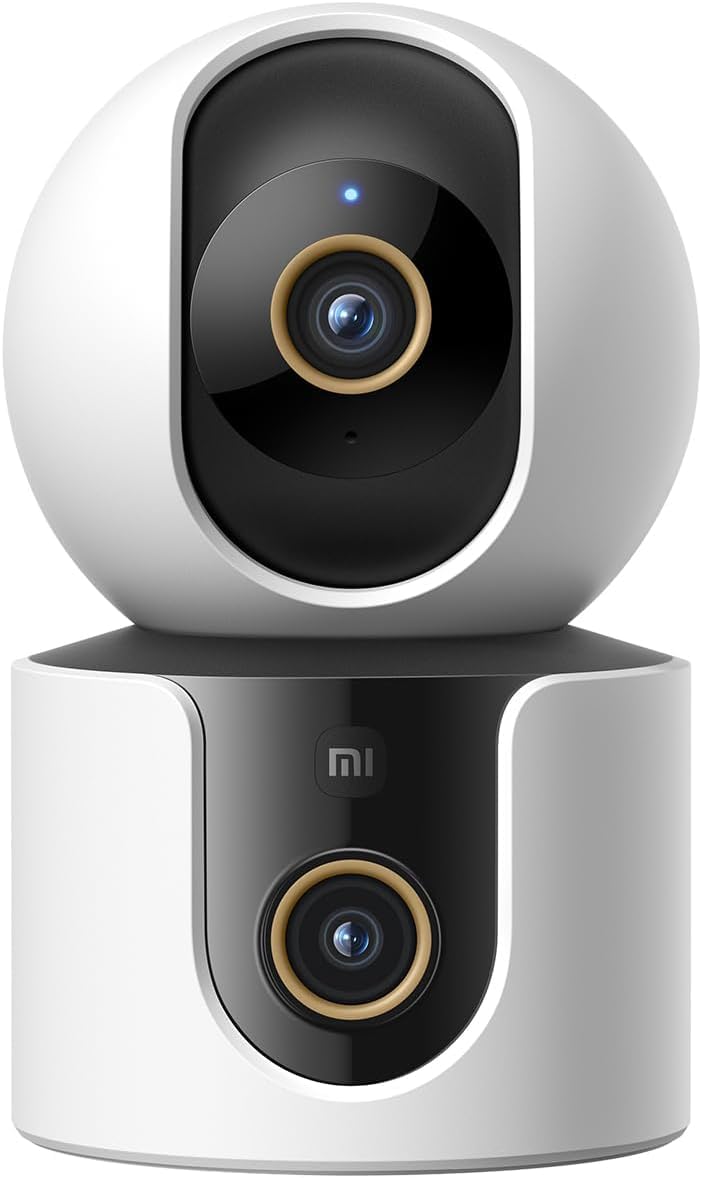
1 pav.: priekis view of the Xiaomi Smart Camera C500, showing its dual-lens design and white and black casing.

2 pav.: Iš viršaus į apačią view of the Xiaomi Smart Camera C500, highlighting its spherical upper section and ventilation holes.

3 pav.: šonas view of the Xiaomi Smart Camera C500, showing the power input and other ports on the base.
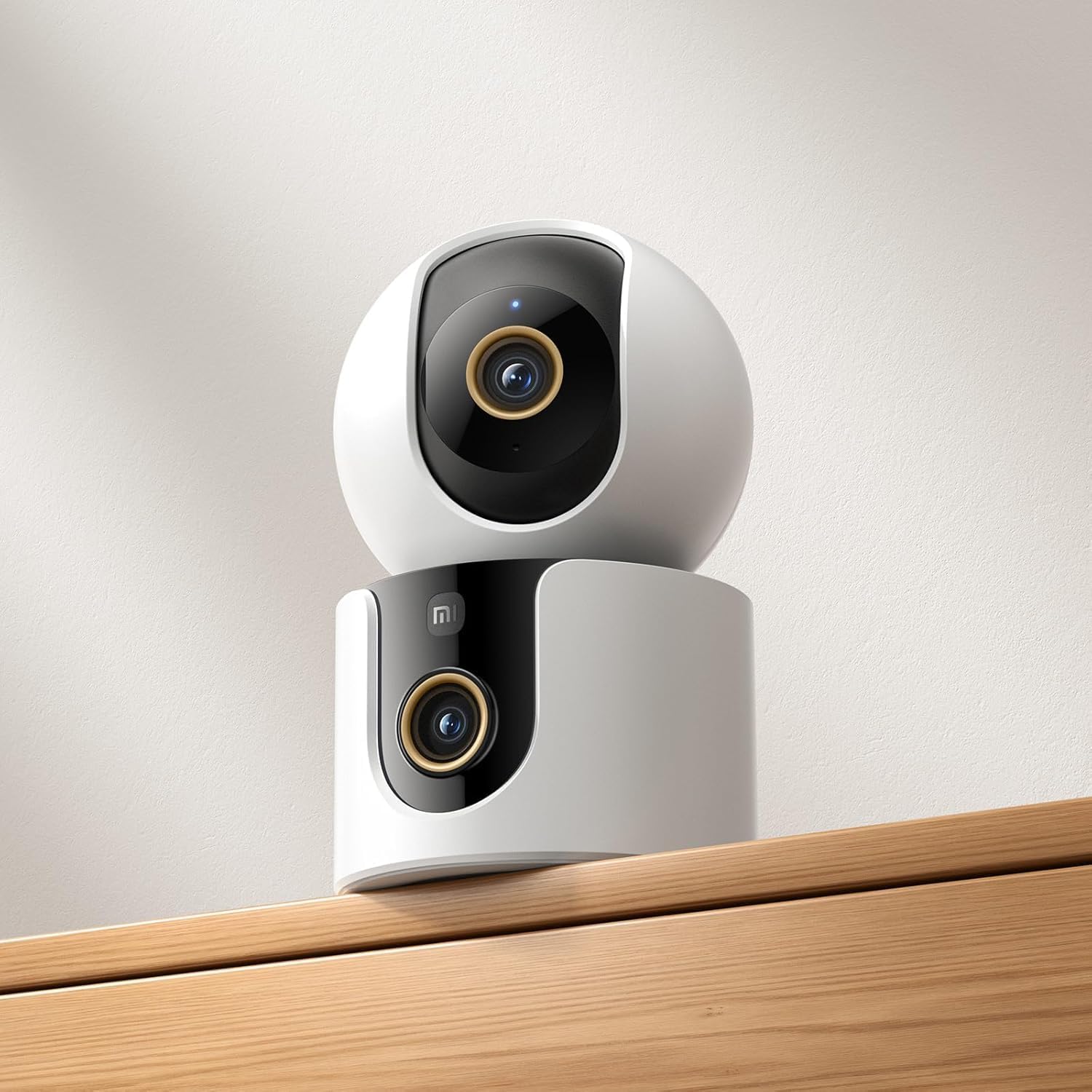
Figure 4: The Xiaomi Smart Camera C500 positioned on a wooden shelf, demonstrating its compact size and discreet placement.
Sąranka
1. Įjungimas
- Prijunkite maitinimo adapterį prie fotoaparato maitinimo įvesties prievado.
- Įkiškite maitinimo adapterį į sieninį lizdą.
- The camera will automatically power on, and the indicator light will begin to flash, indicating it is ready for connection.
2. Programos diegimas
- Atsisiųskite Xiaomi Home programėlę iš savo išmaniojo telefono programėlių parduotuvės („Google Play Store“, skirta „Android“, arba „Apple App Store“, skirta „iOS“).
- Atidarykite programėlę ir sukurkite „Xiaomi“ paskyrą arba prisijunkite, jei ją jau turite.
3. Susiejimas su programėle
- In the Xiaomi Home app, tap the "+" icon in the top right corner to add a new device.
- Select the Xiaomi Smart Camera C500 from the list of available devices.
- Follow the on-screen instructions to connect the camera to your Wi-Fi network. Ensure your phone is connected to a 2.4GHz or 5GHz Wi-Fi network (the camera supports dual-band Wi-Fi 6).
- Scan the QR code displayed on your phone screen using the camera lens. You will hear a voice prompt confirming successful scanning.
- Prijungę galite pavadinti savo kamerą ir priskirti ją konkrečiam kambariui.
4. Kameros montavimas
The camera supports tabletop placement or ceiling/wall mounting.
- Tvirtinimas ant stalo: Padėkite fotoaparatą ant lygaus, stabilaus paviršiaus.
- Ceiling/Wall Mount: Use the provided mounting base and screws to secure the camera to a desired location. Ensure the camera is securely attached and has a clear field of view.
Naudojimo instrukcijos
1. Gyvai View
Open the Xiaomi Home app and select your camera to view the live feed. You can pan and tilt the camera remotely using the controls in the app to achieve 360-degree coverage.
2. Įrašymas ir atkūrimas
- Vietinė saugykla: Insert a microSD card (up to 256GB) into the camera's slot for continuous or event-triggered recording.
- Saugykla debesyje: Optional cloud storage services may be available through the Xiaomi Home app for secure backup of recordings.
- Atkūrimas: Prieiga įrašyta footage through the app's playback feature, navigating by date and time.
3. Dvipusis garsas
Use the microphone and speaker icon in the live view interface to enable two-way communication. This allows you to speak through the camera and hear audio from its location.
4. Motion Detection and Human Tracking
The camera can detect motion and intelligently track human figures. Enable these features in the app settings to receive alerts and automatically record when activity is detected.
5. Crying Detection
For parents, the crying detection feature can be enabled to send instant notifications to your phone when a baby's cry is detected, allowing for quick response.
6. Pet Tracking
The camera can also track pets, providing alerts and recording their movements. This feature is useful for monitoring your furry companions throughout the day.
7. Naktinis matymas
The camera automatically switches to ultra-low light color mode or infrared night vision in dim conditions, ensuring clear visibility up to 15 meters even in complete darkness.
Priežiūra
- Valymas: Švelniai nuvalykite fotoaparato objektyvą ir korpusą minkštu, sausu skudurėliu. Nenaudokite stiprių cheminių medžiagų ar abrazyvinių valiklių.
- Firmware atnaujinimai: Regularly check for and install firmware updates through the Xiaomi Home app to ensure optimal performance and access to new features.
- „MicroSD“ kortelė: If using a microSD card, periodically check its status and format it if necessary to maintain recording quality and prevent data corruption.
Trikčių šalinimas
| problema | Galimas sprendimas |
|---|---|
| Kamera neprisijungia prie „Wi-Fi“ | Ensure your Wi-Fi network is 2.4GHz or 5GHz. Check Wi-Fi password. Move camera closer to router. Reset camera and try pairing again. |
| Ne gyvai view arba įrašymas | Check power connection. Ensure Wi-Fi is stable. Verify microSD card is inserted correctly and not full. Check app permissions. |
| Prasta vaizdo kokybė | Clean the camera lens. Ensure adequate lighting. Check Wi-Fi signal strength. Adjust video resolution settings in the app. |
| Pranešimai negauti | Check app notification settings on your phone. Ensure motion/crying detection is enabled in the camera settings. Verify app has necessary permissions. |
| Neveikia dvipusis garsas | Check microphone and speaker settings in the app. Ensure phone volume is up. Avoid placing camera in noisy environments. |
Specifikacijos
| Funkcija | Detalė |
|---|---|
| Prekės ženklo pavadinimas | Xiaomi |
| Modelio pavadinimas | Stebėjimo kamera |
| Modelio numeris | C500 Dvigubas |
| Rekomenduojami gaminio naudojimo būdai | Patalpų apsauga |
| Ryšio technologija | Bevielis |
| Ypatingos savybės | Didelė raiška |
| Naudojimas viduje / lauke | Vidinis |
| Suderinami įrenginiai | Išmanusis telefonas |
| Maitinimo šaltinis | Su laidu elektra |
| Ryšio protokolas | "Wi-Fi" tinklas |
| Valdiklio tipas | Amazon Alexa |
| Montavimo tipas | Stalinis laikiklis, laisvai pastatomas |
| Spalva | Baltas |
| Formos faktorius | Kupolas |
| Medžiaga | Akrilnitrilo butadieno stirenas (ABS) |
| Atsparumo vandeniui lygis | Neatsparus vandeniui |
| Daikto forma | Kupolas |
| Įspėjimo tipas | Garsas ir judesys |
| Kambario tipas | Biuras |
| Šviesos šaltinis | Infraraudonųjų spindulių |
| Vaizdo jutiklio skiriamoji geba | 4 megapikselio |
| Kontrolės metodas | Per programėlę |
| ttage | 5.0 |
| Vattage | 10.0 |
| Reikalingos baterijos? | Nr |
| Kanalų skaičius | 2 |
| Vaizdo įrašų kodavimas | H.265 |
| Vaizdo įrašymo formatas | MPEG-4 |
| Naktinio matymo diapazonas | 15 metrų |
| Naktinis matymas | Naktinė spalva |
| Number of Infrared LED Lights | 10 |
| „Flash“ atminties tipas | Micro SD |
| Maximum Supported Flash Memory Size | 256 GB |
| Prekių skaičius | 1 |
| Konkretus produkto naudojimas | 360 laipsnių aprėptis, stebėjimas |
| Gamintojas | Xiaomi |
| Belaidžio ryšio technologija | Wi-Fi |
| Vaizdo įrašymo raiška | 1080p |
| Kadrų dažnis | 25 kadrų per sekundę |
| Viewing kampas | 360 laipsnių |
| Fokusavimo tipas | Automatinis fokusavimas |
| Vaizdo jutiklių technologija | CMOS |
| Prekės matmenys | 7.8 x 7.8 x 11.5 cm |
| Prekės svoris | 327 gramų |
| Vienetų skaičius | 1.0 Skaičius |
Garantija ir palaikymas
For warranty information, please refer to the warranty card included in your product packaging or visit the official Xiaomi website. For technical support, troubleshooting assistance, or to report issues, please contact Xiaomi customer service through their official channels or the Xiaomi Home app.
You can find additional resources and FAQs on the Xiaomi official support page.