
Įvadas
This manual provides detailed instructions for the installation, operation, and maintenance of your Carro 44-inch S_White Smart Ceiling Fan. This fan features a 44-inch blade sweep with three white plywood blades, a flush-mounted white motor case, and an integrated dimmable LED light kit. Control options include a remote, mobile app, and voice commands via Amazon Alexa, Google Assistant, and Siri Shortcuts. Please read this manual thoroughly before installation and use to ensure safe and efficient operation.
Saugos informacija
ĮSPĖJIMAS: Kad sumažintumėte gaisro, elektros smūgio ar kūno sužalojimo riziką, visada laikykitės šių pagrindinių atsargumo priemonių:
- Read all instructions before installing and using the fan.
- Ensure the installation site can support the fan's weight (minimum 35 lbs / 15.9 kg).
- All wiring must be in accordance with national and local electrical codes. Consult a qualified electrician if you are unfamiliar with wiring.
- Disconnect power at the circuit breaker or fuse box before beginning installation or performing maintenance.
- Nenaudokite ventiliatoriaus su pažeistu maitinimo laidu ar kištuku.
- Venkite dėti daiktus ventiliatoriaus menčių kelyje.
- Do not use the fan near water or in excessively damp aplinkos.
- Šis prietaisas nėra skirtas naudoti asmenims (įskaitant vaikus), kurių fizinės, jutimo ar psichikos negalios arba neturintys patirties ir žinių, nebent už jų saugumą atsakingas asmuo juos prižiūrėtų arba instruktuotų, kaip naudoti prietaisą.
Pakuotės turinys
Verify that all components are present before beginning installation. If any parts are missing or damaged, contact Carro customer support.
- Ceiling Fan Motor Assembly (Flush Mount)
- Fan Blades (3x White Plywood)
- LED šviesos rinkinys
- Nuotolinio valdymo pultas su laikikliu prie sienos
- Mounting Bracket
- Aparatūros paketas (varžtai, vielinės veržlės, poveržlės)
- Vartotojo vadovas
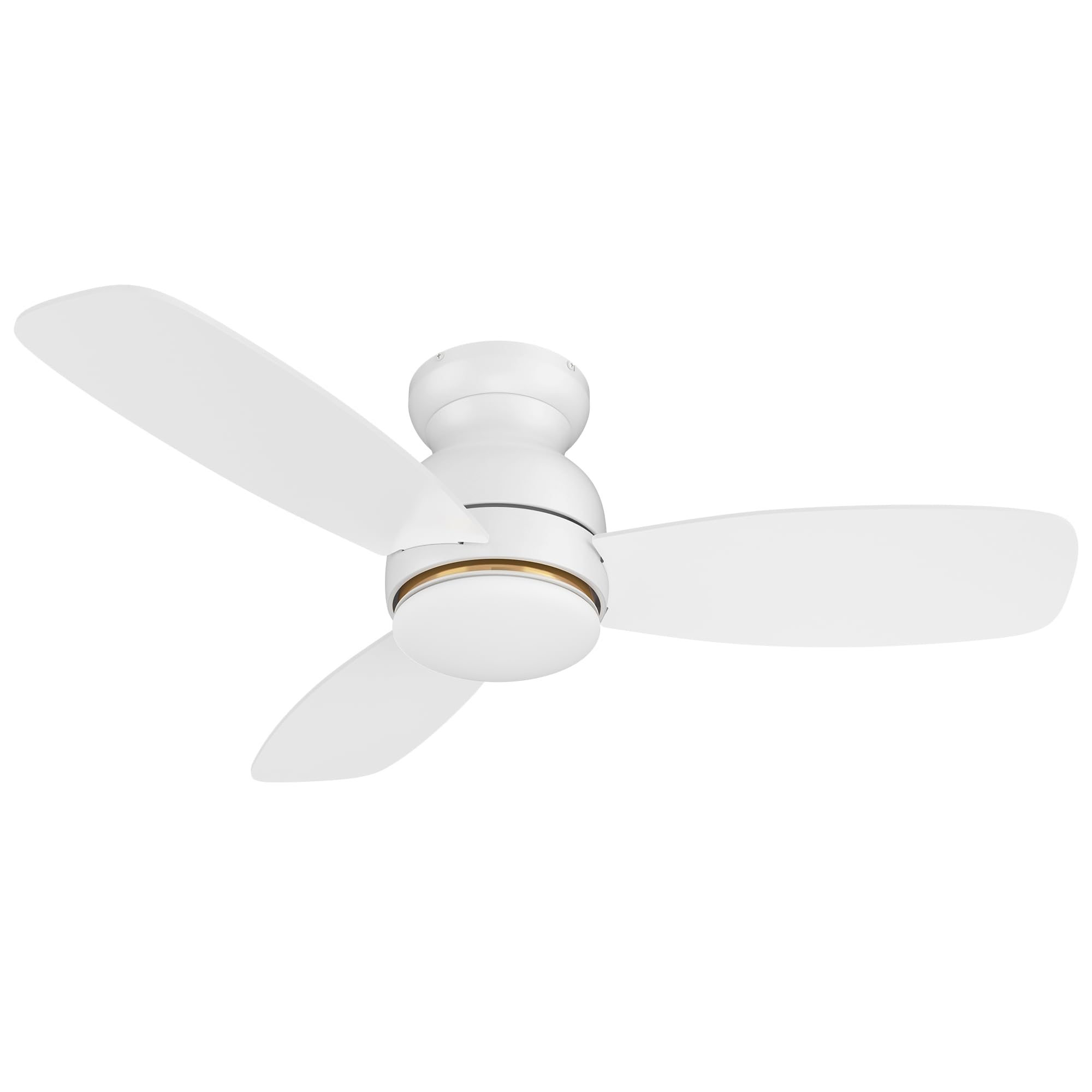
Image: Main components of the Carro 44-inch S_White Smart Ceiling Fan.
Sąranka ir diegimas
Svarbu: Before starting, ensure the power supply is turned off at the circuit breaker.
- Montavimo kronšteino montavimas: Secure the mounting bracket to the ceiling junction box. Ensure the junction box is rated for ceiling fan support (at least 35 lbs).
- Laidai: Connect the fan's electrical wires to the household wiring according to local electrical codes. Typically, this involves connecting live, neutral, and ground wires. Use the provided wire nuts.
- Ventiliatoriaus surinkimas: Carefully lift the fan motor assembly and attach it to the mounting bracket. Secure all screws.
- Ašmenų tvirtinimas: Attach the three fan blades to the motor housing using the provided screws. Ensure they are securely fastened.
- Šviesos komplekto montavimas: Connect the LED light kit wires and attach the light kit to the bottom of the fan motor assembly. Secure the light diffuser.
- Maitinimas: Atkurkite maitinimą prie grandinės pertraukiklio.
For detailed visual instructions, refer to the installation guide included in your package or visit the Carro support websvetainę.
Naudojimo instrukcijos
Kontrolės metodai
Your Carro Smart Ceiling Fan offers multiple control options:
- Nuotolinio valdymo pultas: Use the included remote to power on/off, adjust fan speed, change light settings, and reverse fan direction.
- Programėlė mobiliesiems: Download the Carro Home app (or compatible smart home app) to control the fan from your smartphone. This allows for advanced settings like scheduling and grouping.
- Valdymas balsu: Integrate with Amazon Alexa, Google Assistant, or Siri Shortcuts for hands-free operation.
Ventiliatoriaus veikimas
- Maitinimo įjungimas/išjungimas: Press the power button on the remote or use the app/voice command.
- Ventiliatoriaus greitis: The fan features 10 adjustable speeds. Use the speed buttons on the remote or slider in the app to select your desired airflow.

Image: Illustration of the fan operating at different wind speeds.
- Reverse Airflow (Summer/Winter Mode): Change the direction of the fan blades to optimize air circulation for different seasons.
- Vasaros režimas: Žemyn nukreiptas oro srautas sukuria vėsinantį vėjelį.
- Žiemos režimas: Į viršų nukreiptas oro srautas cirkuliuoja šiltą orą, įstrigusį prie lubų.

Image: Visual representation of summer and winter fan modes.
Šviesos veikimas
- Šviesos įjungimas / išjungimas: Control the integrated LED light independently from the fan.
- Pritemdoma šviesa: Adjust the light brightness from 1% to 100% using the remote or app.
- Spalvos temperatūros reguliavimas: Cycle through different color temperatures:
- Šalta šviesa (4000K): Bright white light.
- Šilta šviesa (2700K): Švelni, gelsva šviesa.
- Natūrali šviesa (3000 K): A balanced combination.

Image: Different color temperature settings for the LED light.
Išmaniosios funkcijos
- Programos valdymas: The mobile app allows for comprehensive control, even when WiFi signal is lost for basic functions.

Image: Remote control and smartphone app for fan operation.
- Balso valdymo integravimas: Connect your fan to Amazon Alexa, Google Assistant, or Siri Shortcuts for voice commands. Example: "Alexa, set the white ceiling fan in bedroom to speed 6, set yellow light to 75%, set white light to 65%."

Image: Voice control compatibility with smart home assistants.
- Laikmačiai ir tvarkaraščiai: Use the app to set automatic on/off times and create custom schedules for different rooms.

Vaizdas: pvzample of scheduling functions within the mobile application.
Priežiūra
Reguliarus valymas užtikrina optimalų ventiliatoriaus veikimą ir pailgina jo tarnavimo laiką.
- Valymas: Reguliariai nuvalykite ventiliatoriaus mentes ir variklio korpusą minkšta šluoste.amp šluoste. Nenaudokite abrazyvinių valiklių ar tirpiklių. Prieš valydami įsitikinkite, kad prietaisas išjungtas.
- Ašmenų balansas: If the fan wobbles, check that all blade screws are tight and that blades are not bent or damaged. A balancing kit (not included) may be used if necessary.
- Šviesos rinkinys: The LED light source is designed for long life and is not user-replaceable. If the light fails, contact customer support.
- Priveržkite tvirtinimo detales: Periodiškai patikrinkite ir priveržkite visus ventiliatoriaus ir tvirtinimo detalių varžtus bei tvirtinimo detales.
Trikčių šalinimas
| Problema | Galima priežastis | Sprendimas |
|---|---|---|
| Ventiliatorius neįsijungia. | Ventiliatoriui netiekiamas maitinimas; atsilaisvinusios laido jungtys; išsikrovusi nuotolinio valdymo pulto baterija. | Check circuit breaker/fuse. Ensure all wire connections are secure. Replace remote control batteries. |
| Ventiliatorius svyruoja. | Atsilaisvinę peilių varžtai; nesubalansuoti peiliai; netinkamas tvirtinimas. | Tighten all blade screws. Check for bent blades. Ensure mounting bracket is securely installed. |
| Šviesa neveikia. | Loose wire connection; LED light kit failure. | Check light kit wiring. If problem persists, contact customer support. |
| Nuotolinio valdymo pultas neveikia. | Išsikrovusi baterija; nuotolinio valdymo pultas nesuporuotas su ventiliatoriumi. | Replace remote batteries. Refer to pairing instructions (usually in a separate remote manual or app guide). |
| App/Voice control not responding. | No Wi-Fi connection; incorrect app settings; device not linked. | Check Wi-Fi router and internet connection. Verify fan is properly linked in the app and smart home assistant. Restart app/fan. |
Specifikacijos
| Prekės ženklas | Carro |
| Modelis | 44-inch S_White Smart Ceiling Fan |
| Gaminio matmenys | 44 "D x 44" P x 11.7" A |
| Ašmenų skaičius | 3 |
| Ašmenų medžiaga | Inžinierinė mediena |
| Variklio tipas | DC variklis |
| Šviesos tipas | Dimmable LED (4000K Cool, 3000K Natural, 2700K Warm) |
| Kontrolės metodai | Remote Control, Mobile App, Voice Control (Alexa, Google Home, Siri) |
| Greičių skaičius | 10 |
| Maitinimo šaltinis | AC/DC |
| ttage | 120 voltų |
| Vattage | 65 vatų |
| Oro srauto talpa | 2800 kubinės pėdos per minutę |
| Montavimo tipas | Praplaukite kalną |
| Naudojimas viduje / lauke | Vidinis |
| Sertifikavimas | ETL |
Garantija ir palaikymas
For warranty information, please refer to the documentation included with your purchase or visit the official Carro website. If you encounter any issues or require assistance, please contact Carro customer support. Keep your purchase receipt for warranty claims.
Klientų aptarnavimas: For technical assistance or service inquiries, please visit Carro Store on Amazon arba žr. kontaktinę informaciją, pateiktą ant jūsų produkto pakuotės.