
1. Įvadas
This manual provides essential information for the proper setup, operation, and maintenance of your Topsand N8 Plus 8.7-inch Android 14 Tablet. Please read this guide thoroughly before using your device to ensure optimal performance and longevity.
2. Pakuotės turinys
Patikrinkite, ar jūsų gaminio pakuotėje yra visi toliau išvardyti daiktai:
- 1x Topsand N8 Plus 8.7 Inch Android 14 Tablet
- 1x maitinimo adapteris
- 1 įkrovimo laidas (USB-C)
- 1x garantinis talonas
The image below illustrates the typical package contents and key components of the tablet.

Image: Package contents and tablet component diagram.
3. Įrenginys baigtasview
The Topsand N8 Plus tablet features a slim and light design, making it portable for various uses. It includes essential ports and buttons for user interaction.

Image: Tablet dimensions and weight for portability.
Fiziniai komponentai
Refer to the diagram below for the location of buttons, ports, and other features:
Image: Detailed diagram of tablet ports and buttons.
- Maitinimo mygtukas: Esantis šone, naudojamas įrenginiui įjungti / išjungti arba pažadinti / užmigdyti.
- Garsumo mygtukai: Sureguliuokite garso lygius.
- USB-C prievadas: Įkrovimui ir duomenų perdavimui.
- 3.5 mm ausinių lizdas: Laidinių ausinių prijungimui.
- Memory Card Tray: Insert a MicroSD card for expanded storage.
- Garsiakalbiai: Stereo speakers for audio output.
- Mikrofonas: Garso įvedimui skambučių ar įrašų metu.
- Priekinė kamera: 5 MP kamera vaizdo skambučiams ir asmenukėms.
- Galinė kamera: 16 MP kamera nuotraukoms ir vaizdo įrašams.
4. Sąranka
4.1 Pradinis įkrovimas
Before first use, fully charge the tablet using the provided power adapter and USB-C cable. Connect the USB-C cable to the tablet's USB-C port and the power adapter to a wall outlet. The battery indicator on the screen will show charging status.

Image: Tablet charging via USB-C.
4.2 Įjungimas / išjungimas
- Norėdami įjungti: Press and hold the Power button until the Topsand logo appears.
- Norėdami išjungti: Paspauskite ir palaikykite maitinimo mygtuką, kol pasirodys maitinimo parinkčių meniu, tada pasirinkite „Išjungti“.
- Norėdami paleisti iš naujo: Press and hold the Power button until the power options menu appears, then select "Restart."
4.3 Pradinio nustatymo vedlys
Upon first power-on, the tablet will guide you through a setup wizard. Follow the on-screen instructions to:
- Pasirinkite savo kalbą.
- Prisijunkite prie „Wi-Fi“ tinklo.
- Prisijunkite naudodami „Google“ paskyrą arba sukurkite naują.
- Nustatykite ekrano užraktą (PIN kodą, šabloną, slaptažodį arba veido atrakinimą).
4.4 „MicroSD“ kortelės įdėjimas
The tablet supports MicroSD cards up to 2TB for expanded storage. Locate the memory card tray on the side of the tablet. Use the provided SIM ejector tool (if included) or a thin pin to open the tray. Carefully place the MicroSD card into the designated slot and reinsert the tray.

Image: MicroSD card insertion for storage expansion.
5. Naudojimo instrukcijos
5.1 Pagrindinė navigacija
The Topsand N8 Plus operates on Android 14, offering an intuitive touch interface. Use standard gestures such as tapping, swiping, pinching, and spreading to navigate the system and applications.
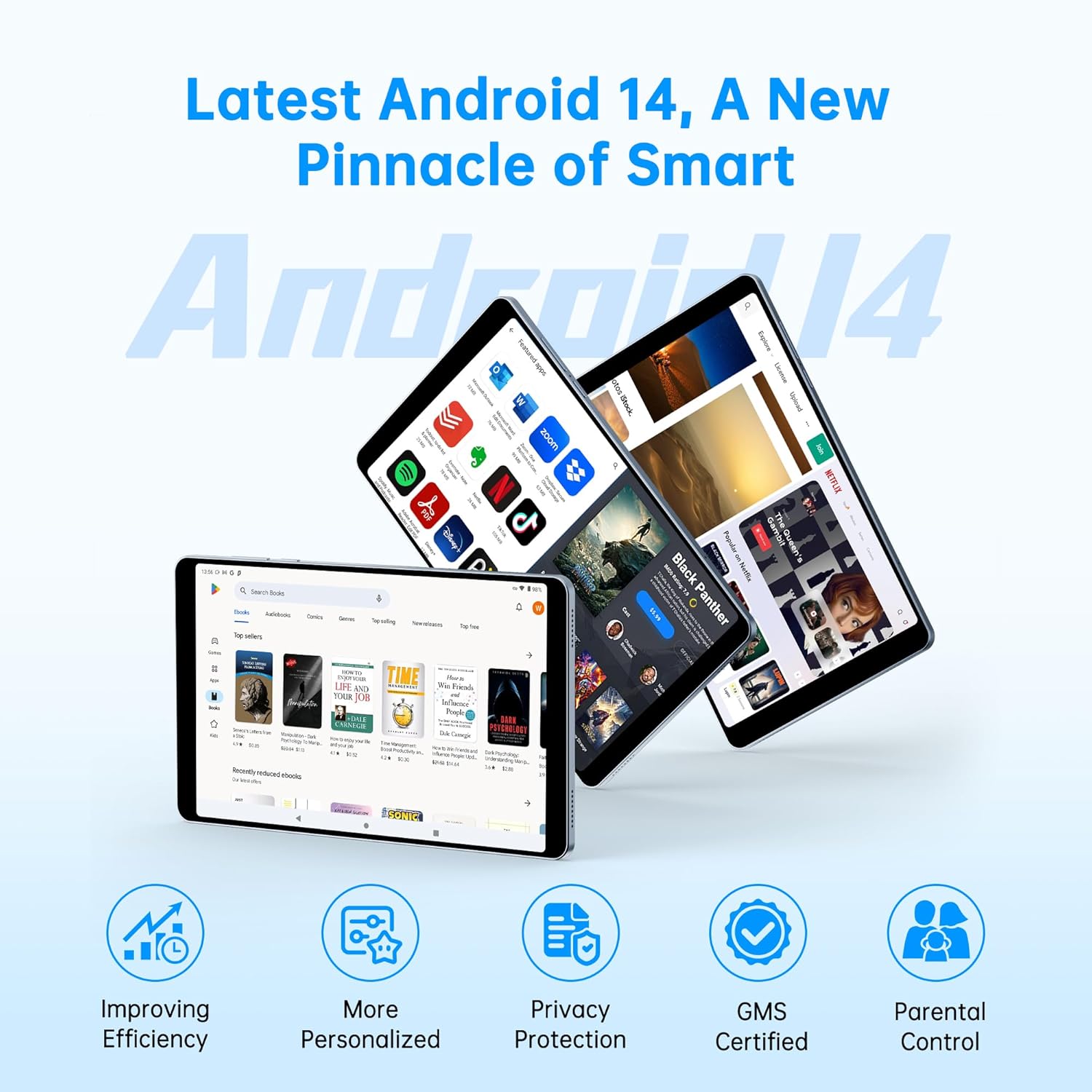
Image: Android 14 interface and key features.
5.2 „Wi-Fi“ ir „Bluetooth“ ryšys
To connect to Wi-Fi or Bluetooth devices:
- Eikite į Nustatymai.
- Pasirinkite Tinklas ir internetas „Wi-Fi“ ryšiui arba Prijungti įrenginiai skirtas Bluetooth.
- Toggle Wi-Fi or Bluetooth On.
- Select the desired network or device and enter credentials if required.
The tablet supports 2.4G/5G Wi-Fi and Bluetooth 5.0 for stable and fast wireless connections.

Image: Wireless connectivity features.
5.3 Kameros naudojimas
The tablet is equipped with a 16MP rear camera and a 5MP front camera. Open the Camera app to capture photos and videos. Features include:
- 16 MP galinė kamera: For high-resolution photos and document scanning.
- 5MP priekinė kamera: Ideal for video conferencing and selfies.

Image: Camera features and face unlock.
5.4 Atrakinimas pagal veidą
For quick and secure access, set up Face Unlock in the tablet's security settings. This allows you to unlock your device using facial recognition.

Image: Face Unlock feature in use.
5.5 GPS navigacija
The tablet supports multiple navigation systems including GPS, BeiDou, Galileo, and Glonass. You can download maps for offline navigation using compatible applications.

Image: Tablet used for GPS navigation in a vehicle.
5.6 Žiniasklaidos vartojimas
Enjoy a high-quality visual experience with the 1340x800 HD IPS display and stereo speakers. The tablet supports Google Widevine L1 DRM, allowing for 1080P streaming on platforms like Netflix, YouTube, Amazon Prime Video, and Hulu.

Image: Display features and streaming service compatibility.
5.7 Produktyvumo funkcijos
- Padalinto ekrano funkcija: Open two applications simultaneously for enhanced multitasking.
- Three-finger Screenshots: Swipe down on the screen with three fingers to quickly capture a screenshot.

Image: Split screen and three-finger screenshot features.
5.8 Tėvų kontrolė („Family Link“)
Utilize Google Family Link to set digital boundaries and manage your child's device usage. This feature allows you to control app access, screen time, and location tracking.

Image: Google Family Link for parental controls.
5.9 Skaitymo režimai
The tablet offers various display modes to enhance your reading experience and reduce eye strain:
- Skaitymo režimas: Optimizes the screen for text-based content.
- Akių apsaugos režimas: Sumažina mėlynos šviesos skleidimą.
- Tamsusis režimas: Inverts colors for a darker interface, suitable for low-light environments.

Image: Various reading and display modes.
6. Priežiūra
6.1 Prietaiso valymas
Planšetiniam kompiuteriui valyti naudokite minkštą, nepūkuotą šluostę. Įsisenėjusias dėmes šiek tiek nuvalykite.ampNuvalykite šluostę vandeniu arba ekrano valikliu, skirtu specialiai elektronikai. Venkite naudoti stiprias chemines medžiagas ar abrazyvines medžiagas.
6.2 Akumuliatoriaus priežiūra
The tablet is equipped with a 5100mAh battery. To maximize battery life:
- Venkite ekstremalių temperatūrų.
- Neleiskite baterijai dažnai visiškai išsikrauti.
- Use the provided charger.
- Sureguliuokite ekrano ryškumą iki patogaus lygio.
- Uždarykite nenaudojamas programas, veikiančias fone.

Image: Battery life estimates for different usage scenarios.
6.3 Programinės įrangos naujiniai
Reguliariai tikrinkite, ar yra programinės įrangos atnaujinimų, ir juos įdiekite, kad jūsų planšetiniame kompiuteryje būtų įdiegtos naujausios funkcijos, saugos pataisymai ir našumo patobulinimai. Eikite į Nustatymai > Sistema > Sistemos naujinimas.
6.4 Saugojimo valdymas
The tablet comes with 128GB of internal storage, expandable up to 2TB with a MicroSD card. Regularly manage your storage by deleting unnecessary files, uninstalling unused apps, and moving media to external storage.
7. Problemų sprendimas
If you encounter issues with your Topsand N8 Plus tablet, refer to the following common solutions:
- Įrenginys neįsijungia: Įsitikinkite, kad akumuliatorius įkrautas. Prijunkite įkroviklį ir palaukite kelias minutes, prieš bandydami vėl įjungti.
- „Wi-Fi“ ryšio problemos: Restart your tablet and your Wi-Fi router. Ensure you are within range and have entered the correct password.
- Programėlės stringa arba užstringa: Close and reopen the app. If the issue persists, clear the app's cache (Settings > Apps > [App Name] > Storage > Clear cache) or uninstall and reinstall the app.
- Lėtas veikimas: Close background apps, clear cache, or free up storage space. A restart can also improve performance.
- Ekranas nereaguoja: Priverstinai paleiskite įrenginį iš naujo paspausdami ir palaikydami maitinimo mygtuką maždaug 10–15 sekundžių, kol jis bus paleistas iš naujo.
- Gamyklinių parametrų atkūrimas (paskutinė priemonė): If problems persist, you may need to perform a factory reset. This will erase all data on your tablet. Go to Nustatymai > Sistema > Atstatyti parinktys > Ištrinti visus duomenis (atkurti gamyklinius). Prieš tęsdami, sukurkite svarbių duomenų atsargines kopijas.
8. Specifikacijos
Detailed technical specifications for the Topsand N8 Plus 8.7-inch Android 14 Tablet:
| Funkcija | Specifikacija |
|---|---|
| Modelio pavadinimas | N8 plius |
| Operacinė sistema | Android 14 |
| Ekrano dydis | 8.7 colių |
| Ekrano raiška | 1340x800 HD IPS ekranas |
| Procesorius | Octa-core (1.6 GHz, Dual Cortex-A75 + Hexa Cortex-A55) |
| Grafikos koprocesorius | Malis-G57 |
| RAM | 12 GB (4 GB fizinė + 8 GB išplėtimo kortelė) |
| Vidinė atmintis (ROM) | 128 GB |
| Išplečiama saugykla | Iki 2 TB per „MicroSD“ kortelę |
| Galinė kamera | 16 MP |
| Priekinė kamera | 5 MP |
| Baterijos talpa | 5100 mAh |
| Belaidis ryšys | 2.4G/5G Wi-Fi (802.11a/b/g/n/ac), Bluetooth 5.0 |
| Navigacija | GPS/BeiDou/Galileo/Glonass |
| Uostai | USB-C, 3.5 mm ausinių lizdas |
| Matmenys (IxPxH) | 8.38 x 4.94 x 0.33 colio |
| Prekės svoris | 12.3 uncijos |
| Spalva | Mėlyna |
9. Garantija ir palaikymas
Topsand tablet products come with a 1-year warranty. For seamless assistance and dedicated support, please contact the seller directly.
How to Get Technical Help:
- Refer to the contact information provided on your warranty card.
- If purchased online, use the "Contact Seller" button on your order page.
- If the return window has closed, contact the seller directly for assistance rather than the marketplace.
