
1. Įvadas
Ačiū, kad pirkoteasing the Andoer 4K 30fps Tiny Action Camera. This compact and versatile camera is designed to capture your adventures in stunning 4K resolution. With its wide-angle lens, built-in WiFi, and various mounting options, it is ideal for a wide range of outdoor activities, including diving, surfing, and skiing.
This manual provides detailed instructions on how to set up, operate, and maintain your camera to ensure optimal performance and longevity. Please read this manual thoroughly before using the product and keep it for future reference.
2. Saugos informacija
Kad išvengtumėte sužalojimų ar įrenginio sugadinimo, laikykitės šių saugos priemonių:
- Nelaikykite fotoaparato itin aukštose temperatūrose, tiesioginiuose saulės spinduliuose ilgą laiką arba didelėje drėgmėje.
- Laikykite fotoaparatą ir jo priedus vaikams ir naminiams gyvūnams nepasiekiamoje vietoje.
- Naudokite tik nurodytą įkrovimo laidą ir maitinimo adapterį.
- Do not attempt to disassemble, repair, or modify the camera yourself. Contact authorized service personnel for assistance.
- Ensure the waterproof case is properly sealed before submerging the camera in water.
- Venkite fotoaparato numetimo ar stiprių smūgių.

Įspėjimas: To avoid suffocation hazard, keep plastic bags away from babies and children.
3. Pakuotės turinys
Patikrinkite, ar pakuotėje yra visi toliau išvardyti daiktai:
- 1 x Andoer 4K Tiny Action Camera
- 1 x nugaros klipas
- 1 x Magnetic Lanyard
- 1 x Camera Frame
- 1 x vandeniui atsparus dėklas
- 2 x Mounting Bases
- 1 x Buckle Mount
- 1 x Long Screw Mount
- 1 x vairo laikiklis
- 1 x Mount Adapter
- 1x dirželis
- 1 x Type-C įkrovimo laidas
- 1 x Naudotojo vadovas (šis dokumentas)
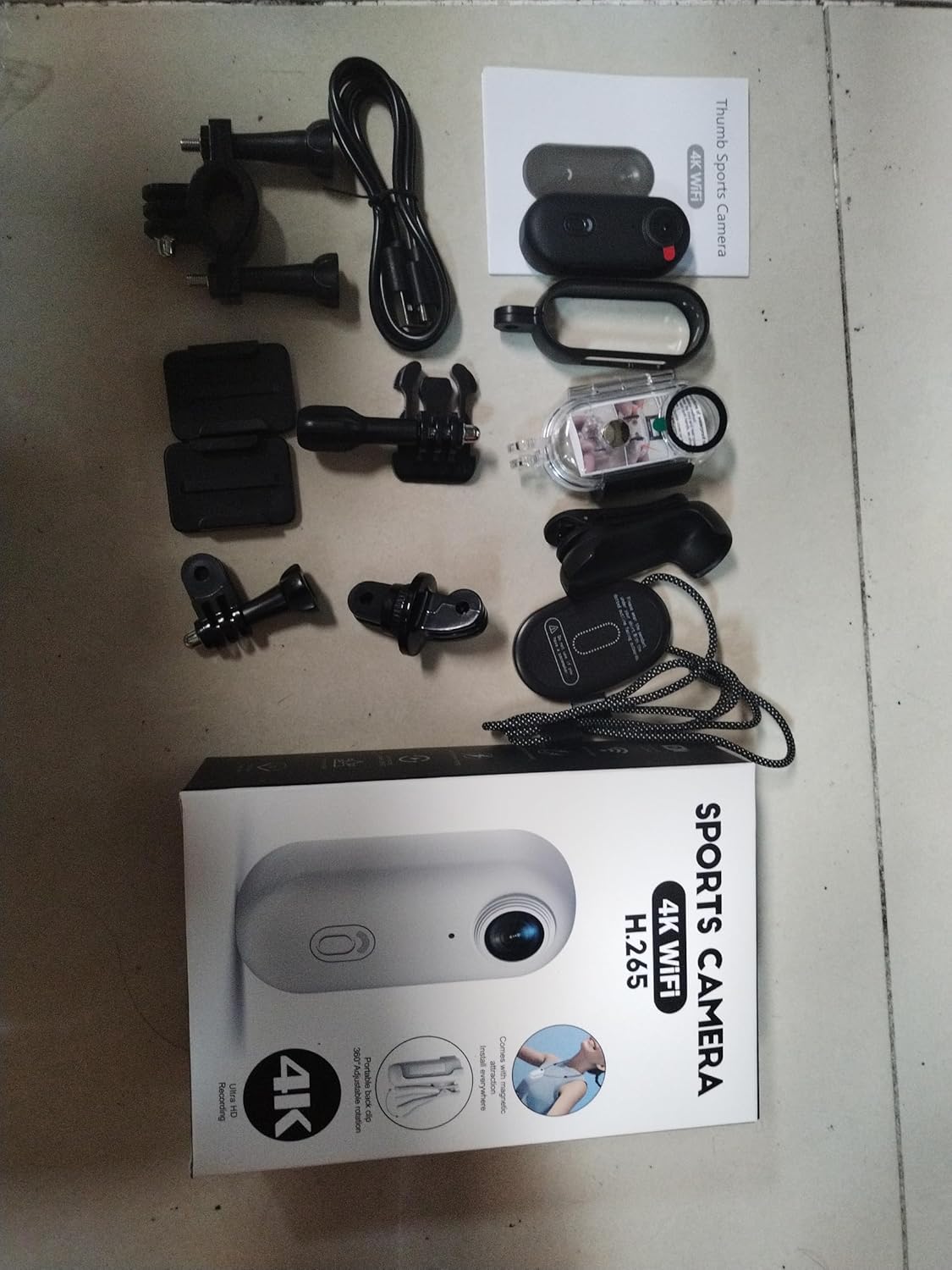
Illustration of the complete package contents.

Išsamus view of the camera and its included accessories.
4. Produktas baigtasview
The Andoer Tiny Action Camera is designed for portability and ease of use. Familiarize yourself with its main components:

Priekyje view of the Andoer Tiny Action Camera.
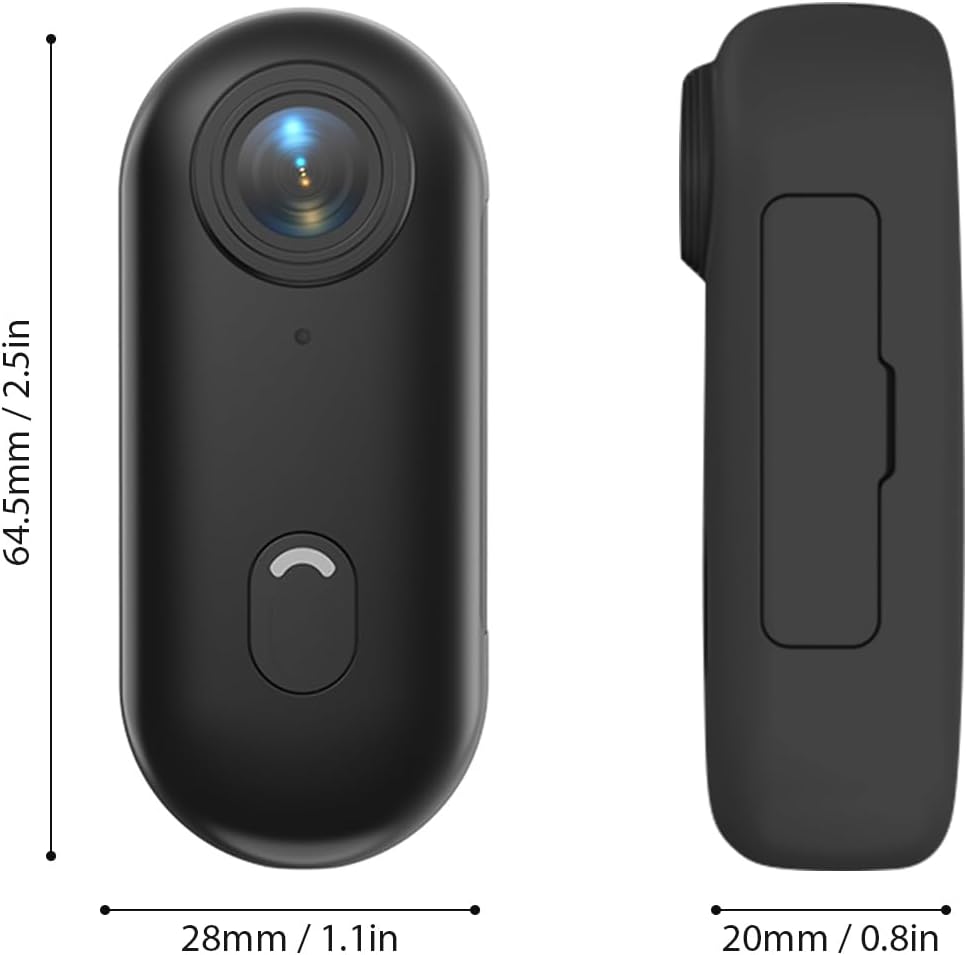
Physical dimensions of the camera.
- Objektyvas: 120° wide-angle lens for expansive shots.
- Maitinimo / režimo mygtukas: Used for powering on/off and switching modes.
- Indikatoriaus lemputė: Displays camera status (recording, charging, WiFi connection).
- Mikrofonas: Užfiksuoja garsą.
- USB-C prievadas: Įkrovimui ir duomenų perdavimui.
- MicroSD kortelės lizdas: Atminties kortelės įdėjimui.
5. Sąranka
5.1 Akumuliatoriaus įkrovimas
The camera has a built-in 800mAh lithium battery. Before first use, fully charge the camera.
- Connect the included Type-C charging cable to the camera's USB-C port.
- Connect the other end of the cable to a 5V/2A USB power adapter (not included) or a computer USB port.
- The indicator light will show charging status (refer to the camera's light indicator guide for specific colors/patterns).
- Pilnas įkrovimas trunka apie 120 minučių.
5.2 Atminties kortelės įdėjimas
A MicroSD (TF) card (not included) is required for recording videos and photos. The camera supports cards up to 256GB.
- Kameroje raskite „MicroSD“ kortelės lizdą.
- Įdėkite „MicroSD“ kortelę kontaktais žemyn, kol ji užsifiksuos.
- Norėdami išimti, švelniai stumkite kortelę, kol ji iššoks.
Pastaba: It is recommended to format the MicroSD card in the camera before first use to ensure compatibility and optimal performance. Refer to the app or camera settings for formatting options.
5.3 Montavimo būdai
The camera offers multiple versatile mounting options:
- Įmontuoti magnetai: The camera has built-in magnets, allowing direct attachment to any iron surface.
- Magnetinis dirželis: Attach the camera to the magnetic lanyard to wear it around your neck for convenient hands-free recording.

Using the magnetic lanyard for hands-free recording.
- Nugaros klipas: Use the included back clip to securely attach the camera to your collar, pocket, or backpack strap.
- Vandeniui atsparus dėklas: For underwater activities or protection from harsh elements, enclose the camera in the waterproof case. This case allows the camera to be submerged up to 30 meters. Ensure the case is properly sealed before use.
- Montavimo priedai: Utilize the camera frame, mounting bases, buckle mount, long screw mount, handlebar mount, and mount adapter to attach the camera to helmets, bicycles, and other equipment.

Examples of multiple installation methods for the camera.
6. Naudojimo instrukcijos
6.1 Maitinimo įjungimas/išjungimas
- Maitinimas: Press and hold the Power/Mode button for a few seconds until the indicator light illuminates.
- Išjungti: Press and hold the Power/Mode button again for a few seconds until the indicator light turns off.
6.2 Vaizdo įrašymas
The camera records videos in 4K resolution at 30 frames per second (4K 30fps) in MP4 format.
- Ensure the camera is powered on and a MicroSD card is inserted.
- Press the Power/Mode button once to start video recording. The indicator light will change to indicate recording is in progress (e.g., flashing red).
- Press the Power/Mode button again to stop recording. The indicator light will return to standby mode.
6.3 Fotografavimas
The camera captures photos at 3840x2160 resolution in JPEG format.
- Ensure the camera is powered on and a MicroSD card is inserted.
- (If in video mode, short press the Power/Mode button to switch to photo mode if applicable, or use the app).
- Press the Power/Mode button briefly to take a photo. The indicator light may flash once to confirm the capture.
6.4 „Wi-Fi“ ryšys ir programėlių naudojimas
The camera supports WiFi connection, allowing you to control it and view/share content via a smartphone application.
- Download the dedicated smartphone application (refer to the product packaging or manufacturer's website for the app name and download links).
- Įjunkite fotoaparatą.
- Activate WiFi on the camera (usually by a long press or specific button combination, refer to camera's light indicator guide). The camera will broadcast a WiFi network.
- On your smartphone, go to WiFi settings and connect to the camera's WiFi network (SSID and password typically found on the camera or in the app instructions).
- Open the app. You should now be able to see a live preview, control recording, adjust settings, and transfer files.
6.5 Ciklo įrašymas
The camera supports loop recording, which automatically overwrites the oldest filekai atminties kortelė pilna, užtikrinant nepertraukiamą įrašymą.
- This feature is typically enabled by default or can be configured via the smartphone app.
- When the memory card reaches its capacity, the camera will automatically delete the oldest video segments to make space for new recordings.
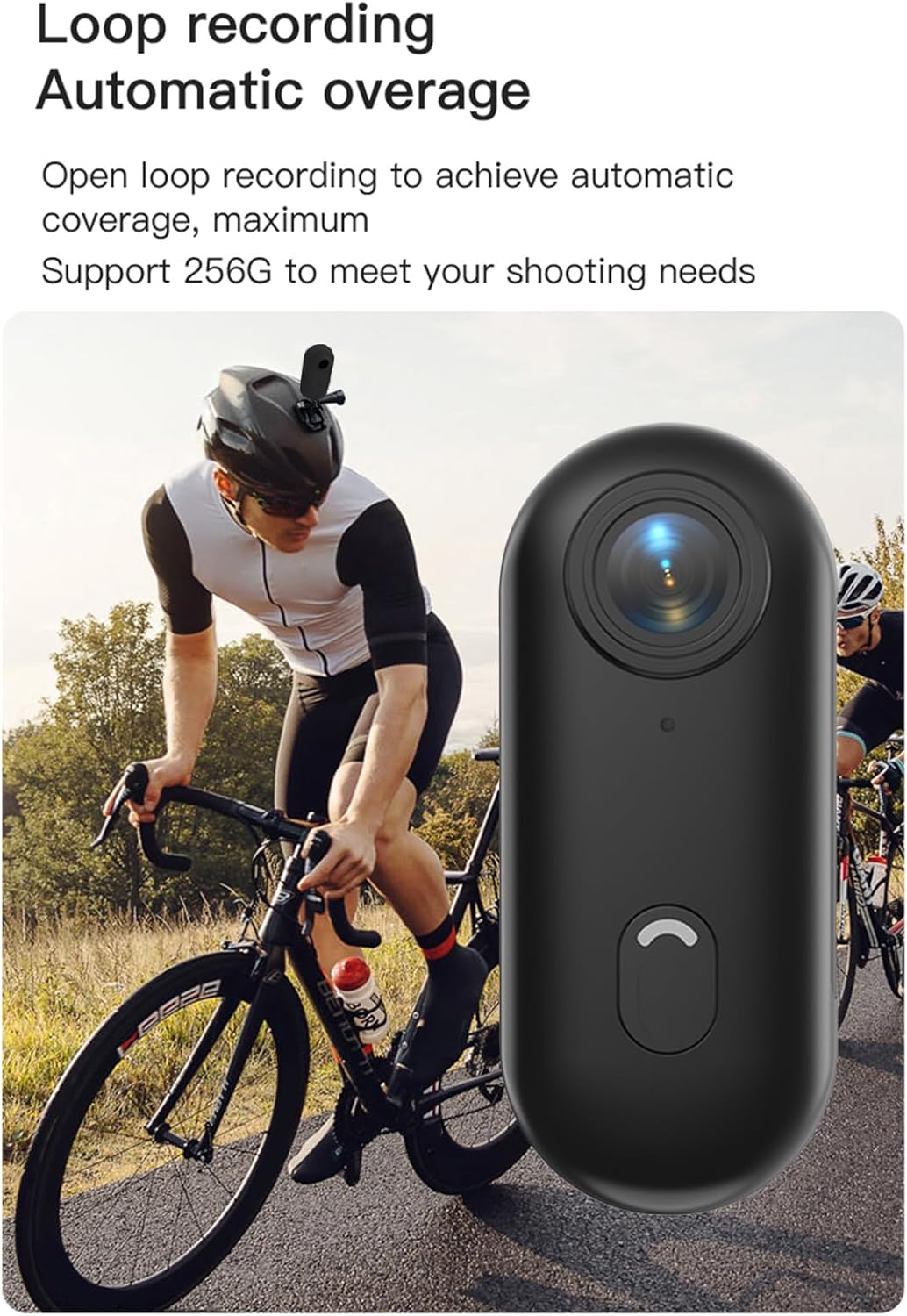
Loop recording functionality ensures continuous capture.
7. Priežiūra
- Valymas: Use a soft, dry cloth to clean the camera body. For the lens, use a specialized lens cleaning cloth and solution. Do not use harsh chemicals or abrasive materials.
- Saugykla: When not in use, store the camera in a cool, dry place, away from direct sunlight and extreme temperatures.
- Akumuliatoriaus priežiūra: Ilgalaikio sandėliavimo metu įkraukite akumuliatorių maždaug iki 50 % kas kelis mėnesius, kad palaikytumėte jo būklę.
- Vandeniui atsparus dėklas: After using the waterproof case in saltwater, rinse it thoroughly with fresh water and allow it to air dry. Check the O-ring seal regularly for any debris or damage.
8. Problemų sprendimas
| Problema | Galima priežastis | Sprendimas |
|---|---|---|
| Kamera neįsijungia. | Žema akumuliatoriaus įkrova; sugedęs akumuliatorius; maitinimo mygtuko problema. | Visiškai įkraukite kamerą. Jei problema išlieka, susisiekite su palaikymo tarnyba. |
| Nepavyksta prisijungti prie „Wi-Fi“. | WiFi not enabled on camera; incorrect password; app issue. | Ensure camera WiFi is active. Re-enter password. Restart camera and phone. Reinstall app. |
| Įrašymas netikėtai nutrūksta. | Memory card full; slow memory card; battery low. | Check memory card space. Use a high-speed (Class 10 or U3) MicroSD card. Charge battery. |
| Prasta vaizdo įrašų / nuotraukų kokybė. | Nešvarus objektyvas; prastas apšvietimas; neteisingi nustatymai. | Clean the lens. Ensure adequate lighting. Check resolution settings in the app. |
| Water leakage in waterproof case. | Improperly sealed case; damaged O-ring. | Ensure case is securely latched. Check O-ring for debris or damage and replace if necessary. |
9. Specifikacijos
| Funkcija | Detalė |
|---|---|
| Vaizdo raiška | 4K 30 kadrų per sekundę |
| Nuotraukų raiška | 3840x2160 |
| Vaizdo įrašo formatas | MP4 |
| Nuotraukos formatas | JPEG |
| Objektyvo kampas | 120° platus kampas |
| Ryšys | WiFi |
| Baterijos talpa | 800 mAh ličio baterija |
| Įkrovimo laikas | apytiksliai 120 minučių |
| Įkrovimo ttage | 5V/2A |
| Atminties kortelių palaikymas | TF kortelė, iki 256GB |
| Sąsajos tipas | C tipas |
| Waterproof Depth (with case) | Iki 30 mln |
| Gaminio matmenys | 64.5 x 28 x 20 mm (2.54 x 1.1 x 0.8 coliai) |
| Prekės svoris | Approx. 11.3 ounces (camera only) |
| Darbinė temperatūra | -10°C iki 60°C (14°F iki 140°F) |
| Laikymo temperatūra | -10°C iki 60°C (14°F iki 140°F) |
10. Garantija ir palaikymas
Andoer products are manufactured to the highest quality standards. This product is covered by a limited warranty against defects in materials and workmanship from the date of purchase. Please retain your proof of purchase for warranty claims.
For technical support, troubleshooting assistance, or warranty inquiries, please contact Andoer customer service through the retailer where you purchased the product or visit the official Andoer websvetainė kontaktinei informacijai.
Websvetainė: Andoer Official Store on Amazon