
1. Įvadas
This manual provides detailed instructions for the safe and effective use of your VTSYIQI Digital Concrete Moisture Meter, model CMW-785P. This device is designed for non-destructive measurement of moisture content in various materials, including concrete, wood, and glass, utilizing a search-type sensor. Please read this manual thoroughly before operation and retain it for future reference.
2. Produktas baigtasview
The VTSYIQI CMW-785P moisture meter features both digital display and color-coded LED indicators for clear moisture readings. It operates on a non-destructive search principle, making it suitable for finished surfaces.
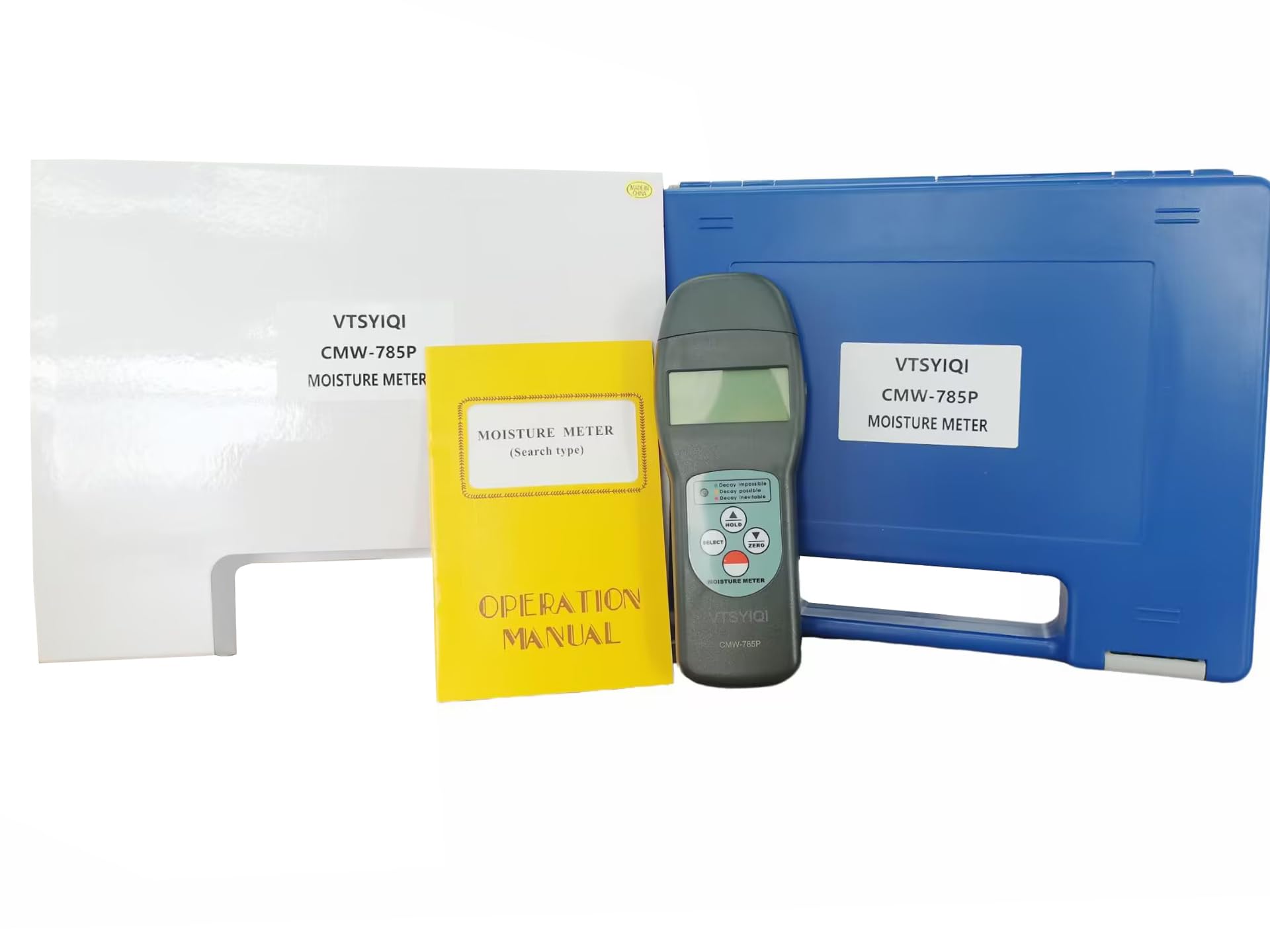
2.1 pav.: priekis view of the VTSYIQI CMW-785P Digital Concrete Moisture Meter with the sensor cap removed, showing the display and control buttons.

2.2 pav.: Nugara view of the VTSYIQI CMW-785P Digital Concrete Moisture Meter, illustrating the battery compartment cover and product label.
2.1 vaizdo įrašas: metimas per sekundęview of the VTSYIQI CMW-785P Digital Concrete Moisture Meter, demonstrating its physical appearance and components, including unboxing and handling.
3. Sąranka
3.1 Akumuliatoriaus įdėjimas
- Raskite baterijų skyrių matuoklio gale (žr. 2.2 pav.).
- Baterijų skyriaus dangtelį stumkite žemyn, kad jį atidarytumėte.
- Insert four (4) 1.5V AAA (UM-4) batteries, ensuring correct polarity (+/-).
- Uždėkite baterijų skyriaus dangtelį, stumdami jį aukštyn, kol jis tvirtai užsifiksuos.
3.2 Sensor Preparation
Before taking measurements, carefully remove the protective cap from the sensor area at the bottom of the meter. Ensure the sensor surface is clean and free from debris.
4. Naudojimo instrukcijos
4.1 Įjungimas / išjungimas
- Norėdami įjungti įrenginį, paspauskite GALIA button (usually the red button).
- Norėdami išjungti įrenginį, paspauskite ir palaikykite GALIA mygtuką, kol ekranas išsijungs.
4.2 Selecting Measurement Code
The meter supports 20 different measurement codes for various materials. To select the appropriate code:
- Paspauskite PASIRINKTI button to cycle through the available material codes.
- Refer to the material code chart (typically found in the included operation manual) to match the code with the material you are testing (e.g., concrete, wood type).
4.3 Nulinis kalibravimas
For optimal accuracy, perform a zero calibration before each use or when changing measurement conditions:
- Hold the meter in the air, away from any materials.
- Paspauskite NULIS button. The display should show '0.0' or a value very close to zero.
4.4 Matavimo atlikimas
- Ensure the correct material code is selected and zero calibration has been performed.
- Place the sensor area of the meter flat against the surface of the material to be measured.
- Drėgmės kiekis bus rodomas LCD ekrane.
- The LED indicators will also provide a quick visual assessment of the moisture level:
- Žalias šviesos diodas: Represents a safe, air-dry state.
- Geltonas šviesos diodas: Represents a borderline state, indicating caution.
- Raudonas šviesos diodas: Represents a damp state, indicating high moisture.
4.5 Duomenų sulaikymo funkcija
Norėdami užfiksuoti dabartinį rodmenį ekrane:
- Paspauskite LAIKYTI button during a measurement.
- Paspauskite LAIKYTI dar kartą paspauskite mygtuką, kad atšauktumėte rodmenį ir tęstumėte tiesioginį matavimą.
5. Priežiūra
5.1 Valymas
- Nuvalykite skaitiklio išorę minkštu, sausu skudurėliu.
- Do not use abrasive cleaners or solvents, as these may damage the casing arba ekranas.
- Keep the sensor area clean and free from dust or debris to ensure accurate readings.
5.2 Saugykla
- When not in use, replace the protective cap over the sensor.
- Store the meter in its carrying case in a cool, dry place, away from direct sunlight and extreme temperatures.
- Jei ilgesnį laiką sandėliuosite, išimkite baterijas, kad išvengtumėte jų ištekėjimo.
6. Problemų sprendimas
- Nėra ekrano / matuoklis neįsijungia:
Check battery installation and ensure batteries are not depleted. Replace with fresh batteries if necessary. - Netikslūs rodmenys:
Perform a zero calibration as described in Section 4.3. Ensure the sensor surface is clean. Verify that the correct material code is selected for the material being tested. Avoid measuring near strong electromagnetic fields. - LED indikatoriai neveikia:
If the digital display is working but LEDs are not, ensure the meter is not in a hold mode. If the issue persists, contact customer support.
7. Specifikacijos
| Funkcija | Specifikacija |
|---|---|
| Jutiklio tipas | Paieška |
| Measurement Codes | 20 |
| Drėgmės diapazonas | 0–70 % |
| Drėgmės tikslumas | ±(0.5%n+0.5) |
| Rezoliucija | 0.1 |
| Ekranas | LCD |
| LED indikatorius | Green (safe/air-dry), Yellow (borderline), Red (damp) |
| Eksploatavimo sąlygos | Temperature: 0~50°C, Humidity: <90%RH |
| Maitinimo šaltinis | 4x1.5V AAA (UM-4) Battery |
| Matmenys (pagrindinis įrenginys) | 165x62x26 mm |
| Svoris | 119g |
8. Garantija ir palaikymas
Warranty information for this product is typically provided with the purchase documentation or on the product packaging. For specific warranty details, technical support, or service inquiries, please contact the seller, VETUS INDUSTRIAL CO.,LTD, or refer to the official VTSYIQI websvetainėje. Išsaugokite pirkimo kvitą kaip pirkimo įrodymą bet kokiems garantiniams prašymams.