
1. Įvadas
The MiBOXER K3S Rotating Wheel Remote provides intuitive control over LED lighting systems, allowing for precise adjustment of both color temperature and brightness. Utilizing 2.4GHz wireless technology, this remote ensures stable and responsive operation. Its ergonomic design facilitates easy handling and accurate adjustments, making it suitable for various lighting applications.
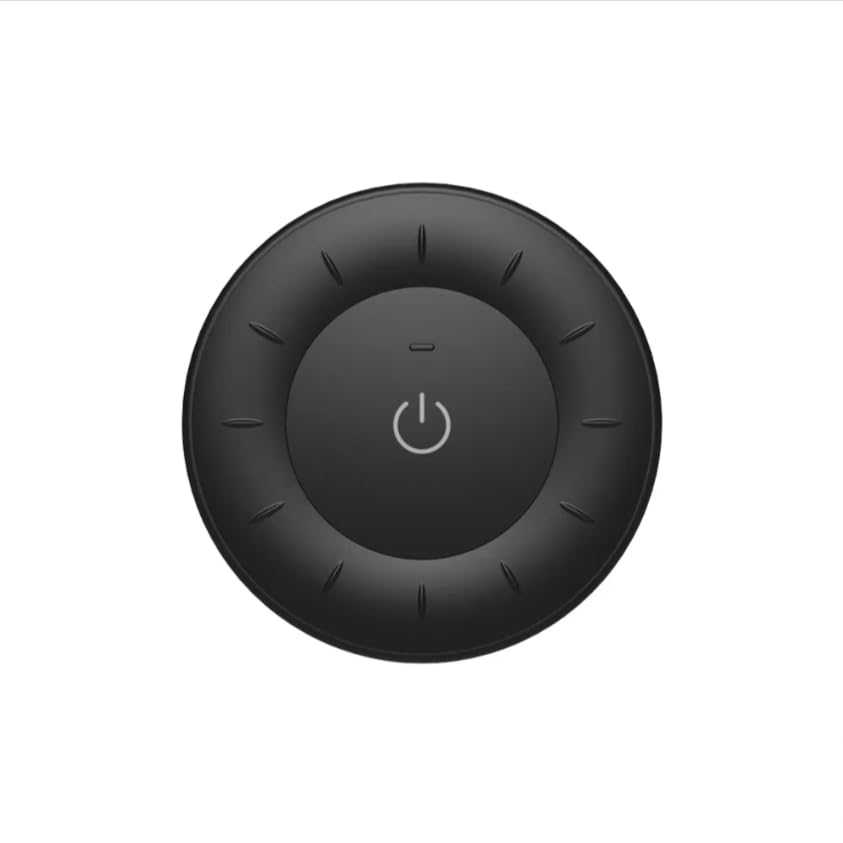
Image 1.1: MiBOXER K3S Rotating Wheel Remote (Black)
This image displays the MiBOXER K3S remote control in black, highlighting its circular design and central power button.
2. Produkto ypatybės
- Reguliuojamas ryškumas ir spalvų temperatūra: Allows fine-tuning of lighting intensity and warmth.
- Rotating Wheel Design: Provides smooth and intuitive control for easy adjustments.
- 2.4 GHz belaidė technologija: Ensures stable, interference-free connectivity with compatible devices.
- Ergonomiškas dizainas: Patogu laikyti ir valdyti.
- Multi-Environment Compatibility: Suitable for various settings including homes, offices, and commercial spaces.
3. Pakuotės turinys
Atidarius pakuotę, patikrinkite, ar yra visi komponentai:
- MiBOXER K3S besisukančio rato nuotolinio valdymo pultas
- Vartotojo vadovas
Note: CR2032 battery is purchased separately and is not included in the package.
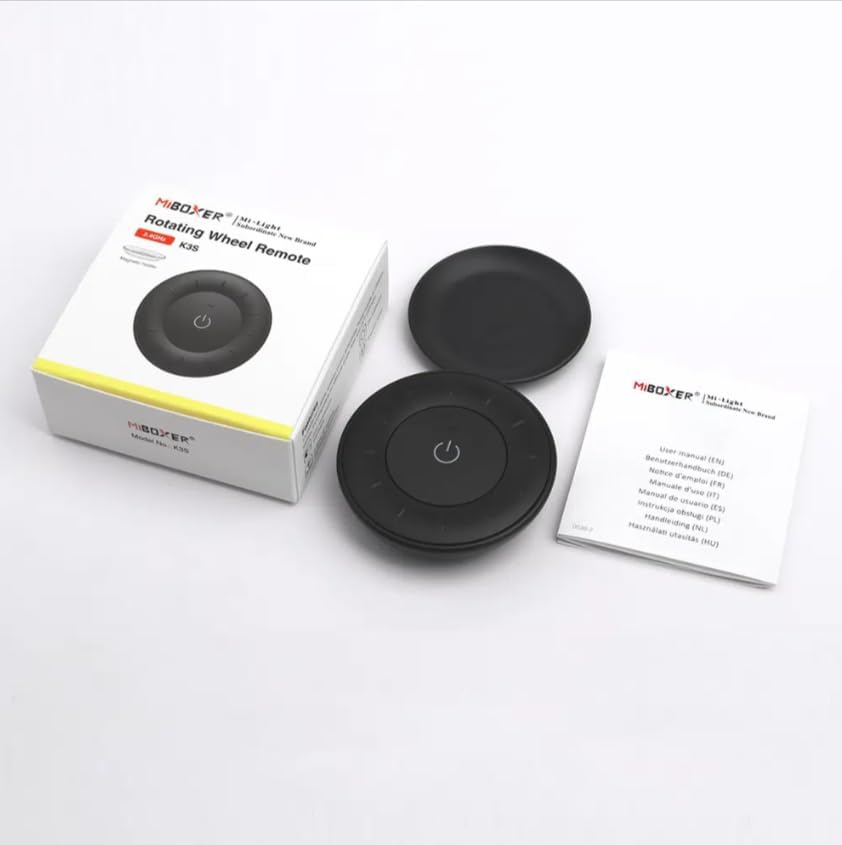
3.1 pav.: Pakuotės turinys viršujeview
This image shows the MiBOXER K3S remote, its packaging box, and the included user manual, laid out on a surface.
4. Produkto schema

Image 4.1: Remote Control Components
This diagram illustrates the main components of the MiBOXER K3S remote, including the ON/OFF button, brightness/color temperature rotating wheel, and the battery compartment with Link/Unlink button.
- ĮJUNGIMO/IŠJUNGIMO mygtukas: Central button to power the connected light on or off.
- Brightness / Color Temperature Rotating Wheel: The outer ring used to adjust brightness by default. Long press the ON/OFF button for 3 seconds to switch to color temperature adjustment mode.
- Link / Unlink Button: Located inside the battery compartment, used for pairing the remote with compatible lighting devices.
5. Sąranka
5.1 Akumuliatoriaus įdėjimas
- Nuotolinio valdymo pulto gale raskite baterijų skyrių.
- Atidarykite akumuliatoriaus skyriaus dangtelį.
- Įdėkite vieną CR2032 bateriją, užtikrindami teisingą poliškumą (+/-).
- Saugiai uždarykite akumuliatoriaus skyriaus dangtelį.
Image 5.1: Battery Installation Area
This image shows the underside of the remote, indicating the location for the CR2032 battery and the Link/Unlink button.
5.2 Linking / Unlinking the Remote
The K3S remote uses 2.4GHz RF wireless technology to communicate with compatible MiBOXER lighting devices.
Linking Procedure:
- Ensure the light fixture you wish to control is powered off.
- Power on the light fixture.
- Within 3 seconds of powering on the light, press the "Link/Unlink" button (located inside the battery compartment) on the K3S remote tris kartus.
- The light should flash three times slowly, indicating successful linking.
Unlinking Procedure:
- Ensure the light fixture you wish to unlink is powered off.
- Power on the light fixture.
- Within 3 seconds of powering on the light, press the "Link/Unlink" button (located inside the battery compartment) on the K3S remote penkis kartus.
- The light should flash ten times quickly, indicating successful unlinking.
6. Naudojimo instrukcijos
6.1 Maitinimo įjungimas/išjungimas
- Paspauskite centrinį ⏻ (ON/OFF) button once to turn the connected light on or off.
6.2 Ryškumo reguliavimas
- By default, rotating the outer wheel adjusts the brightness of the light.
- Norėdami padidinti ryškumą, pasukite pagal laikrodžio rodyklę.
- Pasukite prieš laikrodžio rodyklę, kad sumažintumėte ryškumą.
6.3 Spalvų temperatūros reguliavimas
- To switch to color temperature adjustment mode, ilgai paspauskite the central ⏻ (ON/OFF) button for 3 seconds.
- Once in color temperature mode, rotate the outer wheel to adjust the color temperature.
- Rotate clockwise for cooler (bluer) light.
- Rotate counter-clockwise for warmer (yellower) light.
- To switch back to brightness adjustment, long press the ⏻ (ON/OFF) button for another 3 seconds.
7. Specifikacijos
| Modelio pavadinimas | K3S |
| Prekės ženklas | „MiBOXER“ |
| Ryšio technologija | 2.4G radijo dažnių belaidis ryšys |
| Valdymo tipas | Ryškumas, spalvų temperatūra |
| Didžiausias diapazonas | 30 metrai |
| Baterijos tipas | CR2032 (purchased separately) |
| Matmenys (skersmuo x aukštis) | Ø60mm x 15mm (approx.) |
| Weight (Gross Weight per box) | 0.05 KGS (approx.) |

Image 7.1: Remote Control Dimensions
This diagram provides the physical dimensions of the MiBOXER K3S remote, showing a diameter of 60mm and a thickness of 15mm (or 19.5mm with the base).
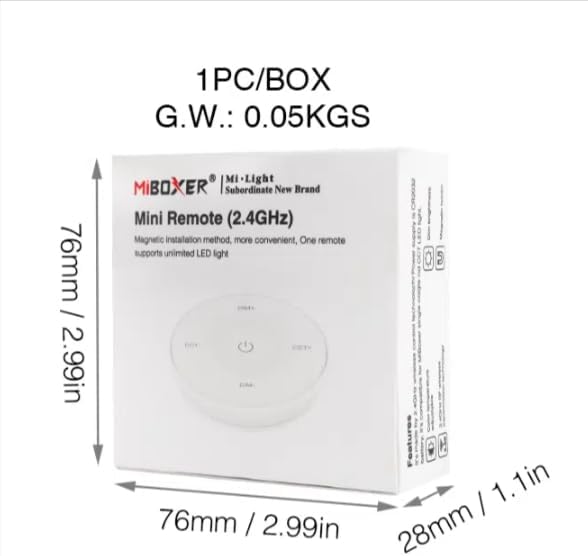
Image 7.2: Packaging Dimensions
This image displays the dimensions of the product packaging, indicating it is 76mm x 76mm x 28mm with a gross weight of 0.05 KGS.
8. Priežiūra
- Nuotolinio valdymo pultą laikykite švarų, nuvalydami jį minkšta, sausa šluoste.
- Avoid exposing the remote to moisture, extreme temperatures, or direct sunlight.
- If the remote is not used for an extended period, remove the battery to prevent leakage.
- Replace the battery when the remote's performance degrades or it stops responding.
9. Problemų sprendimas
| Problema | Galima priežastis | Sprendimas |
|---|---|---|
| Nuotolinis nereaguoja | Senka arba išsikrovusi baterija | Pakeiskite CR2032 bateriją. |
| Light not linking | Incorrect linking procedure or light not compatible | Ensure the light is powered on within 3 seconds of pressing the link button. Verify light compatibility with MiBOXER 2.4G RF remotes. |
| Ribotas diapazonas | Kliūtys arba trukdžiai | Reduce distance between remote and light. Remove obstructions. Avoid areas with strong 2.4GHz interference. |
| Brightness/Color Temp adjustment not working | Nuotolinio valdymo pultas netinkamame režime | Long press the ON/OFF button for 3 seconds to switch between brightness and color temperature adjustment modes. |
10. Garantija ir palaikymas
The product comes with a manufacturer's warranty. For specific warranty details and duration, please refer to the documentation included with your purchase or contact MiBOXER customer support.
For technical support or inquiries, please visit the official MiBOXER websvetainėje arba susisiekite su klientų aptarnavimo skyriumi.
Gamintojas: Miboxeris