
Ergear EGESD7W-CA
„ErGear“ elektrinio stovimo stalo naudotojo vadovas
Model: EGESD7W-CA | Brand: ErGear
Įvadas
Thank you for choosing the ErGear Electric Standing Desk. This manual provides detailed instructions for assembly, operation, maintenance, and troubleshooting to ensure optimal performance and longevity of your desk. Please read this manual thoroughly before installation and use, and retain it for future reference.
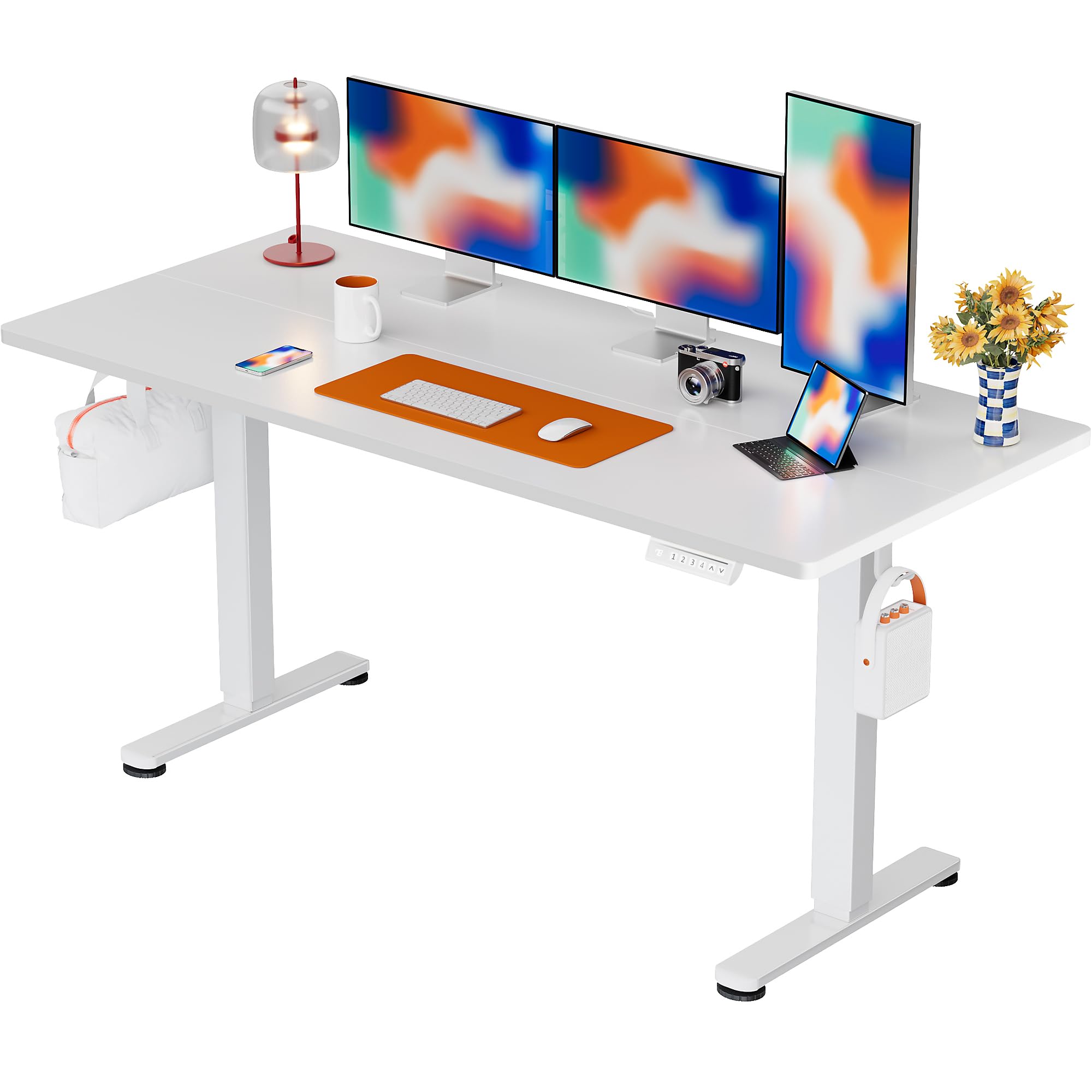
The ErGear Electric Standing Desk, 63x28 inch, in a white finish, featuring a spacious desktop and electric height adjustment capabilities.
Saugos informacija
- Prieš surinkdami įsitikinkite, kad visi komponentai yra ir nepažeisti. Nenaudokite, jei trūksta dalių arba jos yra sugedusios.
- Darbo metu laikykite vaikus ir naminius gyvūnus atokiau nuo stalo, kad išvengtumėte sužalojimų.
- Do not overload the desk. The maximum weight recommendation is 176 pounds (80 kg).
- Ensure the power cord is not pinched or damaged. Connect to a grounded outlet.
- Venkite pilti skysčius tiesiai ant valdymo skydelio arba šalia elektrinių komponentų.
- Reguliariai tikrinkite visus varžtus ir jungtis, kad jie būtų tvirtai priveržti ir užtikrinti jų saugumą.
- Šis stalas skirtas naudoti tik patalpose.
Pakuotės turinys
Prieš pradėdami surinkimą, patikrinkite, ar pakuotėje yra visi šie komponentai:
- Desktop Boards ×2
- Leg with Motor ×1
- Kojos × 1
- Leg Bases ×2
- Crossbar & Transmission Rod
- Controller & Power Cable
- Visi reikalingi montavimo įrankiai ir techninė įranga
Surinkimo instrukcijos
Follow these steps carefully to assemble your ErGear Electric Standing Desk. An assembly video is also provided for visual guidance.
Official ErGear Electric Standing Desk Assembly Video. This video demonstrates the step-by-step process for setting up your desk.
Step 1: Assemble the Desk Legs
Attach the leg bases to the desk legs using the provided screws. Ensure they are securely fastened.

The stable T-shaped desk legs provide a sturdy foundation for the electric standing desk.
Step 2: Attach Side Plates and Transmission Rod
Connect the side plates to the desk legs. Insert the transmission rod fully into the left leg and secure it. If the two desk legs are not at the same height, insert the rod into the left leg and turn to adjust.
Step 3: Assemble and Attach the Desktop
Place the two desktop boards together, aligning the dowels. Secure the desktop to the assembled frame using the provided screws and brackets. Ensure all connections are tight.
4 veiksmas: prijunkite laidus
Connect the motor and control panel cables to the main control box. Ensure all connections are firm and correctly oriented.
Step 5: Install Cable Hole Covers
Place the cable hole covers into the designated openings on the desktop to manage wires neatly.

Ergonomic guidelines for using the standing desk, showing optimal monitor and arm positions for both sitting and standing.
Naudojimo instrukcijos
Valdymo skydas baigtasview
The desk features an intuitive control panel with height adjustment buttons and memory presets.
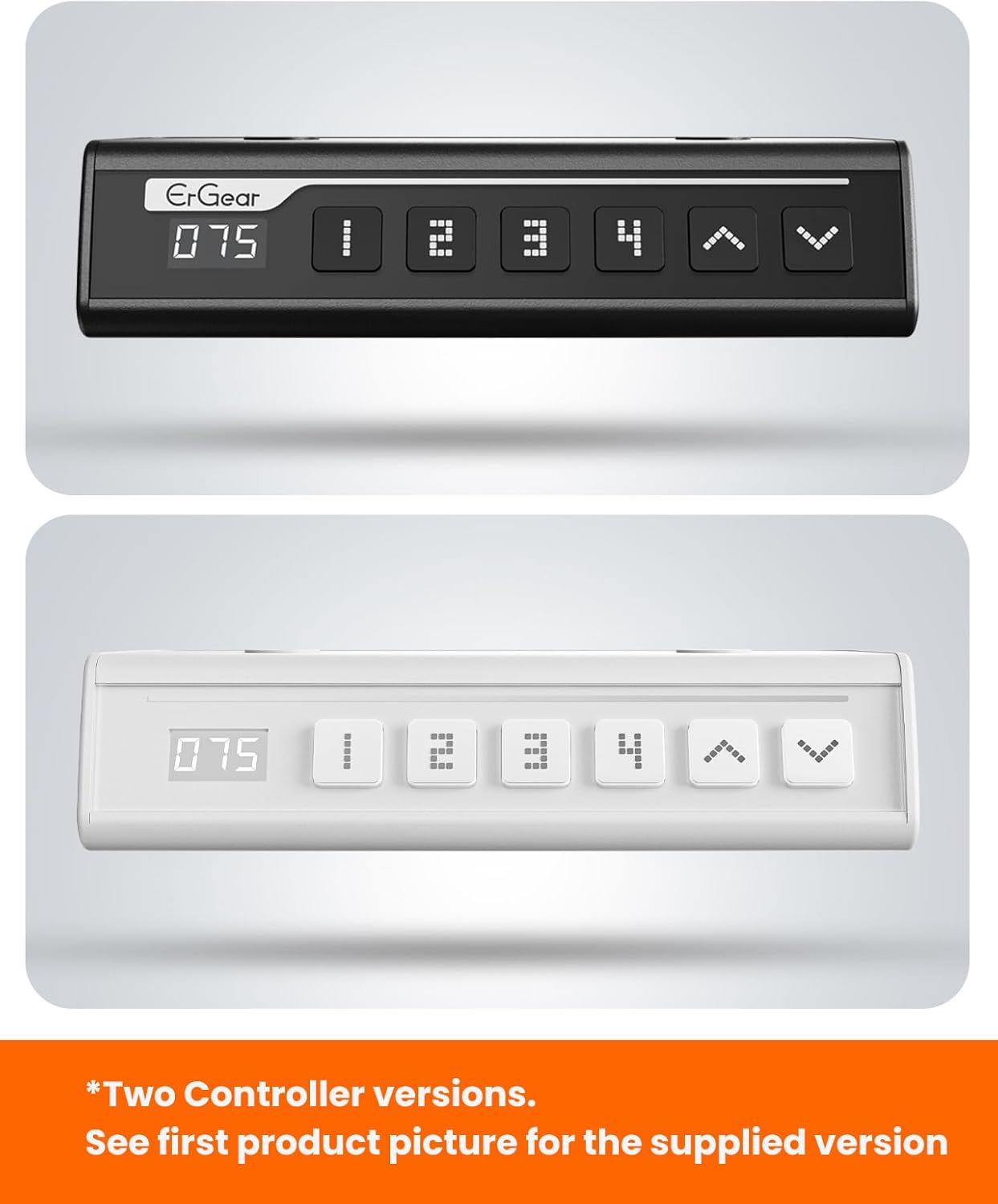
The ErGear control panel, available in two versions, features a digital height display and four programmable memory settings.
Aukščio reguliavimas
- Naudokite Aukštyn (^) ir Žemyn (v) arrows to smoothly adjust the desk height between 28.35 inches and 46.46 inches.
- Atleiskite mygtuką norimame aukštyje.
Atminties išankstiniai nustatymai
Stalas leidžia išsaugoti iki 4 pageidaujamų aukščio nustatymų.
- Reguliuokite stalo aukštį iki norimo aukščio naudodami rodykles aukštyn / žemyn.
- Paspauskite M button (or equivalent memory set button). The display will flash.
- Press one of the numbered preset buttons (1, 2, 3 arba 4) within 3 seconds to save the current height to that preset.
- Norėdami atkurti išsaugotą aukštį, tiesiog paspauskite atitinkamą sunumeruotą išankstinio nustatymo mygtuką. Stalas automatiškai pasislinks į išsaugotą padėtį.
This video demonstrates the smooth and quiet operation of the ErGear Electric Standing Desk, showcasing its height adjustment and memory preset features.
Priežiūra
- Valymas: Nuvalykite darbastalį ir rėmą minkšta, d šluosteamp skudurėliu. Venkite stiprių cheminių medžiagų ar abrazyvinių valiklių.
- Patikra: Periodically check all screws and connections for tightness. Re-tighten if necessary.
- Kabelių valdymas: Ensure cables are neatly organized and not tangled or pinched to prevent damage.
Trikčių šalinimas
Jei kyla problemų dėl „ErGear“ elektrinio stovimo stalo, žr. šias dažniausiai pasitaikančias problemas ir sprendimus:
| Problema | Galima priežastis | Sprendimas |
|---|---|---|
| Stalas nejuda | Power cable disconnected, motor error, overloaded desk. | Check power connections. Unplug for 30 seconds and plug back in. Reduce weight on the desk. |
| Netolygus aukštis | Transmission rod not fully inserted or adjusted. | Refer to Step 2 of assembly to ensure the transmission rod is correctly installed and adjusted. |
| Triukšmas veikimo metu | Normal operation sound, loose screws. | A slight motor sound is normal. Check and tighten any loose screws on the frame. |
| Atminties iš anksto nustatyti parametrai neveikia | Neteisinga išsaugojimo procedūra. | Follow the memory preset instructions carefully (press M, then the number within 3 seconds). |
Specifikacijos
| Funkcija | Detalė |
|---|---|
| Prekės ženklas | ErGear |
| Modelio numeris | EGESD7W-CA |
| Stalo dizainas | Nuolatinis stalas |
| Forma | Stačiakampis |
| Gaminio matmenys (D x P x A) | 71.1G x 160P x 118A centimetrų |
| Dydis | 63*28 colio |
| Spalva | Baltas |
| Minimalus Aukštis | 28.35 colių |
| Maksimalus aukštis | 46.46 colių |
| Stalviršio storis | 1.5 centimetras |
| Bazinė medžiaga | Legiruotasis plienas |
| Aukščiausias medžiagos tipas | Engineered Wood (Walnut Wood finish) |
| Ypatingos savybės | Adjustable Height, Electric, Ergonomic |
| Didžiausio svorio rekomendacija | 176 svarų (80 kg) |
| Reikalingas surinkimas | Taip (įskaitant visus surinkimo įrankius) |
Garantija ir palaikymas
ErGear is committed to providing high-quality products and customer satisfaction. This product comes with:
- 5 metų apsauga on the desktop and desk frame.
- 2 metų apsauga on motors and electrical components.
For any questions, concerns, or warranty claims, please contact ErGear customer support. You can typically find contact information on the product packaging or the official ErGear website. Please have your model number (EGESD7W-CA) and purchase details ready when contacting support.

The ErGear Electric Standing Desk seamlessly integrates into various home office environments.
Ask a question about this manual
Ask about setup, troubleshooting, compatibility, parts, safety, or missing instructions. Manuals+ will review the question and use this page’s manual context to help answer it.