
1. Įvadas
Thank you for choosing the MOUNTUP Dual Monitor Arm MU8012-W-07. This instruction manual provides essential information for the safe and correct installation, operation, and maintenance of your new monitor arm. Please read this manual thoroughly before installation and keep it for future reference.
Saugos priemonės
- Prieš surinkdami įsitikinkite, kad visi komponentai yra ir nepažeisti. Nenaudokite, jei trūksta kokių nors dalių arba jos yra sugedusios.
- Verify that your desk surface is strong enough to support the combined weight of the monitor arm and your monitors.
- Neviršykite maksimalios 10 kg (22 svaro) svorio ribos vienai rankai.
- Always follow the installation steps carefully. Improper installation may result in product damage or personal injury.
- Keep children away from the product during assembly. Small parts may be a choking hazard.
2. Pakuotės turinys
Patikrinkite, ar pakuotėje yra visi šie komponentai:
- Monitor Arm Assembly (x1)
- VESA plokštė (x2)
- Stalas Clamp Pagrindas (x1)
- Grommet Base (x1)
- Tvirtinimo detalių rinkinys (varžtai, poveržlės, tarpinės)
- Hex Wrenches (various sizes)
- Instrukcijų vadovas (1x)
3. Specifikacijos
| Funkcija | Specifikacija |
|---|---|
| Modelis | MU8012-W-07 |
| Medžiaga | Legiruotasis plienas |
| Spalva | Baltas |
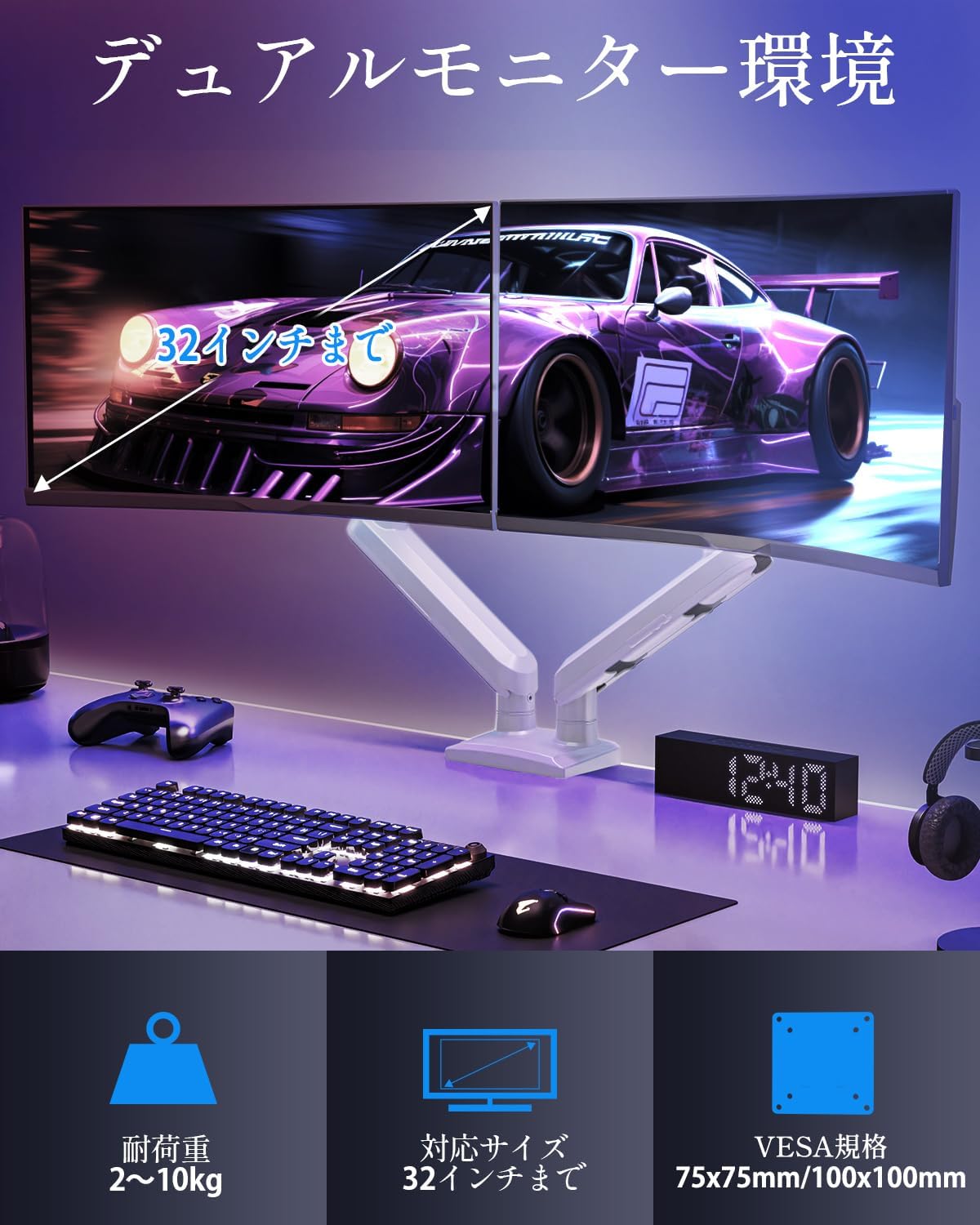
| Ekrano dydžio suderinamumas | 13–32 colių |
| Svorio talpa (vienai rankai) | 2–10 kg (4.4–22 svaro) |
| VESA suderinamumas | 75x75mm, 100x100mm |
| Montavimo parinktys | Clamp, Žiedinė įvorė |
| Pakreipimo diapazonas | +85° iki -45° |
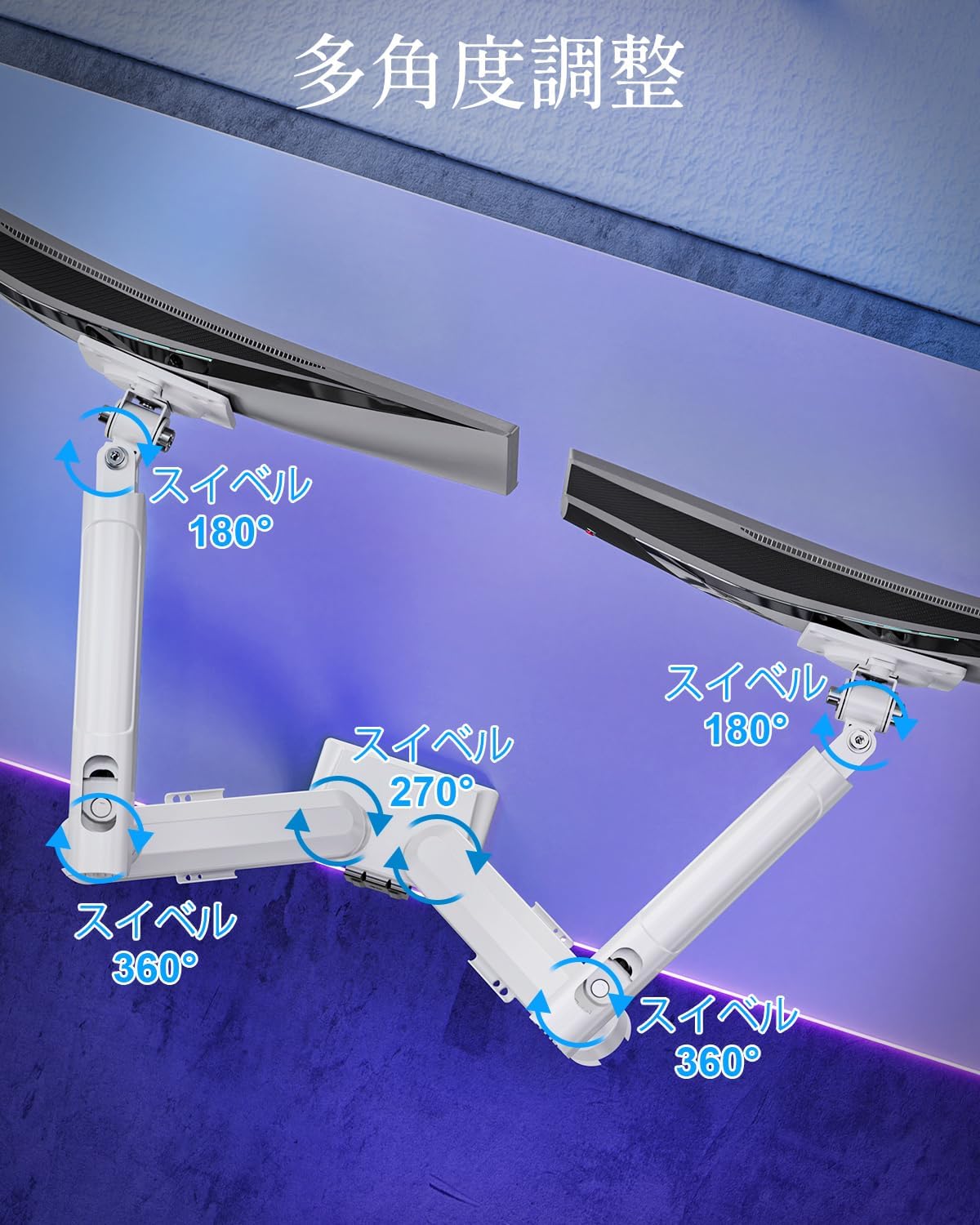
| Pasukamas diapazonas | 180° (monitor plate), 270° (middle joint), 360° (base) |
| Rotation (Pivot) | 360° |
| Maksimalus aukščio reguliavimas | 44 cm (17.3 coliai) |
| Maksimalus rankos prailginimas | 50 cm (19.7 coliai) |
| Produkto svoris | 3.1 kg (6.8 svaro) |

4. Sąranka ir diegimas
1 veiksmas: pasirinkite tvirtinimo būdą
The MOUNTUP Dual Monitor Arm supports two installation methods: Clamp Mount and Grommet Mount. Choose the method that best suits your desk.

Clamp Montavimo montavimas
- Pritvirtinkite clamp base to the main pole of the monitor arm.
- Padėkite klamp onto the edge of your desk. Ensure the desk thickness is between 10-70mm (0.4-2.7 inches).
- Priveržkite klipąamp screw until the arm is securely fastened to the desk. Ensure it is stable and does not wobble.

Grommet Mount montavimas
- If your desk has a grommet hole, ensure its diameter is between 10-60mm (0.4-2.4 inches) and the desk thickness is between 10-70mm (0.4-2.7 inches).
- Attach the grommet base to the main pole.
- Insert the grommet bolt through the desk hole and secure it from underneath with the provided plate and nut.
- Tighten the nut until the arm is firmly attached to the desk.
2 veiksmas: pritvirtinkite VESA plokštes prie monitorių
- Carefully lay your monitor face down on a soft, clean surface.
- Sulygiuokite VESA plokštę su tvirtinimo angomis monitoriaus gale.
- Use the appropriate screws (M4 or M5) and washers from the hardware kit to secure the VESA plate to the monitor. Do not overtighten.
3 veiksmas: monitorių pritvirtinimas prie rankų
- Slide the monitor (with the attached VESA plate) onto the VESA head of the monitor arm.
- Ensure the monitor clicks into place or is securely fastened by the quick-release mechanism.
- Repeat for the second monitor.

4 veiksmas: kabelių valdymas
Route your monitor cables through the integrated cable management clips on the underside of the arms. This helps maintain a tidy workspace.

5. Valdymas ir reguliavimas
The MOUNTUP Dual Monitor Arm offers flexible adjustments to optimize your viewpatirtį.

Adjusting Arm Tension (Gas Spring)
The gas spring mechanism allows for smooth height adjustments. If your monitor sags or is difficult to move, you may need to adjust the tension.

- To increase tension (if monitor sags): Use the provided hex wrench to turn the adjustment screw clockwise.
- To decrease tension (if arm is too stiff): Pasukite reguliavimo varžtą prieš laikrodžio rodyklę.
- Always adjust tension with the arm held horizontally. Test the movement after each small adjustment until the monitor holds its position freely.
Monitoriaus reguliavimas
- Aukščio reguliavimas: Gently push or pull the monitor up or down to your desired height. The gas spring will assist in holding the position. Max height is 44cm (17.3 inches).
- Pakreipimo reguliavimas: Tilt the monitor screen up to +85° or down to -45° to reduce glare and optimize viewing angles. Loosen the tilt bolt, adjust, then re-tighten.
- Sukimosi reguliavimas: The arm allows for 180° swivel at the monitor plate, 270° at the middle joint, and 360° at the base, providing wide range of motion.
- Rotation (Pivot): Pasukite monitorių 360°, kad perjungtumėte horizontalią ir vertikalią orientacijas.

6. Priežiūra
- Valymas: Nuvalykite monitoriaus laikiklį minkšta,amp šluoste. Venkite abrazyvinių valiklių ar tirpiklių, kurie gali pažeisti apdailą.
- Periodiniai patikrinimai: Periodiškai patikrinkite visus varžtus ir jungtis, kad jie būtų tvirtai priveržti. Jei reikia, priveržkite.
- Gas Spring Longevity: The high-quality gas spring is tested for over 20,000 cycles. Proper tension adjustment will help maintain its performance over time.

7. Problemų sprendimas
- Stebėkite įdubimus arba jie neišlips: The gas spring tension is too low. Refer to the "Adjusting Arm Tension" section and turn the adjustment screw clockwise to increase tension.
- Arm is Too Stiff or Difficult to Move: The gas spring tension is too high. Refer to the "Adjusting Arm Tension" section and turn the adjustment screw counter-clockwise to decrease tension.
- Monitoriaus virpesiai: Ensure all mounting screws (VESA plate to monitor, arm to desk) are securely tightened. Check that the desk clamp or grommet mount is firm.
- Monitor Tilt Angle Won't Hold: The tilt bolt may be loose. Tighten the tilt bolt on the VESA head.
8. Garantija ir palaikymas
MOUNTUP provides a 2 metų kokybės garantija nuo šio gaminio įsigijimo datos. Ši garantija taikoma gamybos defektams ir problemoms, kylančioms dėl įprasto naudojimo.
If you encounter any problems with your MOUNTUP Dual Monitor Arm, or if you have questions regarding installation or operation, please contact our customer support. You can typically find seller contact information through your purchase history on the platform where you bought the product (e.g., Amazon order details).
Please have your model number (MU8012-W-07) and purchase date ready when contacting support to ensure a swift resolution.