
Įvadas
This manual provides detailed instructions for the proper use and maintenance of your ACEFAST H2 Wireless Headset. Designed with advanced Active Noise Cancelling (ANC) technology and Bluetooth 5.3 connectivity, these headphones offer a high-quality audio experience. Please read this manual thoroughly before using the product to ensure optimal performance and longevity.
Pakuotės turinys
- ACEFAST H2 Wireless Headset
- USB-C įkrovimo laidas
- 3.5 mm „Aux“ kabelis
- Vartotojo vadovas (šis dokumentas)
Produktas baigtasview
Familiarize yourself with the components and controls of your ACEFAST H2 headset.
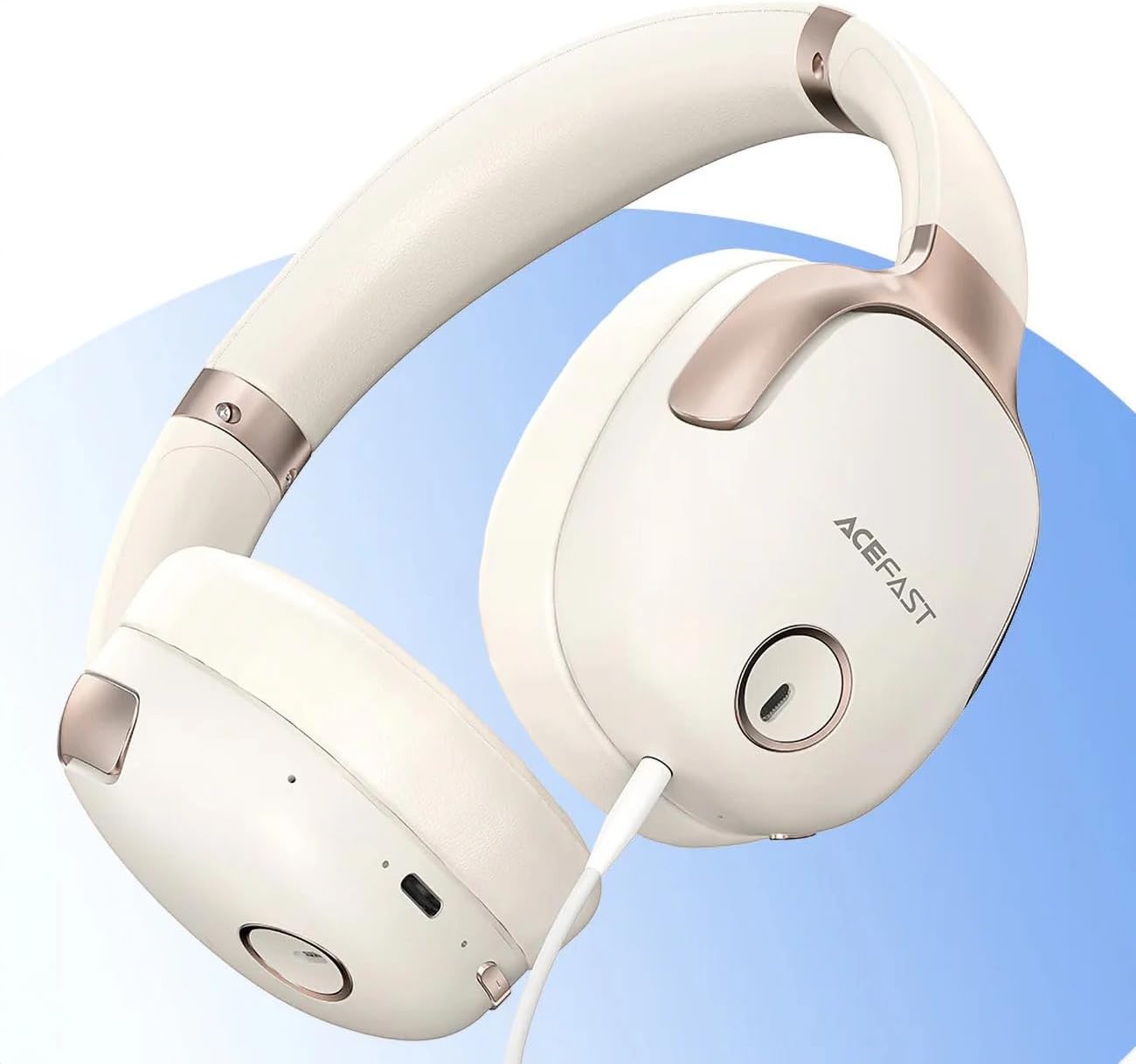
1 paveikslas: ACEFAST H2 Headset showing USB-C charging port, 3.5mm audio jack, and control buttons.
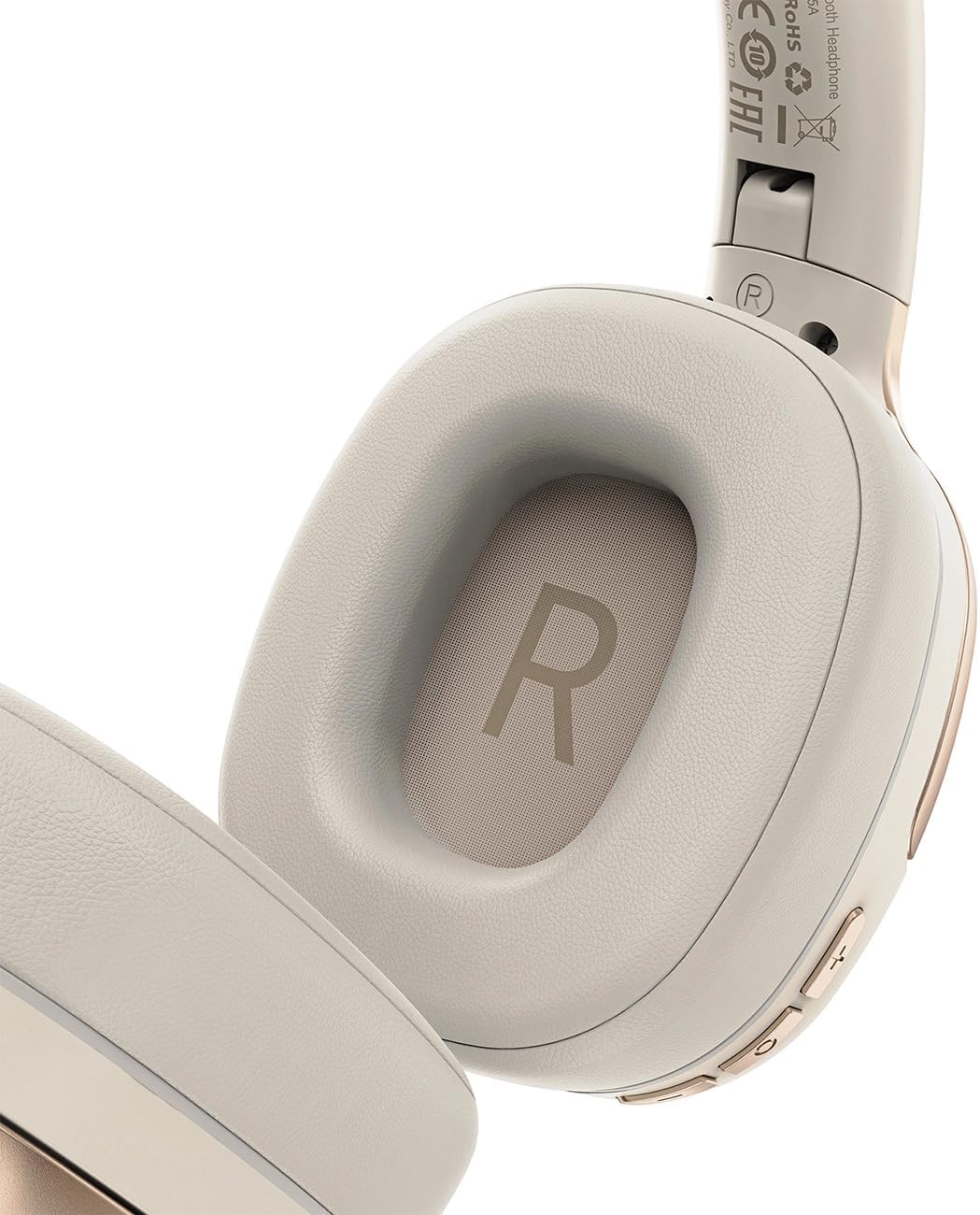
2 paveikslas: Interior of the right earcup, indicating proper orientation for wearing.

3 paveikslas: Headband adjustment mechanism and ear cup swivel for comfortable fit.

4 paveikslas: The foldable design of the headset for easy storage and transport.
Pagrindiniai komponentai:
- Maitinimo / daugiafunkcis mygtukas: Naudojamas įjungimui / išjungimui, atkūrimui / pristabdymui, skambučių atsiliepimui / baigimui.
- Garsumo didinimo / kito takelio mygtukas: Paspauskite, kad padidintumėte garsumą, o palaikykite, kad įjungtumėte kitą takelį.
- Garsumo mažinimo / ankstesnio takelio mygtukas: Paspauskite, kad sumažintumėte garsumą, laikykite paspaudę, kad peržiūrėtumėte ankstesnį takelį.
- ANC mygtukas: Įjungia arba išjungia aktyvų triukšmo slopinimą.
- USB-C įkrovimo prievadas: Ausinių įkrovimui.
- 3.5 mm garso lizdas: For wired connection using the Aux cable.
- Mikrofonas: Integruota skambučiams.
- LED indikatorius: Rodo maitinimo, įkrovimo ir susiejimo būseną.
Sąranka
1. Ausinių įkrovimas
- Connect the provided USB-C charging cable to the headset's USB-C port.
- Kitą laido galą prijunkite prie USB maitinimo adapterio (nepridedamas) arba kompiuterio USB prievado.
- LED indikatorius rodys įkrovimo būseną (pvz., raudona spalva kraunant, mėlyna, kai visiškai įkrauta).
- A full charge takes approximately 2 hours and provides up to 80 hours of music playback.
2. Įjungimas/išjungimas
- Norėdami įjungti: Paspauskite ir palaikykite maitinimo / daugiafunkcį mygtuką maždaug 3 sekundes, kol pradės mirksėti LED indikatorius.
- Norėdami išjungti: Maždaug 5 sekundes palaikykite nuspaudę maitinimo / daugiafunkcį mygtuką, kol užges LED indikatorius.
3. „Bluetooth“ poravimas
- Įsitikinkite, kad laisvų rankų įranga išjungta.
- Press and hold the Power/Multi-function button for about 5-7 seconds until the LED indicator flashes red and blue alternately, indicating pairing mode.
- Savo įrenginyje (išmaniajame telefone, planšetiniame kompiuteryje, kompiuteryje) įjunkite „Bluetooth“ ir ieškokite galimų įrenginių.
- Select "ACEFAST H2" from the list of found devices.
- Kai įrenginys bus suporuotas, LED indikatorius lėtai mirksės mėlynai.
- The headset will automatically connect to the last paired device when powered on, if within range.
4. Laidinis ryšys (Aux režimas)
- Connect one end of the 3.5mm Aux cable to the headset's 3.5mm audio jack.
- Kitą galą prijunkite prie garso šaltinio 3.5 mm garso išvesties.
- In wired mode, the headset functions passively, and Bluetooth features are disabled. ANC may still be active if powered on.
Naudojimo instrukcijos
Muzikos atkūrimas
- Leisti / pristabdyti: Trumpai paspauskite maitinimo / daugiafunkcinį mygtuką.
- Pagarsink: Trumpai paspauskite garsumo didinimo mygtuką.
- Patildyti: Trumpai paspauskite garsumo mažinimo mygtuką.
- Kitas takelis: Ilgai paspauskite garsumo didinimo mygtuką.
- Ankstesnis takelis: Ilgai paspauskite garsumo mažinimo mygtuką.
Telefono skambučiai
- Atsiliepti / Baigti skambutį: Trumpai paspauskite maitinimo / daugiafunkcinį mygtuką.
- Atmesti skambutį: Ilgai paspauskite maitinimo / daugiafunkcinį mygtuką.
- Padėjėjas balsu: Dukart paspauskite maitinimo / daugiafunkcį mygtuką (jei jūsų įrenginys jį palaiko).
Aktyvus triukšmo panaikinimas (ANC)
- ANC įjungimas / išjungimas: Press the dedicated ANC button. The LED indicator will change to confirm status.
- ANC reduces ambient noise up to -40dB, providing a quieter listening environment.
Priežiūra
- Valymas: Ausinėms valyti naudokite minkštą, sausą šluostę. Nenaudokite abrazyvinių valiklių ar tirpiklių.
- Saugykla: Store the headset in a cool, dry place away from direct sunlight and extreme temperatures. When not in use, it is recommended to fold the headset for compact storage.
- Atsparumas vandeniui: The headset is IPX4 water-resistant, meaning it is protected against splashing water from any direction. It is not designed for submersion or exposure to heavy rain. Avoid exposing the charging port and audio jack to moisture.
- Akumuliatoriaus priežiūra: To preserve battery life, charge the headset fully before long periods of storage and recharge it at least once every three months.
Trikčių šalinimas
| Problema | Galima priežastis | Sprendimas |
|---|---|---|
| Ausinės neįsijungia. | Senka baterija. | Visiškai įkraukite ausines. |
| Nepavyksta susieti su įrenginiu. | Ausinės neįjungtos susiejimo režimu; įrenginio „Bluetooth“ išjungtas; per toli nuo įrenginio. | Ensure headset is in pairing mode (flashing red/blue). Turn on device Bluetooth. Move headset closer to device (within 10 meters). |
| Nėra garso arba garso kokybė prasta. | Volume too low; headset not connected; interference; incorrect audio output selected. | Adjust volume on headset and device. Re-pair headset. Move away from sources of interference. Check device's audio output settings. |
| ANC neveikia efektyviai. | ANC neaktyvuotas; netinkamas įdėklas. | Press the ANC button to activate. Adjust headset for a snug fit over your ears. |
Specifikacijos
| Modelio pavadinimas | H2 |
| Ryšio technologija | Wireless (Bluetooth 5.3) / Wired (3.5mm Aux) |
| Bluetooth diapazonas | Iki 10 metrų |
| Triukšmo valdymas | Active Noise Cancellation (ANC) up to -40dB, Environmental Noise Cancelling (ENC) for microphone |
| Baterijos veikimo laikas | Iki 80 valandų (muzikos atkūrimas) |
| Įkrovimo laikas | Maždaug 2 valandos (per USB-C) |
| Atsparumas vandeniui | IPX4 (atsparus purslams) |
| Ausų išdėstymas | Ant ausies |
| Medžiaga | Akrilnitrilo butadieno stirenas (ABS) |
| Spalva | Smėlio spalvos |

5 paveikslas: Illustration of the dynamic HiFi audio driver components.
Informacija apie garantiją
The ACEFAST H2 Wireless Headset comes with a 6 mėnesių gamintojo garantija nuo įsigijimo datos. Ši garantija taikoma gamybos defektams ir gedimams įprasto naudojimo sąlygomis. Ji netaikoma žalai, atsiradusiai dėl netinkamo naudojimo, nelaimingų atsitikimų, neleistinų modifikacijų ar įprasto nusidėvėjimo. Išsaugokite pirkimo įrodymą, jei galėtumėte pateikti pretenzijas dėl garantijos.
Palaikymas
For further assistance, technical support, or warranty inquiries, please refer to the contact information provided by your retailer or visit the official ACEFAST website. Ensure you have your product model number (H2) and proof of purchase ready when contacting support.