
1. Įvadas
This manual provides detailed instructions for the installation, operation, and maintenance of your Ctronics 4K 30x Optical Zoom Security Camera. Please read this manual thoroughly before using the product to ensure proper functionality and safety.

Figure 1.1: Ctronics 4K 30x Optical Zoom Security Camera (Model CTIPC-870C)
2. Produkto ypatybės
- Real 4K UHD & 30X Optical 3D Zoom: Equipped with a Sony IMX415 sensor and SSC335Q chipset, delivering 3840×2160 resolution. Features 30X optical 3D zoom for clear distant details and smooth 355° pan and 90° tilt for 360° coverage.
- 180m Infrared & 80m Full-Color Night Vision: Utilizes 4 convex lenses, 2 laser spotlights, and 4 infrared lasers for night vision up to 180 meters in black & white IR mode and 80 meters in full-color.
- Smart Detection & Auto Tracking with Zoom: AI detection for humans, vehicles, and pets. Automatically tracks detected targets with intelligent zoom. Triggers custom voice alerts, spotlights, and app notifications. Returns to original guard position after tracking.
- Dual-Band Wi-Fi & Quick Bluetooth Setup: Supports both 2.4GHz and 5GHz Wi-Fi for stable connections. Bluetooth pairing via the "Ctronics Pro" app enables quick setup.
- Privacy Masking & Flexible Storage Options: Customizable video mask for sensitive areas. Supports local storage via microSD card (up to 256GB, not included) and secure cloud storage (7-day free trial).
3. Kas yra dėžutėje
The package for your Ctronics 4K 30x Optical Zoom Security Camera includes:
- 1 x 4K Security Camera
Note: Additional accessories such as power adapter, mounting screws, and user manual may also be included. Please check your specific product packaging.
4. Sąrankos vadovas
4.1 Fizinis įrengimas
The camera is designed for outdoor usage and wall mounting. Ensure the mounting surface is stable and can support the camera's weight.
- Choose a suitable location for installation, ensuring clear line of sight for surveillance.
- Naudokite pateiktą tvirtinimo šabloną (jei taikoma), kad pažymėtumėte gręžimo skyles ant sienos.
- Gręžkite skyles ir, jei reikia, įstatykite sieninius kaiščius.
- Secure the camera's mounting bracket to the wall using the provided screws.
- Attach the camera to the mounted bracket.
- Prijunkite maitinimo adapterį prie fotoaparato ir maitinimo lizdo.
4.2 Network Configuration (Wi-Fi & Bluetooth)
The camera supports dual-band Wi-Fi (2.4GHz and 5GHz) and features quick Bluetooth setup.
- Download the "Ctronics Pro" app from your mobile device's app store.
- Atidarykite programėlę ir sukurkite paskyrą arba prisijunkite.
- Follow the in-app instructions to add a new device. The app will guide you through Bluetooth pairing for quick setup.
- Select your Wi-Fi network (2.4GHz or 5GHz) and enter the password when prompted.
- Once connected, the camera will be accessible via the app.

Figure 4.1: Connectivity and Storage Options
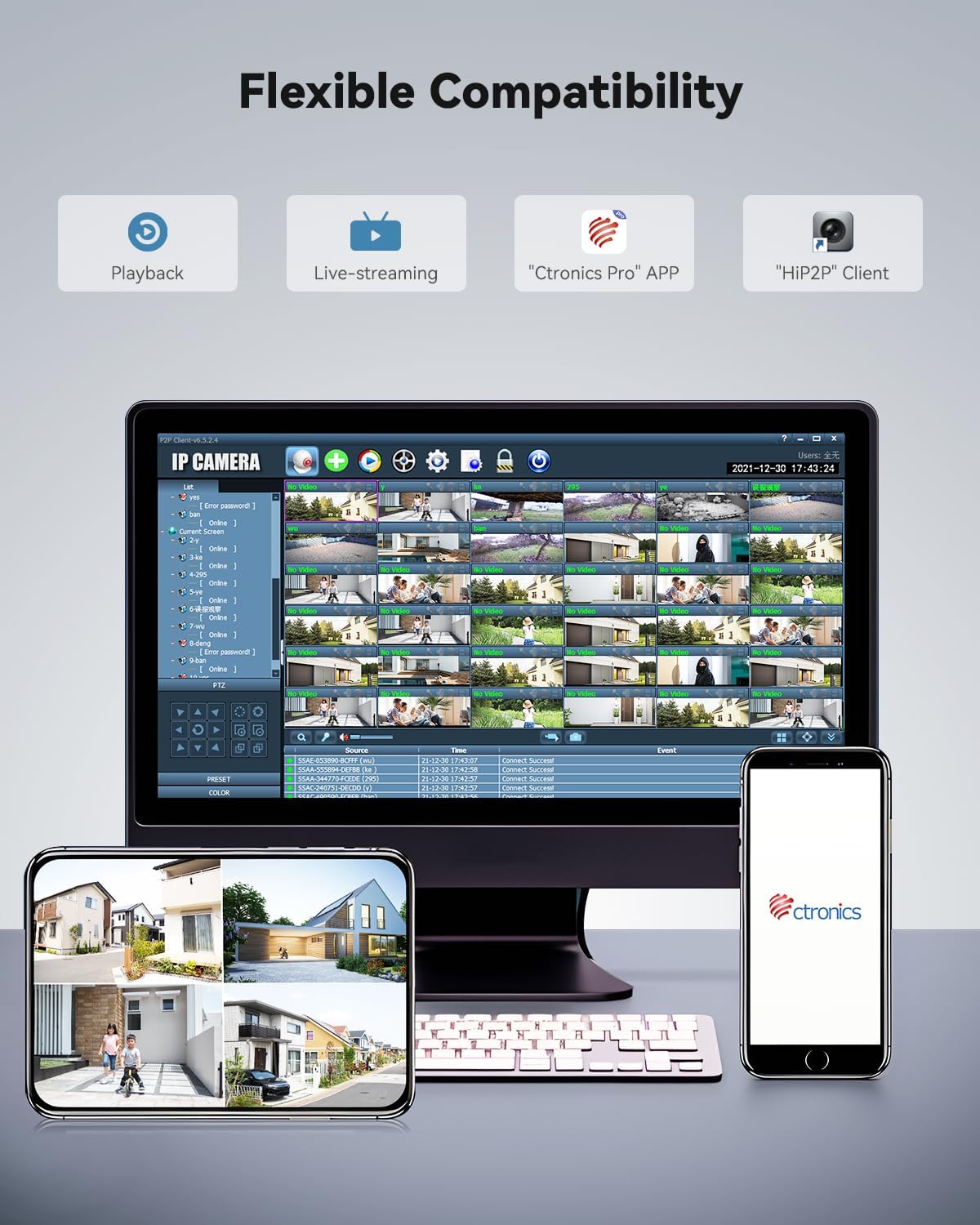
Figure 4.2: Flexible Compatibility with Ctronics Pro App and HIP2P Client
5. Naudojimo instrukcijos
5.1 Tiesiogiai View ir Atkūrimas
Access the "Ctronics Pro" app or "HIP2P" client on your desktop to view gyvas kvailystage arba review užfiksuoti įvykiai.
- Live-streaming: Pasirinkite kamerą iš savo įrenginių sąrašo, kad view vaizdo įrašas realiuoju laiku.
- Atkūrimas: Navigate to the playback section to access recordings stored on the microSD card or cloud.
5.2 Pasukimo, pakreipimo ir priartinimo (PTZ) valdymas
The camera offers 355° pan, 90° tilt, and 30x optical zoom capabilities.
- Use the directional controls within the app to pan (horizontal movement) and tilt (vertical movement) the camera.
- Use the zoom controls to optically zoom in or out.

Figure 5.1: 30X Optical Zoom Capability
5.3 Naktinio matymo režimai
The camera automatically switches between day and night vision modes. You can also manually adjust settings if available in the app.
- Infraraudonųjų spindulių (IR) naktinis matymas: Pateikia aiškų juodą ir baltą maistątage up to 180 meters in low light or total darkness.
- Spalvotas naktinis matymas: Provides vivid color footage up to 80 meters in low light conditions.
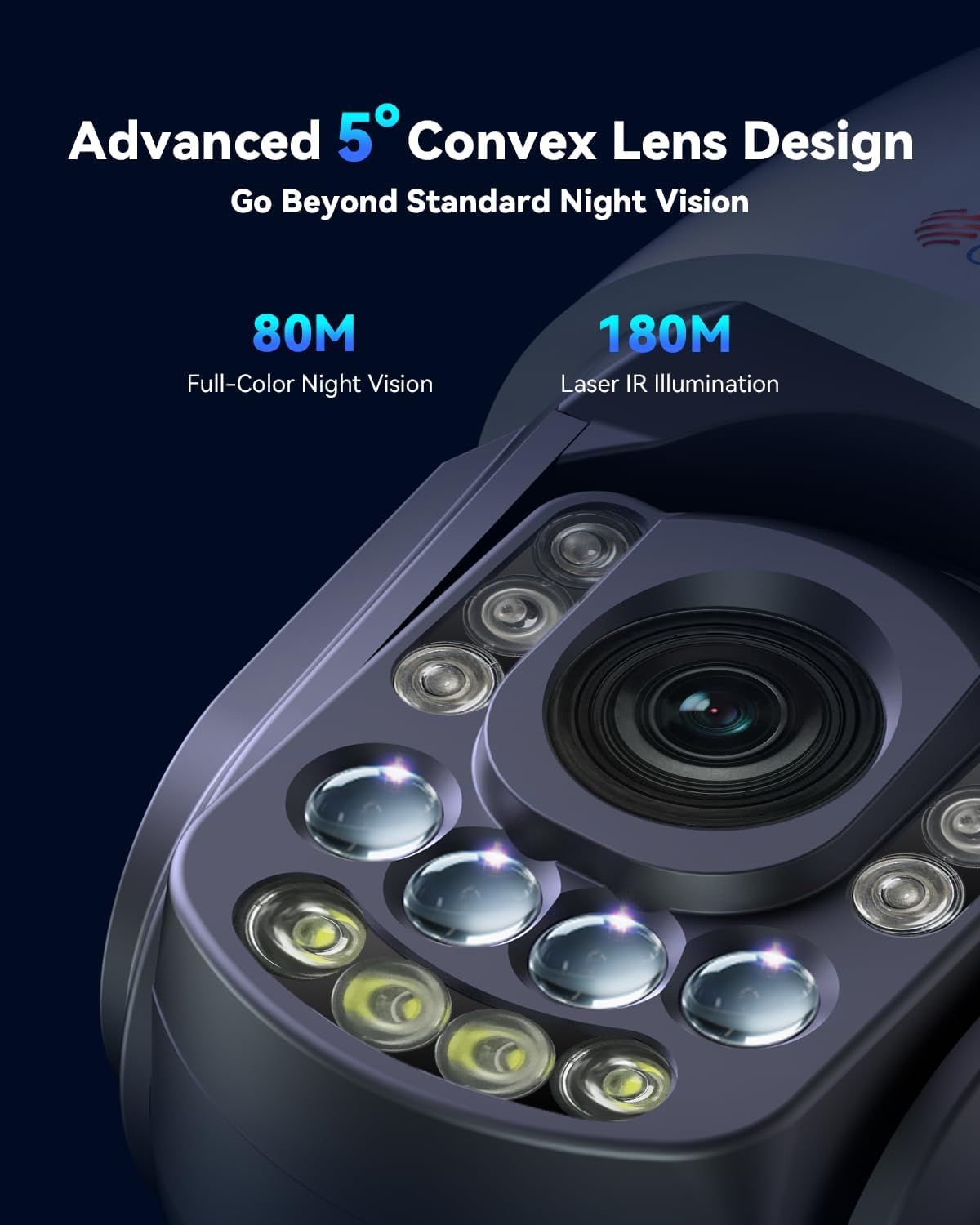
Figure 5.2: Advanced Night Vision Technology

Figure 5.3: Night Vision Range and Clarity
5.4 Išmanusis aptikimas ir automatinis sekimas
Configure AI detection settings to receive alerts for specific events.
- In the app settings, enable AI detection for humans, vehicles, or pets.
- Activate auto-tracking. When a detected object enters the camera's view, it will automatically track the object and zoom in.
- Set up custom voice alerts and spotlight activation for detected events.
- Configure the camera to return to its original guard position after tracking is complete.
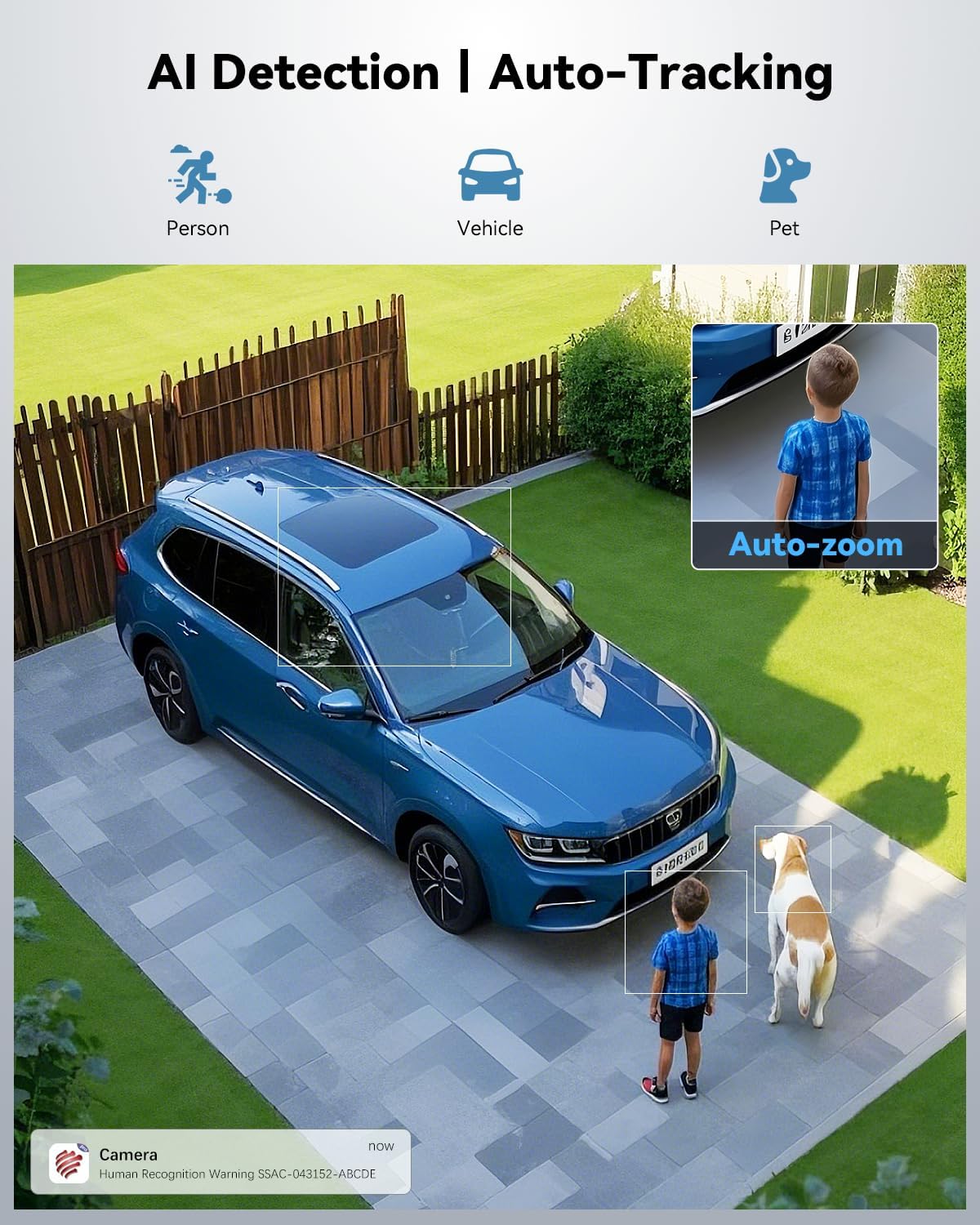
Figure 5.4: AI Detection and Auto-Tracking in Action

Figure 5.5: Powerful Sound and Light Alerts
5.5 Preset and Cruise Features
Set up specific points and patrol routes for automated surveillance.
- Preset Points: Define up to 60 specific viewing angles that the camera can quickly move to.
- Patrol Lines: Create up to 2 automated patrol routes for the camera to follow, cycling through defined preset points.

Figure 5.6: Preset and Cruise Features for 360° Coverage
5.6 Saugojimo parinktys
The camera supports both local and cloud storage.
- „MicroSD“ kortelė: Insert a microSD card (up to 256GB, not included) into the designated slot for local recording.
- Saugykla debesyje: Utilize the secure cloud storage option, which includes a 7-day free trial.
- FTP/NVR: The camera also supports FTP and NVR (Network Video Recorder) for continuous 24/7 recording.
5.7 Privatumo maskavimas
To protect sensitive areas from being recorded:
- Access the privacy masking settings in the app.
- Define custom video mask zones to block out specific areas from recording.
6. Priežiūra
Reguliarus fotoaparato aptarnavimas užtikrina optimalų veikimą ir ilgaamžiškumą.
- Valymas: Švelniai nuvalykite fotoaparato objektyvą ir korpusą minkšta,amp skudurėliu. Venkite abrazyvinių valiklių ar tirpiklių.
- Firmware atnaujinimai: Check the "Ctronics Pro" app regularly for firmware updates. Keeping the firmware updated ensures the latest features and security patches.
- Kabelio apžiūra: Reguliariai tikrinkite maitinimo ir tinklo kabelius, ar nėra susidėvėjimo ar pažeidimų požymių.
- Aplinkos apsauga: Ensure the camera's waterproof rating (IP66) is maintained by ensuring all covers and seals are properly secured.
7. Problemų sprendimas
Šiame skyriuje aptariamos dažniausiai pasitaikančios problemos, su kuriomis galite susidurti.
| Problema | Galima priežastis | Sprendimas |
|---|---|---|
| Camera offline/No connection | Poor Wi-Fi signal, incorrect Wi-Fi password, power issue. | Check Wi-Fi signal strength, re-enter Wi-Fi password in app, ensure power adapter is securely connected. Try restarting the camera and router. |
| Prasta vaizdo kokybė | Dirty lens, low light conditions, network bandwidth. | Clean the camera lens. Ensure adequate lighting for full-color night vision. Check network speed. |
| Auto-tracking not working | Feature not enabled, object too far/small, environmental interference. | Ensure auto-tracking and AI detection are enabled in app settings. Verify the object is within detection range and size. |
| Į SD kortelę įrašymas negalimas | SD card full, corrupted, or not inserted correctly. Recording schedule not set. | Check SD card status in app, format or replace if necessary. Ensure recording schedule or motion detection recording is enabled. |
8. Specifikacijos
| Funkcija | Detalė |
|---|---|
| Modelio pavadinimas | CTIPC-870C |
| Naudojimas viduje / lauke | Lauke |
| Vaizdo įrašymo raiška | 3840 (4K UHD) |
| Veiksminga nejudančioji raiška | 8 MP |
| Optinis priartinimas | 30x |
| Naktinio matymo diapazonas | 150 Meters (IR), 80 Meters (Full-Color) |
| Ryšio technologija | Wireless (Wi-Fi 2.4/5GHz, Bluetooth) |
| Saugojimo parinktys | Micro SD (up to 256GB), Cloud, FTP, NVR |
| Maitinimo šaltinis | Laidinis elektrinis (12 voltų, 12 vatų) |
| Medžiaga | Metalas |
| Atsparumo vandeniui lygis | Neperšlampamas (IP66) |
| Prekės matmenys (I x P x A) | 7.48 x 5.51 x 11.02 colio |
| Prekės svoris | 5.52 svaro |
| Kontrolės metodas | App (Ctronics APP) |
9. Oficialus produkto vaizdo įrašas
Video 9.1: Real 4K Clarity. True 30X Precision. This video demonstrates the camera's 4K resolution and 30x optical zoom capabilities, showcasing its clarity and precision in various scenarios.
10. Garantija ir palaikymas
Ctronics products typically come with a manufacturer's warranty. For specific warranty details, please refer to the warranty card included with your product or visit the official Ctronics websvetainę.
For technical support, troubleshooting assistance, or any inquiries regarding your camera, please contact Ctronics customer service. Contact information can usually be found on the product packaging, the official Ctronics website, or within the "Ctronics Pro" app.
Kaip pažymėta klientų atsiliepimeviews, Ctronics provides responsive customer support, often assisting with setup and feature activation.