
1. Įvadas
Thank you for choosing the AWEI T21 Bluetooth Earbuds. These wireless earbuds are designed to provide a high-quality audio experience with advanced features such as Bluetooth 5.3 connectivity, smart touch controls, and IPX6 waterproofing. This manual will guide you through the setup, operation, and maintenance of your new earbuds.

Vaizdas: Viršview of AWEI T21 Earbuds key features including Bluetooth 5.3, TWS, HD Microphone, comfortable fit, Type-C fast charging, and touch control.
2. Pakuotės turinys
- AWEI T21 Wireless Bluetooth Headset (Left and Right Earbuds)
- Įkrovimo dėklas
- USB-C įkrovimo laidas
- User Instructions (This Manual)
3. Sąranka
3.1 Pradinis įkrovimas
Before first use, fully charge the earbuds and the charging case. Connect the provided USB-C cable to the charging port on the case and to a power source. The charging case has a 300mAh capacity and takes approximately 1.5 hours to fully charge.

Image: The AWEI T21 charging case with its Type-C fast-fill port, shown connected to a power source.

Image: The AWEI T21 multi-function charging case highlighting its 300mAh capacity, 2.5 hours play time, and 130 hours standby time.
3.2 Susiejimas su įrenginiu
- Atidarykite įkrovimo dėklą. Ausinės automatiškai įsijungs ir pradės veikti susiejimo režimu.
- Savo įrenginyje (išmaniajame telefone, planšetiniame kompiuteryje, nešiojamajame kompiuteryje) įjunkite „Bluetooth“.
- Ieškokite „AWEI T21“ galimų „Bluetooth“ įrenginių sąraše ir pasirinkite jį, kad prisijungtumėte.
- Prijungus, išgirsite patvirtinimo signalą ir ausinės bus paruoštos naudoti.
The earbuds feature Bluetooth 5.3 technology for a fast and stable connection, with a range of up to 10 meters.

Image: AWEI T21 earbuds in their charging case, illustrating instant connection via Bluetooth 5.3 upon removal.
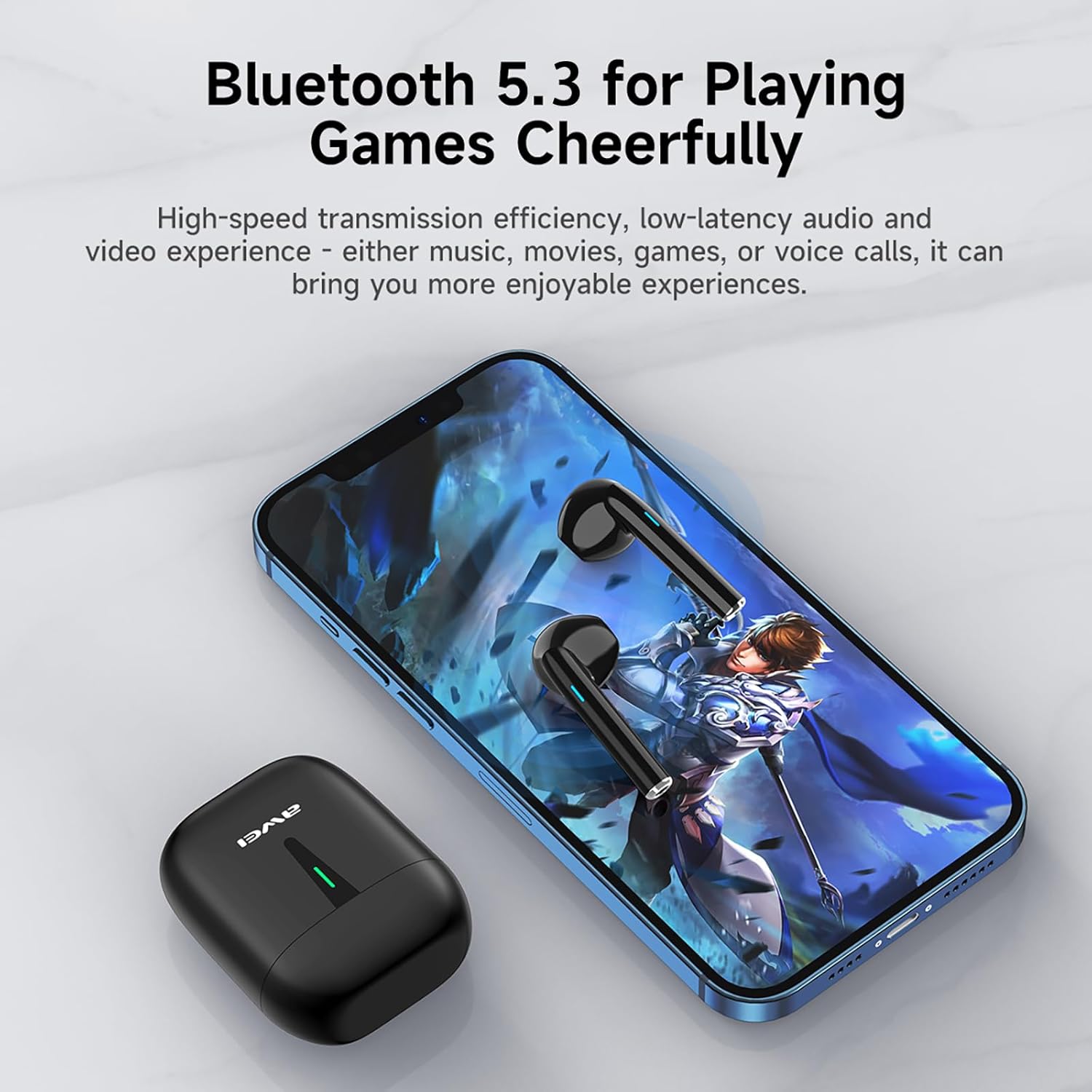
Image: A smartphone displaying a game, with AWEI T21 earbuds and their charging case nearby, emphasizing Bluetooth 5.3 for low-latency audio.
4. Naudojimo instrukcijos
4.1 Maitinimo įjungimas/išjungimas
- Maitinimas: Ausinės automatiškai įsijungia, kai išimamos iš įkrovimo dėklo.
- Išjungti: Įdėkite ausines atgal į įkrovimo dėklą, kad jos automatiškai išsijungtų ir pradėtų krauti.
4.2 Išmanieji jutikliniai valdikliai
The AWEI T21 earbuds feature intuitive touch controls on each earbud. Specific touch functions may vary slightly by device, but common controls include:
- Leisti / pristabdyti: Vieną kartą bakstelėkite bet kurią ausinę.
- Kita daina: Dukart palieskite dešinįjį ausinės antgalį.
- Ankstesnė daina: Dukart palieskite kairįjį ausinės antgalį.
- Atsiliepti / Baigti skambutį: Vieną kartą bakstelėkite bet kurią ausinę.
- Atmesti skambutį: Paspauskite ir 2 sekundes palaikykite bet kurią ausinę.
- Garsumo valdymas: (Specific gesture not detailed in product info, typically long press or multiple taps. Refer to device settings if needed.)
- Suaktyvinti „Voice Assistant“: (Specific gesture not detailed in product info, typically triple tap or long press.)
4.3 Monaural and Binaural Modes
The earbuds support both single-ear (monaural) and dual-ear (binaural) usage modes.
- Mono režimas: Use one earbud independently while the other is in the charging case. This extends total listening time by allowing you to alternate earbuds.
- Binauralinis režimas: Use both earbuds simultaneously for stereo sound.

Image: Illustration of AWEI T21 earbuds in both monaural (single earbud connected) and binaural (both earbuds connected for stereo) modes.
5. Priežiūra
5.1 Valymas
- Švelniai nuvalykite ausines ir įkrovimo dėklą minkštu, sausu, nepūkuotu skudurėliu.
- Nenaudokite abrazyvinių valiklių, tirpiklių ar aerozolinių purškalų.
- Įsitikinkite, kad abiejų ausinių ir dėklo įkrovimo kontaktai yra švarūs ir sausi.
5.2 Atsparumas vandeniui
The AWEI T21 earbuds are rated IPX6 waterproof, meaning they are protected against high-pressure water jets from any direction. This makes them suitable for use during workouts or in light rain. However, they are not designed for submersion in water. Ensure earbuds are dry before placing them back in the charging case.
5.3 Saugykla
Kai nenaudojate, laikykite ausines įkrovimo dėkle, kad jos būtų apsaugotos ir įkrautos. Laikykite vėsioje, sausoje vietoje, toliau nuo ekstremalių temperatūrų.
6. Problemų sprendimas
| Problema | Galimas sprendimas |
|---|---|
| Ausinės nesusijungia su įrenginiu. |
|
| Veikia tik viena ausinė. |
|
| Ausinės neįkraunamos. |
|
| Low sound quality or intermittent connection. |
|
7. Specifikacijos
| Modelio pavadinimas | T21 |
| Prekės ženklas | Awei |
| Ryšio technologija | Belaidis ryšys („Bluetooth“) |
| Bluetooth versija | 5.3 |
| Bluetooth diapazonas | 10 metrų |
| Ausų išdėstymas | Ausyje |
| Valdymo tipas | Palieskite valdymą |
| Atsparumo vandeniui lygis | IPX6 Atsparus vandeniui |
| Ausinių baterijos veikimo laikas | 6 valandos (nuolatinis naudojimas) |
| Įkrovimo dėklo talpa | 300 mAh |
| Bendras grojimo laikas (su dėklu) | Up to 36 Hours (dual-ear mode), Up to 72 Hours (single-ear alternating) |
| Įkrovimo laikas (dėklas) | 1.5 Hours (via Type-C) |
| Garso tvarkyklės tipas | Dynamic Driver (10mm speaker) |
| Medžiaga | Silicone (ear caps) |
| Prekės svoris | 0.09 kilogramo |
| Įtraukti komponentai | USB-C Charging Cable, Wireless Bluetooth Headset, User Instructions, Wireless Bluetooth Headset Charging Case |
8. Informacija apie garantiją
The AWEI T21 Bluetooth Earbuds come with a 1 metų garantija nuo pirkimo datos. Ši garantija taikoma gamybos defektams. Išsaugokite pirkimo įrodymą, jei galėtumėte pateikti pretenzijas dėl garantijos. Garantija netaikoma žalai, atsiradusiai dėl netinkamo naudojimo, nelaimingų atsitikimų, neleistinų modifikacijų ar įprasto nusidėvėjimo.
9. Pagalba klientams
For further assistance, technical support, or warranty inquiries, please contact Awei customer service through the retailer where you purchased the product or visit the official Awei websvetainė kontaktinei informacijai.