
1. Įvadas
Ačiū, kad pirkoteasing the AGPTEK A16 MP3 Player. This device is designed to provide a high-quality audio experience with its Bluetooth 5.3 connectivity and HIFI sound capabilities. It features a compact design, a built-in speaker, FM radio, voice recording, and expandable storage. This manual will guide you through the setup, operation, and maintenance of your new MP3 player.

Figure 1.1: AGPTEK A16 MP3 Player
2. Produktas baigtasview
2.1 Pakuotės turinys
- AGPTEK A16 MP3 grotuvas
- USB-C įkrovimo laidas
- Ausinės
- Rankovė
- Vartotojo vadovas
2.2 Įrenginio išdėstymas
Familiarize yourself with the buttons and ports on your AGPTEK A16 MP3 Player.

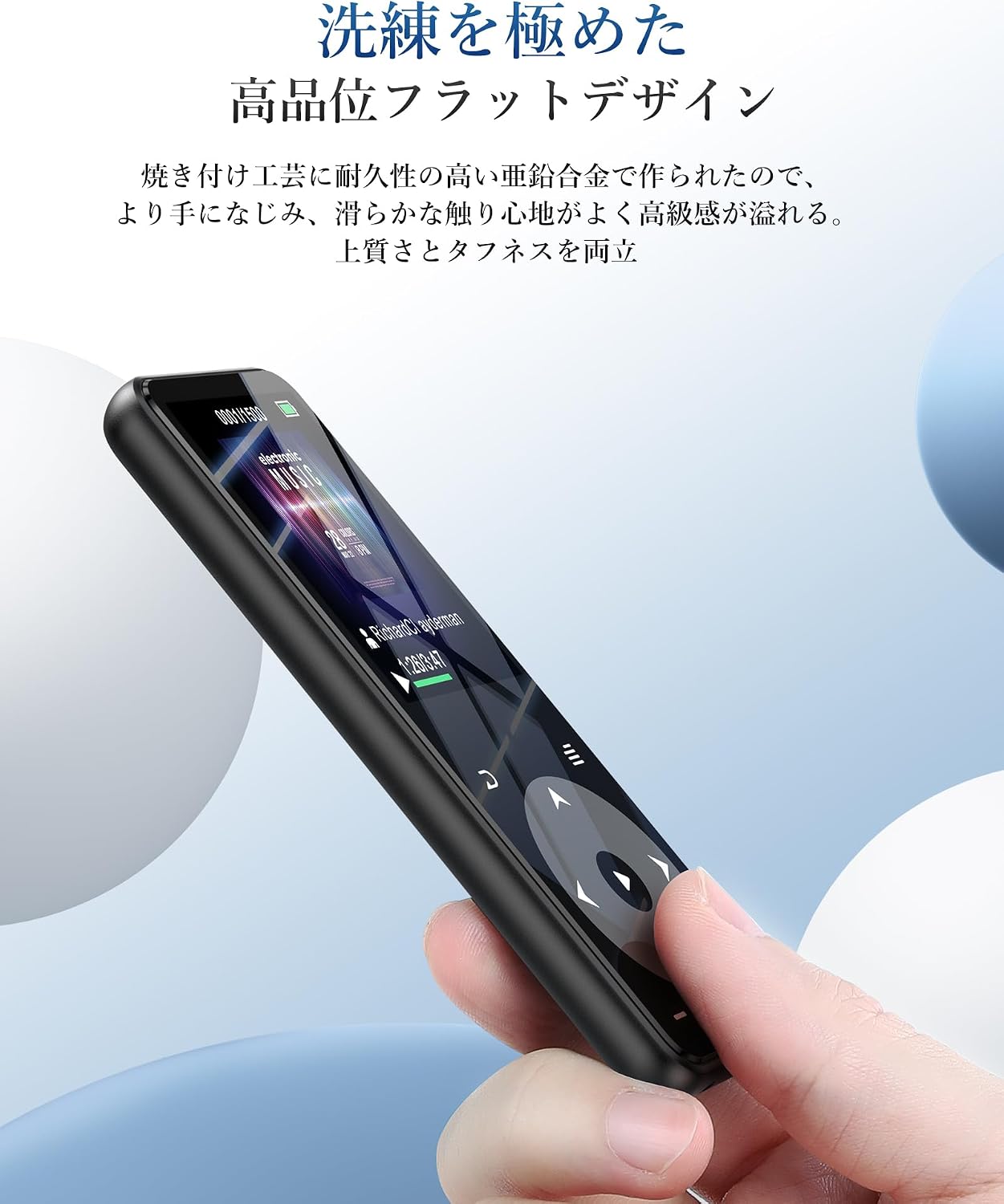
2.1 pav.: priekis view of the player showing the screen and touch controls.

2.2 pav.: šonas view of the player, indicating physical buttons and ports.
- Maitinimo mygtukas: Press and hold to turn on/off. Short press to lock/unlock screen.
- Garsumo mygtukai (+/-): Sureguliuokite garsumą.
- Jutikliniai valdikliai: Navigate menus, play/pause, skip tracks. These buttons illuminate for easy use.
- USB-C prievadas: Įkrovimui ir duomenų perdavimui.
- 3.5 mm garso lizdas: For wired earphones or external speakers.
- MicroSD kortelės lizdas: Išplečiamai saugyklai.
- Integruotas garsiakalbis: For audio playback without external devices.
3. Sąranka
3.1 Įrenginio įkrovimas
Before first use, fully charge the MP3 player. Connect the provided USB-C cable to the player's USB-C port and the other end to a USB power adapter (not included) or a computer's USB port. The battery indicator on the screen will show charging status. A full charge typically takes approximately 2 hours.
3.1 pav.: Baterijos veikimas perview. Up to 10 hours via Bluetooth, up to 40 hours with wired earphones, and approximately 2 hours for a full charge.
3.2 Muzikos perkėlimas ir Files
Norėdami perkelti files, connect the MP3 player to your computer using the USB-C cable. The player will appear as a removable disk. You can then drag and drop music files (MP3, WMA, APE, FLAC, WAV, DRM, ACELP, OGG, AAC-LC), videos (AMV), images (JPG, JPEG, BMP), and text files (TXT) into the appropriate folders on the device.
3.3 „MicroSD“ kortelės įdėjimas
The device has 16GB of internal storage and supports MicroSD cards up to 128GB. To expand storage, gently insert a MicroSD card into the card slot until it clicks into place. Ensure the card is inserted in the correct orientation.
3.4 „Bluetooth“ įrenginių prijungimas
The A16 MP3 player features Bluetooth 5.3 for stable and fast wireless connections. To pair with Bluetooth headphones or speakers:
- Turn on the MP3 player and navigate to the Bluetooth menu.
- Enable Bluetooth on the player.
- Įjunkite „Bluetooth“ ausines arba garsiakalbį susiejimo režimą.
- MP3 grotuve pasirinkite „Ieškokite devices' and choose your device from the list.
- Once paired, the device will connect automatically in the future.

Figure 3.2: The player supports Bluetooth 5.3 for connecting to wireless earphones, headphones, and speakers.
4. Naudojimo instrukcijos
4.1 Muzikos atkūrimas
From the main menu, select 'Music'. You can browse your music by artist, album, genre, or all songs. Use the touch controls to play, pause, skip tracks, and adjust volume. The player supports HIFI lossless sound quality for an immersive audio experience.

Figure 4.1: The player features HIFI ultra-high sound quality with a DSP chip for effective noise reduction.
4.2 FM radijas
To use the FM radio function, connect wired earphones to the 3.5mm audio jack; they act as the antenna. Navigate to the 'FM Radio' option from the main menu. You can perform an automatic search for stations or manually tune to frequencies between 76.0-108MHz.

Figure 4.2: The player's FM radio function, requiring wired earphones as an antenna.
4.3 Balso įrašymas
The A16 MP3 player includes a voice recording function. Select 'Recorder' from the main menu to start, pause, and save recordings. You can also connect external audio sources like a smartphone or CD player via a line-in cable (sold separately) for direct recording.

Figure 4.3: The player's voice recording feature, including direct recording from external devices.
4.4 Užrakto mygtukas
To prevent accidental operations during use, especially when carrying the player, short press the power button to lock the screen and controls. Repeat the action to unlock.
4.5 Kitos funkcijos
The AGPTEK A16 also offers additional features:
- Pedometras: Track your steps during exercise.
- El. Knyga: Skaityti tekstą files įrenginyje.
- Vaizdo įrašo atkūrimas: View AMV format videos.
- Integruotas garsiakalbis: Enjoy music without earphones.

Figure 4.4: The player's built-in speaker allows for cable-free audio playback.
5. Priežiūra
5.1 Valymas
Nuvalykite įrenginį minkštu, sausu skudurėliu. Nenaudokite skystų valiklių ar abrazyvinių medžiagų, nes jos gali pažeisti ekraną ar korpusą.asing.
5.2 Akumuliatoriaus priežiūra
To prolong battery life, avoid fully discharging the battery frequently. Charge the device regularly, even if not in use for extended periods. Store the device in a cool, dry place.
6. Problemų sprendimas
- Įrenginys neįsijungia: Ensure the battery is charged. Connect to a power source and try again. If unresponsive, try holding the power button for 10-15 seconds for a hard reset.
- Nepavyksta prisijungti per „Bluetooth“: Ensure both the MP3 player and the Bluetooth device are in pairing mode and within range. Check if other Bluetooth devices are interfering. Try unpairing and re-pairing the devices.
- Nėra garso: Check the volume level. Ensure earphones are properly connected or Bluetooth device is paired and connected. If using FM radio, ensure wired earphones are plugged in as an antenna.
- Files not appearing: Užtikrinti files are in supported formats (MP3, WMA, etc.) and transferred to the correct folders. Disconnect and reconnect the player to your computer.
- Ekranas nereaguoja: If the screen is locked, short press the power button to unlock. If still unresponsive, perform a hard reset by holding the power button.
7. Specifikacijos
| Funkcija | Specifikacija |
|---|---|
| Prekės ženklas | AGPTEK |
| Modelio numeris | A16 |
| Atminties talpa | 16 GB (expandable up to 128 GB via microSD card) |
| Ryšio technologija | Bluetooth 5.3 |
| Ekrano dydis | 1.8 Inches (TFT Display) |
| Palaikomi laikmenų tipai | „microSD“ kortelė |
| Palaikomi garso formatai | MP3, WMA, APE, FLAC, WAV, DRM, ACELP, OGG, AAC-LC |
| Palaikomi vaizdo formatai | AMV |
| Palaikomi vaizdo formatai | JPG, JPEG, BMP |
| Palaikomi teksto formatai | TXT |
| Baterijos veikimo laikas (muzikos atkūrimas) | Up to 40 hours (wired earphones), Up to 10 hours (Bluetooth) |
| Įkrovimo laikas | apytiksliai 2 valandas |
| Spalva | Juoda |
| Ypatingos savybės | Bluetooth, HIFI Sound, Voice Recorder, FM Radio, Built-in Speaker, Pedometer, E-book, Lock Button |
8. Garantija ir palaikymas
8.1 Informacija apie garantiją
This AGPTEK A16 MP3 Player comes with a 180-day warranty from the date of purchase. This warranty covers manufacturing defects. Please retain your proof of purchase for warranty claims. The warranty does not cover damage caused by misuse, accidents, unauthorized repairs, or normal wear and tear.
8.2 Pagalba klientams
For technical assistance, troubleshooting, or warranty inquiries, please contact AGPTEK customer support through the retailer where you purchased the product or visit the official AGPTEK websvetainė kontaktinei informacijai.