
Rraycom B0DN9WDQN6
Rraycom 2K Battery Home Security Camera Instruction Manual
Model: B0DN9WDQN6
Įvadas
Thank you for choosing the Rraycom 2K Battery Home Security Camera. This manual provides essential information for setting up, operating, and maintaining your new security camera. Designed for both indoor and outdoor use, this camera offers advanced features such as dual-band WiFi connectivity, 2K QHD resolution, AI detection, color night vision, two-way audio, and integration with Alexa.

The Rraycom 2K Battery Home Security Camera highlights its key features including dual-band WiFi, Bluetooth connectivity, IP65 weather resistance, 2K QHD resolution, human detection, and color night vision.
Sąranka
1. Išpakavimas ir komponentai
Atidarius pakuotę, įsitikinkite, kad yra visi komponentai:
- Rraycom 2K Battery Home Security Camera
- Montavimo laikiklis ir varžtai
- USB-C įkrovimo laidas
- Instrukcijų vadovas
2. Kameros montavimas
The camera can be mounted indoors or outdoors. Use the provided mounting bracket and screws to secure the camera to a desired surface. The bracket allows for adjustment of the camera angle.
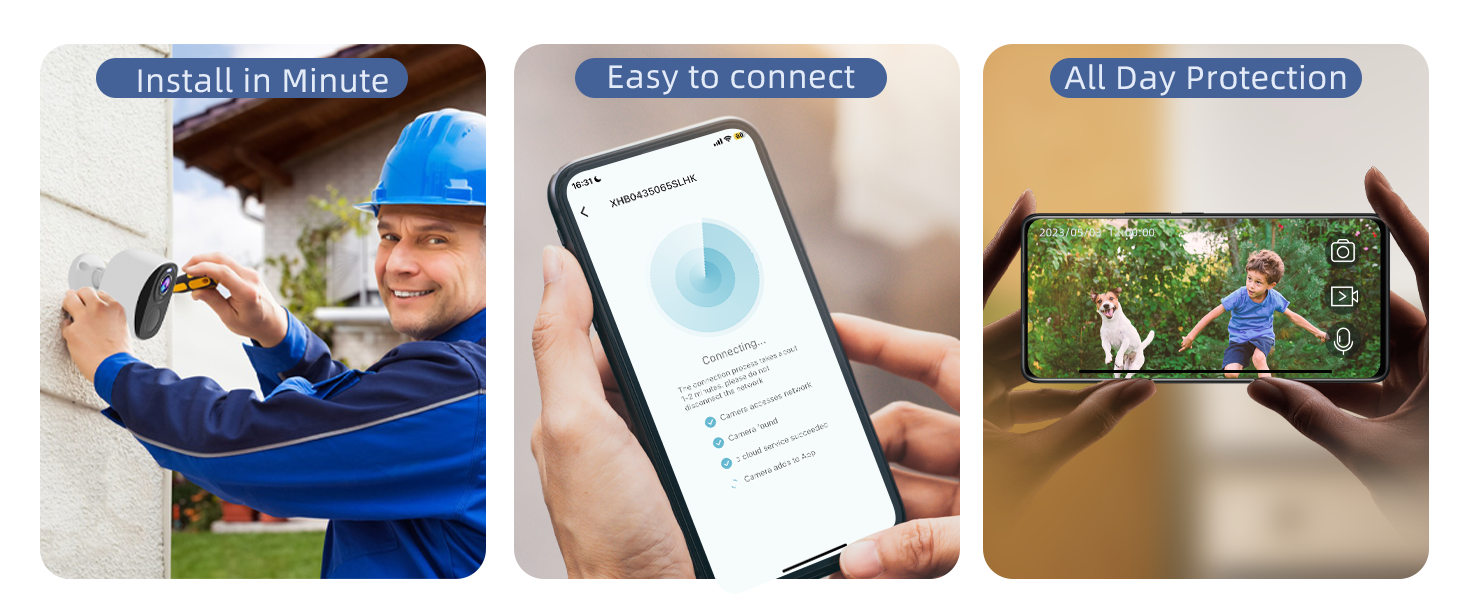
The camera is designed for easy installation, allowing users to mount it quickly with the provided hardware.
Video: Step-by-step guide on how to install the Rraycom wireless outdoor security camera.
3. Programėlės diegimas ir prijungimas
Download the companion app by scanning the QR code in the included instruction manual or searching for it on your device's app store. The camera supports Bluetooth for easy setup and connects to both 2.4GHz and 5GHz WiFi networks for stable streaming.
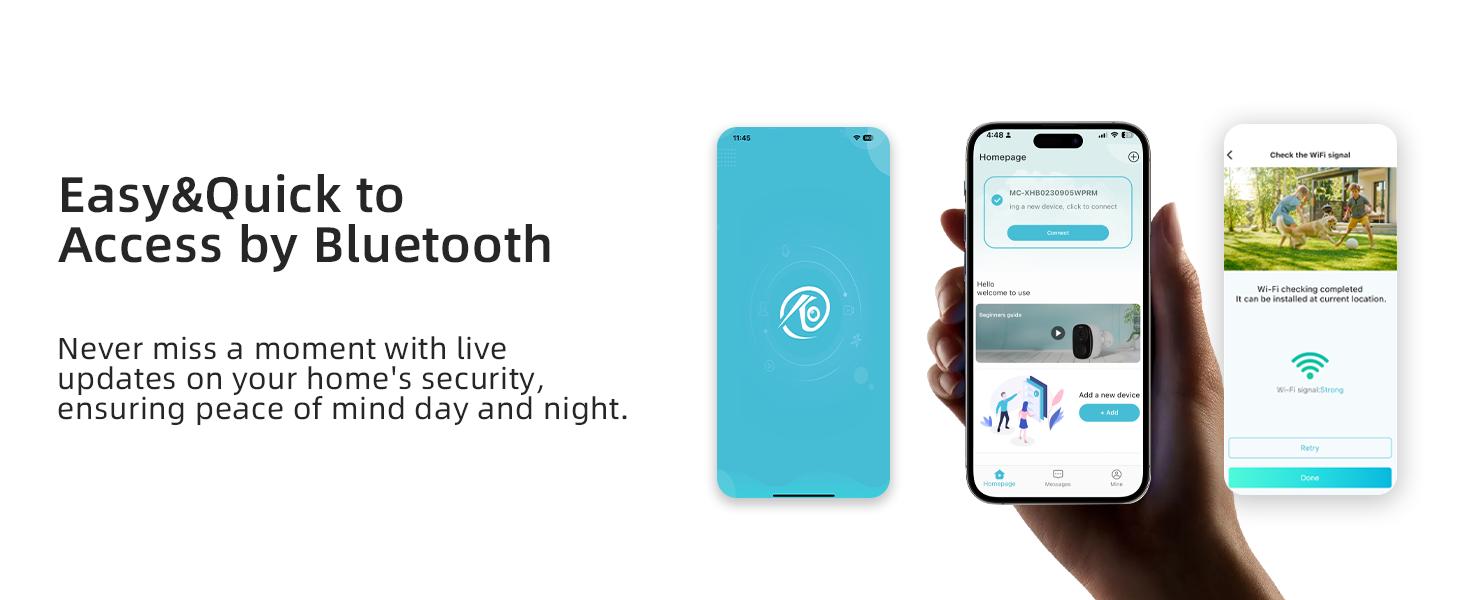
The camera features Bluetooth for quick and easy pairing with your smartphone app.

The camera supports both 2.4GHz and 5GHz WiFi bands for enhanced connectivity and performance.
Vaizdo įrašas: Įvadinis vaizdo įrašasview of the Rraycom 5G wireless security camera.
Naudojimo instrukcijos
1. Gyvai View and 2K QHD Clarity
Access the live feed through the app to monitor your property in stunning 2K QHD (3MP) resolution. The camera offers a wide 130° field of view, ensuring comprehensive coverage.

View clear 2K QHD footage with a 120° wide view directly on your smartphone.
2. Dvipusis garsas
Utilize the two-way audio feature to communicate with visitors or deter intruders directly from your smartphone. The audio is clear, allowing for effective interaction.

Engage in clear two-way communication through the camera, speaking and hearing as if face-to-face.
3. Motion Detection and AI Alerts
The camera features advanced PIR and AI motion detection, capable of differentiating between people, animals, and other objects. This reduces false alarms and sends real-time notifications only for significant activity.
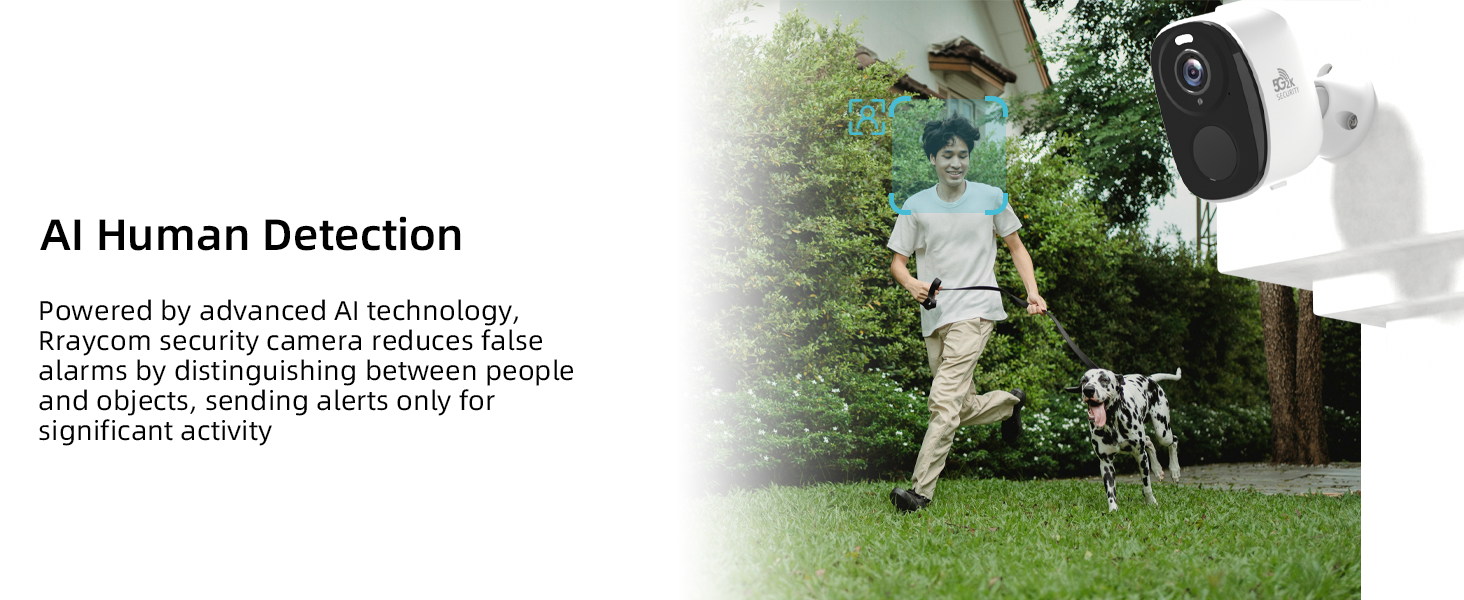
AI human detection minimizes false alarms by distinguishing between people and other objects.
4. Siren Alarm and Strobe Light
Upon detecting unusual activity, the built-in siren and strobe light can be activated automatically or manually via the app to deter intruders, adding an extra layer of security.

Siren and light alerts are triggered upon motion detection to deter potential intruders.
5. Spalvotas naktinis matymas
The camera provides vivid full-color or infrared night vision up to 33ft, ensuring clear surveillance 24/7, even in low-light conditions.

Experience enhanced night security with color night vision, offering clearer details than traditional infrared.
6. Customizable Activity Zones
Through the intuitive app, you can customize motion alerts and define specific detection zones. This allows you to focus on important areas and minimize irrelevant notifications.

Set up customized activity zones within the app to receive alerts only for relevant events.
7. AI-Powered Bird Identification
The camera offers an AI-powered feature that identifies over 10,000 bird species and triggers real-time alerts upon avian detection. (Subscription required for bird database).

Advanced AI system identifies over 10,000 bird species and sends real-time alerts.
Video: Demonstration of the AI bird identification feature.
8. „Alexa“ integracija
The camera seamlessly integrates with Amazon Alexa, allowing for voice-controlled security checks and live view streaming on compatible smart displays.

Valdykite savo kamerą ir view live feeds using Amazon Alexa voice commands.
9. Lanksčios saugojimo galimybės
Securely save footage with a 1-day free cloud storage loop or insert a microSD card (up to 256GB) for local storage. All data is protected with AES encryption.
Choose between free cloud storage or local storage via microSD card, with no monthly fees required for basic functionality.
Priežiūra
1. Akumuliatoriaus įkrovimas
The camera is equipped with a 5200mAh rechargeable battery, offering 1-3 months of use on a single charge. Use the provided USB-C cable to recharge the camera when the battery is low.
2. Atsparumas oro sąlygoms
With an IP65 rating, the camera is designed to withstand various weather conditions, including rain, snow, and sun, making it suitable for outdoor installation.

The IP65 weather-resistant design ensures the camera functions reliably in various outdoor conditions.
Trikčių šalinimas
- Ryšio problemos: Ensure your camera is within range of your WiFi router. Verify that you are connecting to either a 2.4GHz or 5GHz network as supported. If issues persist, try resetting the camera and re-pairing it with the app.
- Baterijos veikimo laikas: Battery life can vary based on usage, motion detection frequency, and environmental factors. Ensure the camera is fully charged. Consider reducing motion detection sensitivity or frequency if battery drains quickly.
- Klaidingi pavojaus signalai: Utilize the customizable activity zones feature in the app to define specific areas for motion detection, reducing alerts from irrelevant movements. Adjust AI detection settings to differentiate between humans and other objects.
- Naktinio matymo aiškumas: Ensure the camera lens is clean and free from obstructions. Check for any strong light sources directly facing the camera at night, which can interfere with night vision performance.
- Programos funkcionalumas: If the app is not responding or showing errors, try restarting the app or reinstalling it. Ensure your smartphone's operating system is up to date.
Dėl papildomos pagalbos žr. pagalbos skyrių.
Specifikacijos
| Funkcija | Detalė |
|---|---|
| Modelis | B0DN9WDQN6 |
| Rezoliucija | 2K QHD (3MP) |
| Ryšys | Dual-Band Wi-Fi (2.4GHz/5GHz), Bluetooth |
| Maitinimo šaltinis | Maitinamas baterija (5200 mAh įkraunama baterija) |
| Atsparumas oro sąlygoms | IP65 |
| Naktinis matymas | Color Night Vision, Infrared Night Vision (up to 33ft) |
| Laukas View (FOV) | 130° |
| Garsas | Dvipusis pokalbis |
| Saugojimo parinktys | 1-day free cloud storage loop, MicroSD card (up to 256GB) |
| Išmaniųjų namų integracija | Amazon Alexa |
| Ypatingos savybės | AI Detection (Human, Bird Recognition), Siren, Strobe Light |
Palaikymas
For any questions, technical support, or assistance with your Rraycom 2K Battery Home Security Camera, please contact our customer service team.
El. paštas: aftersale@rraycom.com
Our goal is your highest customer affirmation and home safety. Every camera is rigorously tested and inspected before shipment. Rraycom uses advanced encryption technology to ensure your data is securely stored and accessible only by you.
Susiję dokumentai - B0DN9WDQN6
 |
Rraycom BW5 Wire-Free Camera Operation Instruction & Quick Start Guide Detailed operation instructions and a quick start guide for the Rraycom BW5 wire-free security camera, covering setup, app registration, device pairing, and feature usage. |
 |
„Rraycom“ apsaugos kamerų trumpasis paleidimo vadovas Išsamus greito paleidimo vadovas, skirtas „Rraycom“ apsaugos kameroms, kuriame aptariamas tinklo sąranka, trikčių šalinimas ir prijungimo būdai, pvz., „Smart Connection“ ir „Zink Connection“. |
 |
Rraycom P4 User Manual: Setup, Features, and Support Comprehensive user manual for the Rraycom P4 camera. Learn how to set up your device, connect to Wi-Fi, use the O-KAM app for features like AI tracking and remote viewing, and find customer support information. |
 |
Wire-Free Camera BW6 Operation Instruction and Setup Guide Comprehensive guide for setting up and operating the Rraycom BW6 Wire-Free Camera, including app installation, device pairing, and feature explanations. |
 |
Rraycom QW6 Wireless Security Camera User Manual A comprehensive user manual for the Rraycom QW6 wireless security camera. This guide covers initial setup, app installation and registration, adding the camera, Wi-Fi configuration, and detailed explanations of app features like multi-device view, firmware updates, device sharing, rotation control, cruise and guard positions, and AI functions such as humanoid tracking and framing. Includes customer service information and a packing list. |
 |
Rraycom QW5 User Manual: Setup, Features, and Operation Comprehensive user manual for the Rraycom QW5 wireless outdoor security camera. Learn how to set up, connect, use app features, update firmware, and manage settings for optimal performance. |
Ask a question about this manual
Ask about setup, troubleshooting, compatibility, parts, safety, or missing instructions. Manuals+ will review the question and use this page’s manual context to help answer it.