
Alienware AW420K
Alienware TENKEYLESS Gaming Keyboard - AW420K User Manual
Model: AW420K
1. Įvadas
This manual provides comprehensive instructions for the Alienware TENKEYLESS Gaming Keyboard, model AW420K. It covers setup, operation, maintenance, troubleshooting, and product specifications to ensure optimal performance and longevity of your device.
2. Produktas baigtasview
The Alienware AW420K is a high-performance tenkeyless gaming keyboard designed for competitive gaming and efficient daily use. It features durable construction, customizable RGB lighting, and responsive mechanical switches.

2.1 pav.: Iš viršaus į apačią view of the Alienware AW420K Tenkeyless Gaming Keyboard, showcasing its compact design and vibrant RGB backlighting.
2.1 Pagrindinės savybės
- Tenkeyless Design: Streamlined form factor for more desk space and improved portability.
- „Cherry MX Red“ jungikliai: Industry-leading mechanical switches with a 100 million actuation lifecycle for consistent, high-performance keystrokes.
- AlienFX RGB Lighting: Per-key RGB lighting configurable through Alienware Command Center software, offering up to 16.8 million colors for personalized aesthetics.
- Dvigubo smūgio PBT klavišų dangteliai: Two layers of plastic with legends molded into the cap for enhanced durability and wear resistance.
- Integrated Cable Routing: Channels on the underside of the keyboard for organized cable management.
- Reguliuojamas aukštis: Flip-up risers with three height settings for ergonomic typing angles.

Figure 2.2: The compact TKL design of the AW420K keyboard allows for more space on your gaming setup and easy movability.
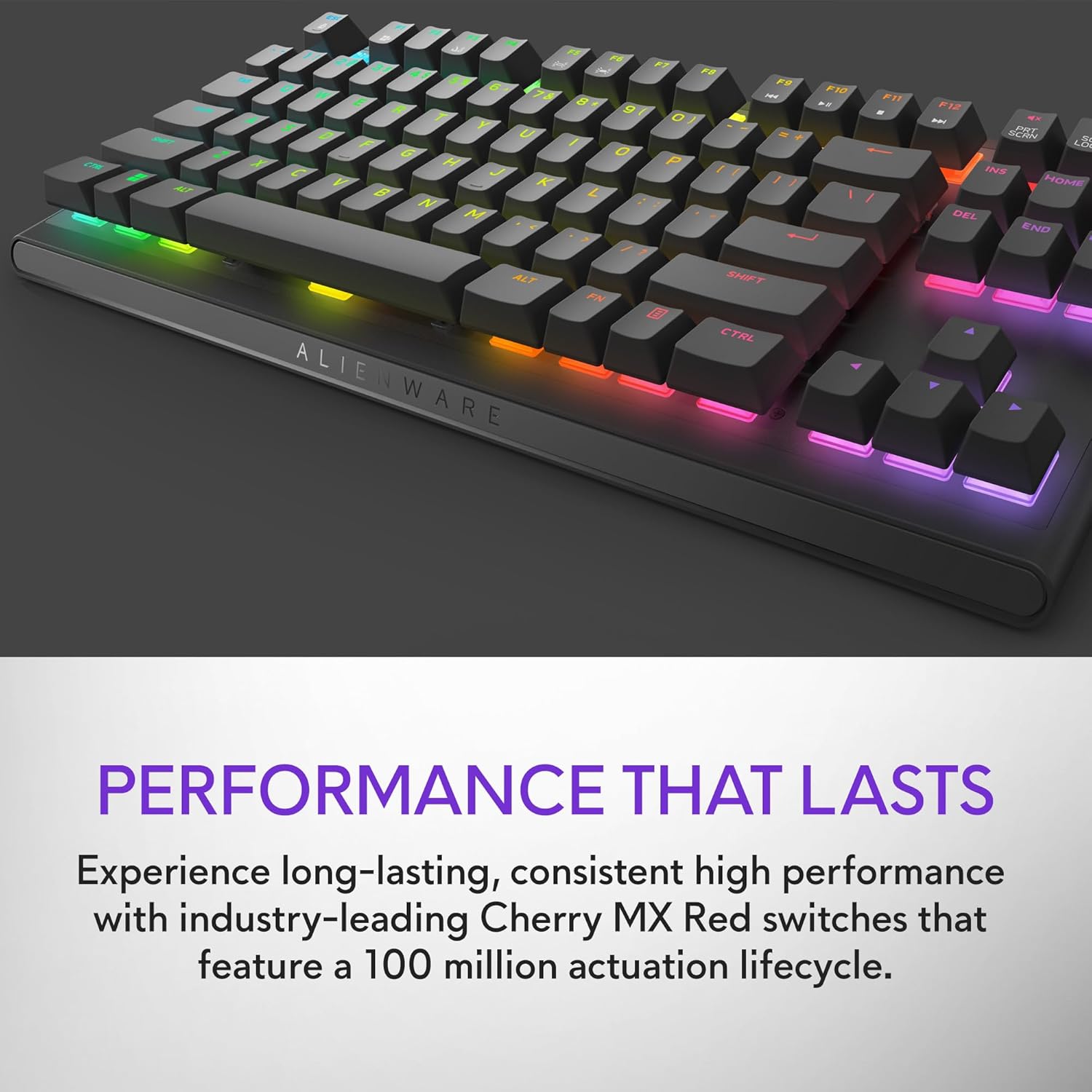
Figure 2.3: The keyboard features Cherry MX Red switches, known for their durability and consistent performance over 100 million keystrokes.

Figure 2.4: Customize your gaming experience with AlienFX per-key RGB lighting, offering up to 16.8 million colors via Alienware Command Center software.
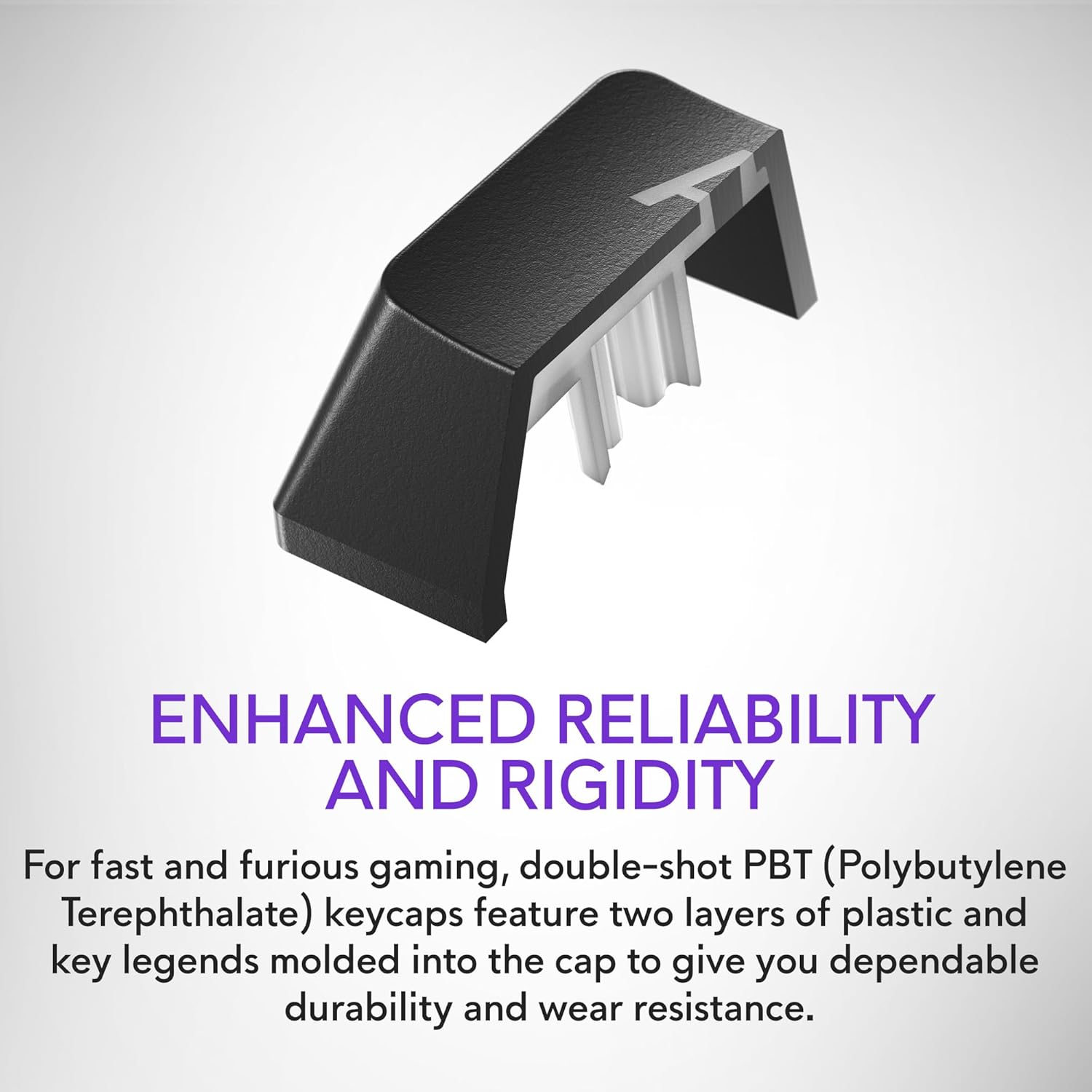
Figure 2.5: Double-shot PBT keycaps provide enhanced reliability and rigidity, ensuring legends do not wear off over time.
3. Sąranka
Follow these steps to set up your Alienware AW420K Gaming Keyboard:
- Išpakuokite klaviatūrą: Carefully remove the keyboard and any included accessories from the packaging.
- Prijunkite USB kabelį: The keyboard features a detachable USB paracord cable. Connect the USB-C end to the port on the keyboard's underside.
- Kabelio maršrutas: Utilize the integrated cable routing channels on the underside of the keyboard to direct the cable to your preferred setup. This helps in keeping your desk tidy.
- Prisijunkite prie kompiuterio: Plug the USB-A end of the cable into an available USB port on your computer. The keyboard is USB powered.
- Reguliuoti aukštį: Flip up the risers on the back of the keyboard to select one of the three available height settings for your ideal typing angle.
- Įdiekite programinę įrangą (nebūtina, bet rekomenduojama): For full customization of RGB lighting and programmable keys, download and install the Alienware Command Center software from the official Alienware support websvetainę.

Figure 3.1: The detachable USB-C cable provides a secure and convenient connection.

Figure 3.2: Integrated cable routing on the underside helps manage the connection cable for a clean setup.

Figure 3.3: Flip-up risers allow for three height settings to achieve your ideal typing angle.
4. Klaviatūros valdymas
The Alienware AW420K keyboard is designed for intuitive use with advanced features for gaming and productivity.
4.1 Pagrindinės funkcijos
- Rašant: Standard QWERTY layout for general typing.
- Žaidimai: Responsive Cherry MX Red switches provide a smooth and linear feel, ideal for fast-paced gaming.
- Medijos valdikliai: Dedicated media keys (e.g., volume roller, mute button) are typically located on the top right of the keyboard for quick audio adjustments.
4.2 Customization with Alienware Command Center
The Alienware Command Center software unlocks the full potential of your keyboard:
- RGB apšvietimas: Customize per-key RGB lighting with a spectrum of 16.8 million colors. Choose from various effects, create your own profiles, and synchronize lighting with other Alienware devices.
- Makro programavimas: Assign complex macros to programmable keys for in-game advantages or streamlined workflows.
- Profile Valdymas: Sukurkite ir išsaugokite kelis profesionalusfiles for different games or applications, allowing for quick switching of lighting and key assignments.
Video 4.1: An official video demonstrating the features and design of the Alienware Tenkeyless Gaming Keyboard - AW420K, including its RGB lighting and compact form factor.
5. Priežiūra
Tinkama klaviatūros priežiūra užtikrina jos ilgaamžiškumą ir optimalų veikimą.
- Klaviatūros dangtelių valymas: The floating keycap design makes cleaning easy. Use a soft brush or compressed air to remove dust and debris from between the keys. For stubborn grime, gently wipe keycaps with a damp, nepūkuota šluoste. Venkite per didelės drėgmės.
- Važiuoklės valymas: Wipe the keyboard chassis with a soft, dry cloth. Do not use harsh chemicals or abrasive materials.
- Kabelio priežiūra: Kad nepažeistumėte USB kabelio, venkite staigių lenkimų ar per didelio tempimo.
6. Problemų sprendimas
If you encounter issues with your Alienware AW420K keyboard, try the following troubleshooting steps:
- Klaviatūra nereaguoja:
- Įsitikinkite, kad USB laidas yra tvirtai prijungtas prie klaviatūros ir kompiuterio.
- Pabandykite prijungti klaviatūrą prie kito kompiuterio USB prievado.
- Iš naujo paleiskite kompiuterį.
- RGB Lighting Not Working/Customizing:
- Verify that the Alienware Command Center software is installed and up to date.
- Check the software settings to ensure lighting effects are enabled and configured correctly.
- Įsitikinkite, kad neveikia jokia konfliktuojanti programinė įranga, kuri galėtų trukdyti RGB valdymui.
- Neregistruojami raktai:
- Clean any debris from under the affected keycap.
- Jei problema išlieka, tai gali reikšti aparatinės įrangos problemą.
Jei šie veiksmai neišsprendžia problemos, daugiau pagalbos ieškokite skyriuje „Garantija ir palaikymas“.
7. Specifikacijos
| Prekės ženklas | Alienware |
| Modelio pavadinimas | ALIENWARE TENKEYLESS GAMING KEYBOARD - AW420K |
| Prekės modelio numeris | AW420K |
| Aparatinės įrangos platforma | PC |
| Prekės svoris | 1.74 svaro |
| Gaminio matmenys (IxPxH) | 5.81 x 14.46 x 2.19 colio |
| Spalva | Dark Side of the Moon |
| Maitinimo šaltinis | USB veikia |
| Gamintojas | Dell |
| Ryšio technologija | USB-C |
| Klaviatūros aprašymas | Mechaninis |
| Raktų skaičius | 87 |
| Klaviatūros apšvietimas | RGB |
| Ypatingos savybės | Backlit, Programmable Keys, Split Keyset Design |
8. Garantija ir palaikymas
For warranty information and technical support, please refer to the official Alienware website or contact Alienware customer service. Keep your proof of purchase for warranty claims.
You can typically find support resources, drivers, and software updates on the „Dell“ palaikymas Websvetainę (as Alienware is a Dell brand).
Susiję dokumentai - AW420K
 |
„Alienware AW420K“ žaidimų klaviatūros greito paleidimo vadovas Pradėkite naudoti „Alienware AW420K“ žaidimų klaviatūrą. Šiame vadove pateikiamos sąrankos instrukcijos, informacija apie ryšį ir nuorodos į „Dell“ palaikymo išteklius. |
 |
Retracta R3 Series Industrial Hose Reels - Compressed Air & Water Explore the Retracta R3 Series of industrial-strength compressed air and water hose reels, manufactured in Australia. These durable polypropylene reels offer unmatched performance, reliability, and features like UV stabilization, a 180° swivel mounting bracket, and a ProGlide wear-resistant mouth. Available in multiple sizes and colours, they are ideal for workshops and various industries. |
Ask a question about this manual
Ask about setup, troubleshooting, compatibility, parts, safety, or missing instructions. Manuals+ will review the question and use this page’s manual context to help answer it.