
Įvadas
The Sobczyk Bluetooth Roasting Thermometer is designed to provide precise temperature monitoring for various cooking applications, ensuring perfect results every time. With wireless control via a dedicated application, you can monitor your food's temperature from a distance, allowing for greater flexibility in the kitchen. This manual provides essential information for the proper setup, operation, and maintenance of your device.
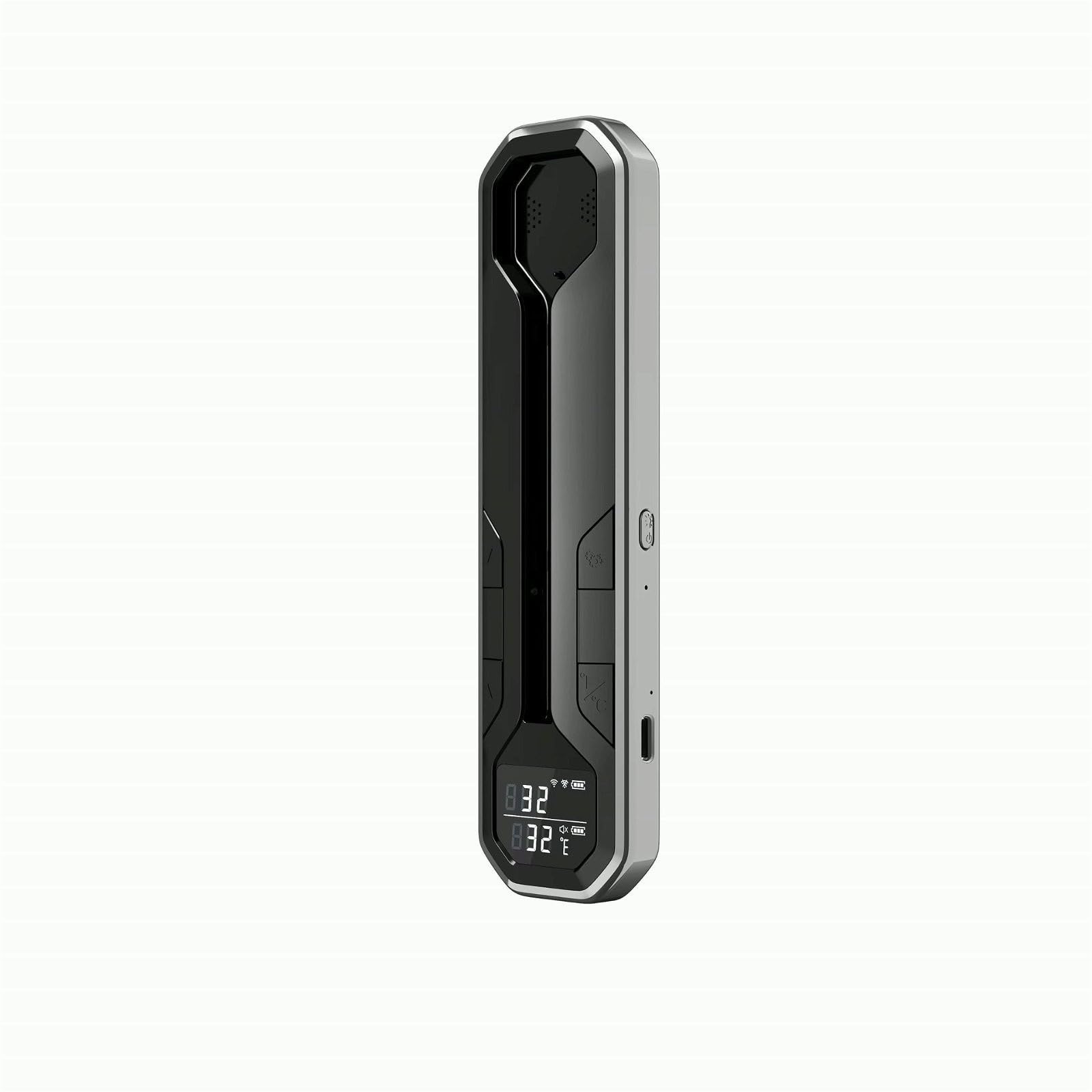
An image showing the Sobczyk Bluetooth Roasting Thermometer main unit and its temperature probe, ready for use.
Produkto savybės
- Wireless Bluetooth connectivity for cooking temperature monitoring.
- Control via a dedicated mobile application or manual basic settings.
- Extended wireless range of up to 150 meters for enhanced flexibility.
- IP67 waterproof rating ensures durability and easy cleaning.
- Integrated 800 mAh rechargeable battery for long-lasting use.
- Fast probe charging time of approximately 30 minutes.
- Accurate temperature measurement range from 0°C to 100°C.
- Includes a countdown timer function for precise cooking management.
Pakuotės turinys
Patikrinkite pakuotę, ar joje yra šie daiktai:
- Sobczyk Bluetooth Roasting Thermometer (Main Unit)
- Temperature Probe(s)
- USB įkrovimo laidas
- Vartotojo vadovas
Sąranka
1. Įrenginio įkrovimas
Before first use, fully charge the thermometer probe. Connect the USB charging cable to the charging port on the probe and to a standard USB power adapter (not included). The probe typically charges in about 30 minutes.
2. Programėlės atsisiuntimas
Ieškokite the official Sobczyk thermometer application on your smartphone's app store (iOS App Store or Google Play Store). Download and install the application.
3. Susiejimas su „Bluetooth“
- Įsitikinkite, kad jūsų išmaniajame telefone įjungtas „Bluetooth“.
- Open the Sobczyk thermometer application.
- Follow the on-screen instructions within the app to search for and connect to your thermometer. The device name will typically appear as 'Sobczyk Thermometer' or similar.
4. Zondo įdėjimas
Carefully insert the temperature probe into the thickest part of the food, avoiding bones or gristle, to ensure an accurate reading.
Naudojimo instrukcijos
1. Įjungimas/išjungimas
The thermometer probe typically powers on automatically when removed from its charging base or when activated via the app. To power off, return the probe to its charging base or follow the instructions in the app.
2. Using the App for Monitoring
- Once connected, the app will display the current internal temperature of your food.
- You can select preset cooking temperatures for various types of meat and doneness levels.
- Customize target temperatures as needed.
- The app will provide real-time temperature graphs and alerts when the target temperature is reached.
3. Setting Target Temperatures
Within the application, navigate to the temperature settings. You can choose from predefined settings for poultry, beef, pork, fish, etc., or manually set a desired temperature between 0°C and 100°C. The app will notify you when the food reaches this temperature.
4. Atgalinio laikmačio naudojimas
The app includes a countdown timer feature. Set the desired cooking duration, and the app will alert you when the time expires. This can be used independently or in conjunction with temperature monitoring.
5. Temperature Measurement Guidelines
- Always insert the probe into the center of the thickest part of the food.
- Avoid touching bones, as they can conduct heat differently and provide inaccurate readings.
- Ensure the probe is fully inserted to the minimum insertion mark for optimal accuracy.
Priežiūra
1. Cleaning the Probe and Unit
The probe is IP67 waterproof and can be cleaned with warm soapy water. Wipe the main unit with a damp cloth. Do not immerse the main unit in water. Ensure all parts are dry before storage or next use.
2. Sandėliavimas
Store the thermometer and probe in a cool, dry place when not in use. Keep it away from direct sunlight and extreme temperatures.
3. Akumuliatoriaus priežiūra
To prolong battery life, charge the probe regularly, even if not used frequently. Avoid completely draining the battery for extended periods.
Trikčių šalinimas
- Nėra „Bluetooth“ ryšio: Ensure Bluetooth is enabled on your phone and the app is open. Make sure the probe is charged and within the 150-meter range. Try restarting both the app and your phone.
- Netikslūs rodmenys: Verify the probe is inserted correctly into the thickest part of the food, avoiding bones. Ensure the probe is clean and free from debris.
- Akumuliatorius neįkraunamas: Check the USB cable and power adapter for damage. Ensure the probe is correctly seated in the charging port.
- Programėlė neatsako: Close and reopen the application. If the issue persists, try reinstalling the app.
Specifikacijos
| Prekės ženklas | Sobczyk |
| Modelio numeris | 1255945 |
| Spalva | Daugiaspalvis |
| Pakuotės matmenys | 20 x 7 x 5 cm |
| Prekės svoris | 70 gramų |
| Medžiaga | Kita |
| Atsparumo vandeniui įvertinimas | IP67 |
| Baterija | 800 mAh (integruota) |
| Probe Charge Time | apytiksliai 30 minučių |
| Temperatūros diapazonas | 0°C iki 100°C |
| belaidis diapazonas | Iki 150 metrų |
Informacija apie garantiją
Information regarding the product warranty is not available in the provided product details. Please refer to the product packaging, the official Sobczyk website, or contact Sobczyk customer support for specific warranty terms and conditions.
Pagalba klientams
For further assistance, technical support, or inquiries about your Sobczyk Bluetooth Roasting Thermometer, please visit the official Sobczyk website or refer to the contact information provided on the product packaging. Customer service representatives can provide guidance on product usage, troubleshooting, and warranty claims.