
1. Svarbi saugos informacija
Please read all safety instructions carefully before using your COLORROOM A30 tablet. Keep this manual for future reference.
- Nelaikykite prietaiso ekstremaliose temperatūrose, tiesioginiuose saulės spinduliuose ar didelėje drėgmėje.
- Venkite planšetinio kompiuterio numetimo ar stiprių smūgių.
- Naudokite tik patvirtintus įkroviklius ir priedus, kad išvengtumėte pažeidimų ir užtikrintumėte saugumą.
- Nebandykite patys išardyti ar taisyti įrenginio. Kreipkitės pagalbos į klientų aptarnavimo tarnybą.
- Keep the tablet away from children and pets to prevent accidental ingestion of small parts.
2. Pakuotės turinys
Patikrinkite, ar pakuotėje yra visi reikalingi daiktai:
- COLORROOM A30 Tablet
- C tipo USB kabelis
- Power Adapter (18W PD compatible)
- Vartotojo vadovas
- Apsauginis dėklas
- Ekrano apsauga (iš anksto užklijuota arba pridėta)
- SIM Ejector Tool (SD pin)

Image: The COLORROOM A30 tablet and its included accessories, such as the USB-C cable, power adapter, and documentation, neatly arranged in the product box.
3. Įrenginys baigtasview
Familiarize yourself with the physical components of your COLORROOM A30 tablet.
- Priekinė kamera: Laikant horizontaliai, yra viršuje centre, naudojamas vaizdo skambučiams ir asmenukėms.
- Ekranas: 10.1-inch IPS screen for clear visuals.
- Maitinimo mygtukas: Paprastai šone, naudojamas įrenginiui įjungti / išjungti arba ekranui pažadinti / užmigdyti.
- Garsumo mygtukai: Šalia maitinimo mygtuko, skirtas garso lygiams reguliuoti.
- C tipo USB prievadas: Įkrovimui ir duomenų perdavimui.
- MicroSD kortelės lizdas: For expanding storage up to 2TB.
- Galinė kamera: Located on the back, used for taking photos and videos.
- Garsiakalbiai: Dvigubi garsiakalbiai pagerintai garso patirčiai.
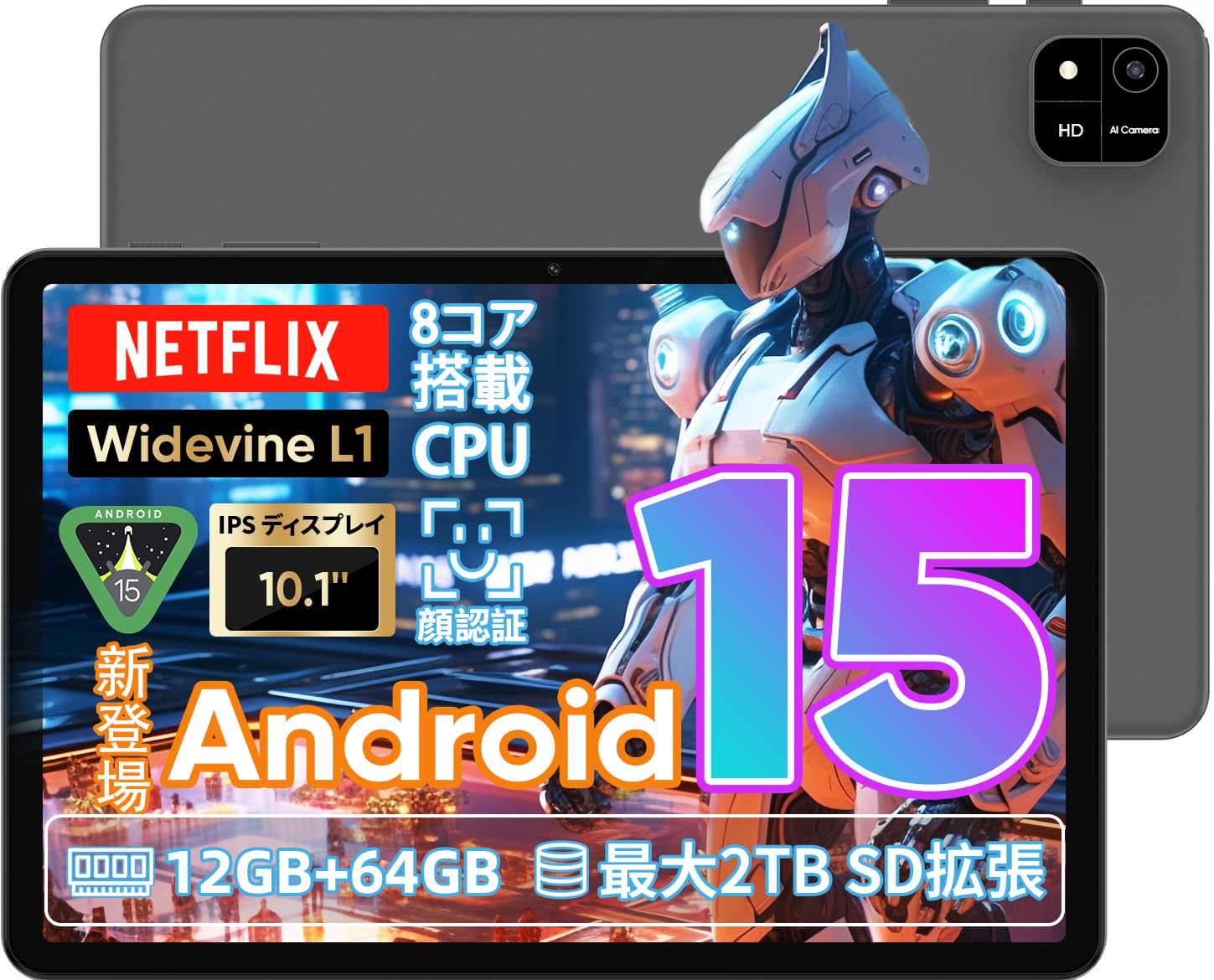
Image: A visual representation of the COLORROOM A30 tablet, highlighting its 10.1-inch display, Android 15 OS, T606 8-core CPU, 12GB RAM, 64GB ROM, 6000mAh battery, 5MP front camera, 8MP rear camera, 2.4G/5G WiFi, Bluetooth 5.0, GPS, and Widevine L1 support.
4. Sąranka
4.1 Pradinis įjungimas ir kalbos pasirinkimas
- Press and hold the Power button until the COLORROOM logo appears.
- Follow the on-screen prompts to select your preferred language (e.g., Japanese).
- Tap 'Start' or 'Next' to proceed.
4.2 „Wi-Fi“ ryšys
- Iš sąrašo pasirinkite norimą „Wi-Fi“ tinklą.
- Jei būsite paraginti, įveskite „Wi-Fi“ slaptažodį.
- Palieskite „Prisijungti“.
4.3 „Google“ paskyros sąranka
- Prisijunkite naudodami „Google“ paskyrą arba sukurkite naują. Tai būtina norint atsisiųsti programėles iš „Google Play“ parduotuvės.
- Review and accept the Google Terms of Service and Privacy Policy.
4.4 Set Screen Lock (PIN/Pattern/Password)
- For security, set a screen lock method (PIN, pattern, or password). A 6-digit PIN is recommended.
- You may choose to skip this step, but it is not recommended for device security.
Video: This video demonstrates the initial setup process for an Android 15 tablet, including language selection, Wi-Fi connection, Google account setup, and setting a screen lock. While the video features an M30 tablet, the setup steps are generally applicable to the COLORROOM A30.
5. Naudojimo instrukcijos
5.1 Pagrindinės operacijos
- Valdikliai: Long-press on an empty area of the home screen to add widgets like a clock or calendar for quick access to information.
- Ekrano įjungimas/išjungimas: The tablet can be configured to turn on the screen automatically when lifted, allowing you to quickly check notifications. This setting can be found under System > Gestures.
Video: This video illustrates basic Android tablet functions, including adding and removing widgets from the home screen, and enabling the 'lift to wake' feature for notifications. Although shown on an M30 tablet, these features are common to Android 15 devices like the COLORROOM A30.
5.2 Ekrano funkcijos
The COLORROOM A30 features a 10.1-inch IPS display with 1280x800 resolution, offering clear and vibrant visuals for all your content. It supports Widevine L1, enabling high-definition streaming from platforms like Netflix and Hulu.

Image: The COLORROOM A30 tablet showcasing its 10.1-inch IPS display with vivid colors and sharp details, ideal for watching movies and reading e-books.
5.3 Našumas
Powered by an 8-core T606 CPU, the COLORROOM A30 delivers smooth performance for multitasking, gaming, and media consumption. It comes with 12GB (virtual) RAM and 64GB of internal storage, expandable up to 2TB via a TF (MicroSD) card.

Paveikslėlis: detalus view of the COLORROOM A30 tablet's internal components, emphasizing the T606 8-core CPU and the 6000mAh large-capacity battery, indicating high performance and extended usage.
5.4 Kamera
The tablet is equipped with an 8MP rear camera for capturing photos and videos, and a 5MP front camera for video calls and selfies. Face recognition is supported for convenient unlocking.

Image: The COLORROOM A30 tablet displayed from the front and back, showcasing its 8MP rear camera and 5MP front camera, designed for capturing moments and facilitating video communication.
5.5 Ryšys
Enjoy seamless connectivity with 2.4G/5G dual-band Wi-Fi, Bluetooth 5.0, and built-in GPS for navigation and location services.
5.6 Akumuliatoriaus valdymas
The 6000mAh battery provides extended usage, and with Type-C and 18W PD fast charging, you can quickly recharge your device.
5.7 Kids Space
The tablet includes a Kids Space feature, offering a safe and curated environment for children. Parents can manage content, set usage limits, and monitor activities remotely.
Video: This video demonstrates the Kids Space feature on a tablet, showing how children can access age-appropriate content and how parents can manage settings like usage time and content restrictions remotely. While shown on a T10 tablet, the functionality is similar for the COLORROOM A30.
5.8 Daugiaprogramis veikimas ir padalintas ekranas
Android 15 enhances multitasking capabilities. You can use the split-screen feature to run two applications simultaneously, improving productivity. For example, watch a video while browsing the web.
Video: This video showcases the unboxing of an Android 15 tablet and demonstrates various features including reading comics, watching videos, using split-screen mode for multitasking, and taking screenshots. While the video features an AvidPad S60, the demonstrated features are applicable to the COLORROOM A30.
6. Priežiūra
- Valymas: Planšetinio kompiuterio ekraną ir korpusą valykite minkštu, nepūkuotu audiniu. Venkite naudoti stiprias chemines medžiagas ar abrazyvines medžiagas.
- Programinės įrangos atnaujinimai: Reguliariai tikrinkite, ar yra sistemos naujinimų, ir įdiekite juos, kad užtikrintumėte optimalų našumą, saugumą ir prieigą prie naujų funkcijų. Eikite į Nustatymai > Sistema > Sistemos naujinys.
- Saugyklos valdymas: Periodiškai valykite nereikalingus fileir programėles, kad atlaisvintumėte vietos saugykloje ir išlaikytumėte įrenginio greitį.
7. Problemų sprendimas
| Problema | Sprendimas |
|---|---|
| Planšetinis kompiuteris neįsijungia | Įsitikinkite, kad akumuliatorius įkrautas. Prijunkite įkroviklį ir palaukite kelias minutes, prieš bandydami vėl įjungti. Jei įrenginys nereaguoja, priverstinai paleiskite įrenginį iš naujo, 10–15 sekundžių palaikydami nuspaustą maitinimo mygtuką. |
| Wi-Fi ryšio problemos | Patikrinkite, ar nustatymuose įjungtas „Wi-Fi“. Paleiskite maršrutizatorių ir planšetinį kompiuterį iš naujo. Įsitikinkite, kad esate „Wi-Fi“ signalo diapazone. |
| Programėlės stringa arba užstringa | Close and reopen the app. Clear the app's cache (Settings > Apps > [App Name] > Storage > Clear cache). Ensure the app is updated to the latest version. Restart the tablet. |
| Lėtas veikimas | Uždarykite nenaudojamas programas. Išvalykite talpyklą ir laikinuosius files. Check for system updates. Consider a factory reset if the issue persists (backup data first). |
8. Specifikacijos
| Funkcija | Detalė |
|---|---|
| Prekės ženklas | SPALVOS KAMBARYS |
| Modelis | A30 |
| Operacinė sistema | Android 15 |
| Procesorius | Unisoc T606 8-core CPU |
| RAM | 12GB (Virtual) |
| ROM | 64 GB |
| Išplečiama saugykla | Up to 2TB via TF (MicroSD) card |
| Ekranas | 10.1-inch IPS, 1280x800 resolution, Widevine L1 support |
| Baterijos talpa | 6000 mAh |
| Įkrovimas | Type-C, 18W PD |
| Galinė kamera | 8 MP |
| Priekinė kamera | 5 MP |
| Ryšys | 2.4G/5G WiFi, Bluetooth 5.0, GPS |
| Matmenys | 32.29 x 19.8 x 3.7 cm (pakuotės dydis) |
| Svoris | 1.04 kg (pakuotės svoris) |
9. Garantija ir palaikymas
Your COLORROOM A30 tablet comes with a manufacturer's warranty. Please refer to the warranty card included in your package for specific terms and conditions.
For technical support, troubleshooting, or warranty claims, please contact COLORROOM customer service through the retailer where you purchased the product or visit the official COLORROOM websvetainė kontaktinei informacijai.
Always provide your product model (A30) and purchase details when seeking support.