
1. Įvadas
This manual provides essential instructions for the setup, operation, and maintenance of your CAPOXO Capoxo-SQ-21-Charger-NV 4K Full HD Wired Security Camera. This device is designed for indoor surveillance, offering continuous recording, motion detection, and night vision capabilities. Please read this manual thoroughly before using the product to ensure proper functionality and safety.

Image 1.1: The CAPOXO Capoxo-SQ-21-Charger-NV wired security camera, designed to resemble a standard USB wall charger.
2. Produktas baigtasview
2.1 Pakuotės turinys
Patikrinkite, ar pakuotėje yra visi reikalingi daiktai:
- CAPOXO Security Camera
- USB kabelis
- Kortelių skaitytuvas
- Vartotojo vadovas
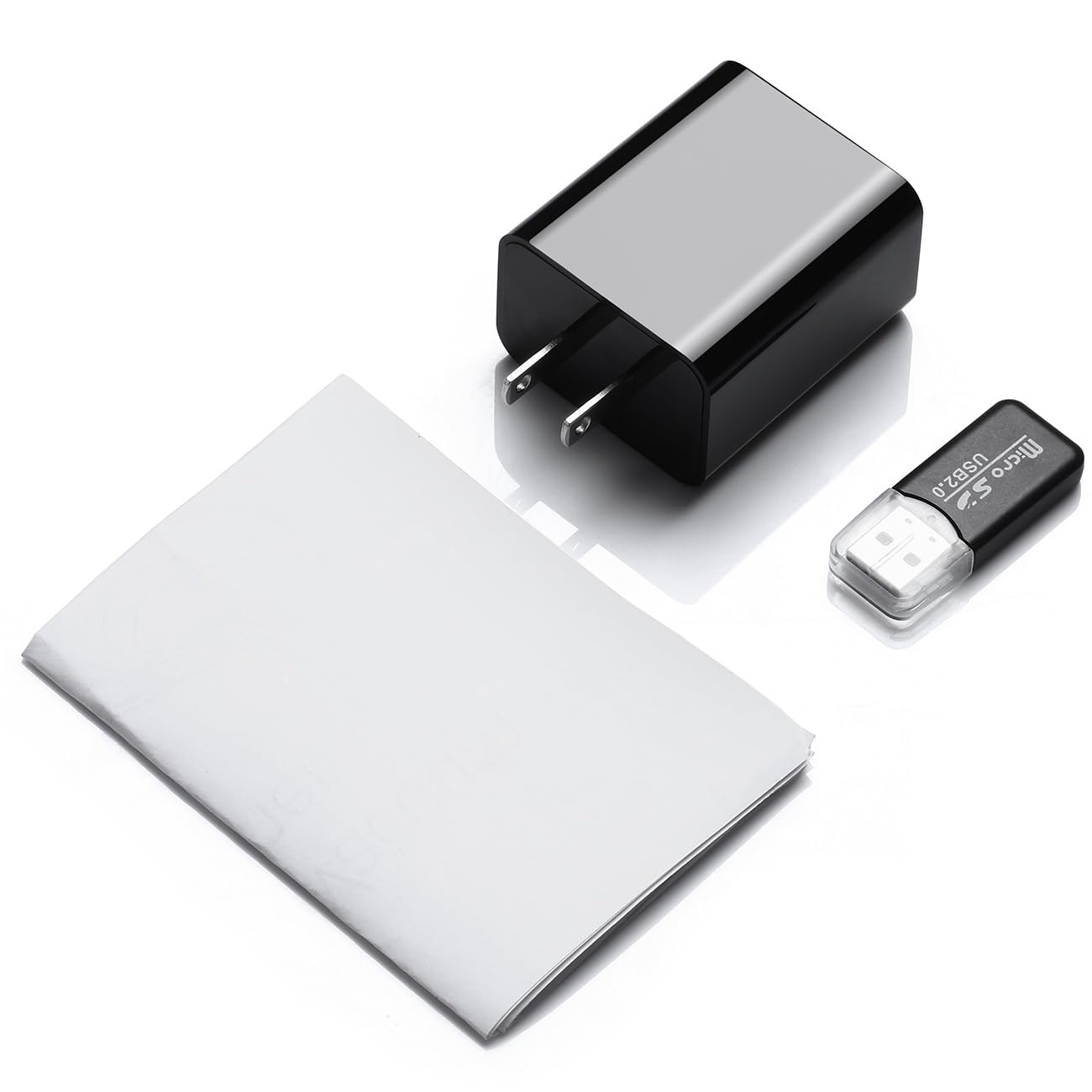
Image 2.1: Contents of the CAPOXO security camera package, including the camera, USB cable, card reader, and user manual.
2.2 Kameros komponentai
Susipažinkite su pagrindiniais fotoaparato komponentais:

Image 2.2: Detailed diagram showing the camera's components, including the HD Lens, Card Slot, USB port, Mode Switch, IR LEDs, and Front Cover.
- HD objektyvas: Užfiksuoja vaizdo įrašą footage.
- Kortelės lizdas: For inserting a Micro SD card (up to 128GB, not included).
- USB prievadas: Functions as a standard USB charging port and for power supply to the camera.
- Režimo jungiklis: Toggles between recording modes (M: Motion-activated, C: Loop recording).
- IR šviesos diodai: Infraraudonųjų spindulių skleidėjai naktiniam matymui.
- Priekinis dangtelis: A removable cover to access the card slot and mode switch.
2.3 Pagrindinės savybės
- Full HD 1080p raiška: Records video at 1920x1080 for clear footage.
- Nepertraukiamo ciklo įrašymas: Automatiškai perrašo senesnę „foo“ informacijątage to ensure uninterrupted surveillance.
- Naktinio matymo galimybė: Equipped with infrared LEDs for clear recording in low-light conditions up to 5 meters.
- Judesio aptikimo technologija: Automatically initiates recording when movement is detected.
- Išplečiama saugykla: Supports Micro SD cards up to 128GB (not included).
3. Sąranka
3.1 Micro SD kortelės įdėjimas
- Gently remove the front cover of the camera to expose the card slot.
- Insert a formatted Micro SD card (Class 10 or higher, up to 128GB) into the card slot with the gold contacts facing down until it clicks into place.
- Pakeiskite priekinį dangtelį.
Pastaba: The Micro SD card is not included and must be purchased separately. Ensure the card is formatted before first use for optimal performance.
3.2 Kameros maitinimas
- Plug the camera directly into a standard 220V AC wall outlet.
- The camera will automatically power on and begin operation according to the selected mode.

Image 3.1: The CAPOXO security camera plugged into a wall outlet, ready for operation.
4. Naudojimo instrukcijos
4.1 Selecting Recording Mode
The camera features a mode switch located under the front cover:
- 'C' Position (Loop Recording): The camera will continuously record video. When the SD card is full, the oldest filebus automatiškai perrašyti naujais įrašais.
- 'M' Position (Motion Detection): The camera will only record when it detects movement within its field of view. This conserves storage space and highlights important events.
4.2 Naktinis matymas
The camera automatically activates its infrared (IR) LEDs in low-light conditions to provide clear night vision footage up to 5 meters. These LEDs are designed to be discreet.
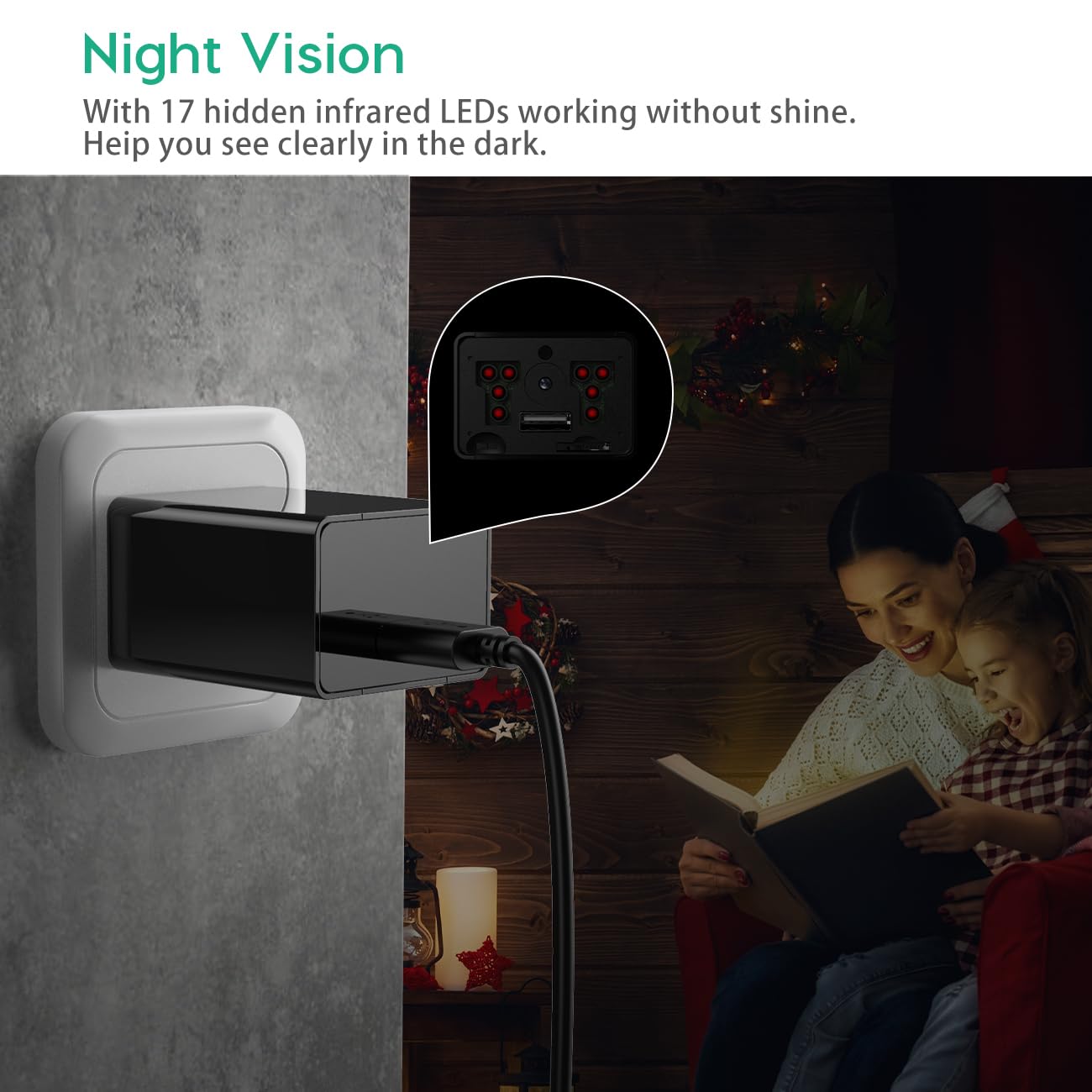
Image 4.1: Demonstration of the camera's night vision capability, showing clear visibility in a dark room.
4.3 Prieiga prie įrašų
- Unplug the camera from the power outlet.
- Remove the front cover and carefully eject the Micro SD card.
- Insert the Micro SD card into the provided card reader.
- Connect the card reader to a computer's USB port.
- Access the recorded video files jūsų kompiuteryje.
5. Priežiūra
- Valymas: Kameros objektyvą ir korpusą valykite minkštu, sausu audiniu. Venkite naudoti skystus valiklius ar abrazyvines medžiagas.
- SD kortelės tvarkymas: Regularly back up important recordings. Periodically format the Micro SD card to maintain optimal performance and prevent data corruption.
- Vieta: Ensure the camera is placed in a stable indoor environment, away from direct sunlight, extreme temperatures, and high humidity.
6. Problemų sprendimas
- Camera is not recording:
- Ensure the camera is properly plugged into a live power outlet.
- Patikrinkite, ar „Micro SD“ kortelė įdėta teisingai ir ar ji nėra pilna.
- Try formatting the Micro SD card.
- Verify the mode switch is set to 'C' for continuous recording or 'M' for motion detection.
- Prasta vaizdo kokybė:
- Nuvalykite fotoaparato objektyvą minkšta šluoste.
- Ensure adequate lighting in the recording area, especially for optimal daytime footage.
- Check if the camera is within its effective night vision range during low-light conditions.
- Motion detection is not working:
- Ensure the mode switch is set to 'M' (Motion Detection).
- Verify that the camera's field of view yra švarus ir neužblokuotas.
- Test the motion detection by moving in front of the camera.
- Negaliu prieiti files kompiuteryje:
- Ensure the Micro SD card is properly inserted into the card reader.
- Try connecting the card reader to a different USB port or computer.
- Check if the Micro SD card is damaged or corrupted.
7. Specifikacijos
| Modelio pavadinimas | Capoxo-SQ-21-Charger-NV |
| Rezoliucija | „Full HD 1080p“ (1920 x 1080) raiška |
| Saugojimo palaikymas | Up to 128GB Micro SD Card (not included) |
| Įrašymo režimai | Loop Recording, Motion Detection |
| Naktinio matymo diapazonas | Up to 5 meters (via IR LEDs) |
| Maitinimo šaltinis | kintamoji srovė (220 V) |
| Ryšys | USB 2.0 |
| Naudojimas viduje / lauke | Vidinis |
| Gaminio matmenys | 5.3 x 4.6 x 3.2 cm |
| Prekės svoris | 250 g |
| Įtraukti komponentai | Camera, USB Cable, Card Reader |
8. Garantija ir palaikymas
For any product-related inquiries, technical support, or warranty claims, please contact CAPOXO customer service through your purchase platform or the official CAPOXO website. Please have your model number (Capoxo-SQ-21-Charger-NV) and proof of purchase ready when contacting support.
Please refer to the terms and conditions of your purchase for specific warranty details.