
Įvadas
The GameSir G8 Plus Thanos Edition is a versatile mobile game controller designed to provide a console-like gaming experience across multiple platforms. This manual provides essential information for setting up, operating, maintaining, and troubleshooting your controller.
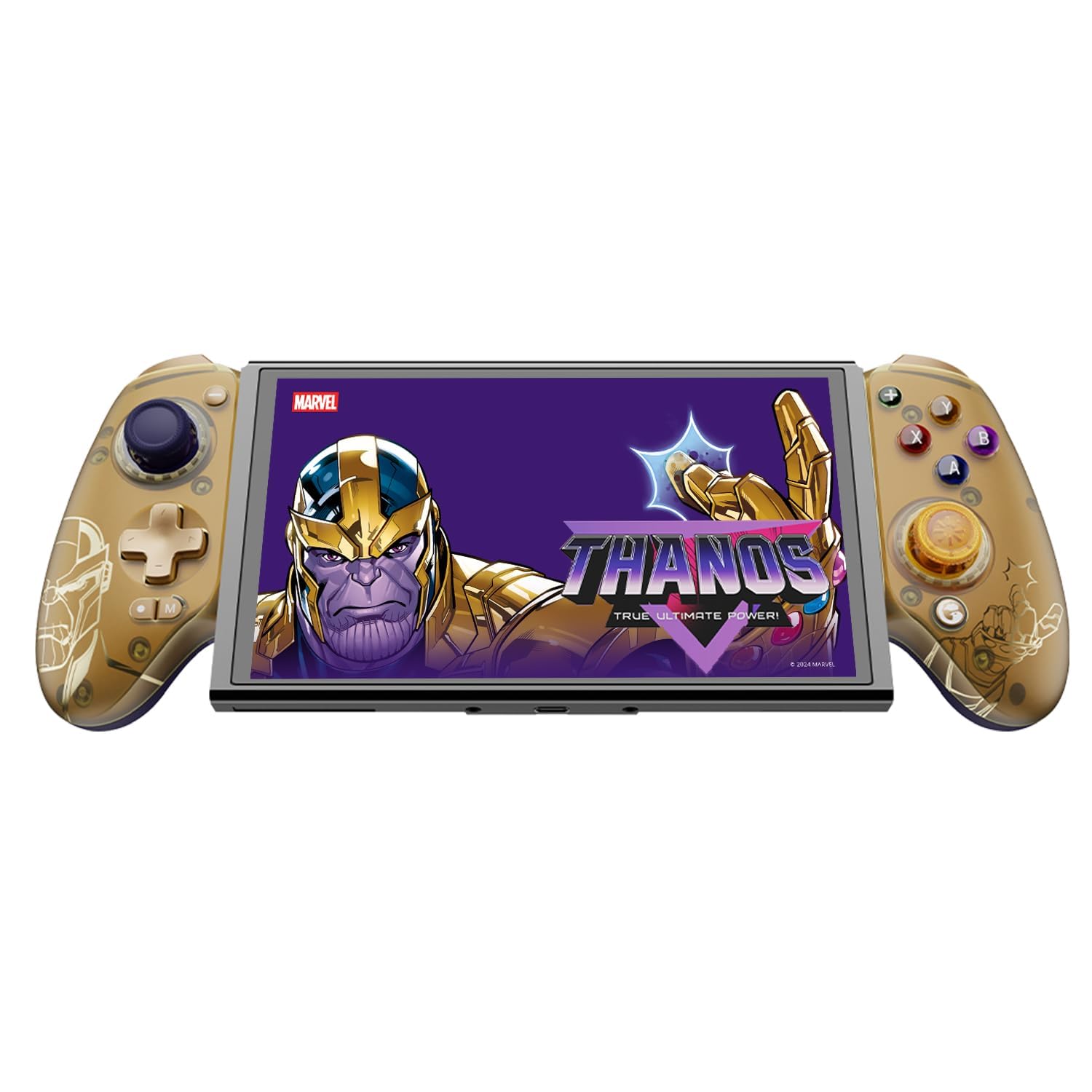
Figure 1: GameSir G8 Plus Thanos Edition Mobile Game Controller.
Sąranka
Pakuotės turinys
Patikrinkite, ar pakuotėje yra visi reikalingi daiktai:
- GameSir G8 Plus Thanos Edition Mobile Game Controller
- Interchangeable Thumbstick Caps (3 pairs)
- USB-C kabelis
- Vartotojo vadovas (šis dokumentas)

Figure 2: Contents of the GameSir G8 Plus Thanos Edition package.
Įrenginio suderinamumas
The GameSir G8 Plus is compatible with a wide range of devices:
- Android devices (Android 8.0 or later)
- iOS įrenginiai
- Nintendo Switch
- Tablets (4.7 to 8.4 inches)
- PC (via 2.4G receiver, sold separately, or wired)

Figure 3: Universal compatibility of the GameSir G8 Plus.
Pradinis ryšys
To connect your GameSir G8 Plus controller to a device:
- For Mobile Devices (Bluetooth): Extend the controller to fit your smartphone or tablet. Ensure Bluetooth is enabled on your device. Press and hold the pairing button on the controller until the indicator light flashes, then select "GameSir G8 Plus" from your device's Bluetooth settings.
- „Nintendo Switch“: Insert the Switch console into the controller. The controller should automatically connect.
- For PC (Wired): Connect the controller to your PC using the provided USB-C cable.
- For PC (2.4G Wireless): Insert the 2.4G receiver (sold separately) into your PC's USB port. The controller should connect automatically.
1 vaizdo įrašas: Viršview of the Gamesir G8 Plus Bluetooth Marvel Licensed controller, demonstrating its design and features.
Veikiantis
Pagrindinės funkcijos ir valdikliai
- Holo efekto valdymo svirtys: Experience precise 360° control with anti-drift technology, ensuring longevity and accuracy.
- Holo efekto trigeriai: Optimized triggers provide smooth and quick response, ideal for various game genres.
- Mappable Back Buttons: Two additional back buttons (L4/R4) allow for instant button mapping, enhancing gameplay customization.
- Judesio jutimas: A built-in 6-axis gyroscope enhances motion control, particularly useful for compatible Switch games and motion-sensitive gameplay.
- Haptinis atsiliepimas: Console-level haptic feedback provides realistic and immersive sensations during gameplay.

Figure 4: Explanation of GameSir Hall Effect Sticks.

Figure 5: Toggle Trigger Modes for different game types.

Figure 6: Motion Control capabilities with built-in 6-axis gyro.

Figure 7: Realistic and immersive haptic sensation.
Tinkinimas
- Magnetic Faceplates: The controller features magnetic faceplates that can be easily removed and swapped for personalized aesthetics or maintenance.
- Interchangeable Thumbstick Caps: Three pairs of thumbstick caps with varying heights are included, allowing users to customize control feel.
- GameSir App: The GameSir app (Android exclusive) allows for real-time customization, including button mapping and sensitivity adjustments, for personalized gameplay.

Figure 8: Free customization options for the controller.

Figure 9: Advanced features of the GameSir G8 Plus.
Video 2: Introduction to the GameHub App, showcasing its features for game management and controller customization.
Režimo perjungimas
The controller supports various modes for different platforms. To switch between modes, press the corresponding key combination:
| Režimas | Namų indikatorius | Prisijungimo būdas | Suderinama platforma |
|---|---|---|---|
| Android | Žalia | Controller + A | Android 8.0 ar naujesnės versijos |
| DS4 | Mėlyna | Controller + B | iOS |
| Perjungti | Raudona | Controller + X | Perjungti |
| G-Touch | Žydra spalva | Controller + Y | „GameSir“ programa |
*Darbo būsenoje paspauskite atitinkamą klavišų kombinaciją, kad persijungtumėte į norimą režimą.
Priežiūra
Norėdami užtikrinti „GameSir G8 Plus“ valdiklio ilgaamžiškumą ir optimalų veikimą, laikykitės šių priežiūros gairių:
- Valymas: Valdiklio paviršių nuvalykite minkšta, sausa šluoste. Jei nešvarumai sunkiai įveikiami, šiek tiek pamirkykite.ampNuvalykite šluostę vandeniu arba švelniu valymo tirpalu. Venkite stiprių cheminių medžiagų ar abrazyvinių medžiagų.
- Saugykla: Valdiklį laikykite vėsioje, sausoje vietoje, toliau nuo tiesioginių saulės spindulių ir ekstremalių temperatūrų. Jei ilgesnį laiką nenaudojate, prieš padėdami jį į sandėlį, įsitikinkite, kad jis yra visiškai įkrautas.
- Tvarkymas: Avoid dropping the controller or subjecting it to strong impacts. Do not attempt to disassemble the controller beyond removing the magnetic faceplates and thumbstick caps.
Trikčių šalinimas
If you encounter issues with your GameSir G8 Plus controller, refer to the following common troubleshooting steps:
- Valdiklis neprisijungia: Ensure Bluetooth is enabled on your device and the controller is in the correct mode (Android, DS4, Switch). Try restarting both the controller and your device. For wired connections, ensure the USB-C cable is securely connected.
- Mygtukai arba valdymo svirtelės nereaguoja: Check if the controller's battery is charged. If using the GameSir App, verify that button mappings are correctly configured. For Hall Effect Joysticks, recalibration might be necessary if drift occurs (refer to GameSir App for calibration options).
- Įrenginys netinka: Ensure your device's dimensions are within the supported range of 4.7 to 8.4 inches. The controller's design accommodates devices with larger cameras.
- GameSir App Issues: Ensure your GameSir App is updated to the latest version. The app is currently exclusive to Android devices.
For further assistance, please contact GameSir customer support.
Specifikacijos
Detailed specifications for the GameSir G8 Plus Thanos Edition Mobile Game Controller:
| Funkcija | Detalė |
|---|---|
| Suderinami įrenginiai | Android, iOS, Nintendo Switch, PC |
| Valdiklio tipas | Žaidimų pultelis |
| Ryšio technologija | Bluetooth 5.3, USB, 2.4G (receiver sold separately) |
| Papildomos funkcijos | Multiuse, Wireless, Hall Effect Joysticks & Triggers, 6-axis Gyroscope, Mappable Back Buttons, Magnetic Faceplates, Interchangeable Thumbstick Caps, Pass-through Charging |
| Mygtukų kiekis | 6 (standard face buttons) + D-pad, shoulder buttons, triggers, menu buttons, 2 back buttons |
| Aparatinės įrangos platforma | Smartphone, Tablet, Nintendo Switch, PC |
| Maitinimo šaltinis | Battery Powered (500mAh per side) |
| Prekės svoris | 620 gramų |
| Modelio pavadinimas | G8 Plus |
| Gamintojas | Žaidimas Pone |
| Spalva | Gamesir G8 Plus Thanos Edition (Gold/Purple) |
Garantija ir palaikymas
Informacija apie garantiją
The GameSir G8 Plus Thanos Edition Mobile Game Controller comes with a 1 metų garantija. GameSir provides 12 months replacement service for product issues.
Pagalba klientams
If you experience any problems with your product or require further assistance, please feel free to send a message through Amazon. GameSir aims to reply within 24 hours.